

2002 Kia Sedona Radio Guide: Solving Anti-Theft Codes and Compatibility
This guide covers the common problems, compatibility checks, and critical anti-theft code procedures for the 2002 Kia Sedona radio.
- The radio has an anti-theft system. A used radio MUST come with its security code to be functional.
- Verify if your vehicle needs a single-DIN (2-inch tall) or double-DIN (4-inch tall) unit before buying.
- Before purchasing a used unit, visually compare the rear connector plugs with your old radio to ensure compatibility, especially for premium sound systems.
- If the radio has power but no sound, try a 'hard reset' by disconnecting the battery for 15 minutes before assuming the unit is broken.
Key Variants of the 2002 Kia Sedona Radio

The 2002 Kia Sedona was available with a few different factory radio configurations, and knowing which one your vehicle has is crucial for replacement. The main difference is the physical size of the unit, known as DIN size.
- Single-DIN: This is the smaller radio size, measuring approximately 2 inches tall and 7 inches wide. These units typically offered basic AM/FM radio and sometimes a cassette player.
- Double-DIN: This larger unit is about 4 inches tall and 7 inches wide. Double-DIN radios in the Sedona often included a combination of AM/FM, a cassette player, and a single-disc CD player.
Additionally, some Sedona models were equipped with a premium audio system. These systems may use different wiring harnesses or an external amplifier, which can complicate a direct swap with a standard radio. Always verify your vehicle's original setup before purchasing a replacement.
Warning: The most common mistake is buying the wrong size radio. Measure your current radio or the dashboard opening before ordering a used part. A single-DIN unit will not properly fit in a double-DIN slot without a special kit, and a double-DIN unit will not fit in a single-DIN slot at all.
The Critical Anti-Theft Code System

Nearly all 2002 Kia Sedona factory radios are equipped with an anti-theft system. This is the most important factor to understand when replacing or troubleshooting your radio.
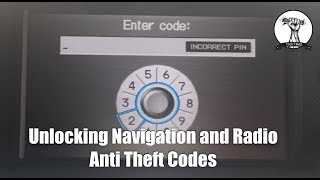
- How it Works: If the radio loses power for any reason (like a battery replacement or disconnection), it enters a security mode and will display "CODE" or "LOC" on the screen when power is restored. 🎬 Watch this guide on unlocking your radio after a battery disconnect. The radio will not function until a specific 4 or 5-digit code is entered.
- Finding Your Code: The code is typically printed on a small card included with the owner's manual. If you don't have this card, a Kia dealership can retrieve the code for you, but they will need the radio's serial number and possibly the vehicle's VIN. This service may come with a fee.
- Entering the Code: To enter the code, you typically use the radio preset buttons (1-6) to input the digits and then press a confirmation button like "SC" or "Tune".
Symptoms of a Failing Radio

Aside from the anti-theft lock, these radios can experience several common failures:
- No Power or Intermittent Operation: The radio may refuse to turn on or may shut off randomly. This can be caused by a blown fuse, a loose connection, or an internal failure like a cracked solder joint.
- Display is Blank, Dim, or Garbled: The LCD screen may fail, showing missing segments, being too dim to read, or going completely blank even when the radio produces sound.
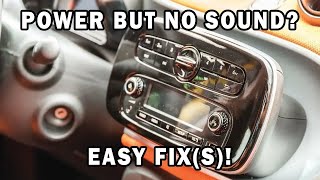
- No Sound From Speakers: The radio may power on and appear to function, but no audio comes out. This can be due to a software glitch that requires a 'hard reset' (disconnecting the battery for 15 minutes), a faulty internal amplifier, or wiring issues. 🎬 See how to troubleshoot a car stereo with power but no sound.
- CD or Cassette Player Malfunctions: Mechanical failures are common. The CD player may not accept, eject, or read discs, and the cassette player can fail to play tapes or may damage them.
- Poor Radio Reception: Weak or static-filled reception can be caused by a damaged or disconnected antenna cable.
- Buttons or Knobs Don't Work: Physical buttons can become unresponsive, and the volume knob may become erratic due to wear.
Pro Tip: Before assuming the radio is broken, always check the simple things first. Check the radio fuse in the vehicle's fuse panel. If the radio has power but no sound, try a hard reset by disconnecting the negative battery terminal for 15 minutes to clear any software glitches.
Buying a Used 2002 Kia Sedona Radio: What to Check

Purchasing a used OEM radio can be a cost-effective solution, but careful verification is essential to avoid buying an unusable part.
- Get the Anti-Theft Code: This is non-negotiable. Do not buy a used radio unless the seller guarantees it comes with the correct anti-theft code. Without the code, the radio is essentially useless unless you're willing to pay a dealer to retrieve it, which may not always be possible without the donor vehicle's information.
- Verify the Physical Size: Confirm whether your Sedona needs a single-DIN (2-inch) or double-DIN (4-inch) unit. Ask the seller for measurements or a photo with a ruler if you are unsure.
- Match the Connectors: The most important compatibility check is the rear plugs. Get clear photos of the back of the used radio and compare the connector ports to your existing radio. Vehicles with premium sound systems may have different plugs.
- Check Part Numbers: While many part numbers may be interchangeable, the surest way to ensure a match is to find a unit with the same part number as your original. The part number is printed on a sticker on the radio's metal casing.
- Inspect for Physical Damage: Look for cracks in the faceplate, damage to the screen, or signs of water intrusion on the casing.
Cost Comparison
| Part Type | Estimated Cost |
|---|---|
| New OEM | $300 - $600+ (Often discontinued) |
| New Aftermarket | $80 - $300+ (Requires installation kit and harness adapter) |
| Used OEM | $50 - $150 |
| Shop Labor | $75 - $150 |
Known Issues, Recalls, and TSBs
As of this writing, there are no specific NHTSA recalls or Technical Service Bulletins (TSBs) for the radio unit itself in the 2002 Kia Sedona. Most issues are related to age-related component failure or the anti-theft system as described in the symptoms section.
Frequently Asked Questions (FAQ)
Does the 2002 Kia Sedona radio need to be programmed by a dealer?
No, the radio does not require dealer programming or flashing in the modern sense. However, it does require the correct 4 or 5-digit anti-theft code to be entered after it loses power. Some sellers may confuse this code requirement with programming.
My radio screen says "CODE". What do I do?
You need to enter the security code. Look for the code on a card in your owner's manual. If you can't find it, you will have to remove the radio to get its serial number from the sticker on the case, then contact a Kia dealer to retrieve the code.
Can I install a modern aftermarket radio with a touchscreen?
Yes. If your Sedona has a double-DIN (4-inch tall) opening, you can install a modern touchscreen unit. You will need a vehicle-specific installation kit (like a Metra 95-1005) and a wiring harness adapter (like a Metra 70-1003) to connect it to the factory wiring without cutting any wires. If you have a single-DIN opening, your options are limited to smaller, non-touchscreen units unless you choose a model with a flip-out screen.
My radio turns on but there's no sound. What's the first thing to check?
First, check that the volume is turned up and the system is not muted. If that doesn't work, the most common fix for this specific issue is a "hard reset." Disconnect the negative terminal of your car's battery, wait for about 15 minutes, and then reconnect it. This can resolve software glitches in the radio's internal amplifier. If the problem persists, you may have a wiring issue or a failed amplifier IC within the head unit.
Helpful Videos
Technical Specifications
OEM Part Numbers: 0K52Y66860 0K52Y66860A 0K54X-66860C 0K54X66860C 0K54Y66860B 0K54Y66860C 1K5AD66860 1K5AD66860A 1K5LC66860 K54X66860C RK52Y66860 RK54X66860C RK54Y66860B RK5AD66860 RK5LC66860
Fits single-DIN (approx. 2"x7") or double-DIN (approx. 4"x7") dashboard openings. Requires a 4 or 5-digit security code for operation after power loss.

The information in this article is provided for general reference and educational purposes only. Vehicle specifications, procedures, and part compatibility can vary by production date, trim level, and region. Always consult your vehicle's factory service manual and verify part numbers before purchasing or performing repairs. Safety-critical components such as airbags, seat belts, and braking systems should be installed by a qualified professional.
- Kia Sedona: