

2018-2024 Freightliner Cascadia Radio Guide: Decoding Models, Fixes, and Upgrades
This guide clarifies the different radio and CB options for the 2018-2024 Cascadia, explains how to fix common freezing issues, and details what to look for when buying a replacement.
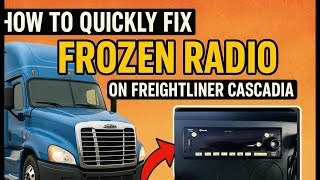
- The most common radio problem is freezing, which can usually be fixed by pulling the 20-amp radio fuse for 15 seconds to perform a hard reset.
- Freightliner used many different radio models. You MUST match the OEM part number to ensure features like Bluetooth or Satellite Radio are present.
- The CB radio is a separate system from the main entertainment radio and needs to be diagnosed independently.
- Unlike many passenger cars, swapping a like-for-like Cascadia radio typically does not require dealer programming or anti-theft codes.
Know Your Radio: Multiple Options for the Cascadia


Freightliner offered several different audio and communication systems for the 2018-2024 Cascadia, leading to common confusion when replacing a faulty unit. It is critical to identify which system your truck has before purchasing a replacement. The primary options fall into three categories:
1. Standard Entertainment Radios (Delphi / Aptiv)
These are the most common units, mounted in the main dash. They look similar but have very different features depending on the part number.
- Basic AM/FM/CD Player: The simplest version, often found in fleet-spec trucks. These units, like part number A22-74934-000, typically lack Bluetooth, USB, or satellite radio.
- AM/FM with Bluetooth/USB: An intermediate option, such as part number 2429332, which adds Bluetooth for hands-free calls and music streaming, plus a USB port for charging and media playback, but often deletes the CD player.
- Full-Featured Delphi/Aptiv Radios (e.g., DEA737): High-tier models like part number A22-78676-000 (DEA737) include a full suite of features: AM/FM, Weather Band (WB), Bluetooth, USB, AUX input, and are often SiriusXM (SXM) satellite radio ready. These are a popular all-in-one choice.
- Touchscreen Infotainment Systems: Found in newer and higher-trim Cascadias, these large screens integrate radio, navigation, and apps like Apple CarPlay. While feature-rich, they are also prone to software glitches that can be difficult to resolve on the road.
2. CB Radios (Cobra / Pana-Pacific)
A staple for truck drivers, the CB radio is a separate unit from the entertainment radio. In the Cascadia, it is typically mounted in an overhead console. A common factory-installed model is the Cobra 29 NW LTD Classic, sold under Pana-Pacific part numbers like PSOPP500629 and PP107309. When diagnosing communication issues, it's important not to confuse this with the AM/FM radio in the dash.
Pro Tip: The part number is the most reliable way to ensure you get the features you want. A radio that looks identical on the outside may be missing key functions like Bluetooth or satellite radio if it's the wrong part number.
Symptoms of a Failing Radio


Cascadia radios can exhibit several frustrating symptoms. Fortunately, the most common one has a simple fix.
Radio is Frozen or Unresponsive
This is the most widely reported issue. The radio screen may be stuck on, off, or display a message like "No Power." The unit will not respond to any button presses, including the power and volume knobs. Turning the truck off and on, even for an extended period, often does not solve the problem.
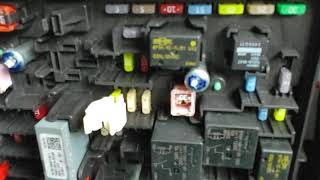
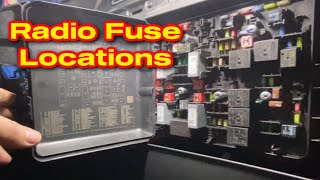
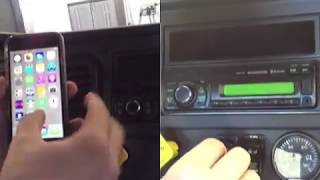
The Fix: This issue is almost always resolved by performing a hard reset. You can do this by pulling the radio's fuse from the passenger-side fuse panel. It is typically a yellow 20-amp fuse. 🎬 Watch: How to locate and pull the radio fuse Simply pull the fuse out for about 10-15 seconds and then plug it back in. This forces the radio to reboot and will usually restore normal function.
Blank Screen or No Power
If the radio is completely dead (no lights, no sound), the first step is to check the fuse. If the fuse is good, the problem could be with the unit itself or the wiring harness behind it. In some cases, the screen backlight can fail, making it appear blank even though the radio is on and producing sound. Try shining a bright light on the screen to see if you can faintly see the display.
Bluetooth Won't Connect or Play Music
Many drivers report issues where their phone pairs for calls but won't play media audio from apps like Spotify or YouTube. This is often a settings issue. First, on the radio, make sure the source is set to "Bluetooth" or "B/T Music". Then, in your phone's Bluetooth settings for the connected radio, ensure that "Media Audio" is enabled in addition to "Call Audio".
🎬 Watch: Step-by-step Freightliner Bluetooth pairing guideNo Sound From Speakers
If the radio appears to be working but you have no sound, check the simple things first: volume and mute. A Freightliner service bulletin also notes a peculiar issue: if a radio designed for four speakers is installed in a truck with only two, the fader control can be set to the non-existent "rear" speakers, resulting in silence. Before replacing the unit, make sure the fader is set all the way to the front.
Buying a Used Cascadia Radio
Buying a used OEM radio is a great way to save money, but it's essential to do it right to avoid getting the wrong part.
- Match the Part Number EXACTLY: This is the most important rule. Do not buy a radio based on looks alone. Get the part number from your old unit and match it to the seller's listing. This guarantees compatibility and ensures you get the features you expect.
- Verify Features: If you're upgrading from a basic radio to one with Bluetooth, double-check the part number you're buying corresponds to a Bluetooth-equipped model (e.g., A22-78676-000).
- Inspect the Connectors: Ask the seller for a clear photo of the back of the unit. Ensure the connector ports are clean, and no pins are bent or broken.
- Physical Condition: Check for major scratches on the screen, cracked buttons, or damage to the chassis. While cosmetic wear is expected with a used part, functional components should be intact.
- Why Used OEM is a Good Choice: A used OEM radio is often a better choice than a cheap aftermarket unit. It guarantees a perfect fit in the dash, uses the factory wiring connector without adapters, and maintains the original look of the cab.
Warning: When replacing a radio, you will need a set of DIN radio removal tools to release the clips holding it in the dash. These are inexpensive and widely available. Using screwdrivers or other objects can damage the radio's faceplate or the dashboard.
🎬 See this walkthrough on removing the factory radioProgramming and Installation Notes
For most like-for-like swaps, Cascadia radios are plug-and-play and do not require dealer programming or anti-theft code entry. The primary concern is feature compatibility, not vehicle security lockout. However, if you are installing a high-end touchscreen infotainment system from a different truck, it may be linked to the original vehicle's VIN and require dealer intervention.
If you experience poor AM/FM reception after installation, you may need to set the radio's country/region code. A service bulletin describes a procedure for doing this by holding a button with the radio off to enter a settings menu.
Cost of Replacement
| Part Type | Price Range | Notes |
|---|---|---|
| New OEM | $500 - $1,000+ | Purchased from a Freightliner dealer. Guarantees the latest version but is very expensive. |
| New Aftermarket | $150 - $600+ | Varies widely. May offer more features (like a large screen) but requires wiring adapters and may not integrate perfectly. |
| Used OEM | $75 - $300 | The best value. An identical factory part at a fraction of the new price. Sourced from professional auto recyclers. |
| Shop Labor | $100 - $200 | Installation is typically quick, taking about an hour. Diagnosis of a tricky electrical issue could add to the cost. |
Frequently Asked Questions
Does a replacement Freightliner Cascadia radio need to be programmed by the dealer?
Generally, no. If you are replacing your radio with a used OEM unit that has the same part number, it should be plug-and-play. There is no common anti-theft system that requires dealer intervention for standard radios. The main 'programming' you might do is setting the correct country for the radio tuner.
My radio is frozen. Do I need to replace it?
Almost certainly not. This is a very common software glitch. Before you do anything else, locate the passenger side fuse panel, find the yellow 20-amp fuse for the radio, pull it out for 15 seconds, and put it back in. This hard reset fixes the problem in most cases.
Can I upgrade my basic AM/FM radio to a factory Bluetooth model?
Yes, this is a common and straightforward upgrade. You need to purchase a used OEM radio with a part number known to have Bluetooth (like A22-78676-000). Since it's a factory unit, it will plug directly into your existing harness. You may also need a microphone for hands-free calling if your truck doesn't already have one installed.
How do I remove the radio from the dash?
You will need a pair of DIN removal tools. These are two U-shaped metal tools that insert into the four small holes on the face of the radio. Pushing them in releases internal spring clips, allowing the radio to slide out of the dashboard.
Is the CB radio part of the main radio?
No. The CB radio is a completely separate system, even if it was installed at the factory. It is usually a Cobra brand unit located in the overhead console. Problems with the CB radio are not related to the AM/FM/Bluetooth radio in the dashboard.
Helpful Videos
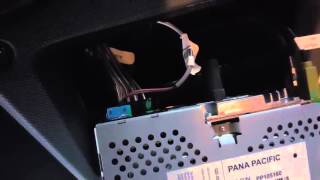
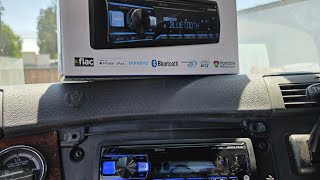
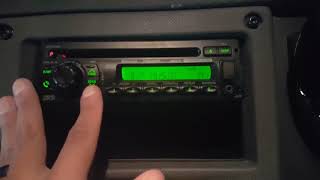
Technical Specifications
OEM Part Numbers: A22-78678-000 24076736 24137737 A22-74934-000 2429332 A22-78675-000 A22-78676-000 PP103985 PP107309 PSOPP500629 CQ-BT5159U A22-74387-000 A22-76228-000 A22-74386-000
Varies by part number. Options include AM/FM, Weather Band (WB), CD Player, Bluetooth (BT), USB, AUX input, and SiriusXM (SXM) Satellite Radio. CB radios are typically 40-channel units.
We Have This Part in Stock



The information in this article is provided for general reference and educational purposes only. Vehicle specifications, procedures, and part compatibility can vary by production date, trim level, and region. Always consult your vehicle's factory service manual and verify part numbers before purchasing or performing repairs. Safety-critical components such as airbags, seat belts, and braking systems should be installed by a qualified professional.
- Freightliner Cascadia:
- 🎬 Helpful Videos
- 🛍️ Shop This Part
- Know Your Radio: Multiple Options for the Cascadia
- 1. Standard Entertainment Radios (Delphi / Aptiv)
- 2. CB Radios (Cobra / Pana-Pacific)
- Symptoms of a Failing Radio
- Radio is Frozen or Unresponsive
- Blank Screen or No Power
- Bluetooth Won't Connect or Play Music
- No Sound From Speakers
- Buying a Used Cascadia Radio
- Programming and Installation Notes
- Cost of Replacement
- Frequently Asked Questions
- 🎟️ Get 5% Off