

2011-2015 BMW X3 Audio Failure: A Guide to Amps, Head Units, and iDrive Controllers
Diagnose and replace the complex audio components in your F25 BMW X3, from the water-prone HiFi amplifier to the CIC head unit and iDrive controller.
- The #1 cause of total audio failure is a water-damaged HiFi Amplifier (S676A) located in the left side of the trunk; you must fix the water leak before replacing the amp.
- Replacement Head Units (CIC/NBT) and Amplifiers are NOT plug-and-play; they MUST be coded to your vehicle's VIN by a dealer or specialist to function correctly.
- The iDrive controller knob is the exception; a replacement is typically plug-and-play and does NOT require programming.
- Before buying any part, use a VIN decoder to identify your specific audio system (Base, HiFi, or Harman Kardon) as the components are not interchangeable.
First: Identify Your BMW X3 Audio System
Before diagnosing a problem or buying parts, you must know which audio system your X3 has. The three main types are not interchangeable. Using a free online BMW VIN decoder is the most reliable method.
- Base Stereo: This is the standard system. It has no separate amplifier; the speakers are powered directly by the head unit. The easiest way to spot this system is the lack of tweeter speakers in the triangular sail panels by the side mirrors.
- HiFi Speaker System (Option Code S676A): This is the most common upgrade. It includes a dedicated amplifier located in the left side of thetrunk area and adds tweeter speakers in the front door sail panels. If you have tweeters but no "Harman Kardon" logo, you likely have the HiFi system.
- Harman Kardon Surround Sound System (Option Code S688A) or Top-HiFi (S677A): This is the premium option. It features more speakers, including a center channel on the dashboard, and will have "Harman Kardon" logos on the speaker grilles. The amplifier and speakers are different from the HiFi system.
Warning: Parts for these three systems are not compatible. You cannot use a HiFi amplifier to upgrade a Base system or replace a Harman Kardon amplifier without extensive, complex, and expensive retrofitting.
Head Unit (CIC/NBT Radio) Failures
The head unit is the computer in your dashboard with the CD/DVD slot. Most 2011-2015 X3 models use the Car Information Computer (CIC) system, though later models could be equipped with the newer NBT (Next Big Thing) unit. They look similar but have different software interfaces and hardware.
Symptoms of a Failing Head Unit
- Constant Rebooting: The iDrive screen shows the BMW logo, turns off, and repeats in a loop. This is a very common symptom and often points to a failing internal hard drive.
- Screen Freezes or is Unresponsive: The system locks up and does not respond to iDrive controller inputs.
- Black Screen: The display does not turn on at all, even though other electronics in the car work.
Key Part Numbers & How to Verify
Part numbers for head units vary widely based on features and production date. Verified OEM numbers include 65129257121 and 65129283507. Always match the part number from your original unit exactly. A used unit must be from a vehicle with a similar option set (e.g., with navigation if your car has it).
Replacement & Programming
Programming Required: A replacement head unit is NOT plug-and-play. It is tied to the original vehicle's VIN and options. After installation, it must be programmed (or "coded") to your car's specific VIN and feature set by a dealer or a qualified independent BMW specialist with the correct software (like ISTA or E-Sys). Without proper coding, features like navigation, Bluetooth, and even sound may not work.
HiFi Amplifier (S676A) Failures
The HiFi amplifier is the number one cause of total sound loss in 2011-2015 X3s equipped with the S676A option. It is located behind the trim panel on the left (driver's) side of the trunk.
Symptoms of a Failing Amplifier
- Complete Loss of Sound: The most common symptom. The iDrive screen works, you can change stations, but no sound comes from any speaker.
- No Chimes or PDC Beeps: All system sounds, including turn signal clicks, seatbelt warnings, and parking sensor beeps, are routed through the amplifier. Their absence points directly to an amp or MOST bus issue.
- Loud Popping or Crackling: Sudden, loud static or popping noises from the speakers, even with the radio off, indicate an internal short circuit in the amplifier.
- Intermittent Audio: Sound cuts in and out randomly.
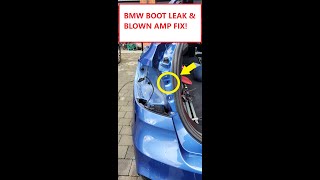
Pro Tip: The most common cause of amplifier failure is water damage. Clogged sunroof drains, bad taillight seals, or leaky trunk seals can allow water to drip directly onto the amplifier, causing corrosion and shorting out the electronics. Before replacing the amp, you MUST find and fix the source of the water leak.
🎬 Watch this video to find and fix the trunk leak.Key Part Numbers & How to Verify
The primary OEM part number for the HiFi amplifier in this generation is 65129283507 (also seen as 9283507). When buying a used unit, visually inspect the casing for any signs of white or green corrosion, especially around the main electrical connector. Do not buy a unit that shows any signs of water exposure.
Replacement & Programming
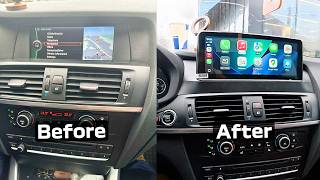
Physically replacing the amplifier is straightforward, involving the removal of trunk trim and a few bolts. 🎬 See this step-by-step amplifier replacement and upgrade walkthrough. However, like the head unit, a replacement amplifier must be coded to the vehicle to function correctly. While some users report basic functionality without coding, full performance and proper integration with the vehicle's systems require programming.
iDrive Controller Failures
This is the rotary knob and set of seven buttons in the center console used to navigate the iDrive system. It is a simple input device and is far less complex than the other audio components.
Symptoms of a Failing iDrive Controller
- Buttons Don't Respond: One or more of the shortcut buttons (MENU, TEL, NAV, etc.) stop working.
- Knob Requires Force to Click: The main 'select' function of the knob becomes difficult to engage, often requiring excessive force.
- Spinning with No Effect: Rotating the knob does not move the selection on the screen.
- Intermittent Functionality: The controller works sporadically. This is often caused by liquid spills.
Key Part Numbers & How to Verify
Common part numbers include 65829267955, 9267955, and 61319253944. The key is to ensure you are buying the standard 7-button controller with the 4-pin electrical connector. This is NOT the later iDrive Touch controller which has a larger, touch-sensitive surface on the knob.
Replacement & Programming
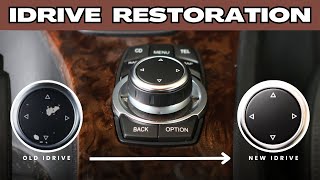
No Programming Required: The iDrive controller is a plug-and-play part. Replacement is a feasible DIY job that typically takes 30-45 minutes and involves carefully prying 🎬 Watch how to replace and fix sticky iDrive buttons. up the center console trim to access the mounting screws.
Buying a Used Radio Audio Component
Purchasing a used OEM audio part can save you hundreds or even thousands of dollars compared to new dealer prices. However, due to the complexity of these parts, careful purchasing is essential.
- Verify Compatibility First: Use a VIN decoder to confirm your audio system (Base, HiFi, HK). For head units and amplifiers, the part number must be an exact match or a verified superseded number. For iDrive controllers, match the button layout and connector type.
- Inspect for Water Damage: This is critical for amplifiers. Ask the seller for clear photos of the electrical connector pins. Any green or white powder-like residue is a sign of corrosion, and the part should be avoided.
- Factor in Programming Costs: Remember that a used head unit or amplifier is not plug-and-play. Contact a local BMW specialist before you buy to get a quote for the required programming. This can add $100-$300+ to the total cost.
- Check Seller Reputation: Buy from reputable sellers with a good return policy. This gives you recourse if the part is dead on arrival.
Cost Comparison
| Part | New OEM | Used OEM | Shop Labor (Install & Program) |
|---|---|---|---|
| Head Unit (CIC) | $1,600 - $2,500+ | $250 - $600 | $200 - $500 |
| HiFi Amplifier (S676A) | $600 - $800 | $50 - $250 | $150 - $300 |
| iDrive Controller | $450 - $570 | $100 - $225 | $75 - $150 |
Prices are estimates and can vary based on location, supplier, and vehicle condition. Programming costs are separate from installation labor.
Known Issues, Recalls, and TSBs
As of early 2026, there are no specific NHTSA recalls for the audio system, head unit, or amplifier in the 2011-2015 BMW X3. Recalls for this vehicle generation primarily concern airbag inflators and child seat anchor points. The most significant known issue is the HiFi amplifier's susceptibility to water damage from clogged sunroof drains or failing seals in the trunk area.
Frequently Asked Questions (FAQ)
My radio has no sound. Is it just a fuse?
It could be, but it's less likely than a failed amplifier. There are multiple fuses for the audio system located in the glove box and trunk fuse panels. However, a blown amplifier fuse is often a symptom of the amplifier itself short-circuiting, usually from water damage. If you replace the fuse and it blows again, the amplifier is almost certainly the problem.
Can I install a used iDrive controller myself?
Yes. Replacing the iDrive controller is a common DIY repair. It does not require any programming and is considered plug-and-play. The process involves carefully removing the center console trim to access the controller's screws.
Do I have to go to a BMW dealer for programming?
No, but you do need a specialist. Many independent shops that specialize in BMWs have the necessary software (like ISTA/P or E-Sys) and expertise to code a replacement head unit or amplifier to your vehicle. This is often more affordable than dealer service. Some remote coding services are also available.
Can I upgrade my Base audio system to the HiFi system with a used amplifier?
This is not a simple plug-and-play upgrade. The Base system lacks the necessary wiring, speaker-level outputs from the head unit are different, and the vehicle needs to be coded to recognize the amplifier. It is a complex and expensive retrofit that is not recommended for most owners.
Helpful Videos

Technical Specifications
OEM Part Numbers: 61319253944 65129253196 65129257121 65129283507 65829253944 65829267955 9253196 9253944 9257121 9267955 9283507
System Type: CIC (Car Information Computer) or NBT (Next Big Thing). Communication Bus: MOST (Media Oriented Systems Transport) fiber-optic network. Amplifier System: HiFi Option S676A. iDrive Controller Connector: 4-pin.
We Have This Part in Stock



The information in this article is provided for general reference and educational purposes only. Vehicle specifications, procedures, and part compatibility can vary by production date, trim level, and region. Always consult your vehicle's factory service manual and verify part numbers before purchasing or performing repairs. Safety-critical components such as airbags, seat belts, and braking systems should be installed by a qualified professional.
- BMW X3:
- 🎬 Helpful Videos
- 🛍️ Shop This Part
- First: Identify Your BMW X3 Audio System
- Head Unit (CIC/NBT Radio) Failures
- Symptoms of a Failing Head Unit
- Key Part Numbers & How to Verify
- Replacement & Programming
- HiFi Amplifier (S676A) Failures
- Symptoms of a Failing Amplifier
- Key Part Numbers & How to Verify
- Replacement & Programming
- iDrive Controller Failures
- Symptoms of a Failing iDrive Controller
- Key Part Numbers & How to Verify
- Replacement & Programming
- Buying a Used Radio Audio Component
- Cost Comparison
- Known Issues, Recalls, and TSBs
- Frequently Asked Questions (FAQ)
- 🎟️ Get 5% Off