

Nissan Armada Brake Light Switch Guide for 2017-2022 Models
Having trouble starting your Armada or seeing brake system warnings? Your brake light switch might be the culprit.
- A faulty brake light switch is a known issue for 2017-2019 Armadas, often causing a no-start condition.
- Symptoms include the car not starting, brake light failure, warning lights (BCI, ABS), and being stuck in Park.
- Replacement is simple and can be done by most DIYers in under 30 minutes.
- Look for an aftermarket replacement for the updated OEM part number 25320-AX10A for best results.
Is Your Armada's Brake Light Switch Failing?

If you own a 2017-2019 Nissan Armada, you may be familiar with issues related to the brake light switch. Nissan released a Technical Service Bulletin (TSB) #NTB20-065 for this exact problem. The original, solid-black switches were known to fail prematurely, causing a frustrating no-start condition. Even if your Armada is newer, this switch can still wear out and cause problems.
Known Issue: No-Start Condition & BCI Malfunction
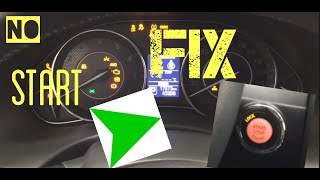
A faulty brake light switch is the most common cause of a 2017-2022 Armada not starting when the push-button is pressed. 🎬 Watch: A quick fix for this common no-start condition. The vehicle doesn't recognize that the brake pedal is depressed, which is a requirement for the engine to start. You may also see a "BCI Malfunction" warning light, which can interfere with cruise control and other safety systems.
Symptoms of a Bad Brake Light Switch

- Car Won't Start: The engine doesn't crank, but all the lights on the dashboard work. 🎬 See how to diagnose a no-crank issue that isn't the battery.
- Brake Lights Don't Work: Your brake lights do not illuminate when you press the pedal, a major safety hazard.
- Brake Lights Stay On: The switch can fail in the 'on' position, draining your battery.
- Warning Lights: The ABS or BCI (Backup Collision Intervention) warning lights may appear on your dash.
- Can't Shift Out of Park: The gear selector may be stuck in Park because the system doesn't get the signal from the brake pedal.
- Cruise Control Fails: Your cruise control might not set or could shut off unexpectedly.
Choosing the Right Aftermarket Brake Light Switch

When replacing the brake light switch, you have options ranging from budget-friendly to premium aftermarket. Since the original OEM switch had known issues, a quality aftermarket part can be a reliable and cost-effective solution.
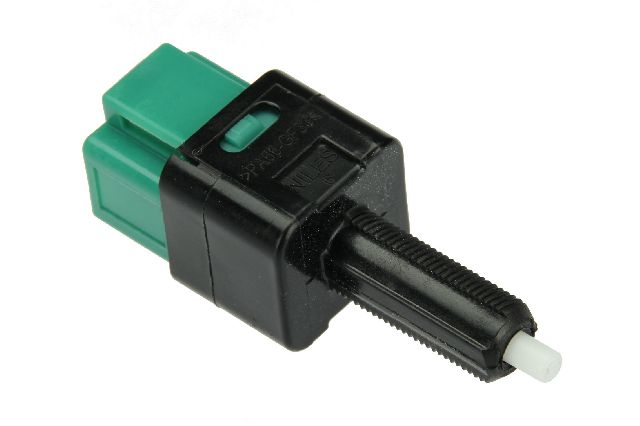
Pro Tip: Nissan updated the original part. The TSB specifies replacing the original solid black switch with an updated version that has a black body and a green connector. When buying an aftermarket part, look for one that is a direct replacement for the updated OEM part number 25320-AX10A.
Aftermarket Brand Tiers
- Premium Aftermarket (Beck Arnley, Standard Ignition, Holstein): These brands are often considered equivalent to, or even better than, the original part. Beck Arnley, for example, is known for sourcing parts from OEM manufacturers for Japanese vehicles. They are a strong choice for reliability.
- Standard Aftermarket (Dorman, True Tech, Facet): These brands offer a balance of quality and price. Dorman is a well-known name that provides a wide range of parts, though quality can sometimes be inconsistent according to some mechanics. They are a good mid-range option.
- Economy (Replacement, URO Parts, Vemo): These brands focus on providing the lowest-cost option. They can be a good choice for a tight budget, but may not have the same long-term durability or precise fit as higher-tier brands.
Cost of Replacing a Brake Light Switch
This is a relatively inexpensive repair. The part itself is affordable, and if you have it done at a shop, the labor is minimal.
| Part/Service | Estimated Cost |
|---|---|
| New Aftermarket Part | $19.69 - $67.91 |
| New OEM Part | $27 - $72 |
| Shop Labor | $43 - $140 |
| Total (DIY) | $19.69 - $67.91 |
| Total (at a Shop) | $63 - $212 |
Frequently Asked Questions

Is it difficult to replace the brake light switch myself?
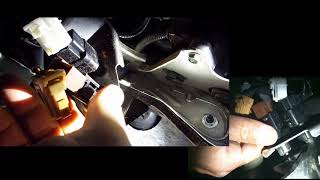
No, this is a very DIY-friendly job. The switch is located above the brake pedal. You typically just need to disconnect the electrical harness, twist the old switch about 45 degrees 🎬 Watch this walkthrough for replacing the brake and cruise control switches. to remove it, and then install the new one. No special tools are usually required.
Was there a recall for the Nissan Armada brake light switch?
No, there was no official safety recall for this specific issue on the 2017-2022 Armada. Nissan addressed the problem with a Technical Service Bulletin (TSB), which is a repair guide for dealerships.
Do I need to adjust the new switch?
Possibly. The switch needs to be installed so the plunger is fully depressed when the brake pedal is not being touched, and released as soon as the pedal is pressed. Some TSBs note that incorrect adjustment can cause error codes, so it's important to ensure it's positioned correctly.
Can I just use the cheapest switch available?
You can, but given the known issues with this part on the Armada and its importance for starting the vehicle and for safety, opting for a mid-tier or premium brand like Beck Arnley or Standard Ignition is a wise investment for better reliability.
Helpful Videos

Technical Specifications
OEM Part Numbers: 25320-AX10A 25320-4M405 25320-AX00E 25320-JN00A 25320-4M400 25320-AX00C
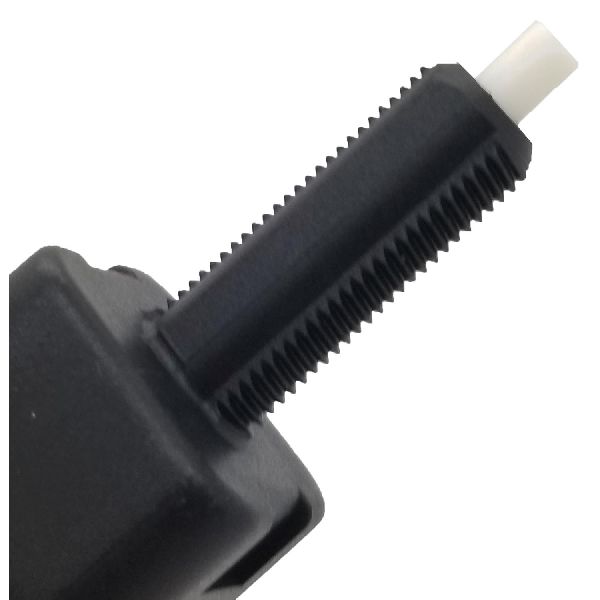
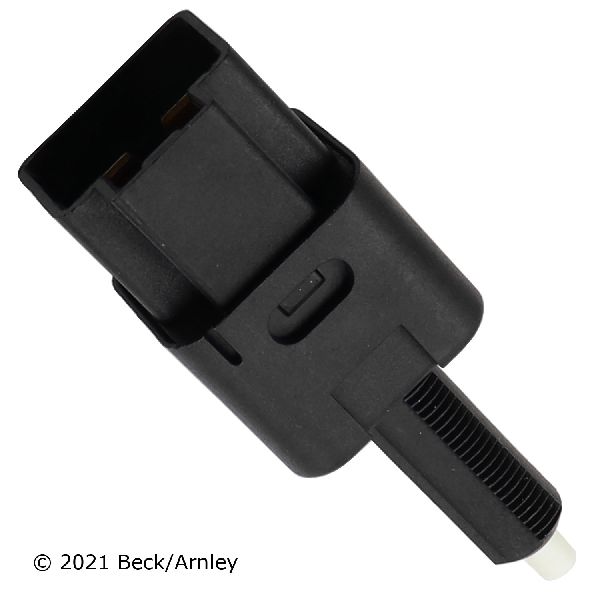
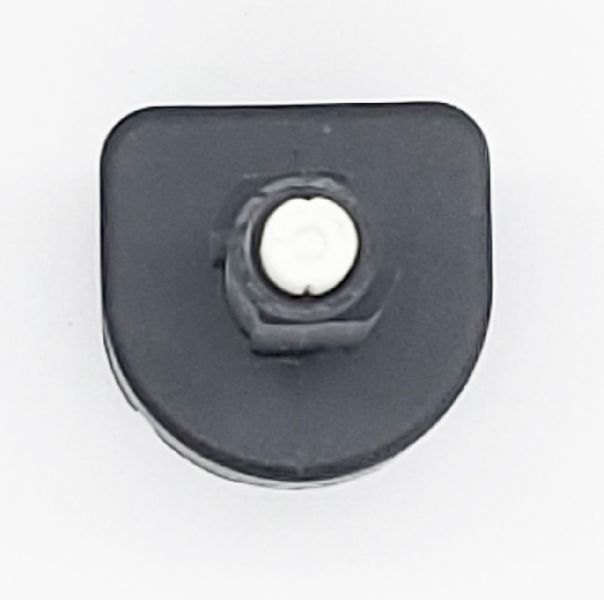
A 4-pin, mechanically operated plunger switch mounted on the brake pedal bracket. The updated OEM version has a black body with a green connector.
We Have This Part in Stock


The information in this article is provided for general reference and educational purposes only. Vehicle specifications, procedures, and part compatibility can vary by production date, trim level, and region. Always consult your vehicle's factory service manual and verify part numbers before purchasing or performing repairs. Safety-critical components such as airbags, seat belts, and braking systems should be installed by a qualified professional.
- Nissan Armada: