

A Guide to the 2009-2018 Audi Q5 Manifold Absolute Pressure Sensor
Learn about common MAP sensor problems in your Q5 and how to choose the right aftermarket replacement.
- A bad MAP sensor on a Q5 often causes a Check Engine Light with code P0106, rough idle, poor acceleration, and bad fuel economy.
- Replacement is a simple DIY job for most owners, requiring only a Torx driver and less than 30 minutes.
- Bosch is the likely OEM supplier, making it a top-tier aftermarket choice for guaranteed fit and performance.
- Always check for vacuum leaks or wiring issues before replacing the sensor, as they can cause similar symptoms.
Symptoms of a Failing MAP Sensor in an Audi Q5

When a MAP sensor starts to fail, your Q5's computer receives incorrect information, which can cause a variety of noticeable problems. The most common sign is the Check Engine Light turning on. You might also experience a rough or unstable idle, where the engine shakes or feels unsteady when stopped. Other major symptoms include poor acceleration, hesitation when you press the gas pedal, and a general loss of power. Some owners report a decrease in fuel economy and even black smoke from the exhaust, which indicates the engine is running too rich (too much fuel, not enough air 🎬 Watch a detailed breakdown of common MAP sensor failure symptoms.).
Don't Mistake It for Other Issues
Symptoms of a bad MAP sensor can be similar to other problems, like a vacuum leak or a dirty throttle body. It's a good idea to check for cracked hoses or other air leaks before replacing the sensor.
Choosing the Right Aftermarket MAP Sensor

When replacing the MAP sensor on your Q5, you have several options. The original part is often made by Bosch, so choosing a Bosch aftermarket sensor is essentially like buying the original equipment without the dealership price tag.
- Top-Tier (OEM Equivalent): Bosch is the original equipment manufacturer (OEM) for many Audi parts, including the MAP sensor. Choosing Bosch ensures you get the same quality, fit, and performance as the part your Q5 was built with.
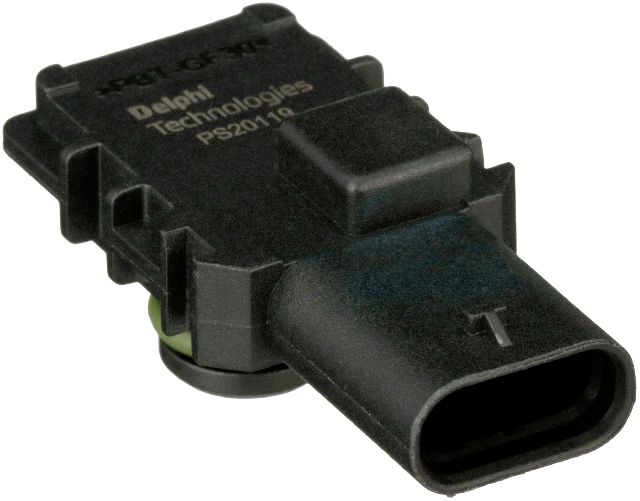
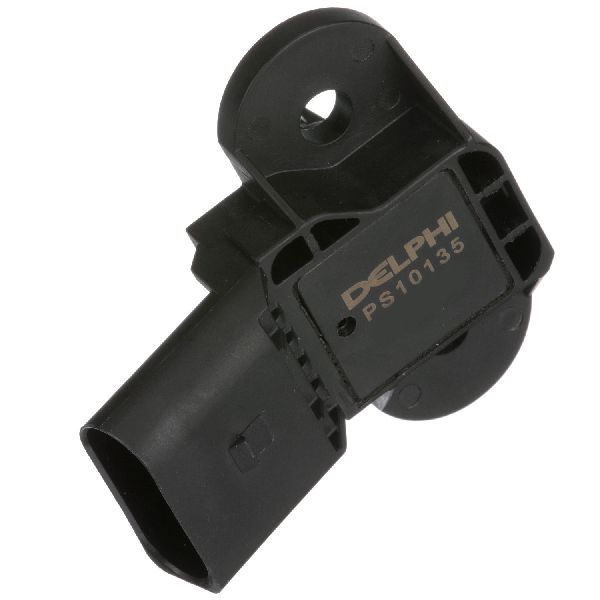
- Quality Aftermarket: Brands like Delphi, Hella, and NGK are well-regarded in the industry. They produce reliable sensors that meet or exceed OEM specifications and are a solid choice for a dependable repair.
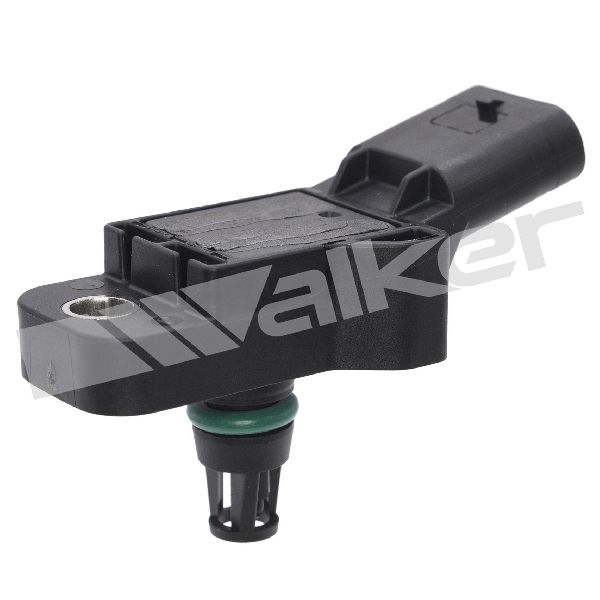
- Budget-Friendly: Brands like Standard Ignition, Walker Products, and Spectra offer more affordable options. While they can be a good value, quality can sometimes be inconsistent compared to top-tier brands.
Pro Tip: Check the Part Number
Always verify the OEM part number for your specific Q5 model year and engine (e.g., 2.0T, 3.0T, 3.2L) before purchasing. Common part numbers include 03C906051F, 038906051E, and 038906051C 🎬 See how to fix P0238 and P0106 error codes.. This ensures you get a part that fits and functions correctly.
Cost of Replacing an Audi Q5 MAP Sensor
The cost to replace a MAP sensor varies depending on the part you choose and whether you do the work yourself. The replacement is straightforward for a DIY-er and can be done with basic tools.
| Item | Estimated Cost |
|---|---|
| New OEM Part | $147 - $187 |
| New Aftermarket Part | $35 - $153 |
| Shop Labor | $37 - $140 |
| Total Professional Replacement | $183 - $241 |
Frequently Asked Questions

Where is the MAP sensor located on the 2009-2018 Audi Q5?
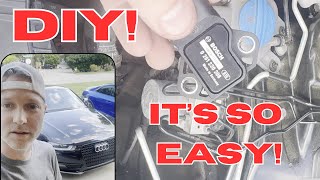
The MAP sensor is typically located on the intake manifold, often near the throttle body. On many Q5 engines, like the 2.0T, it is on the driver's side of the engine, secured with one or two T20 or T30 Torx screws. It is easily accessible from the top of the engine bay 🎬 Follow this step-by-step guide to servicing your Q5 MAP sensor..
Can I clean a MAP sensor instead of replacing it?
While some people try cleaning the sensor with a dedicated mass air flow sensor cleaner, it is generally not recommended as a permanent fix. The delicate internal components can be damaged, and cleaning often doesn't resolve the underlying electronic failure. If the sensor is faulty, replacement is the only reliable solution.
Are there any recalls for the Audi Q5 MAP sensor?
A search of the National Highway Traffic Safety Administration (NHTSA) database did not show any specific recalls for the MAP sensor on the 2009-2018 Audi Q5. However, there are Technical Service Bulletins (TSBs) for related issues, so it's always good to have a professional check for any applicable service actions.
What tools are needed to replace the MAP sensor?
The job requires only basic tools. You will typically need a T20 or T30 Torx bit or screwdriver to remove the screws holding the sensor in place. A small ratchet may also be helpful. The sensor has a simple electrical connector that unplugs by hand.
Helpful Videos
Technical Specifications
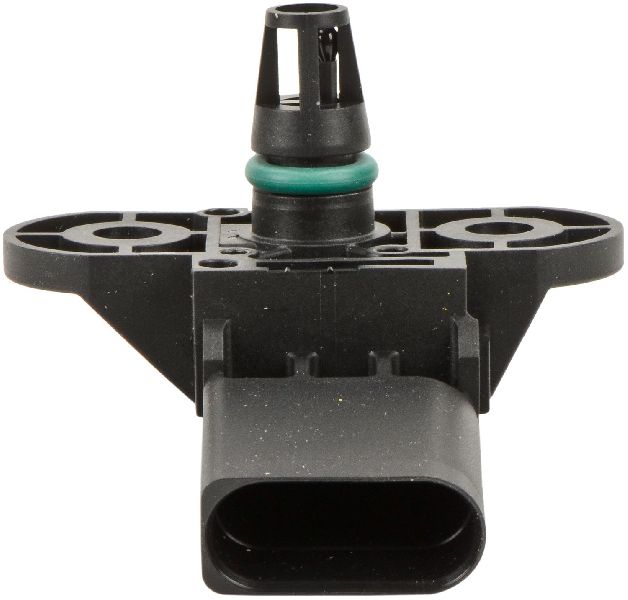
OEM Part Numbers: 03C906051F 038906051C 03G906051E 038906051J 04L906051K 0261230208
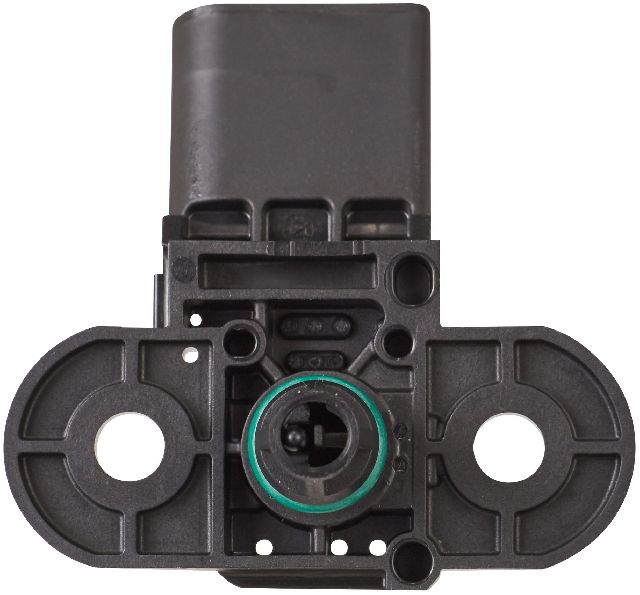
Typically secured with one or two T20 or T30 Torx screws. Features a 3 or 4-pin electrical connector.
We Have This Part in Stock


The information in this article is provided for general reference and educational purposes only. Vehicle specifications, procedures, and part compatibility can vary by production date, trim level, and region. Always consult your vehicle's factory service manual and verify part numbers before purchasing or performing repairs. Safety-critical components such as airbags, seat belts, and braking systems should be installed by a qualified professional.
- Audi Q5: