

GMC Acadia Camshaft Position Sensor Guide (2007-2021)
Everything owners need to know about diagnosing and replacing a faulty camshaft position sensor.
- Your Acadia's V6 engine has four camshaft sensors; identify the correct one using the trouble code before buying.
- Symptoms of a bad sensor are similar to those of a stretched timing chain, a known issue on 2007-2016 models that must be ruled out first.
- On 2017-2021 V6 models, replacement is a very easy DIY job, but on 2007-2016 models, the rear (Bank 1) sensors are very difficult to access.
- For this critical sensor, choosing a premium aftermarket brand like Delphi, NGK, or Bosch is recommended for long-term reliability.
Is Your Acadia Showing Signs of a Bad Camshaft Sensor?


A failing camshaft position sensor usually gives clear warnings. The most common sign is the Check Engine Light. If you scan for codes, you'll likely see errors such as P0340, P0341, P0345, or P0346, which point directly to the camshaft sensor circuits. Beyond the light, you will feel the problems while driving.
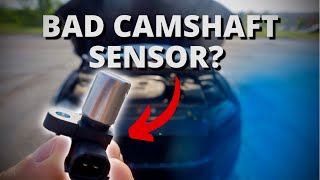
🎬 Watch: Common symptoms of a bad camshaft position sensorKey Symptoms:
- Hard Starting or No-Start: The engine cranks longer than usual before starting, or may not start at all. This happens because the computer doesn't have the information it needs to initiate spark and fuel delivery.
- Engine Stalling: Your Acadia may stall unexpectedly, either while idling at a stop or when driving at low speeds.
- Rough Idle and Misfires: You may feel shaking or vibrations when the vehicle is stopped. The engine might run unevenly because the computer is guessing when to fire the spark plugs.
- Poor Performance and Fuel Economy: The SUV can feel sluggish, hesitate when you accelerate, and get worse gas mileage.
A Critical Warning for 3.6L V6 Owners
Many 2007-2016 GMC Acadias with the 3.6L V6 engine are known to have issues with stretched timing chains. This serious problem can trigger the same diagnostic codes (like P0016, P0017, P0018, P0019) as a bad camshaft sensor. A stretched chain means the camshafts are no longer in sync with the crankshaft, which the sensors correctly report as an error. Before replacing sensors, it is crucial to rule out timing chain problems, as simply replacing the sensor will not fix the underlying issue. GM issued a special coverage program (11340C) extending the warranty on this repair to 10 years or 120,000 miles for certain model years.
Choosing the Right Aftermarket Sensor

When replacing a camshaft position sensor, you have a choice between OEM and aftermarket parts. For a critical electronic sensor, quality matters. While budget-friendly options are available, they can be inconsistent.
- Premium Aftermarket (e.g., Delphi, NGK/NTK, Bosch, Standard Motor Products): These brands are often original equipment suppliers for GM and other manufacturers. They are trusted by professional mechanics and offer reliability that is equivalent to the factory part.
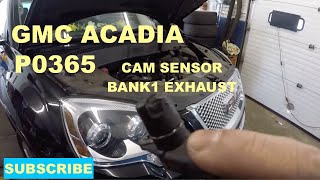
- Value-Priced Aftermarket (e.g., Replacement, Dorman, TRQ): These parts offer a significant cost saving, which can be appealing for an older vehicle or a DIY budget repair. However, reviews can be mixed, with some users reporting premature failure or issues like long-crank-to-start even after replacement. For the GMC Acadia, where some sensors can be difficult to access, using a higher-quality part can prevent having to do the job twice. 🎬 See this replacement walkthrough for 2010-2016 Acadia models
Cost to Replace a GMC Acadia Camshaft Position Sensor
| Part/Service | Estimated Cost |
|---|---|
| New Aftermarket Sensor | $23.51 - $31.63 (per sensor) |
| New OEM Sensor | $50 - $174 (per sensor) |
| Shop Labor | $73 - $286 |
| Total Professional Replacement | $142 - $634 (Varies by year and sensor location) |
Note: Costs are estimates and can vary based on your vehicle's year, engine, and location. First-generation (2007-2016) models, especially for sensors on the firewall side (Bank 1), often have higher labor costs due to difficult access.
Frequently Asked Questions

How many camshaft position sensors does my GMC Acadia have?
If you have the 3.6L V6 engine, your Acadia has four sensors: an intake and an exhaust sensor for each cylinder bank. If you have a 4-cylinder (2.0L or 2.5L) engine, you have two sensors: one for the intake camshaft and one for the exhaust camshaft.
Can I replace the camshaft sensor myself?
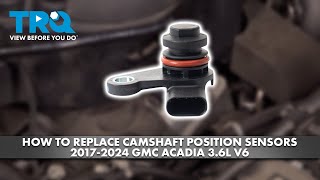
For the 2017-2021 Acadia with the 3.6L V6, the job is very DIY-friendly. All four sensors are easily accessible on top of the engine and held by a single 10mm bolt. 🎬 Watch: How to replace sensors on 2017-2024 V6 engines For the first-generation (2007-2016) 3.6L V6, the sensors on Bank 2 (front of the engine) are accessible, but the Bank 1 sensors (rear, near the firewall) can be very difficult to reach and may require removing other components.
What is the difference between a camshaft and crankshaft sensor?
They are different parts that work together. The camshaft sensor tracks the position of the camshafts (which control the valves), while the crankshaft sensor tracks the position of the crankshaft (which is connected to the pistons). The computer compares signals from both to ensure the engine is timed correctly. A problem with either can cause similar symptoms.
Are there any recalls for the GMC Acadia camshaft position sensor?
There are no specific recalls for the camshaft position sensor itself. However, GM did issue a special coverage program (11340C) for premature timing chain wear on many 2007-2009 Acadias, which can cause camshaft sensor-related codes. Other recalls for the Acadia have involved issues like driveshaft separation, but not the sensors directly.
What tools do I need to replace the sensor?
For most models, especially the 2017-2021 V6, the job is simple. You will typically need a 10mm socket or wrench to remove the bolt holding the sensor in place, and perhaps a small flathead screwdriver or pick to release the electrical connector's locking tab. It's also wise to clean the area around the sensor before removing it to prevent debris from falling into the engine.
Helpful Videos

Technical Specifications
OEM Part Numbers: 12615371 12684186 12638266 12646781
The GMC Acadia uses Hall-effect sensors that read the rotation of the camshafts. V6 engines (LLT, LFY, LGX) use four sensors (Intake/Exhaust for Bank 1 & 2). 4-cylinder engines (2.5L, 2.0L) use two sensors (Intake/Exhaust). The sensors are typically held by a single 10mm bolt.

The information in this article is provided for general reference and educational purposes only. Vehicle specifications, procedures, and part compatibility can vary by production date, trim level, and region. Always consult your vehicle's factory service manual and verify part numbers before purchasing or performing repairs. Safety-critical components such as airbags, seat belts, and braking systems should be installed by a qualified professional.
- GMC Acadia: