

Nissan Frontier Camshaft Position Sensor Guide (2005-2020)
Solve stalling, hard starts, and Check Engine Light codes P0340 or P0345 on your truck.
- For reliable, long-term performance, use only OEM (Nissan) or Hitachi brand sensors; cheaper aftermarket parts are known to fail quickly on these trucks.
- Common symptoms of failure include stalling, hard starting, and a Check Engine Light with codes P0340 (Bank 1/Passenger Side) or P0345 (Bank 2/Driver Side).
- The V6 engine uses two different sensors (one straight, one angled); it is highly recommended to replace both at the same time.
- The replacement is a simple one-bolt job per sensor, but access is very tight at the back of the engine.
Symptoms of a Failing Camshaft Sensor

When a camshaft position sensor on your Frontier goes bad, the signs are hard to ignore. The engine's computer gets confused and can't run the engine properly. You will almost always get a Check Engine Light on your dashboard.
- Engine Stalling: The truck may suddenly shut off, especially when you slow down for a stop or when the engine is hot.
- Hard Starting: Your Frontier might crank for a long time before it starts, or it might not start at all. This can be worse when the engine is already warm. 🎬 See why your truck is hard to start when hot
- Rough Idle: The engine may shake or idle unevenly because the timing is off.
- Loss of Power: You'll notice the truck feels sluggish and doesn't accelerate like it should.
A code scanner will usually confirm the problem by showing codes P0340 (Camshaft Position Sensor Circuit Malfunction Bank 1) or P0345 (Camshaft Position Sensor Circuit Malfunction Bank 2). Bank 1 is the passenger side, and Bank 2 is the driver's side.
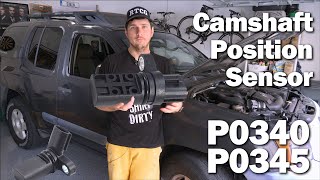
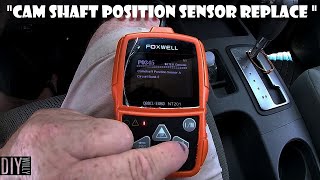
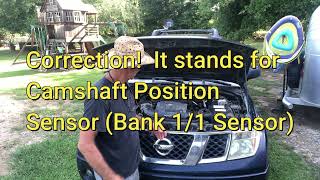
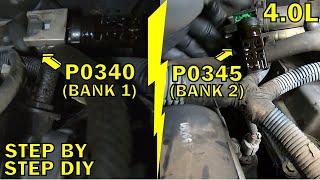
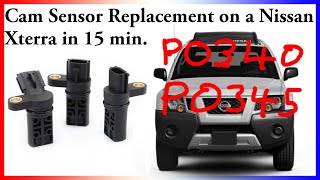
🎬 Watch: How to replace sensors for codes P0340 and P0345Choosing the Right Aftermarket Sensor: A Quality Warning

When it comes to electronic sensors for Nissan engines, quality matters a lot. While many budget-friendly aftermarket options are available, owner experiences tell a clear story.
Typical Replacement Costs
The cost to replace your Frontier's camshaft sensors depends on whether you do it yourself and the quality of the parts you choose.
| Part Type | Cost (for two sensors) |
|---|---|
| New OEM (Nissan/Hitachi) | $130 - $200 |
| New Aftermarket (Replacement Brand) | $27.16 - $39.01 |
| Shop Labor | $150 - $250 |
Frequently Asked Questions

How many camshaft sensors does my V6 Frontier have?
The 4.0L V6 engine has two camshaft position sensors. One is on the back of the passenger-side cylinder head (Bank 1) and the other is on the back of the driver-side cylinder head (Bank 2). They are not the same part; one has a straight connector and the other is angled.
Should I replace both sensors at the same time?
Yes, it is highly recommended. The sensors have a similar lifespan, so if one has failed, the other is likely not far behind. Many mechanics also suggest replacing the single crankshaft position sensor at the same time, as all three sensors work together to manage engine timing.
Is this a difficult repair to do myself?
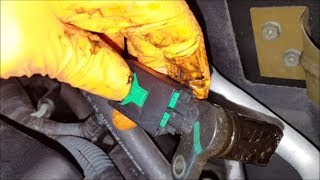
The repair is mechanically simple, only requiring a 10mm bolt to be removed for each sensor. However, the sensors are in a very tight space at the back of the engine against the firewall, making them difficult to reach. It's a job you do mostly by feel, but it is possible for a DIYer with patience.
🎬 Watch this walkthrough for replacing sensors on the 4.0L V6What is the difference between the Bank 1 and Bank 2 sensors?
They are physically different. The Bank 1 (passenger side) sensor has a straight electrical connector. The Bank 2 (driver side) sensor has an angled connector to fit in the tight space near the firewall. You must order the correct sensor for each side.
Helpful Videos
Technical Specifications
OEM Part Numbers: 23731-EA20A 23731-6J90B 23731-AL61A
The 4.0L V6 (VQ40DE) engine uses two distinct camshaft position sensors. Bank 1 (passenger side) uses a sensor with a straight connector. Bank 2 (driver side) uses a sensor with an angled connector.

The information in this article is provided for general reference and educational purposes only. Vehicle specifications, procedures, and part compatibility can vary by production date, trim level, and region. Always consult your vehicle's factory service manual and verify part numbers before purchasing or performing repairs. Safety-critical components such as airbags, seat belts, and braking systems should be installed by a qualified professional.
- Nissan Frontier: