

Nissan Armada Camshaft Position Sensor Guide for 2005-2015 Models
If your Armada is stalling, has trouble starting, or the check engine light is on, a bad camshaft sensor is a likely culprit.
- Your 2005-2015 Armada has TWO camshaft sensors located at the rear of the engine near the firewall.
- Common fault codes are P0340 for the passenger side (Bank 1) and P0345 for the driver side (Bank 2).
- Engine stalling is a dangerous symptom; address this issue immediately.
- Using a cheap aftermarket sensor can lead to repeat failures; OEM or OE-quality brands like Hitachi are strongly recommended for reliability.
Is Your Armada Stalling or Hard to Start?

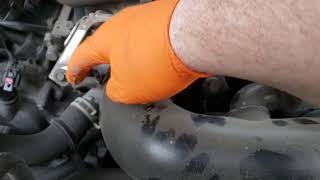
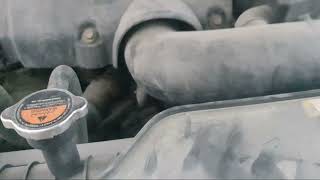
A failing camshaft position sensor is a very common problem on the 2005-2015 Nissan Armada. These sensors operate in a hot engine bay and fail over time from heat and vibration. Your Armada's V8 engine has two of these sensors, one for each side of the engine (Bank 1 and Bank 2), located at the back near the firewall. 🎬 Watch this video to see the exact location of the Bank 1 sensor. When one sensor starts to go bad, it can cause your engine to crank for a long time before starting, run rough, or even shut off completely while you are driving.
Known Issues, Recalls, and Service Bulletins
There are no active recalls or common Technical Service Bulletins (TSBs) from Nissan specifically for camshaft position sensor failure on the 2005-2015 Armada. However, the failure of these sensors is a widely known issue among owners and mechanics. The symptoms are often mistaken for a bad battery or starter, so it's important to check for the specific trouble codes.
Choosing the Right Aftermarket Sensor: A Word of Caution

When it comes to electronic sensors for your Armada, the quality of the part matters a lot. You will find many low-cost aftermarket options available.
- OEM Parts: The original sensors from Nissan (often made by Hitachi) are the most reliable choice, but they are also the most expensive.
- Tier 1 Aftermarket (e.g., Hitachi, Denso): Brands like Hitachi sell the same sensor they supply to Nissan, just in a different box. These offer OEM quality at a slightly lower price and are highly recommended.
- Standard Aftermarket (e.g., Replacement): These are the most affordable options and can seem like a great deal. However, for Nissan vehicles, there is a risk that these budget sensors may not last as long or could be faulty right out of the box. If you are paying a mechanic for labor, a cheap sensor that fails again can cost you more in the long run.
Pro Tip: Many experienced Nissan mechanics strongly advise using either OEM or a known OE-supplier brand like Hitachi for critical sensors like this one. While a budget part can work, the risk of premature failure and having to do the job twice is higher.
Cost to Replace Nissan Armada Camshaft Position Sensors
| Part Type | Price Range (Per Sensor) |
|---|---|
| New OEM | $120 - $175 |
| New Aftermarket (Tier 1) | $45 - $70 |
| New Aftermarket (Standard) | $27 - $30 |
| Shop Labor | $70 - $140 |
Frequently Asked Questions (FAQ)

How many camshaft sensors does my 2005-2015 Armada have?
Your Armada has two camshaft position sensors. One is for Bank 1 (passenger side) and the other is for Bank 2 (driver side). They are located at the rear of the engine, near the firewall, which can make them difficult to reach.
What do the codes P0340 and P0345 mean?
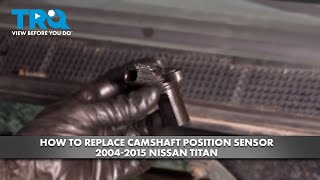
These are the specific diagnostic trouble codes for this issue. P0340 points to a problem with the camshaft position sensor circuit on Bank 1 (passenger side). 🎬 Watch this step-by-step walkthrough for replacing the Bank 1 sensor. P0345 points to a problem with the sensor circuit on Bank 2 (driver side).
Can I replace just one sensor?
Yes, you can replace only the one that has failed. However, since both sensors are the same age and have been exposed to the same conditions, the other one may fail soon. If you are doing the work yourself or want to avoid a future repair, it is a good idea to replace both at the same time.
Is this a difficult DIY job?
The job itself is simple: unplug the connector and remove a single 10mm bolt. The challenge is the location. The sensors are in a tight spot at the back of the engine. It is possible for a DIYer, but it requires patience and may be frustrating due to the limited space.
🎬 See how to access and replace the sensors on a 2015 model.Helpful Videos


Technical Specifications
OEM Part Numbers: 23731-AL61A 23731-4M506 23731-7Y000
Connector Shape: Angled/Oval; Terminal Count: 3

The information in this article is provided for general reference and educational purposes only. Vehicle specifications, procedures, and part compatibility can vary by production date, trim level, and region. Always consult your vehicle's factory service manual and verify part numbers before purchasing or performing repairs. Safety-critical components such as airbags, seat belts, and braking systems should be installed by a qualified professional.
- Nissan Armada: