

Engine Cooling Fan Blade Guide for 1987-1992 BMW 735i (E32)
Keep your classic 7-Series running cool by understanding the signs of a failing engine cooling fan blade.
- Visually inspect the fan blade for cracks regularly; this is the most critical step to prevent catastrophic failure.
- If your 735i overheats at idle but is fine at speed, the fan blade or fan clutch is the primary suspect.
- Always replace the fan clutch when replacing the fan blade for long-term reliability.
- A quality aftermarket blade from a known brand is a reasonable choice, but be wary of the cheapest options due to the high potential for damage if the part fails.
Is Your 735i's Fan Blade About to Fail?
The plastic used in the original fan blades for the E32 735i becomes brittle over many years and thousands of heat cycles. This is not a matter of if, but when. A failing fan blade is a critical safety issue. If it breaks apart while the engine is running, it can send sharp plastic fragments flying, destroying the radiator, coolant hoses, belts, and even punching a hole in the hood. This can cause immediate and catastrophic engine overheating.
Symptoms of a Failing Fan Blade
- Visible Cracks: The most important sign is visible damage. Inspect the fan blade, especially around the base where the blades meet the center hub. Look for hairline cracks. If you see any, the blade must be replaced immediately.
- Engine Overheating at Idle: If your temperature gauge starts to climb when you're stopped in traffic but returns to normal at highway speeds, it's a classic sign that the fan isn't pulling enough air. This could be the fan blade or the fan clutch it's attached to.
- Loud Noises: A roaring or unusually loud fan noise, especially on acceleration, can point to a seized fan clutch. A clicking or rattling sound might mean a piece of the blade has broken off and is hitting the fan shroud. A fan with a missing blade is severely unbalanced and dangerous.
- Poor A/C Performance: The fan also pulls air across the A/C condenser. If your air conditioning blows warm at a stoplight but gets cold when you start moving, it can be another symptom of poor fan performance.
Warning: A Cracked Fan Blade is a Ticking Time Bomb
Do not ignore a cracked fan blade. A blade failure at high RPM can cause extensive and expensive damage to your engine bay. Regular visual inspection is the best way to prevent this common failure on an older BMW.
Choosing the Right Aftermarket Fan Blade
For a vehicle like the E32 735i, the distinction between Original Equipment (OEM) and aftermarket parts can be significant. However, for a simple component like the fan blade, a quality aftermarket part can offer good value.
OEM vs. Aftermarket Quality:
The original BMW fan blade has a known lifespan and will eventually become brittle. Aftermarket manufacturers use modern plastics that can be just as durable, if not more so, than the decades-old original part. The key is choosing a reputable brand.
Available Brands: Dorman vs. URO Parts
- Dorman: Generally considered a reliable aftermarket brand that produces direct replacement parts. Their products are engineered to fit and function like the original and undergo quality testing. For a non-performance-critical part like a fan blade, Dorman is often a solid, cost-effective choice.
- URO Parts: This brand often gets mixed reviews from the BMW community. While some owners use their parts for less critical components without issue, others have reported fitment or premature failure problems, particularly with more complex parts like fan clutches. Given the potential for damage from a failed fan blade, careful consideration is advised.
Pro Tip: Replace the Fan Clutch at the Same Time
The fan blade is bolted to the fan clutch. This part also wears out and is a common cause of overheating. Since you will have everything disassembled, it is highly recommended to replace the fan clutch at the same time you replace the fan blade. This ensures your cooling system's reliability for years to come.
Cost Comparison for 1987-1992 BMW 735i Engine Cooling Fan Blade
| Part Type | Price Range | Notes |
|---|---|---|
| New Aftermarket | $34 - $92 | Price varies by brand (e.g., URO Parts, Dorman). A cost-effective option for this component. |
| New OEM (Genuine BMW) | $100 - $150+ | Highest cost, but an exact match to the original part. |
| Shop Labor | $100 - $200 | Typically a 1-hour job. May be higher if the fan clutch nut is seized. |
Frequently Asked Questions
Are there any recalls for the 1987-1992 BMW 735i fan blade?
No, there are no specific recalls issued by the NHTSA for the engine cooling fan blade on the 1987-1992 BMW 735i. While other recalls exist for the vehicle, none pertain to this specific part.
Is it difficult to replace the fan blade myself?
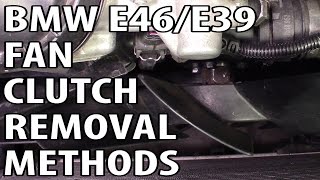
For a DIY mechanic with some experience, this is a manageable job. The main challenge is removing the large nut that holds the fan clutch to the water pump, which has a reverse thread. 🎬 Watch this guide on how to remove stubborn fan nuts. It requires a special thin 32mm wrench and a tool to hold the water pump pulley still. Without these tools, it can be a very difficult task.
What is a fan clutch and why should I replace it?
The fan clutch is a viscous coupling that the fan blade bolts to. It controls the fan's speed based on temperature. When it fails, it can either spin too freely (causing overheating at idle) or seize (causing a loud roaring noise and robbing engine power). Since it has to be removed to replace the blade, it's wise to replace it as preventative maintenance.
My fan is loud all the time. Is that a fan blade problem?
A constant loud roaring noise that changes with engine RPM is a classic symptom of a failed (seized) fan clutch, not the blade itself. The clutch is stuck in the fully engaged position. This puts unnecessary strain on the water pump and reduces engine power. The entire fan clutch and blade assembly should be replaced.
Helpful Videos
Technical Specifications
OEM Part Numbers: 11521712058
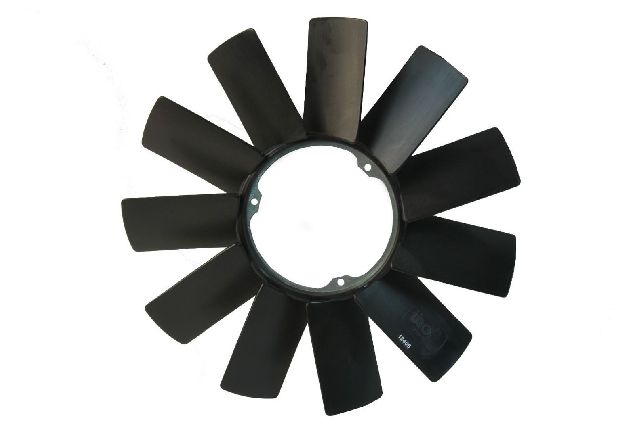
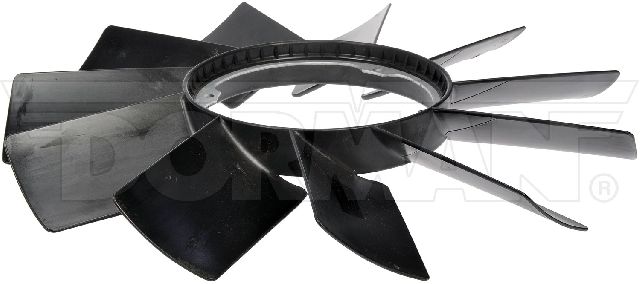
Mechanical, clutch-driven fan blade made of plastic. Attaches to the viscous fan clutch.
We Have This Part in Stock

The information in this article is provided for general reference and educational purposes only. Vehicle specifications, procedures, and part compatibility can vary by production date, trim level, and region. Always consult your vehicle's factory service manual and verify part numbers before purchasing or performing repairs. Safety-critical components such as airbags, seat belts, and braking systems should be installed by a qualified professional.
- BMW 735i: