

2017-2023 Dodge Charger Park Assist Camera: Fixing a Black or Blue Screen
A complete guide to diagnosing common camera failures, choosing the right used replacement, and step-by-step installation for your Dodge Charger.
- The most common failure is a black or blue screen, which can be caused by a bad camera, faulty wiring, or a software glitch.
- A flickering image is almost always due to frayed wires in the trunk lid harness, not a bad camera.
- Verify the bezel color and part number before buying a used camera, as they can vary by trim and year.
- Replacement is a simple DIY job that takes less than an hour and does not require dealer programming.
Common Symptoms of a Failing Park Assist Camera

When the park assist camera on your Dodge Charger begins to fail, it will usually provide clear symptoms. Understanding these signs can help you determine if the problem is the camera itself, a wiring issue, or a software glitch.
1. Black, Blue, or "Camera Unavailable" Screen
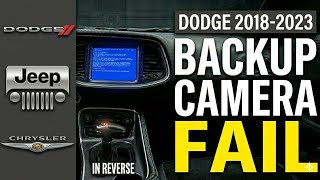
This is the most common failure symptom. When you shift into reverse, the Uconnect screen goes black, solid blue, or displays a message like "Camera Unavailable." This typically means the head unit is trying to display the camera feed but is receiving no signal. The cause can range from a completely failed camera module, a loose connection in the trunk lid, or a software issue. Some owners report that this issue can be intermittent, sometimes resolving itself after turning the car off and on again, which often points to a software logic error.
🎬 Watch: How to fix a blue screen or unavailable message2. Flickering or Intermittent Video
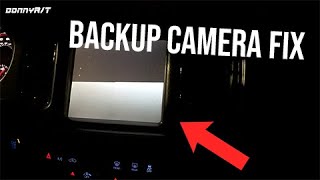
If the camera image flickers, cuts in and out, or appears to be glitching, the most likely culprit is a wiring problem. The wires that run from the camera through a rubber boot into the trunk are subjected to constant bending and stress every time the trunk is opened and closed. Over time, these wires can fray or break, causing an intermittent signal. 🎬 See: Troubleshooting broken trunk wires and camera issues A loose connector at the camera or behind the radio can also cause this symptom.
3. Blurry, Foggy, or Poor-Quality Image
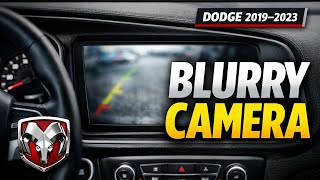
A blurry or foggy image is often caused by moisture getting inside the camera housing. The seals on the camera can fail over time, especially after high-pressure car washes or heavy rain, allowing condensation to form on the inside of the lens. If the image is simply dirty, cleaning the exterior of the lens with a soft cloth may solve the problem. However, many Charger owners from 2019-2023 have complained about generally poor, grainy, or dark image quality even on new cameras, which may be considered normal by the dealership unless it severely impacts visibility.
4. Upside-Down or Non-Mirrored Image
In some cases, a failing camera can send a disoriented image to the screen. The video might appear upside-down or lose its mirror effect, which can be extremely disorienting when trying to reverse. This is a clear sign of an internal failure within the camera's processing chip.
Known Issues, Recalls, and Technical Service Bulletins (TSBs)

For the 2017-2023 Dodge Charger, there have been several official communications regarding the park assist camera system.
- Recall for Pursuit Models (2018-2020): Chrysler issued a recall for Dodge Charger Pursuit vehicles because selecting "stealth mode" would disable the backup camera display when shifting into reverse, violating federal safety standards. The fix involves a software update to the Body Control Module (BCM) that prevents stealth mode from deactivating the camera.
- Software-Related TSBs: Technical Service Bulletin 08-111-23 was released to address a software logic error in the radio that causes a blue screen or "Camera Unavailable" message. The radio essentially loses its handshake with the camera, and a software flash at the dealership is often the required fix.
- Poor Image Quality TSB (2023): For 2023 models, TSB S2208000045 REV.A was issued to address complaints of poor backup camera image quality. This bulletin provides dealers with an inspection procedure to determine if the camera's image is within normal operating parameters or requires replacement.
Pro Tip: Before assuming the camera is broken, check for recalls or TSBs related to your vehicle's VIN. A software update is much cheaper than a hardware replacement. Many camera issues on these vehicles are software-related.
Buying a Used Park Assist Camera for Your 2017-2023 Charger

A used OEM camera can be a cost-effective solution, often providing better quality and fit than a cheap aftermarket alternative. However, there are important details to check before you buy.
What to Inspect on a Used Camera
- Lens Condition: Check the lens for deep scratches, cracks, or any signs of haziness or condensation between the lens and the housing. A clear, scratch-free lens is essential for good image quality.
- Housing and Connectors: Inspect the plastic housing for cracks or damage. Check the electrical connector pins to ensure they are straight, clean, and free of corrosion.
- Verify Part Numbers: The most crucial step is to match the part number to your original camera or verify it through a dealer using your VIN. While many cameras look identical, there can be internal differences.
Compatibility Warnings
Warning: Bezel color and shape can vary by trim level and year. The camera is often sold as an assembly with the trunk lid trim piece or bezel. Ensure the part you are buying matches your vehicle's existing color and style. Some sellers may only offer a standard black bezel.
Also, confirm the electrical connector matches your vehicle's harness. Most cameras for this generation use a 6-pin connector, but it's always wise to visually compare it to your existing part if possible.
Cost Comparison: New vs. Used Charger Backup Camera
Prices can vary significantly based on the source and type of part.
| Part Type | Estimated Cost |
|---|---|
| New OEM (Mopar) | $300 - $450 |
| New Aftermarket | $100 - $200 |
| Used OEM | $75 - $150 |
| Shop Labor for Installation | $75 - $150 |
Installation Guide (Difficulty: 2/5)

Replacing the park assist camera on a 2017-2023 Charger is a straightforward DIY job that typically takes under an hour.
Tools Needed:
- Trim removal tool
- Socket set (typically 10mm)
- Torx driver (T20)
Step-by-Step Replacement:
- Open the Trunk: Start by opening the trunk to access the trunk lid liner.
- Remove the Trunk Lid Liner: Use a trim removal tool to carefully pop out the plastic clips holding the liner in place. Remove the two screws holding the interior trunk lid handle. Once all clips and screws are removed, the liner can be pulled away.
- Access the Camera Assembly: The camera is mounted within the exterior trunk lid trim piece (the part that often houses the Dodge logo). Disconnect the camera's wiring harness.
- Remove the Exterior Trim Piece: You will need to remove several 10mm nuts from the inside of the trunk lid that secure the exterior trim piece. Once the nuts are off, the entire assembly can be carefully wiggled and removed from the trunk lid.
- Swap the Camera: With the trim piece removed, you can now access the two Torx screws that hold the camera in its bracket. Remove the old camera and install the new one.
- Reassembly and Testing: Before fully reassembling everything, connect the new camera and put the car in reverse (with the ignition on but the engine off) to test if it works. If you get a clear image, proceed with reassembly by following the steps in reverse. 🎬 Watch: Step-by-step OEM backup camera installation walkthrough
Pro Tip: No special programming or dealer activation is typically required if you are simply replacing a failed camera with a compatible OEM unit. The vehicle's Body Control Module (BCM) should already be configured for it.
Frequently Asked Questions (FAQ)
Why is my Dodge Charger backup camera screen blue or black?
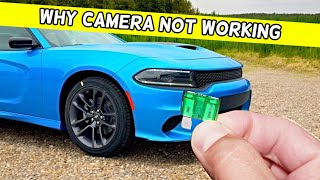
A blue or black screen is the most common symptom of a camera failure. It means the Uconnect display is not receiving a video signal. This can be caused by a bad camera, a loose or broken wire in the trunk lid harness, a blown fuse, or a software glitch that requires a dealer update.
Do I need to program a new backup camera?
If you are replacing an existing factory-installed camera with a compatible OEM part, no programming is usually needed. The system is plug-and-play. Programming is typically only required if you are adding a camera to a vehicle that did not have one from the factory.
Can I just clean a foggy or blurry camera lens?
You can and should always clean the exterior of the lens first with a soft, damp cloth. However, if the image remains foggy, it means moisture has gotten inside the camera's sealed housing. In this case, the internal seal has failed, and the entire camera unit must be replaced.
Is a flickering backup camera a sign of a bad camera or bad wiring?
A flickering image almost always points to a wiring issue rather than a camera failure. The most common point of failure is the wiring harness that flexes every time the trunk is opened and closed. Check for loose connections or frayed wires before replacing the camera itself.
Helpful Videos
Technical Specifications
OEM Part Numbers: 6QN26GW7AB 04672761AC 4672761AB 4672761AC 5RC76GW7AB 5RC76GW7AC 5RC76GW7AD 5RC76GW7AE 5RC76GW7AF 5RC76GW7AG 5RC76PDNAG 68354321AA 68417057AA 6MB13GW7AA 6MB13PDNAA
Connector: 6-pin; Mounts in trunk lid trim panel.
We Have This Part in Stock



The information in this article is provided for general reference and educational purposes only. Vehicle specifications, procedures, and part compatibility can vary by production date, trim level, and region. Always consult your vehicle's factory service manual and verify part numbers before purchasing or performing repairs. Safety-critical components such as airbags, seat belts, and braking systems should be installed by a qualified professional.
- Dodge Charger:
- 🎬 Helpful Videos
- 🛍️ Shop This Part
- Common Symptoms of a Failing Park Assist Camera
- 1. Black, Blue, or "Camera Unavailable" Screen
- 2. Flickering or Intermittent Video
- 3. Blurry, Foggy, or Poor-Quality Image
- 4. Upside-Down or Non-Mirrored Image
- Known Issues, Recalls, and Technical Service Bulletins (TSBs)
- Buying a Used Park Assist Camera for Your 2017-2023 Charger
- What to Inspect on a Used Camera
- Compatibility Warnings
- Cost Comparison: New vs. Used Charger Backup Camera
- Installation Guide (Difficulty: 2/5)
- Tools Needed:
- Step-by-Step Replacement:
- Frequently Asked Questions (FAQ)
- 🎟️ Get 5% Off