

2019-2025 BMW Z4 (G29) Overhead Console: Diagnosing SOS Errors and Failures
This guide explains the common 'SOS Call System Malfunction' error, interior light failures, and how to select a reliable used overhead console for your 2019-2025 BMW Z4.
- The 'SOS Call System Malfunction' error is the most common related issue, but it's usually caused by a failed telematics battery in the trunk, not the console itself.
- When buying a used console, matching the OEM part number exactly is critical to ensure compatibility with your car's options.
- A major fire-risk recall (NHTSA 25V636000) exists for the starter motor on 2019-2022 Z4 models; verify this repair has been done.
- Replacement is a simple DIY task, requiring only plastic trim tools and careful prying to release the clips.
Symptoms of Overhead Console Failure
Failures in the Z4's overhead console can range from minor annoyances to the disabling of a critical safety system. Because the console houses electronic components, symptoms are rarely mechanical.
1. 'SOS Call System Malfunction' or 'Emergency Call System Not Available' Message
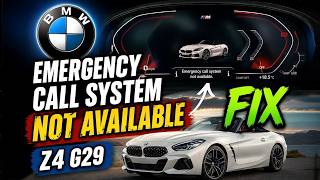
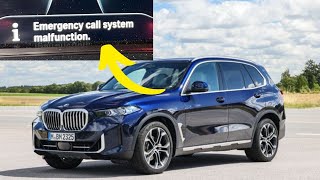
This is the most common and concerning issue related to the overhead console's systems. A message will appear on the main iDrive display or instrument cluster indicating a fault with the emergency call system. While the overhead console contains the manual SOS button and microphone, the most frequent cause of this error is actually the failure of a small, dedicated backup battery for the Telematics Control Unit (TCU), which is located in the trunk area. This battery degrades over time and can no longer hold a sufficient charge, triggering a fault during the vehicle's self-test at startup. However, a fault with the SOS button itself or the console's internal wiring could also potentially cause this warning. The fault codes often associated with the battery issue are B7F341 (Emergency battery hardware faulty) and B7F343 (Emergency battery charge interval reached).
🎬 See why this emergency call system warning appears2. Interior Lights or Buttons Not Working
A more direct symptom of console failure is when the map lights, reading lights, or ambient lights housed within the unit flicker or fail to turn on. Similarly, the physical buttons for these lights or the SOS button may become unresponsive. This usually points to an internal circuit board failure, a loose connector, or a burnt-out LED within the console assembly.
3. Poor Bluetooth Call Quality or No Voice Command Response
If people you are speaking to on a hands-free call complain that you sound distant or muffled, or if the vehicle's voice command system stops responding, the microphone located in the overhead console may have failed. This can happen due to a faulty microphone element or a problem with its connection to the main wiring harness.
Major Vehicle Recall: A significant "park outside" recall was issued for 2019-2022 BMW Z4 models due to a fire risk. The engine starter relay can corrode, overheat, and short circuit, potentially causing a fire even when the vehicle is parked and turned off. Before purchasing a vehicle or diagnosing other issues, check with a BMW dealer or on the NHTSA website to ensure this free recall repair (NHTSA Campaign ID: 25V636000) has been completed.
Buying a Used Overhead Console
Due to the high cost of a new OEM console, a used part is often the most practical solution. However, careful inspection and verification are essential to ensure you get a good, compatible part.
What to Check Before You Buy
- Match the Part Number: This is the most critical step. BMW uses many different overhead console versions depending on the car's specific options (e.g., with or without alarm sensors). A console from a car with different features may not work correctly. The part number is printed on a sticker on the top or side of the console housing.
- Inspect the Lens Covers: Check the clear plastic lenses for the map lights. Ensure they are not cracked, heavily scratched, or yellowed.
- Check for Scratches and Damage: Examine the plastic housing for deep scratches, cracks, or signs of pry marks from improper removal. Pay close attention to the edges where trim tools would be used.
- Verify All Mounting Clips are Intact: The console is held in place by several metal and plastic clips. If these are broken, the console will not sit flush against the headliner and will likely rattle or sag.
- Test the Buttons: If possible, press each button. They should have a firm, tactile click. Mushy or stuck buttons indicate wear or internal damage.
Why Used OEM is the Best Choice
For a component like the overhead console, there are virtually no new aftermarket options available. A used OEM (Original Equipment Manufacturer) part is the superior choice because it guarantees a perfect fit, correct color and texture match to your interior, and proper electronic compatibility, provided you match the part number. Cheap knock-offs, if they existed, would likely use inferior plastics and electronics that would fail quickly and not integrate with the Z4's complex systems.
Cost of Replacing a 2019-2025 BMW Z4 Overhead Console
| Part Type | Estimated Cost |
|---|---|
| New OEM | $900 - $1,100 |
| New Aftermarket | Not Available |
| Used OEM | $150 - $400 |
| Shop Labor | $75 - $150 |
Replacement Difficulty: 2/5
Replacing the overhead console is a relatively straightforward task suitable for a DIYer with the right tools. The main challenge is removing the old unit without damaging the headliner or the console itself.
Estimated Time: 0.5 hours
Tools Needed:
- Plastic trim removal tool set
- Small flathead screwdriver (for connectors)
Basic Replacement Steps
- Disconnect the Battery: As a safety precaution when working with vehicle electronics, disconnect the negative terminal of the car's main battery.
- Pry Down the Console: Using a plastic trim tool, carefully begin prying downwards on the edge of the console where it meets the headliner. Start at the edge closest to the windshield. Work your way around the console, releasing the metal clips that hold it in place. Use firm, steady pressure rather than sudden force.
- Disconnect Wiring: Once the console is loose, let it hang gently by its wiring harness. Identify the main electrical connector. There is typically a small tab that must be depressed or a lever that must be swung over to release the plug. Do not pull on the wires themselves.
- Install the New Console: Connect the wiring harness to the replacement console, ensuring it clicks securely into place. Align the console with the opening in the headliner and press it firmly upwards. The clips should snap into place, securing the console flush with the headliner.
- Reconnect and Test: Reconnect the car's battery and test all functions of the new console, including all lights and buttons.
Pro Tip: If you are getting the 'SOS Call System Malfunction' error, consider trying a simple iDrive system reset first. Press and hold the volume knob for 30-40 seconds until the screen goes black and reboots. If the error persists, the next logical step is to replace the telematics backup battery in the trunk, as this is the most common cause.
🎬 Watch: How to replace the telematics backup batteryFrequently Asked Questions (FAQ)
Why is my Z4 showing an 'SOS Call System Malfunction' error?
The most common reason is the failure of the telematics backup battery located in the trunk, which has a limited lifespan of 3-5 years. Less common causes include a software glitch that can sometimes be fixed with an iDrive reset, a faulty SOS button in the overhead console, a failed Telematics Control Unit (TCU), or water damage near the roof antenna that affects the TCU.
Do I need to program a replacement overhead console?
Generally, no programming is required if you replace the console with a used unit that has the exact same part number. The vehicle's coding is stored in other modules. If you install a console with different features than your original, it may require coding to function correctly, but some features may not work at all.
Can I just replace the microphone or a light bulb in the console?
The components within the overhead console are typically not designed to be serviced individually. The lights are usually integrated LEDs soldered to a circuit board, and the microphone is also an integral part. The entire console assembly is considered the replacement part.
Is it safe to drive with a faulty overhead console?
Yes, but with a significant caution. A faulty console itself does not affect the car's ability to drive. However, if you have the 'SOS Call System Malfunction' warning, it means the automatic crash notification and manual SOS button will not work in an emergency, which is a critical loss of a safety feature.
Helpful Videos
Technical Specifications
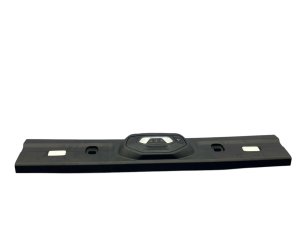
OEM Part Numbers: 51169181377 61319225942
Houses map lights, microphone, SOS button, and optional alarm sensors. Connects via a single multi-pin electrical connector.
We Have This Part in Stock

The information in this article is provided for general reference and educational purposes only. Vehicle specifications, procedures, and part compatibility can vary by production date, trim level, and region. Always consult your vehicle's factory service manual and verify part numbers before purchasing or performing repairs. Safety-critical components such as airbags, seat belts, and braking systems should be installed by a qualified professional.
- BMW Z4:
- 🎬 Helpful Videos
- 🛍️ Shop This Part
- Symptoms of Overhead Console Failure
- 1. 'SOS Call System Malfunction' or 'Emergency Call System Not Available' Message
- 2. Interior Lights or Buttons Not Working
- 3. Poor Bluetooth Call Quality or No Voice Command Response
- Buying a Used Overhead Console
- What to Check Before You Buy
- Why Used OEM is the Best Choice
- Cost of Replacing a 2019-2025 BMW Z4 Overhead Console
- Replacement Difficulty: 2/5
- Basic Replacement Steps
- Frequently Asked Questions (FAQ)
- 🎟️ Get 5% Off