

U3000 on 2020-2024 Mazda CX-30: TCU and FSC Module Failure Explained
On a 2020-2024 Mazda CX-30, code U3000 indicates an internal failure in a control module, most commonly the Telematics Communication Unit (TCU) or the Forward Sensing Camera (FSC). The TCU issue is a well-documented software glitch, often triggered by an expired connected services subscription, and is fixed by a dealer-installed software update per multiple TSBs. The FSC issue is a hardware failure requiring module replacement.
- U3000 on a CX-30 is not a generic code; it almost always points to a specific, known failure in either the TCU (software) or FSC (hardware).
- You must use a professional scan tool (MDARS) to read the code's suffix and determine which module is at fault.
- The most common cause is a TCU software bug related to expired connected services, which is fixed by a dealer software update covered by a TSB.
- If safety systems are disabled, the cause is likely a hardware failure in the Forward Sensing Camera (FSC), which requires replacement and calibration.
- Simply replacing the 12V battery will not fix the underlying TCU software issue and may even trigger the warning message.
What's Unique About the 2020-2024 Mazda CX-30

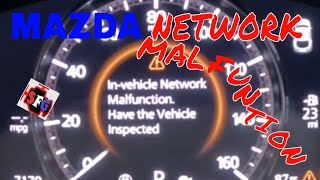
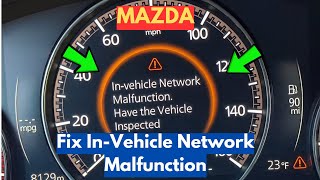
On the first-generation Mazda CX-30 and its platform mates like the Mazda 3, the U3000 code is very specifically tied to known issues with two key modules: the Telematics Communication Unit (TCU) and the Forward Sensing Camera (FSC). Mazda has issued numerous Technical Service Bulletins (TSBs) to address these problems. The TCU fault is famously caused by a software bug that triggers an error message when the complimentary 3-year connected service plan expires. 🎬 Watch: A real-world fix for the network malfunction message. The FSC fault is a known hardware failure. Unlike a generic module failure, the path to diagnosis on a CX-30 is well-documented, usually leading to a dealer for a specific software update or module replacement.
Diagnostic Flowchart

Tap your situation to follow the diagnostic path that matches what you're seeing on this vehicle.
Symptoms You May Notice

- "In Vehicle Network Malfunction" message on the instrument cluster.
- "Telematics Malfunction" message on the instrument cluster.
- i-ACTIVSENSE or other safety system warning lights illuminated.
- Master Warning light is on.
- Loss of functions like Lane-Keep Assist (LKA), Adaptive Cruise Control (ACC), or Smart Brake Support (SBS).
- MyMazda App may show an error code or fail to connect.
- Red light on the overhead SOS button.
- Infotainment system may become non-functional or glitchy.
- Replacing the main battery without addressing the underlying TCU software issue.
- Attempting to clear the code with a basic OBD-II scanner without identifying the specific faulty module.
- Replacing the GPS antenna when the TCU is the actual source of the fault.
Most Likely Causes

- Telematics Communication Unit (TCU) Software Malfunction 🔴 High Probability Multiple TSBs (e.g., 09-001-23a) confirm that improper software logic causes the TCU to set a U3000 code when the vehicle's 3-year complimentary connected service contract is discontinued or expires.
How to confirm: A dealer or qualified shop must use the Mazda Diagnostic and Repair Software (MDARS) to identify the code as U3000:00-TCU or U3000:04-TCU and check for applicable TSBs like #09-001-24g or #09-001-23a.
Typical fix: Update the TCU software. This is typically performed at a dealership using a USB flash drive procedure outlined by Mazda in its TSBs.
Est. part cost: $0 (if performed under warranty or as a goodwill update) - Forward Sensing Camera (FSC) Internal Hardware Failure 🟡 Medium Probability TSB #15-001-25 explicitly states that a hardware failure within the FSC can cause it to store a U3000:04 code. This appears to be a known failure pattern for this component across multiple Mazda models.
How to confirm: MDARS will show DTC U3000:04 (FSC) stored in memory. The code often cannot be erased, indicating a permanent internal hardware fault.
Typical fix: Replace the Forward Sensing Camera (FSC) module. After installation, the new camera must be calibrated using special tools and procedures (static and dynamic calibration).
Est. part cost: $450-$900 - Telematics Communication Unit (TCU) Internal Hardware Failure ⚪ Low Probability While less common than software issues, TSB #09-001-24g mentions that an internal malfunction can be a hardware failure requiring replacement if a software update does not resolve the issue.
How to confirm: If a software update does not resolve the U3000-TCU code, or if diagnostics point directly to a hardware issue (e.g., no communication), the module is deemed faulty.
Typical fix: Replace the Telematics Communication Unit (TCU). The new module must be activated and initialized using MDARS.
Est. part cost: $500-$800
Rare But Worth Checking
- Battery Replacement or Low Voltage: Many owners have reported the "In Vehicle Network Malfunction" message appearing immediately after replacing the vehicle's 12V battery. This can sometimes be resolved by disconnecting the battery for an hour to reset the modules, but often the underlying TCU software bug is the root cause, and the dealer software update is still required.
- TCU Internal Battery Failure: The TCU contains its own internal, non-rechargeable lithium battery for the SOS/e-Call function. If the main vehicle battery is disconnected for an extended period (e.g., during storage), this internal battery can fully discharge and fail, leading to a persistent U3000 code even after the main battery is reconnected. In this case, the TCU module may need to be replaced.
Diagnosis Steps
- Connect a Mazda-specific scan tool (MDARS) to the vehicle's OBD-II port.
- Scan for DTCs and identify which module has stored the U3000 code. Note the full code, including the suffix (e.g., U3000:04-TCU or U3000:04-FSC).
- If the code is related to the TCU, check for applicable TSBs (e.g., #09-001-24g, #09-001-23a). Follow the TSB procedure to update the TCU software. This may involve a USB update initiated from a hidden service menu (accessed by holding Volume Knob + Music + Favorites buttons).
- If the code is related to the FSC, check for TSB #15-001-25. Verify the code cannot be cleared. If it persists, this confirms a hardware failure.
- If a software update fails to resolve a TCU code, diagnose for a hardware failure. This may involve checking power, ground, and network connections to the module before condemning it. Note that some TCU updates can only be performed by a dealer using MDARS.
- If the FSC is confirmed to be faulty, replace the Forward Sensing Camera module.
- After replacing the FSC, perform the mandatory static and dynamic camera calibration procedures as specified in the service manual.
- If the TCU is replaced, use MDARS to activate and initialize the new unit.
- Clear all DTCs and perform a test drive to verify that the warning messages and codes do not return.
Parts You'll Likely Need
- Forward Sensing Camera (FSC)
(OEM #DFR9-67-RC0, BDGF-67-XCXN, GSH7-67-XCXU (Part number varies by model year and features; verify with VIN))— A common cause for U3000 is an internal hardware failure of the FSC, which disables i-ACTIVSENSE safety features.
Trusted brands: Mazda OE
OEM price range: $450-$900
Aftermarket price range: Not Recommended - Telematics Communication Unit (TCU)
(OEM #DGH967CM0 (for 2020-2021 models, verify with VIN))— If a software update does not fix the "Telematics Malfunction" error, or if its internal battery fails, the TCU module itself has likely failed internally.
Trusted brands: Mazda OE
OEM price range: $500-$800
Aftermarket price range: Not Recommended
Technical Service Bulletins (TSBs) & Recalls
- 09-001-24g: Telematics Malfunction message with DTC U3000:00-TCU or U3000:04-TCU.
- 09-001-23a: In Vehicle Network Malfunction message with DTC U3000:04-TCU after connected service contract discontinuation.
- 15-001-25: i-ACTIVSENSE/ALH warning lights with DTC U3000:04 (FSC) due to hardware failure.
- 09-001-24c: Telematics Malfunction message with DTC U3000:04-TCU due to improper control software.
- SA-027-23c: In-Vehicle Network Malfunction message with DTC U3000:04 (Telematics communication unit internal malfunction).
Platform-Specific Known Issues
- TSB #09-001-24g / #09-001-24c: Addresses "Telematics Malfunction" message with DTC U3000:00-TCU or U3000:04-TCU, caused by improper software. The fix is a TCU software update via USB.
- TSB #09-001-23a: Specifically addresses "In Vehicle Network Malfunction" with DTC U3000:04-TCU that appears after a connected service contract is discontinued. This is also fixed with a TCU software update.
- TSB #15-001-25: Addresses i-ACTIVSENSE warning lights with DTC U3000:04 (FSC) due to a non-repairable hardware failure in the Forward Sensing Camera, requiring replacement.
- TSB #SA-027-23c: Describes an "In-Vehicle Network Malfunction" message with DTC U3000:04 from the TCU. The procedure involves a battery disconnect reset and a potential TCU software update.
Hidden / Shadow Codes Worth Checking
- U3000:04: Indicates a generic 'Internal Malfunction'. For the TCU, this is the common software glitch code. For the FSC, it indicates an internal hardware failure related to the image-processing circuit. (see via Mazda Diagnostic and Repair Software (MDARS) or equivalent professional scan tool.)
- U3000:00: Indicates a generic 'Internal Malfunction'. This is also seen with the TCU software issue per TSB 09-001-24g. (see via Mazda Diagnostic and Repair Software (MDARS).)
- U3000:49: Indicates an 'Internal Electronic Failure'. While not specific to the TCU/FSC, it is seen on other Mazda modules like the SAS (airbag) control module, demonstrating the diagnostic system's granularity. (see via Mazda Diagnostic and Repair Software (MDARS).)
Scan Tool Commands That Help
- MDARS: Connection limited mode setting — Before reprogramming the TCU. This function prevents the system from sending unnecessary error notifications to the customer's MyMazda app while the vehicle is being serviced.
- MDARS: Software Update (TCU) — To fix the U3000:04-TCU code caused by the known software bug. A technician noted this should be performed with the engine OFF and a battery maintainer connected, as it can fail if the engine is running.
- MDARS or equivalent (e.g., Autel): Forward Sensing Camera (FSC) Aiming — This calibration is mandatory after replacing the FSC module to ensure the i-ACTIVSENSE systems function correctly.
- Mazda Connect Infotainment: Diagnostic Test Screen (Hidden Menu) — Accessed by pressing and holding Volume Knob + Music button + Favorites button for 5 seconds. This menu allows access to system information and is the likely starting point for the dealer's USB-based software update.
Wiring & Ground Locations
- Telematics Communication Unit (TCU) — Located behind the center console, under the dashboard.. This is the location of the module that most commonly fails with a U3000 code. Access is required for replacement or to check its connectors if a software update fails.
- Forward Sensing Camera (FSC) — Mounted to the interior side of the windshield, near the rearview mirror.. This is the location of the second most common module to fail with a U3000 code. It must be physically replaced and then calibrated to fix a U3000:04 (FSC) code.
Real Owner Repair Stories
- Reddit user on r/MazdaCX30 (Mazda CX-30 (year not specified, but within 2020-2022 range)) — Received "In Vehicle Network Malfunction" error and code U3000 immediately after replacing the 12V car battery.
❌ Tried (didn't work) Battery replacement was the trigger, not a fix.
✅ What actually fixed it Took the vehicle to a Mazda dealer. The dealer performed a software update on the Telematics Communication Unit (TCU) as specified in a Technical Service Bulletin (TSB), which resolved the error. - YouTube - Shop Foreman Garage (2021 Mazda CX-30) — Intermittent "In Vehicle Network Malfunction" message on the dash with DTC U3000:04-TCU stored.
❌ Tried (didn't work) Disconnecting the battery or pulling fuses (noted as a temporary fix at best that does not solve the root cause).
✅ What actually fixed it The technician followed the Mazda TSB to update the TCU software using a USB flash drive. He noted the update must be performed with the ignition on but the engine OFF, with a battery charger connected to maintain stable voltage.
OEM Part Supersession History
Various (e.g., BDGF-67-XCXN)→Modified parts with later suffixes (e.g., BDGF-67-XCXP) or a later production date.— An internal hardware failure was identified in the original Forward Sensing Camera (FSC) design, causing DTC U3000:04. The production process was modified to correct this.
Heads up: For the CX-30, FSC modules with a serial number date of February 2021 or later are the corrected parts. Using a pre-February 2021 part may result in a repeat failure of the same code.DGH9-67-CM0→DGH9-67-CM0B— Likely an internal hardware or firmware revision for the Telematics Communication Unit (TCU).
Heads up: While likely interchangeable, using the latest available part number is recommended to have the most recent revisions. Module will require programming regardless of version.
Model Year Variations Within This Range
- 2020-2021: These model years are more likely to have the original, non-modified Forward Sensing Camera (FSC) that is prone to internal hardware failure (U3000:04). TSB #15-001-25 indicates that modified parts were used in production starting in February 2021.
Helpful Videos
We Have This Part in Stock



The information in this article is provided for general reference and educational purposes only. Vehicle specifications, procedures, and part compatibility can vary by production date, trim level, and region. Always consult your vehicle's factory service manual and verify part numbers before purchasing or performing repairs. Safety-critical components such as airbags, seat belts, and braking systems should be installed by a qualified professional.
- Mazda CX-30:
- 🎬 Helpful Videos
- 🛍️ Shop This Part
- What's Unique About the 2020-2024 Mazda CX-30
- Diagnostic Flowchart
- Symptoms You May Notice
- Most Likely Causes
- Rare But Worth Checking
- Diagnosis Steps
- Parts You'll Likely Need
- Technical Service Bulletins (TSBs) & Recalls
- Platform-Specific Known Issues
- Hidden / Shadow Codes Worth Checking
- Scan Tool Commands That Help
- Wiring & Ground Locations
- Real Owner Repair Stories
- OEM Part Supersession History
- Model Year Variations Within This Range
- 🎟️ Get 5% Off