

U3000 on 2022-2024 GMC Sierra 1500: Control Module Fault Explained
Code U3000 on a 2022-2024 GMC Sierra 1500 indicates an internal fault in one of several possible electronic modules, most commonly the front camera, SuperCruise module, or instrument cluster. The fix is almost always a software update or module replacement performed by a dealer, as outlined in several GM Technical Service Bulletins. In many cases, the issue is purely software-based and does not require hardware replacement.
- U3000 is a generic code for an internal control module fault; the key is to identify which module is affected.
- This code is frequently caused by software glitches that can be fixed by a dealer reprogramming, not by replacing a part.
- On the 2022-2024 Sierra, this code is commonly linked to the front camera, SuperCruise module, and instrument cluster.
- Diagnosis requires a professional scan tool to pinpoint the faulting module.
- Always check for applicable Technical Service Bulletins (TSBs) before attempting any repairs, as GM has provided specific solutions for many U3000 scenarios.
What's Unique About the 2022-2024 Gmc SIERRA 1500

The 2022-2024 GMC Sierra 1500, built on the GM T1 platform, features the complex Vehicle Intelligence Platform (VIP) electrical architecture. This network connects dozens of modules controlling everything from advanced driver-assist systems (ADAS) to the fully digital instrument display. The U3000 code is a common symptom of this complexity, often triggered by software glitches within these modules. General Motors has acknowledged these issues by releasing multiple Technical Service Bulletins (TSBs) that prescribe specific software reprogramming or module resets to resolve the U3000 code when it affects systems like SuperCruise, the front camera, and the Serial Data Gateway Module.
Diagnostic Flowchart

Tap your situation to follow the diagnostic path that matches what you're seeing on this vehicle.
Symptoms You May Notice

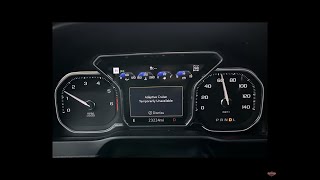
- "SuperCruise unavailable – No road info" message on the driver display.
- "Service Driver Assist" message on the driver display.
- Amber Forward Collision icon illuminated in the instrument panel.
- "Service Instrument Cluster" message in the DIC.
- Front view camera is disabled or inoperative.
- Features like Adaptive Cruise Control, Lane Keep Assist, or Automatic High Beams are unavailable. 🎬 See this guide on troubleshooting GMC cruise control issues.
- Auto Start/Stop system is inoperative, often as a secondary symptom of a low battery caused by a module fault.
- In some instances, a low or dead battery, which may lead to a no-crank condition.
- GPS-linked features may be inoperative.
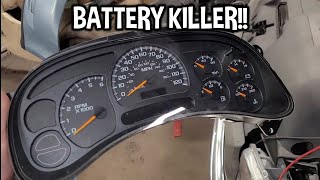
- Replacing the vehicle battery. While a U3000 fault in the front camera module can lead to a dead battery, the battery itself is the symptom, not the cause. 🎬 Watch: How a faulty instrument cluster can drain your battery. The underlying module fault must be fixed to resolve the parasitic drain.
Most Likely Causes

- Software Glitch in a Control Module 🔴 High Probability The complex Vehicle Intelligence Platform is susceptible to software anomalies. GM has issued multiple TSBs to fix software-related U3000 faults in various modules, including the Automated Map Module (HDLM), Front View Camera, Instrument Panel Cluster (IPC), and Serial Data Gateway Module (SDGM).
How to confirm: A technician with a GM-compatible scan tool must check for TSBs related to the specific module that has set the U3000 code. The TSB will guide the reprogramming procedure. For example, TSB #23-NA-095 addresses a U3000 with various suffixes in the Front Camera Module, fixed by a software update.
Typical fix: Reprogramming the affected module with the latest software calibration available from GM's Service Programming System (SPS). This is a dealer or qualified independent shop repair.
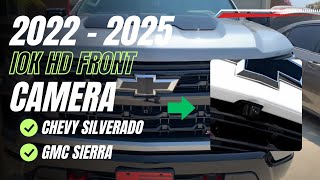
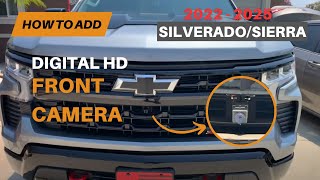
Est. part cost: $0 - Internal Fault in the Front View Camera Module (FCM) 🟡 Medium Probability TSBs PIT5912G and 23-NA-095 link U3000 (with suffixes 44, 49, 54, or 57) to the front view camera module. The fault can sometimes be triggered by an OnStar task, causing the module to fail to enter sleep mode, resulting in a parasitic battery drain.
How to confirm: A scan tool will show the U3000 code stored in the Front View Camera Module. The battery may test low. The TSB provides a diagnostic procedure starting with a software reprogram.
Typical fix: The first step is to reprogram the Front Camera Module with the latest software via SPS. If that fails, an extended camera relearn procedure may be needed. If the module is internally faulty, it will require replacement, programming, and calibration.
Est. part cost: $400-$800 - Internal Fault in the Automated Map Module (HDLM) 🟡 Medium Probability This module is critical for the SuperCruise system. TSB 24-NA-027 notes that an internal reset condition can cause it to set a U3000 code and disable SuperCruise.
How to confirm: If a U3000 code is present in the HDLM and the symptom is "SuperCruise unavailable," the diagnosis points to this module. The TSB provides specific part numbers to check for replacement eligibility.
Typical fix: Following the diagnostic procedure in TSB 24-NA-027, which involves verifying the fault on known SuperCruise roads and, if specific part numbers are present, replacing the HDLM module. This repair requires a trained technician.
Est. part cost: $300-$600 - Internal Fault in the Serial Data Gateway Module (SDGM) ⚪ Low Probability The SDGM is the central hub for all network communication. TSB #PIT6432 describes a U3000 with suffix 49 being set in the SDGM, which can cause a Service Engine Soon light. OTA update failures can also trigger SDGM faults.
How to confirm: A scan tool will show a U3000 sym49 code stored in the SDGM.
Typical fix: The TSB recommends attempting a reset by removing the SDGM fuse for 15 minutes. If the code was in history, reprogramming is the fix. If the code returns after a reset, the SDGM may need replacement.
Est. part cost: $250-$500
Rare But Worth Checking
- Instrument Panel Cluster (IPC) Software Issue: TSB PIT5980 and TSB 22-NA-120 describe a condition where a "Service Instrument Cluster" message appears after about 30 minutes of ignition-on time, with DTC U3000 sym06 stored in the IPC. The fix is a simple software reprogram of the cluster.
- Wiring Harness or Connector Issue: While U3000 specifically means an *internal* module fault, poor power, ground, or data connections to a module can cause it to malfunction and set this code. This should be investigated before replacing an expensive module. TSB PIT5288G notes that a pinched dash harness can cause various electrical issues on GM trucks.
Diagnosis Steps
- Connect a professional-grade scan tool capable of reading manufacturer-specific codes from ALL vehicle modules.
- Perform a full vehicle DTC scan to identify which specific control module has stored the U3000 code (e.g., HDLM, Front View Camera, IPC, SDGM).
- Note any symptom/suffix codes (e.g., 06, 44, 49, 54, 57) associated with the U3000 code, as these provide critical diagnostic information.
- Cross-reference the faulting module and symptoms with known Technical Service Bulletins (TSBs). Check for TSBs 23-NA-095 (Front Camera), 24-NA-027 (HDLM), and 22-NA-120/PIT5980 (IPC).
- Follow the specific diagnostic procedure outlined in the relevant TSB. This often starts with a software check and potential reprogramming using the GM Service Programming System (SPS).
- If the fault is in the Front View Camera, attempt a hard reset by removing the F11DR fuse in the right-side dash fuse box for one minute before proceeding with other repairs.
- If reprogramming is not applicable or does not resolve the issue, perform a hard reset of the module by disconnecting its power source (e.g., pulling a fuse for a specified time) as described in the TSB.
- If the code persists, inspect the wiring and connectors for the affected module for any signs of damage, corrosion, or loose pins.
- If all software and wiring checks pass, the control module itself has likely failed and requires replacement, followed by programming and calibration.
Parts You'll Likely Need
- Front View Camera Module
(OEM #85664806 (example, check VIN))— A known cause for U3000, leading to the failure of multiple driver-assist systems and potential parasitic battery drain, as documented in TSBs PIT5912G and 23-NA-095.
Trusted brands: ACDelco (GM Genuine Parts)
OEM price range: $400-$800
Aftermarket price range: $300-$600 - Automated Map Module (HDLM)
(OEM #85624159, 85624160, 87845922 (examples, check VIN))— This module can fail or require replacement to restore SuperCruise functionality when a U3000 code is set, per TSB 24-NA-027.
Trusted brands: ACDelco (GM Genuine Parts)
OEM price range: $300-$600
Aftermarket price range: N/A - Serial Data Gateway Module (SDGM) — Can set a U3000 code and may require replacement if a reset and reprogramming do not solve the issue, as noted in TSB PIT6432.
Trusted brands: ACDelco (GM Genuine Parts)
OEM price range: $250-$500
Aftermarket price range: $200-$400
Technical Service Bulletins (TSBs) & Recalls
- 24-NA-027: DTC U3000 Setting in Automated Map Module (HDLM) - SuperCruise Unavailable.
- 23-NA-095: Replaces PIT5912G. Addresses U3000 in Front View Camera causing multiple ADAS warnings and a potential dead battery/no-crank.
- PIT5912G: Predecessor to 23-NA-095, details the Front View Camera fault, including the OnStar trigger and fuse pull reset procedure.
- PIT5980 / 22-NA-120: Addresses U3000 sym06 in the Instrument Panel Cluster (IPC) causing a "Service IPC" message, fixed by a software update.
- PIT6432: Addresses U3000 sym49 in the Serial Data Gateway Module (SDGM).
Platform-Specific Known Issues
- SuperCruise Unavailable: TSB #24-NA-027 directly addresses U3000 being set in the Automated Map Module (HDLM), causing the "SuperCruise unavailable – No road info" message. The fix may involve replacing the HDLM if it has a specific part number.
- Front Camera & Driver Assist Failure: TSBs #PIT5912G and #23-NA-095 detail how a U3000 in the front view camera module can disable numerous driver assist features and potentially cause a dead battery.
Hidden / Shadow Codes Worth Checking
- U3000 sym 44: Data Memory Malfunction. Often set in the Front View Camera or Power Steering Control Module. Can be caused by software anomalies or the camera being blocked over multiple key cycles. (see via GM GDS2 or equivalent professional scan tool that can read manufacturer-specific symptom codes.)
- U3000 sym 49: Internal Electronic Failure. Can be set in various modules, including the Front View Camera and Short-Range Radar modules. TSB 21-NA-243 notes this can be set due to highly reflective environments for radar modules. (see via GM GDS2 or equivalent professional scan tool.)
- U3000 sym 54: Incorrect Component Installed. TSB PIT6325 notes this can be set as a history code in the front camera when it is blocked by snow or ice. (see via GM GDS2 or equivalent professional scan tool.)
- U3000 sym 57: Invalid/Incompatible Software Component. TSB PIT6081 notes this can set in the Park Assist Control Module after a retrofit if there is an underlying sensor or circuit fault. (see via GM GDS2 or equivalent professional scan tool.)
Scan Tool Commands That Help
- GDS2 (GM Global Diagnostic System 2): B174W Forward Camera learn procedure — Required after replacing the Front View Camera module or when TSB 23-NA-095 directs it. This procedure calibrates the new camera to the vehicle. An 'Extended Camera Relearn Procedure' is also detailed in the TSB if the standard learn fails.
- GDS2 (GM Global Diagnostic System 2): Module Reprogramming (via SPS) — Used to load the latest software/calibration into a module like the Front Camera, Power Steering, or IPC to fix software-related U3000 faults as instructed by numerous TSBs.
- GDS2 (GM Global Diagnostic System 2): Clear All DTCs — Used after a programming event or repair to clear fault codes. TSBs specifically note to perform this after reprogramming.
- GDS2 (GM Global Diagnostic System 2): Reset for Long Range Radar Module (LRRM) learn — As a last resort when the LRRM learn procedure for a U3000 sym 78 will not complete. This function, used below 6 mph, erases any learn progress and starts the procedure over.
Wiring & Ground Locations
- Radio Module Connectors — On the upper side of the passenger kick panel area, sometimes described as being on the side wall.. Aftermarket camera systems often use a T-harness to intercept signals at the main radio module. A poor connection here could disrupt network communication and potentially set U-codes. The radio module is a key integration point.
- Firewall Pass-Through Grommet — A factory access grommet is located on the passenger side firewall, often behind the battery area, for passing wires into the cabin.. When installing or servicing the front camera, the harness must pass through the firewall. If this grommet is not sealed correctly, water can enter and cause corrosion on interior connectors, leading to various electrical faults.
- Connector X270 — The connector between the headliner harness and the instrument panel harness.. TSB 21-NA-243, which addresses U3000 49 in radar modules, specifically calls out the potential for loose terminals at connector X270 as a cause for the fault. This indicates a known weak point in the ADAS wiring.
Real Owner Repair Stories
- Reddit user in r/gmcsierra (2023 GMC Sierra Denali) — "Front collision alert unavailable" message, resulting in Super Cruise, Adaptive Cruise, Lane Departure Warning, Auto High Beams all becoming non-functional.
❌ Tried (didn't work) Waiting for the dealer, who suspected a control module.
✅ What actually fixed it Another user in the thread reported the same issue on their 2023 Denali and stated the dealer replaced module P/N 84969984 after it was on backorder. The original poster's boss had the exact same truck and issue, also pointing to a module replacement. - Reddit user in r/Silverado (2022+ Silverado/Sierra) — Amber forward collision icon illuminated, other driver assist features disabled.
❌ Tried (didn't work) Cleaning the windshield and front sensors.
✅ What actually fixed it A user identified as a GM technician stated the issue is almost certainly a U3000 in the front view camera that requires a dealer-only software update. They noted they perform this fix at least once a week and it is covered under warranty.
OEM Part Supersession History
85624159, 85624160, 87819889, 87819892, 87833362, 87833364→87845922, 87845923 (examples, list is extensive)— Internal logic/reset condition causing U3000 and SuperCruise unavailability.
Heads up: TSB 24-NA-027 explicitly states to ONLY replace the Automated Map Module (HDLM) if the part number in the vehicle is on a specific list. If the part number is not on the list, the module should not be replaced, and further diagnostics are required, implying that replacement is not a universal fix.PIT5912G (TSB Number)→23-NA-095 (TSB Number)— The preliminary information bulletin (PIT) was updated and formalized into a full Technical Service Bulletin with a more detailed repair procedure.
Heads up: TSB 23-NA-095 explicitly states to discard PIT5912G, indicating the procedures or information in the older bulletin are outdated or incomplete.
Model Year Variations Within This Range
- 2022: TSBs for this generation frequently distinguish between the outgoing 'Limited' (or LTD) models and the refreshed 'New' models. For example, TSB 23-NA-095 specifies 'Silverado 1500 New (RPO J22, VIN Digit 5 = A or D)' for the 2022 model year, separating it from the older architecture. It is critical to correctly identify which 2022 version is being serviced as modules and software can differ.
Helpful Videos

We Have This Part in Stock




The information in this article is provided for general reference and educational purposes only. Vehicle specifications, procedures, and part compatibility can vary by production date, trim level, and region. Always consult your vehicle's factory service manual and verify part numbers before purchasing or performing repairs. Safety-critical components such as airbags, seat belts, and braking systems should be installed by a qualified professional.
- Gmc SIERRA 1500:
- 🎬 Helpful Videos
- 🛍️ Shop This Part
- What's Unique About the 2022-2024 Gmc SIERRA 1500
- Diagnostic Flowchart
- Symptoms You May Notice
- Most Likely Causes
- Rare But Worth Checking
- Diagnosis Steps
- Parts You'll Likely Need
- Technical Service Bulletins (TSBs) & Recalls
- Platform-Specific Known Issues
- Hidden / Shadow Codes Worth Checking
- Scan Tool Commands That Help
- Wiring & Ground Locations
- Real Owner Repair Stories
- OEM Part Supersession History
- Model Year Variations Within This Range
- 🎟️ Get 5% Off