

U3000 on 2016-2023 Ford Expedition: Control Module Fault Explained
U3000 on a Ford Expedition means an electronic control module has an internal fault. It's most commonly a software glitch in the SYNC infotainment module (APIM) or the driver-assist camera module (IPMA). Often, the fix is a software update performed by a dealer or clearing the code, not replacing the part. Low battery voltage is also a frequent trigger.
- U3000 is a generic 'Control Module' fault; you must know which module and the suffix code for a real diagnosis.
- For the 2016-2023 Expedition, the most common causes are software glitches in the IPMA (driver-assist) or APIM (SYNC) modules.
- Always check for Technical Service Bulletins (TSBs) and test the 12V battery before considering replacing any expensive control module.
- Fixing this code often requires a dealer or a shop with Ford-specific software to reprogram the faulty module.
- Driving is generally safe, but be aware that important safety (Pre-Collision Assist) or convenience (SYNC) features may be disabled.
What's Unique About the 2016-2023 Ford EXPEDITION

On the 2016-2023 Ford Expedition, this code frequently points to software-related issues rather than outright hardware failure. The 2016-2017 models (third generation) often see it in the SYNC 3 APIM module, where a simple code clear or software update can be the fix. On the more technologically advanced fourth-generation models (2018-2023), the code is commonly found in the Image Processing Module A (IPMA), which controls driver-assistance features like Pre-Collision Assist. Ford has issued multiple Technical Service Bulletins (TSBs) acknowledging these software-based faults that also affect its platform mates, the Lincoln Navigator and Ford F-150.
Diagnostic Flowchart

Tap your situation to follow the diagnostic path that matches what you're seeing on this vehicle.
Generation note: This range covers two Expedition generations. The 3rd gen (2016-2017) may see U3000 related to the SYNC 3 APIM (per TSB SSM 46048). The 4th gen (2018-2023) more commonly has U3000 in the IPMA for driver-assist systems (per TSB 23-2040), reflecting its more advanced electronics.
Symptoms You May Notice

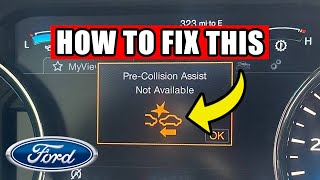
- "Pre-Collision Assist Not Available" message on the 🎬 Watch: Troubleshooting the Pre-Collision Assist Not Available warning message.dash.
- "Lane-Keeping System Fault" message.
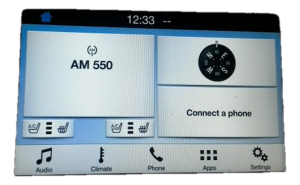
- SYNC 3 infotainment screen is black, frozen, or unresponsive.
- Adaptive cruise control is inoperative.
- ABS, traction control, or brake warning lights are illuminated (if the ABS module is the cause).
- Check Engine Light or wrench light may be on.
- Reverse Brake Assist Not Available message.
- Puddle lamps stop working (if related to a BCM short circuit).
- Replacing a control module without first checking for software updates. Many U3000 faults are corrected by reprogramming alone.
- Ignoring a weak battery. Unstable voltage is a known cause for setting spurious module fault codes.
- Replacing an IPMA module without first performing the 'Programmable Module Installation' (PMI) procedure to copy the As-Built data from the original module, which can lead to calibration failures.
Most Likely Causes

- Control Module Software Glitch 🔴 High Probability Ford has issued multiple TSBs (e.g., TSB 23-2040 for the IPMA, SSM 46048 for the APIM) indicating that software issues can cause this code without any hardware failure. These TSBs often apply to the F-150 and Navigator as well.
How to confirm: A Ford dealer or qualified shop must check for available software updates for the specific module that has stored the U3000 code using the Ford Diagnostic and Repair System (FDRS).
Typical fix: Reprogramming the affected module (IPMA, APIM, etc.) to the latest software version. This may also require a module reset or calibration procedure, such as the 'IPMA Learned Values' reset.
Est. part cost: $0 - Low Battery Voltage or Weak Battery 🟡 Medium Probability Modern vehicles are highly sensitive to voltage. A weak battery can cause temporary, low-voltage conditions during startup, which can trigger internal fault codes in various modules. TSB 23-2040 specifically notes that low voltage 🎬 See how to fix DTC U3000:49 using FORScan software. can result in U3000:49 in the IPMA.
How to confirm: Test the 12V battery's health, including its voltage at rest (should be >12.4V) and its ability to hold a load. Check for corrosion on battery terminals and ensure the Battery Monitoring System (BMS) is functioning correctly. A technician can use FDRS to check the BCM's BATT_SOC PID, which should be above 50% before attempting software updates.
Typical fix: Replace the vehicle's 12V AGM battery and reset the Battery Monitoring System (BMS).
Est. part cost: $150-$350 - Intermittent/Non-Symptomatic Fault ⚪ Low Probability TSB SSM 46048 specifically notes that for certain U3000 codes in the APIM, if the customer reports no symptoms, the correct procedure is to simply clear the code and re-evaluate if it returns.
How to confirm: Using a scan tool, clear the DTC. Drive the vehicle to see if the code returns and if any symptoms appear. One owner on expeditionforum.com noted a U3000:04 code in the APIM but had no infotainment symptoms, instead chasing a separate engine issue.
Typical fix: Clear the Diagnostic Trouble Code.
Est. part cost: $0 - Failed Control Module ⚪ Low Probability While less common than software issues, an internal hardware failure within a module (like the IPMA or APIM) can occur. This is a diagnosis of exclusion after software and wiring issues have been ruled out.
How to confirm: This is a diagnosis of exclusion. If a software update does not fix the issue and all power, ground, and network connections to the module are confirmed to be good, the module itself is likely faulty.
Typical fix: Replace the failed module and program the new unit to the vehicle. This often requires VIN-specific programming and may require a 'Programmable Module Installation' (PMI) procedure to copy data from the old module.
Est. part cost: $400-$1500
Rare But Worth Checking
- Poor Connection at IPMA Camera: For U3000:49 in the IPMA on 2021-2023 models, TSBs for related platforms (like F-150 and Mach-E) point to a potential connection issue with the coaxial cable between the camera and the module. The fix involves inspecting connectors C900 and C9128 and potentially replacing the cable section. The cable can be damaged if bent too sharply.
- Short Circuit from Aftermarket Parts: A user on expeditionforum.com reported that installing aftermarket LED puddle lamps caused a short, which eventually led to permanent U3000:49 and U1000:00 codes in the Body Control Module (BCM). The BCM has a fault counter, and after too many short events, it permanently disables the circuit and sets the U3000 code, requiring BCM replacement.
- Water Intrusion from A/C Drain or Windshield: A water leak on the right front floor from a misaligned A/C evaporator drain tube is a known issue on 2018-2020 Expeditions per TSB 19-2345. Separately, a Reddit user with a 2022 Expedition reported module communication failure after water from a leaking windshield dripped onto the infotainment screen area. Water intrusion can damage modules and connectors, leading to U-codes.
Diagnosis Steps
- Connect a high-level diagnostic scanner (like Ford's FDRS or FORScan) capable of reading manufacturer-specific codes.
- Identify which module has stored the U3000 code and what the two-digit suffix is (e.g., IPMA, U3000:49).
- Check for any related Technical Service Bulletins (TSBs) for your vehicle's year and the specific module/code. Pay close attention to TSB 23-2040 for IPMA issues and SSM 46048 for APIM issues.
- Thoroughly test the 12V battery and charging system. TSBs explicitly mention that low voltage can trigger a U3000:49 code. Ensure battery state of charge is above 50% before any programming.
- If a TSB indicates a software fix, have the module reprogrammed by a dealer or qualified shop. This may involve coordinated updates to multiple modules (e.g., IPMA, PSCM, CCM).
- If TSB SSM 46048 applies (for APIM codes with no symptoms), clear the DTC and see if it returns.
- If an IPMA code U3000:49 persists, use FDRS to run the 'Reset the Image Processing Module A (IPMA) Learned Values' application.
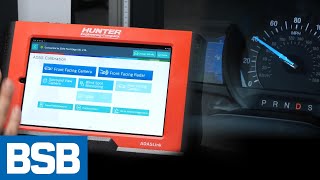
- After any IPMA software update or reset, perform the appropriate FDRS camera alignment procedure 🎬 Watch: How to align the lane keep assist camera. as specified in TSB 23-2040.
- If IPMA codes C1001:31 or U3000:89 are present, inspect the coaxial wiring and connectors (C900, C9128) between the IPMA camera and module for damage, strain, or loose connections. Perform a 'wiggle test' on the connectors.
- If all other steps fail, the control module itself is the likely point of failure and should be replaced. Ensure a 'Programmable Module Installation' (PMI) is performed to transfer configuration data from the old module to the new one before attempting calibration.
Parts You'll Likely Need
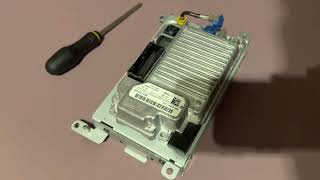
- Image Processing Module A (IPMA)
(OEM #LL1Z-19H406-A (Example for 2020-2021, VIN specific))— This module, which controls driver-assist features, is a common source of U3000 codes on 2018+ models, often due to software bugs or internal failure.
Trusted brands: Motorcraft
OEM price range: $500-$900
Aftermarket price range: $300-$600 - Accessory Protocol Interface Module (APIM)
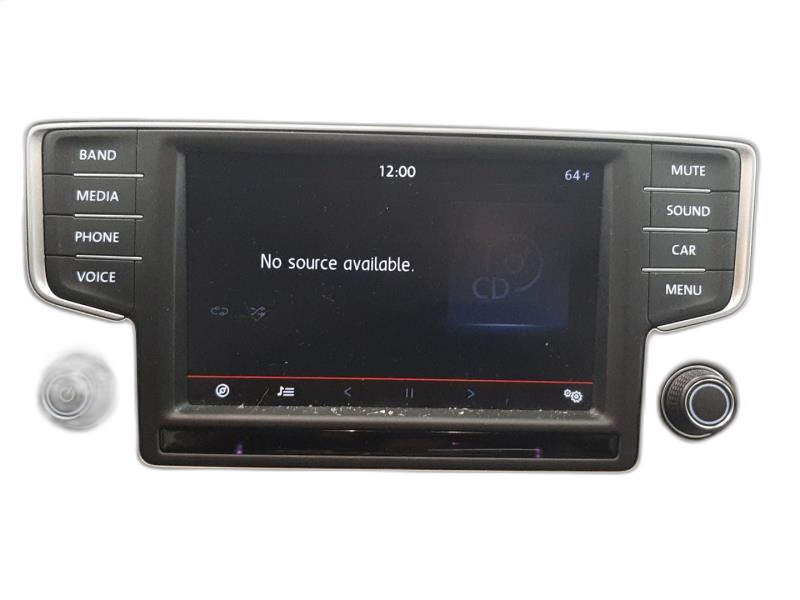
(OEM #GL1T-14G370-CM (Example for 2016, VIN specific))— This is the brain of the SYNC system. It can set U3000 for software glitches or internal failure, causing infotainment problems.
Trusted brands: Motorcraft
OEM price range: $800-$1200
Aftermarket price range: $400-$800 - AGM Battery — A weak or failing battery is a frequent underlying cause of various U3000 codes by providing unstable voltage to sensitive modules.
Trusted brands: Motorcraft, Interstate, Duralast
OEM price range: $250-$350
Aftermarket price range: $150-$250
Related Codes That Often Appear With This One
- U3000:49 — This is a common variant seen in the IPMA, indicating an 'Internal Electronic Failure', often due to software, low voltage, or a poor coaxial cable connection as per TSB 23-2040 and TSB 23-2137.
- U3000:04 — This variant, for 'System Internal Failures', is often seen in the APIM (SYNC module) and may not have any symptoms, as noted in SSM 46048.
- U2107:68, C1001:54, C1001:78 — These codes can appear alongside U3000 in the IPMA when a software issue is present, as noted in TSB 23-2040.
- B108E:12, U1A00:87 — These may be stored with U3000 in the APIM, as mentioned in TSB SSM 46048.
- C1001:31, U3000:89 — These codes are often stored in the IPMA when there is a connection issue with the coaxial cable between the camera and the module, per TSBs for related platforms.
Technical Service Bulletins (TSBs) & Recalls
- TSB 23-2040: Various driver assistance system warning messages or inoperative features and/or diagnostic trouble codes (DTC) U3000:49, U3000:89 in the IPMA due to software.
- SSM 46048: DTCs U3000:04, B108E:12 and/or U1A00:87 present in the APIM with no other symptoms.
- TSB 22-2295: Superseded by 23-2040, this TSB first addressed the IPMA software issue causing U3000 codes on 2022 Expedition/Navigator and 2021-2022 F-150/Mustang Mach-E.
- TSB 23-2146 (F-150): While for the F-150, it details diagnosing a U3000:49 in the IPMA caused by a poor coaxial cable connection, which is a relevant potential cause for the Expedition.
Platform-Specific Known Issues
- TSB 23-2040: Acknowledges that on 2022 Expeditions built on or before May 13, 2022, various driver assistance warnings and DTCs including U3000:49 and U3000:89 in the IPMA may be due to a software issue. The fix is to reprogram the IPMA using FDRS, which may also update the PSCM and CCM.
- SSM 46048: Notes that on 2016-2017 vehicles with SYNC 3, DTC U3000:04 may be present in the APIM. If no other symptoms are reported, the bulletin advises to simply clear the DTC and retest.
- TSB 22-2295: The predecessor to TSB 23-2040, this bulletin also identified the IPMA software issue on 2022 Expeditions/Navigators and prescribed reprogramming as the fix.
Mechanic-Grade Diagnostic Values
- Battery State of Charge (SOC) via BCM PID 'BATT_SOC' — expected: 50% or higher. Failure: Less than 50% SOC; module programming may fail.
- System Voltage During Module Programming — expected: 12.6 – 13.6 volts. Failure: Voltage outside this range can cause programming to fail.
Scan Tool Commands That Help
- Ford FDRS: Reset the Image Processing Module A (IPMA) Learned Values — Used to clear a persistent U3000:49 in the IPMA that will not clear through normal DTC clearing procedures, as instructed by TSB 23-2040.
- Ford FDRS: IPMA - 360 Degree View Camera Alignment / IPMA - Pro Trailer Backup Assist Camera Alignment — This is required after reprogramming the IPMA or replacing it to ensure the cameras are properly calibrated for driver-assist functions to work.
- Ford FDRS: Programmable Module Installation (PMI) — When installing a new control module like the IPMA, this 'inhale/exhale' process copies the As-Built configuration data from the old module to the new one. Skipping this can cause calibration failures.
- FORScan: APIM Reset (Wrench Icon) — A quick way to force a reboot of the SYNC module after making configuration changes or to resolve minor glitches, without having to wait for the vehicle to power down completely.
Wiring & Ground Locations
- IPMA Coaxial Cable Connectors C900 / C9128 — C9128 is at the IPMA camera behind the rearview mirror. C900 is at the A-pillar. The cable runs from the camera, across the headliner, and down the A-pillar to the main IPMA module.. A loose connection or damage to this coaxial cable is a known cause of IPMA codes U3000:49, U3000:89, and C1001:31. A 'wiggle test' on these connectors is part of the diagnostic procedure.
- BCM Ground — On the F-150 platform, this is located in the passenger footwell area, to the right of the BCM module itself.. A poor ground connection to any module can cause erratic behavior and set internal fault codes like U3000.
- Main Battery Ground — On the F-150 platform, this is located in the engine bay, on the chassis just in front of the washer fluid reservoir.. The primary vehicle ground is essential for stable voltage supply to all modules. Corrosion or a loose connection here can cause widespread electrical issues.
Real Owner Repair Stories
- Ford F150 Forum thread (2018 Ford F-150 Lariat 502A) — After installing a new IPMA to add Adaptive Cruise Control, the module would not calibrate. It set DTCs C1001:54 (Missing Calibration) and C1001:78 (Alignment or Adjustment Incorrect).
❌ Tried (didn't work) Running the IPMA calibration procedure in FORScan repeatedly., Simply installing the new IPMA and making a one-line As-Built change.
✅ What actually fixed it Using the Ford Diagnostic software (FJDS) to perform a 'Programmable Module Installation (PMI) inhale/exhale' procedure. This copied the As-Built data and other necessary configuration from the original IPMA to the new one. After the PMI was completed, the calibration procedure worked correctly. - MachEforum user comment (2021-2023 Ford Mustang Mach-E (shares IPMA architecture)) — Persistent 'Front Camera Fault Service Required' message with DTC U3000:49 in the IPMA.
❌ Tried (didn't work) Clearing codes.
✅ What actually fixed it The user noted that before following the TSB to replace the entire coaxial cable run, the first step should be to remove the plastic cover behind the rearview mirror and inspect the cable connection at the camera (C9128). In many cases, the cable is simply strained or improperly routed, and correcting the connection at the camera resolves the fault without replacing parts. - Reddit user post (2022 Ford Expedition) — After a windshield replacement, water leaked in and dripped on the infotainment screen. Subsequently, the instrument cluster and infotainment screens would not display correctly, and a scan showed no communication with the instrument cluster, radio, and trailer modules.
❌ Tried (didn't work) Rebooting modules., Disconnecting the battery for extended periods., Removing the infotainment screen to check for trapped water.
✅ What actually fixed it The post is a request for help and unresolved, but it serves as a strong real-world example of how water intrusion in the dash area can directly lead to multiple module communication failures, a root cause for U-codes.
OEM Part Supersession History
JL3Z-19G490-G, JL3Z-19G490-J→JL3Z-19H406-A— Part revision or update by manufacturer.JL1T-19H406-AE (Example for 2018-2020)→LL1Z-19H406-A (Example for 2020-2021)— Part update corresponding with vehicle model year changes.
Heads up: Different part numbers exist for different model years and feature sets (e.g., with/without collision avoidance). Always verify the correct part for the specific VIN.
Model Year Variations Within This Range
- 2022-2023: The 2022 model year introduced a significant interior refresh with the SYNC 4 and SYNC 4A systems, featuring a large portrait-style screen. This is a different APIM and software architecture than the SYNC 3 system in 2016-2021 models. U3000 codes in the APIM on these later models may be related to SYNC 4-specific bugs or failed Over-The-Air (OTA) updates.
- 2022 (early production): TSB 23-2040 specifically targets 2022 Expedition/Navigator vehicles built on or before May 13, 2022, for an IPMA software issue. Vehicles built after this date should have the corrected software from the factory.
Helpful Videos
We Have This Part in Stock





The information in this article is provided for general reference and educational purposes only. Vehicle specifications, procedures, and part compatibility can vary by production date, trim level, and region. Always consult your vehicle's factory service manual and verify part numbers before purchasing or performing repairs. Safety-critical components such as airbags, seat belts, and braking systems should be installed by a qualified professional.
- Ford EXPEDITION:
- 🎬 Helpful Videos
- 🛍️ Shop This Part
- What's Unique About the 2016-2023 Ford EXPEDITION
- Diagnostic Flowchart
- Symptoms You May Notice
- Most Likely Causes
- Rare But Worth Checking
- Diagnosis Steps
- Parts You'll Likely Need
- Related Codes That Often Appear With This One
- Technical Service Bulletins (TSBs) & Recalls
- Platform-Specific Known Issues
- Mechanic-Grade Diagnostic Values
- Scan Tool Commands That Help
- Wiring & Ground Locations
- Real Owner Repair Stories
- OEM Part Supersession History
- Model Year Variations Within This Range
- 🎟️ Get 5% Off