

OBD-II Code U2403: Coaxial Cable Fault
What U2403 means, why it triggers, and how to fix it
- Code U2403 specifically targets high-speed data failures in your vehicle's infotainment system, disabling the backup camera, GPS, or main display screen.
- In 2016-2021 Ford and Lincoln vehicles, a failed APIM (SYNC module) causes this code more frequently than actual cable damage, requiring a $350-$800 pre-programmed replacement.
- For 2019-2024 GM trucks, inspect the tailgate coaxial cable harness first; high resistance from tailgate movement is a documented failure point covered under recall N222378380.
- Never replace a blank screen or dead camera without first testing the blue FAKRA coaxial cable for continuity (<1 Ohm) to rule out a $50 wiring fault.
- Always replace a damaged coaxial cable harness entirely; splicing alters the 50-Ohm impedance and guarantees future signal degradation.
What Does U2403 Mean?
Code U2403 means a control module detected a fault in a coaxial cable. Vehicles use these cables to transmit high-speed data, such as backup camera video or infotainment display signals. This fault indicates a lost or degraded signal, rendering the connected feature inoperative.
Technical definition: The official SAE/ISO definition for U2403 is "Coaxial Cable Fault." This indicates a control module—typically the infotainment (APIM), body control (BCM), or video processing module (VPM)—detected an open circuit, short circuit, or signal integrity problem on a coaxial network link. The reporting module remains active on the CAN network but cannot communicate with the endpoint component.
Can I Drive With U2403?
Yes, But With Caution. Yes, you can drive with this code. Continued driving causes no mechanical damage, but your infotainment screen, backup camera, and GPS navigation will fail. The loss of a backup camera significantly reduces rearward visibility, increasing the risk of a low-speed collision.
Common Causes
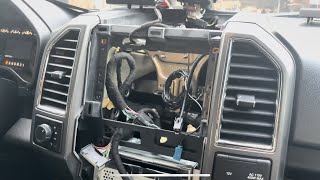
- Faulty Infotainment Module (APIM/Head Unit) (Very Common) — The Accessory Protocol Interface Module (APIM) running the SYNC system frequently fails internally on Ford and Lincoln vehicles. 🎬 See this walkthrough on replacing a faulty APIM module. This failure prevents it from sending or receiving signals through the coaxial cable, triggering U2403 even when the cable is perfect.
- Damaged Coaxial Cable or Connectors (Very Common) — The coaxial cable connecting the main module to the screen or camera gets pinched, kinked, or chafed behind the dashboard or inside tailgate hinges. Normal vehicle vibration also causes fretting corrosion inside the connectors, creating high resistance and intermittent signal loss (especially common on GM trucks).
- Faulty Backup or Surround-View Camera (Common) — Water intrusion frequently shorts out internal camera electronics, disrupting the coaxial signal. Vibration also causes internal component failure within the camera housing.
- Faulty Display Unit / Screen (Common) — Internal circuitry faults prevent the display from receiving or acknowledging the coaxial video signal, causing the sending module to report a U2403 fault.
- Low Battery Voltage or Weak Battery (Less Common) — A weak battery (below 12.4V) triggers random communication errors between modules. Always verify battery health before replacing expensive electronic components.
- Aftermarket Component Interference (Less Common) — Low-quality aftermarket cameras or video interfaces introduce signal noise or impedance mismatches, degrading the signal and triggering the code.
- Software or Programming Glitches (Rare) — Module programming glitches occasionally report false hardware faults. A manufacturer software update resolves these anomalies.
Symptoms
- Black, Blue, or Blank Infotainment Screen — The center display screen is completely black or blue and unresponsive, though the radio may still play audio.
- Flickering or Distorted Backup Camera — Shifting into reverse produces a flickering, static-filled, blue, or completely black camera image.
- GPS/Navigation Malfunction — The navigation system shows an incorrect location, displays a 'No GPS' symbol, or freezes entirely.
- Unresponsive Touchscreen or Controls — The touchscreen ignores inputs, and physical media buttons stop working.
- Bluetooth and USB Connectivity Issues — Phones fail to connect via Bluetooth, and the system ignores devices plugged into the USB ports.
Diagnostic Flowchart
Tap your situation to follow the diagnostic path that matches what you're seeing on this code.
Common Fixes & Costs
- Replacing the APIM (Infotainment Module) — Parts: $350-$800, Labor: $150-$300, ~1.5 hr book time (Intermediate)
- Replacing the Coaxial Cable Harness — Parts: $50-$150, Labor: $250-$600, ~3.5 hr book time (Intermediate)
- Replacing the Backup Camera — Parts: $100-$400, Labor: $100-$250, ~1.5 hr book time (DIY)
- Replacing the Infotainment Display Screen — Parts: $200-$700, Labor: $150-$300, ~1.5 hr book time (Intermediate)
- Updating or Reprogramming Module Software — Parts: $0, Labor: $120-$250, ~1.0 hr book time (Professional)
Used vs. New Parts: Buying Guide
When a used part is worth it: Buy a used APIM module only if you are an advanced DIYer who owns a programming tool like FORScan. Given the high failure rate of these modules, a used part carries significant risk. Avoid used parts if you cannot program the VIN and feature set yourself.
Donor-vehicle mileage cap: roughly under 60000 miles for the part to have meaningful remaining life.
Donor quality checklist:
- Match the part number exactly, noting hardware revisions (e.g., MY2020+ use different internals).
- Confirm the unit is 'unlocked' and free of 'component protection' lockouts.
- Obtain the donor vehicle's VIN to verify its original feature configuration.
Decision logic:
- If You want a plug-and-play, reliable solution with a warranty. → Buy a new, pre-programmed aftermarket APIM matched to your VIN.
- If You are an advanced DIYer with programming tools and a tight budget. → Purchase a used module, accepting the risk of premature failure and programming labor.
- If The vehicle is under warranty or you demand OEM perfection. → Purchase a new OEM part from the dealer, expecting the highest cost.
Warranty tradeoff: Used parts: 30-90 day exchange warranty. Aftermarket new: 1-year to lifetime warranty. OEM new: 1-2 year parts warranty.
Worst-case if a used part fails: $300-$800 if a used module fails, requiring a second replacement and repeated labor.
What Happens If You Wait — Timeline
- 0-1 month: An intermittent flicker or momentary blue screen occurs when shifting into reverse. The system recovers quickly.
- 1-3 months: The backup camera fails 25-50% of the time, showing a black or blue screen. GPS occasionally loses signal.
- 3-6 months: The backup camera and main infotainment screen fail permanently. Bluetooth and USB fail if the APIM is the cause.
- At time of sale/inspection: The vehicle is presented for sale with a non-functional primary display.
Cost of Not Fixing It
- Immediate: Loss of backup camera, GPS navigation, and infotainment display. This significantly increases the risk of a low-speed backing collision. (Added cost: 0)
- 1-6 months: An intermittent problem becomes a permanent failure. Continued use of a flickering screen causes major driver distraction. (Added cost: 0)
- At time of sale: A non-functional central display is a major red flag for buyers, leading to failed pre-purchase inspections and lowball offers. (Added cost: $500-$2000)
Diagnosis Steps
- Check for Related Codes
Scan all modules. Code U3000 (Control Module Internal Failure) or U0253 (Lost Communication with APIM) confirms a faulty module. Code B119F isolates the fault to the GPS antenna coaxial cable.
Tools: Advanced OBD-II Scanner (Beginner) - Inspect the Battery and Fuses
Confirm battery voltage is 12.4V+ with the engine off. Inspect the specific fuses for the infotainment system (APIM, Radio, Display) to ensure they are intact.
Tools: Multimeter, Fuse Puller (Beginner) - Perform a System Reset
Try a soft reset (e.g., hold Power + 'Seek Right' for 15 seconds on Fords). If that fails, disconnect the negative battery terminal for 10 minutes to discharge the modules and clear software glitches.
Tools: Socket Set (Beginner) - Visually Inspect the Coaxial Cable
Access the back of the infotainment module and the endpoint component. Inspect the blue (video) or black (GPS) coaxial cable for sharp bends, kinks, or chafing. Ensure connectors are fully seated with no corrosion.
Tools: Trim Removal Tools, Flashlight (Intermediate) - Isolate the Fault by Part Substitution
If visual inspection passes, test with a known-good camera (the cheapest component). If the problem persists, the head unit (APIM) is the most likely culprit.
Tools: Known-Good Camera, Basic Hand Tools (Advanced) - Test the Coaxial Cable for Continuity and Shorts
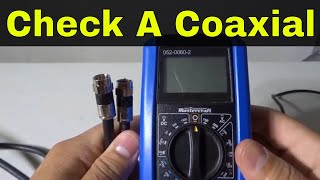
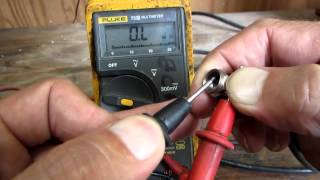
Disconnect both ends. Set a multimeter to Ohms. Test center pin to center pin (<1 Ohm). Test shield to shield (<1 Ohm). Test center pin to shield on the same connector (OL / Infinite resistance). Any deviation proves a bad cable.
Tools: Multimeter, Trim Removal Tools (Advanced) - Check Module Operating Voltage
Back-probe the power and ground pins at the main infotainment module with the ignition on. Voltage must remain stable between 12.0V and 14.8V. Fluctuations indicate a power supply issue.
Tools: Multimeter, Back-probe Pins (Advanced) - Pro Tip: Test Signal Integrity with an Oscilloscope
For intermittent issues, back-probe the signal wire at the module. A clean square wave or consistent analog video signal confirms operation. A noisy or absent waveform proves a fault in the cable or sending component.
Tools: Automotive Oscilloscope, BNC Adapters (Professional) - Pro Tip: Locate Cable Breaks with a TDR
Use a Time Domain Reflectometer (TDR) to send a pulse down the cable. The tool measures reflections to pinpoint the exact distance to an open or short, saving hours of manual harness inspection.
Tools: Time Domain Reflectometer (TDR) (Professional)
When This Code Triggers (Freeze-Frame Conditions)
- Module Voltage: 12.0V - 14.8V (The module has sufficient power to remain active on the network.)
- Ignition Status: Run / Accessory (The fault logs when the ignition is on and modules receive power.)
- Gear Position: Reverse (for camera fault) (The code sets when the system requests a specific function, like shifting to reverse for the backup camera.)
- Vehicle Speed: 0 MPH (The system detects the fault during a startup self-test or when stationary before activating a function.)
Related Codes
- U3000 — Indicates 'Control Module Internal Failure.' If logged alongside U2403, the module itself (usually the APIM) has a confirmed hardware failure and requires replacement.
- U0253 — Indicates 'Lost Communication With APIM.' U2403 means the APIM is online but detects a cable fault; U0253 means the APIM is completely dead. Diagnose power and ground to the APIM first.
- B119F — Ford-specific code for 'GPS Antenna - Open Circuit.' Seeing this with U2403 isolates the fault specifically to the GPS antenna or its black coaxial cable, not the video display.
- U0159 — Indicates 'Lost Communication With Parking Assist Control Module.' Suggests a wider CAN bus network issue rather than a single coaxial cable fault.
Climate & Environmental Factors
- Humidity and Temperature Cycles: Temperature fluctuations promote fretting corrosion on connector pins. Microscopic rubbing wears away protective coatings, allowing moisture to create an insulating oxide layer that causes intermittent signal loss.
- Extreme Cold: Temperatures below freezing cause LCD screen liquid crystals to freeze, making the display slow, unresponsive, or completely black until the cabin warms up.
- Extreme Heat: Cabin temperatures over 120°F (49°C) cause electronic modules to overheat and shut down. Repeated thermal stress accelerates permanent component failure.
How to Talk to a Mechanic About This Code
Say this: "I have a U2403 code and a black screen. Please test the coaxial cable for continuity and inspect the connectors at both the module and the camera before recommending a module replacement."
This directs the technician to check the cheapest failure points (wiring/connectors) first, preventing a premature and costly recommendation to replace the main infotainment module.
Avoid saying:
- 'My screen is broken, just fix it.'
- 'My backup camera doesn't work, can you look at it?'
- 'I read online it's the APIM, can you give me a quote to replace it?'
Questions to ask before authorizing the repair:
- What were the results of the coaxial cable continuity and short-to-ground tests?
- Did you find any damage, corrosion, or loose pins at the connectors?
- If recommending an APIM replacement, what specific tests ruled out the cable and the camera?
- Is the recommended part new OEM, aftermarket, or used, and what is the warranty?
Where to Take It: Dealer vs Independent vs Chain
- Dealer:
Best for: Vehicles under factory warranty., Repairs covered by a known recall (e.g., GM N222378380) or warranty extension., Complex software programming requiring manufacturer tools.
Downsides: Highest labor rates and parts costs., Defaults to replacing entire assemblies rather than repairing components. (Typical cost: +75% vs. baseline) - Independent Shop:
Take the vehicle to an auto electronics specialist. They perform thorough wiring diagnostics before defaulting to a full module replacement, offering the best value.
Best for: Out-of-warranty vehicles where cost is a major factor., Shops specializing in automotive electronics., Getting a second opinion on a high dealership quote.
Downsides: Diagnostic capability varies widely; vet shops by reviews., May lack access to the latest manufacturer software updates. (Typical cost: +0% vs. baseline) - Chain Shop:
AVOID. Chain shops lack the specific tools and experience to correctly identify faults between the module, cable, and end-device.
Best for: Routine maintenance like oil changes, tires, and brakes.
Downsides: Technicians lack training for in-depth electronic network diagnosis., High pressure to meet sales targets leads to misdiagnosis. (Typical cost: -10% vs. baseline)
When to Walk Away From the Repair
If the estimated repair cost exceeds 40-50% of the car's current private-party value, consider selling the car as-is.
- Car worth $15000, fix is $1800: Fix it. The repair cost is 12% of the vehicle's value and restores a critical safety feature.
- Car worth $5000, fix is $1600: Borderline. Get a second opinion or attempt a DIY repair with a pre-programmed aftermarket module.
- Car worth $3000, fix is $1800: Walk away. The repair cost is 60% of the car's value.
What Scan Tool You Need for This Code
Minimum: A scanner capable of reading manufacturer-specific codes from ALL vehicle modules (APIM, BCM, IPC), not just the engine computer.
A basic $20 code reader only checks engine codes (P-codes). It cannot see network (U-codes) or body (B-codes) required to diagnose U2403.
Budget: FORScan (with compatible OBD2 adapter) (~$40) — Provides dealer-level access for Ford/Lincoln/Mazda to read codes from all modules, view live data, and run self-tests. Essential for diagnosing APIM failures.
Mid-range: BlueDriver Pro (~$100) — Reads and clears codes from non-engine modules on most brands, identifying exactly which module set the U2403 code.
Professional: Autel MaxiCOM MK808 / Launch CRP919 (~$450-700) — Offers full-system bidirectional control, live data streams from the APIM, and programming functions required when replacing modules.
Rent vs buy: Free loaner tools at auto parts stores are basic code readers and cannot read U2403. Buy a scanner only if you plan to perform your own diagnostics regularly.
How to Clear the Code After You Fix It
- Reconnect all components and the negative battery terminal.
- Use an advanced OBD-II scan tool to clear the U2403 code from the specific module (e.g., APIM, BCM).
- Cycle the ignition off, wait 10 seconds, and turn it back on.
- Test the affected function (e.g., shift into reverse to verify camera operation).
Drive cycle (~5 minutes): This communication code requires no complex emissions drive cycle. After clearing the code, a simple ignition cycle and functional test forces the module to re-evaluate the coaxial connection. If the hardware issue persists, the code returns immediately.
Readiness monitors affected: Catalyst monitor, EVAP system monitor, O2 sensor monitor, EGR system monitor
Before emissions retest: drive at least 50 miles to fully set monitors.
Watch out for:
- Using a generic scanner's 'Clear All Codes' function resets all emissions readiness monitors to 'Not Ready', guaranteeing a smog test failure. Only clear the specific U-code.
- The code returns instantly if you fail to repair the root hardware cause (bad cable, faulty module).
Will This Fail Emissions / State Inspection?
No — by itself this code doesn't fail OBD inspection (but it can keep readiness monitors from setting, which causes a separate fail).
- California: Code U2403 alone will NOT cause a smog check failure. However, clearing the code with a generic scanner resets all emissions readiness monitors, resulting in an automatic failure.
- New York: NYS inspections check for codes that illuminate the Check Engine Light. U2403 does not trigger the CEL and will not cause a failure, provided you do not clear codes right before the test.
- Texas: Texas emissions inspections ignore non-emissions U-codes. The vehicle passes as long as the emissions monitors read 'Ready'.
Most Commonly Affected Vehicles
- Ford F-150 (2016-2021) — Extremely common due to SYNC 3 APIM module failures. 2021+ models with SYNC 4 also experience black screens related to APIM faults.
- Ford Escape (2016-2020) — Frequently experiences APIM module failures leading to black screens and U2403 codes.
- Ford Explorer (2016-2019) — Shares the problematic SYNC 3 APIM module, making it highly susceptible to blank screen failures.
- Lincoln Navigator (2018-2021) — Shares SYNC 3 hardware with Ford, making it susceptible to APIM and screen communication faults.
- Chevrolet Silverado (2019-2024) — Damage or high resistance in the tailgate coaxial harness connectors frequently causes blue or black camera screens.
- GMC Sierra (2019-2024) — Shares the Silverado's coaxial cable faults. GM recall N222378380 addresses improperly crimped coax connectors on these models.
- Ram 1500 / 2500 / 3500 (2019-2024) — Uconnect systems experience random reboots and black screens caused by internal head unit faults or wiring issues.
- Subaru Outback / Ascent (2020-2023) — The 11.6-inch infotainment screens suffer internal failures. Subaru issued a warranty extension for black screens and rebooting issues.
Manufacturer-Specific Notes
- Ford: The APIM (SYNC module) is the primary failure point. Failures are so common that a massive aftermarket exists for pre-programmed replacement modules.
- General Motors (GM): GM service information instructs technicians to replace the entire coaxial cable assembly rather than repairing it. Recall N222378380 covers free replacement of improperly crimped camera cables on 2020-2021 trucks.
- Ram (Stellantis): Uconnect systems require frequent software updates to resolve black screens and reboots. Always check for updates before condemning hardware.
- Subaru: Subaru extended the warranty on 11.6-inch head units to 8 years/150,000 miles for black screen issues. Try holding the volume knob for 15 seconds to force a reset before replacing parts.
Real Owner Stories
2018 Ford F-150 with 75K miles
Backup camera flickered, then permanently blacked out. Radio and audio still functioned. Code U2403 present.
What they tried:
- Performed a SYNC master reset with no change.
- Replaced the backup camera in the tailgate handle, but the screen remained black.
- Visually inspected the coaxial cable at the head unit and found no damage.
Outcome: Diagnosed as a failed APIM. The owner purchased a pre-programmed aftermarket SYNC 3 APIM for $650 and installed it in 1 hour. The new module restored the screen and cleared the code.
Lesson: On Ford vehicles, a black screen with working audio points directly to a failed APIM. Replacing the camera first is a common and costly misdiagnosis.
2020 Chevy Silverado 1500 at 40K miles
Backup camera image turned blue intermittently, especially after opening the tailgate or hitting bumps.
What they tried:
- Dealer attempted a software update, which failed to resolve the issue.
- Owner linked the problem to tailgate movement and inspected the wiring harness.
- Found high resistance in the coaxial cable connector inside the tailgate harness.
Outcome: The dealership replaced the tailgate coaxial cable harness under warranty, referencing a GM service bulletin for high resistance in camera connectors. The camera functioned flawlessly afterward.
Lesson: Intermittent camera issues on trucks frequently stem from wiring problems in high-movement areas like tailgate hinges. Always check for relevant TSBs or recalls.
2017 Ford Escape with 90K miles
Infotainment screen went completely black. No audio, no Bluetooth, no button response. Codes U2403 and U0253 stored.
What they tried:
- Checked APIM and display fuses, which were intact.
- Disconnected the battery for 30 minutes. The system worked for one drive cycle, then failed permanently.
Outcome: The combination of a dead system and code U0253 confirmed a dead APIM module. An auto electronics shop replaced and programmed a new APIM for $900, saving $700 over the dealer quote.
Lesson: Code U0253 alongside U2403 confirms the main module is completely dead, not just suffering a cable fault. A temporary fix from a battery reset confirms a permanent hardware failure.
How to Prevent This Code From Triggering
- Apply Dielectric Grease to Connectors (During any repair or inspection) — A thin layer of dielectric grease on connector seals blocks moisture, preventing the fretting corrosion that causes high resistance and intermittent signals.
- Inspect and Secure Wiring Harnesses (Annually) — Securing loose harnesses in high-flex areas (trunks, tailgates) with zip ties prevents chafing that damages the coaxial cable shield.
- Keep Battery Voltage Stable (Every oil change) — Maintaining battery voltage above 12.4V prevents modules from glitching and throwing erroneous communication codes.
- Perform Software Updates (As recommended by the manufacturer) — Manufacturer software updates resolve bugs that cause screen freezes, reboots, and false communication errors.
- Avoid Slamming Tailgates or Trunks (Daily habit) — Repeated high-impact shocks cause micro-fractures in camera components and loosen delicate coaxial connectors.
Frequently Asked Questions
I replaced my backup camera, but the screen is still black. What now?
If a new camera fails to fix the issue, the problem is upstream. Test the coaxial cable for continuity to rule out wiring damage. If the cable is good, the main infotainment module (like a Ford APIM) has likely failed internally.
How can I tell if it's the APIM module or the screen itself that has failed?
If the screen is black but you hear the radio and can make Bluetooth calls, the APIM is working and the display module failed. If the entire system is dead—no audio, no buttons, no Bluetooth—the APIM is the primary suspect.
Can I just splice or repair the broken coaxial cable?
No. Automotive coaxial cables require a specific 50-Ohm impedance to protect signal integrity. Splicing alters this impedance, degrades the video signal, and guarantees future intermittent failures.
Why is the dealership quote so high to fix my Ford's screen?
Dealerships charge over $1,000 for a new APIM module plus 1-2 hours of labor for programming. You can save $500+ by purchasing a pre-programmed APIM online and installing it yourself in under an hour.
Will a system reset fix the U2403 code permanently?
No. A soft reset restores function temporarily if the cause is a minor software glitch. If the code returns, you have a persistent hardware problem requiring physical inspection.
My backup camera works sometimes and not others. Could it still be this code?
Yes. Intermittent connections are classic symptoms of a failing APIM, damaged coaxial cable, or poor pin tension. Temperature changes or vehicle vibration temporarily break and restore the connection.
What does the blue coaxial cable do?
In automotive applications, the blue FAKRA-style coaxial cable transmits the high-speed video signal from the main module to the display screen. Black or gray coaxial cables typically handle GPS or satellite radio antennas.
Key Takeaways
- Code U2403 specifically targets high-speed data failures in your vehicle's infotainment system, disabling the backup camera, GPS, or main display screen.
- In 2016-2021 Ford and Lincoln vehicles, a failed APIM (SYNC module) causes this code more frequently than actual cable damage, requiring a $350-$800 pre-programmed replacement.
- For 2019-2024 GM trucks, inspect the tailgate coaxial cable harness first; high resistance from tailgate movement is a documented failure point covered under recall N222378380.
- Never replace a blank screen or dead camera without first testing the blue FAKRA coaxial cable for continuity (<1 Ohm) to rule out a $50 wiring fault.
- Always replace a damaged coaxial cable harness entirely; splicing alters the 50-Ohm impedance and guarantees future signal degradation.
Helpful Videos

The information in this article is provided for general reference and educational purposes only. Vehicle specifications, procedures, and part compatibility can vary by production date, trim level, and region. Always consult your vehicle's factory service manual and verify part numbers before purchasing or performing repairs. Safety-critical components such as airbags, seat belts, and braking systems should be installed by a qualified professional.
- 🎬 Helpful Videos
- What Does U2403 Mean?
- Can I Drive With U2403?
- Common Causes
- Symptoms
- Diagnostic Flowchart
- Common Fixes & Costs
- Used vs. New Parts: Buying Guide
- What Happens If You Wait — Timeline
- Cost of Not Fixing It
- Diagnosis Steps
- When This Code Triggers (Freeze-Frame Conditions)
- Related Codes
- Climate & Environmental Factors
- How to Talk to a Mechanic About This Code
- Where to Take It: Dealer vs Independent vs Chain
- When to Walk Away From the Repair
- What Scan Tool You Need for This Code
- How to Clear the Code After You Fix It
- Will This Fail Emissions / State Inspection?
- Most Commonly Affected Vehicles
- Manufacturer-Specific Notes
- Real Owner Stories
- 2018 Ford F-150 with 75K miles
- 2020 Chevy Silverado 1500 at 40K miles
- 2017 Ford Escape with 90K miles
- How to Prevent This Code From Triggering
- Frequently Asked Questions
- I replaced my backup camera, but the screen is still black. What now?
- How can I tell if it's the APIM module or the screen itself that has failed?
- Can I just splice or repair the broken coaxial cable?
- Why is the dealership quote so high to fix my Ford's screen?
- Will a system reset fix the U2403 code permanently?
- My backup camera works sometimes and not others. Could it still be this code?
- What does the blue coaxial cable do?
- Key Takeaways
- 🎟️ Get 5% Off