

U2300 on 2013-2020 Land Rover Range Rover: Central Configuration Fault Guide
Code U2300 on a 2013-2020 Range Rover indicates a software or configuration mismatch in a control module. It is not a part failure and requires a dealer or specialist with JLR-specific tools (Pathfinder or SDD) to reprogram the Car Configuration File (CCF). Expect a diagnosis and reprogram to cost between $200 and $600. This is a common issue after module replacement or software updates.
- U2300 is a software and configuration code, not a hardware fault. Do not replace parts unless programming fails.
- This fault requires a trip to a Land Rover dealer or a qualified independent specialist with JLR-specific diagnostic software (Pathfinder or SDD).
- The most common fix is reprogramming a module or reloading the vehicle's Car Configuration File (CCF).
- Always check for relevant TSBs, as Land Rover has issued several bulletins (SSM 72338, SSM72877, SSM 75037) that directly address the causes of this code.
- If you recently had a module replaced or software updated, the U2300 code is almost certainly related to improper programming during that repair.
What's Unique About the 2013-2020 Land Rover RANGE ROVER

The 2013-2020 Range Rover (L405 generation) relies heavily on a complex, centralized software system called the Car Configuration File (CCF) to manage all electronic features. Unlike older vehicles where modules were plug-and-play, every major control unit on this platform must be perfectly synchronized with the master CCF. This code frequently appears after a module is replaced or its software is updated, if the programming isn't completed correctly with dealer-level tools. Manufacturer bulletins confirm this is a known issue, often related to software updates or module programming procedures.
Diagnostic Flowchart

Tap your situation to follow the diagnostic path that matches what you're seeing on this vehicle.
Symptoms You May Notice

- Park Assist system is inoperative or unavailable.
- Warning messages on the instrument cluster, such as 'Special Modes Not Available'.
- Features not working after a software update or module replacement.
- In severe cases, a no-crank, no-start condition, particularly if the BCM or Telematics 🎬 Watch: Troubleshooting a no-crank, no-start condition on your Range Rover. module is the source.
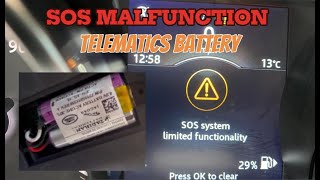
- 'SOS System Not Available' message on the instrument cluster if the telematics module is affected. 🎬 Watch: How to replace the telematics battery to fix SOS errors.
- Replacing a control module (like the Park Assist Module) without first attempting to reprogram it. The fault is very often in the software or configuration data, not the module hardware itself.
- Assuming a used module is plug-and-play. Used modules must be wiped and reprogrammed to the new vehicle's CCF. On JLR vehicles, most used modules are VIN-locked and cannot be reprogrammed to another vehicle.
Most Likely Causes

- Incorrect Car Configuration File (CCF) Data 🔴 High Probability The vehicle's complex electronic architecture requires precise module synchronization. Any modification, update, or replacement can easily lead to a mismatch if not done with the correct JLR procedure. TSB SSM72877 explains this can happen because the BCM and GWM create different checksums for the same file.
How to confirm: Use a JLR-specific diagnostic tool (Pathfinder or SDD) to read the CCF from the Body Control Module (BCM) and Gateway Module (GWM) and check for mismatches or errors.
Typical fix: Reload the vehicle's original as-built CCF using the diagnostic tool, or manually correct the configuration parameters for the affected module and write the changes to the vehicle.
Est. part cost: $0 - Module Software Fault or Incompatibility 🔴 High Probability As documented in TSBs, specific software versions can cause this fault. For instance, TSB SSM 72338 identifies a software concern in the Park Assist Module (PAM) post-programming, and SSM 75037 describes a PAM software level that is incompatible with certain infotainment hardware, triggering a U2300-55 'Not Configured' DTC.
How to confirm: Check the software part number of the faulting module against known problematic versions listed in TSBs. This requires a JLR diagnostic tool.
Typical fix: Update the module with a newer, patched software version or, as advised in TSB SSM 75037, roll back to a previous stable software version using a dealer tool. This often requires a specific manual patch in the diagnostic software.
Est. part cost: $0 - Improperly Programmed Replacement Module 🟡 Medium Probability When a control module (e.g., BCM, PAM, Telematics Module) is replaced, it must be programmed to the vehicle's specific CCF. A used module will contain the CCF from its donor vehicle, and a new module will be blank, both causing this fault. A Reddit user described a dealer wanting to replace the BCM/GWM for $2000 after a new key failed to program correctly, highlighting the complexity.
How to confirm: Review the vehicle's recent repair history. If a module was recently replaced, connect a JLR tool and run the 'replace module' procedure to correctly program it.
Typical fix: Execute the 'replace ECU' or 'update ECU' function in the JLR Pathfinder or SDD software for the specific module that was replaced.
Est. part cost: $0 - Damaged or Removed Telematics Module (TCU) ⚪ Low Probability The telematics module is part of the vehicle's CAN network and security system. If it is physically damaged (e.g., in a stolen-recovered vehicle) or disconnected, the BCM can log a U2300 fault and prevent the vehicle from starting as an anti-theft measure.
How to confirm: Physically inspect the telematics module for damage or disconnection. A user on the MHH Auto forum reported a no-crank condition with code U2300-56 after the TCU was destroyed on a recovered stolen vehicle.
Typical fix: Replace the damaged telematics module and program it to the vehicle using JLR diagnostic tools. Simply trying to code out the module in the CCF may not resolve a no-start condition.
Est. part cost: $300-$600
Rare But Worth Checking
- Failing Body Control Module (BCM): While rare, the BCM is the master controller for the CCF. An internal hardware failure in the BCM could corrupt the configuration data, leading to this code. This should only be considered after all software and programming solutions have been exhausted. A replacement BCM will absolutely require dealer programming.
Diagnosis Steps
- Connect a Jaguar Land Rover (JLR) approved diagnostic tool (Pathfinder or SDD) and a high-amperage battery support unit. Stable voltage is critical.
- Begin a new session and scan all control modules for Diagnostic Trouble Codes (DTCs).
- Identify which module(s) are storing the U2300 code (e.g., BCM, PAM, TCU).
- Check for any relevant Technical Service Bulletins (TSBs) or Special Service Messages (SSMs) related to U2300 for the specific module and vehicle symptoms.
- Access the 'Car Configuration File' functions in the diagnostic tool.
- Backup the current CCF before making any changes. This is a critical safety step.
- Check for 'mismatches' or 'critical mismatches' as described in TSB SSM72877.
- If the code appeared after a software update, attempt to re-flash the module or, if applicable, roll back the software as per TSB SSM 75037.
- If a module was replaced, run the 'replace module' or 'update ECU' procedure to correctly program the new unit to the vehicle.
- If no specific cause is found, attempt to reload the vehicle's as-built CCF data to all modules.
- After any programming, clear all DTCs, cycle the ignition, and let the vehicle sit for several minutes (some procedures specify waiting 40-160 seconds) to allow modules to reset before re-checking for faults.
Parts You'll Likely Need
- No parts usually required — The most common solution is a software update or reprogramming of an existing module. Parts are only replaced if a module fails to accept programming, indicating a hardware failure. Dealer labor for programming can range from $200 to over $600.
OEM price range: $0
Aftermarket price range: $0 - Body Control Module (BCM) / Gateway Module (GWM)
(OEM #LR071702 (supersedes LR042127, LR048094, LR052868, LR055315, LR057507, LR064176))— As the master for the CCF, the BCM may need replacement if it is the source of the data corruption and cannot be reprogrammed. This is a last resort.
Trusted brands: Land Rover Genuine
OEM price range: $800-$1200
Aftermarket price range: $400-$700 (Used/Remanufactured) - Park Assist Module (PAM)
(OEM #LR063183 (also fits Range Rover Sport and Evoque))— If a U2300 code is isolated to the PAM and it will not accept a software update or rollback, the module itself may have failed. This is explicitly mentioned in TSBs SSM 72338 and SSM 75037.
Trusted brands: Land Rover Genuine, Bosch
OEM price range: $350-$500
Aftermarket price range: $200-$350 (Used/Remanufactured)
Related Codes That Often Appear With This One
- U2300-54 — This is a specific variant meaning 'Missing Calibration', explicitly mentioned in TSB SSM72877 as being stored in the BCM due to CCF mismatches. It can also be set by the Telematic Control Module (TCU) if the car configuration file is not received.
- U2300-55 — This variant means 'Not Configured' and is cited in TSB SSM 75037 when an incompatible software version is flashed to the Park Assist Module. It can also appear in other modules like the climate control or telematics unit if their configuration is lost or incorrect.
- U2300-62 — Another specific variant noted in TSB SSM72877, indicating a 'Signal Compare Failure'. This means the checksum of the CCF in the BCM does not match the checksum in the Gateway Module (GWM).
- U2300-56 — This variant means 'Invalid/Incomplete Configuration'. It is often seen in the Telematics Control Module (TCU) when it's replaced or has incorrect data, and can cause a 'SOS not available' message or a no-start condition.
Technical Service Bulletins (TSBs) & Recalls
- SSM 72338
- SSM72877
- SSM 75037
Platform-Specific Known Issues
- TSB SSM 72338: A software issue in the Park Assist Module (PAM) can cause it to become inoperative and store U2300 codes after a programming event.
- TSB SSM72877: Modifying the Car Configuration File (CCF) can cause U2300-62 or U2300-54 to be stored in the BCM. This is due to the BCM and Gateway Module (GWM) having different start/stop addresses for the file, resulting in different checksums even if the content is correct. The TSB states this may not affect vehicle performance and to take no action unless symptoms are present.
- TSB SSM 75037: Flashing a specific software version (GX63-14C090-DN) to the Park Assist Module can cause it to be incompatible with the vehicle's infotainment screen (Gen 2.1 HMI), constantly flagging a U2300-55 'not configured' fault. The official fix is to roll back the software to a previous version using a manual patch in the SDD diagnostic tool.
Hidden / Shadow Codes Worth Checking
- U2300-54: Missing Calibration. The module has not received the necessary configuration file. (see via JLR SDD or Pathfinder diagnostic tools will show this suffix code.)
- U2300-55: Not Configured. The module's configuration is blank or incomplete. (see via JLR SDD or Pathfinder diagnostic tools will show this suffix code.)
- U2300-62: Signal Compare Failure. The CCF checksum in the BCM doesn't match the GWM's checksum. (see via JLR SDD or Pathfinder diagnostic tools will show this suffix code.)
- U2300-56: Invalid/Incomplete Configuration. The module's configuration data does not match the vehicle specification. (see via JLR SDD or Pathfinder diagnostic tools will show this suffix code.)
Scan Tool Commands That Help
- JLR SDD/Pathfinder: Run vehicle configuration — This is the primary function to read, edit, and write the Car Configuration File (CCF) to the vehicle. It is used to enable/disable features or correct mismatches.
- JLR SDD/Pathfinder: Configure new module / Replace ECU — This procedure must be run after physically replacing a control module (like the BCM, PAM, or TCU) to load the vehicle's specific configuration into the new, blank unit.
- JLR SDD/Pathfinder: Configure existing Park Aid Module [PAM] — A specific function mentioned in SSM 75037 to roll back incompatible software on the PAM that causes a U2300-55 fault.
- JLR SDD/Pathfinder: Telematics Battery Replacement Reset — A routine to be performed after replacing the small internal battery in the Telematics Control Unit (TCU) to clear related faults.
Wiring & Ground Locations
- Gateway Module (GWM) — Located behind the passenger side glove box.. The GWM acts as a central router for communication between different CAN bus networks. TSB SSM72877 directly references checksum mismatches between the GWM and BCM as a cause for U2300.
- Body Control Module (BCM) — Located in the passenger side footwell area, often integrated with or near the junction block.. The BCM is the primary holder of the master Car Configuration File (CCF). All configuration changes are written to the BCM and then distributed to other modules.
- Telematics Control Unit (TCU) — On a 2018 L405, it is located in the C-pillar, behind the rear passenger side interior trim panels.. The TCU is a critical node on the CAN bus. If it is damaged, removed, or improperly configured, it can set a U2300-56 code and cause a no-start condition.
- ABS Module Ground — On the L405, a key ground point for the ABS system is located on the chassis frame rail in the driver's side front wheel well.. While U2300 is a configuration code, a poor ground can cause a module to lose communication or behave erratically, potentially leading to secondary communication or configuration faults. A corroded ABS ground is a known issue on the L405 platform causing multiple, seemingly unrelated warning lights.
Real Owner Repair Stories
- MHH Auto forum user (2016 Range Rover Evoque (L538), stolen-recovered) — No-crank, no-start. After programming a new key, the only remaining code was U2300-56 in the BCM.
❌ Tried (didn't work) Programming a new key to the KVM., Using JLR SDD to edit the CCF and code out the telematics module.
✅ What actually fixed it The user was advised that simply coding out the telematics module (TCU) will not work and will prevent the vehicle from starting. The fix requires replacing the destroyed TCU with a new or correctly prepared used unit and programming it to the vehicle. Another user confirmed a similar experience on a Jaguar XF, where the vehicle would not start without a functional, programmed telematics module. - Reddit user 'deoxyrybose' (2019 Range Rover L405) — No-start condition. The original Telematics Control Unit (TCU) was internally shorted, drawing over 8 amps.
❌ Tried (didn't work) Replacing the failed TCU with two different used units. The 'replace module' procedure in Topix Cloud (Pathfinder) would not correctly program the used modules., Attempting to program a brand new $1,300 TCU, but the programming procedure failed before it could even start, citing an error retrieving the current software number.
✅ What actually fixed it The issue was unresolved in the thread, but a JLR technician provided critical insight: Used modules are VIN-locked upon first programming and cannot be coded to another car. The failure of the new module to program was abnormal, and in a dealer setting, this would require opening a Technical Assistance (TA) ticket with JLR engineering to diagnose the programming failure. This story highlights the extreme difficulty and potential futility of using used electronic modules on this platform.
Model Year Variations Within This Range
- 2017/2018 onwards: Around 2017-2018, Land Rover transitioned the L405's infotainment from 'InControl Touch Pro' (a single 10-inch screen) to 'InControl Touch Pro Duo' (dual screens). This change in Human-Machine Interface (HMI) is critical. As noted in TSB SSM 75037, some module software is specifically incompatible with newer HMI types, leading to U2300 faults if the wrong software is applied to a vehicle. Technicians must be aware of the vehicle's specific infotainment system when diagnosing configuration faults.
Helpful Videos

We Have This Part in Stock



The information in this article is provided for general reference and educational purposes only. Vehicle specifications, procedures, and part compatibility can vary by production date, trim level, and region. Always consult your vehicle's factory service manual and verify part numbers before purchasing or performing repairs. Safety-critical components such as airbags, seat belts, and braking systems should be installed by a qualified professional.
- Land Rover RANGE ROVER:
- 🎬 Helpful Videos
- 🛍️ Shop This Part
- What's Unique About the 2013-2020 Land Rover RANGE ROVER
- Diagnostic Flowchart
- Symptoms You May Notice
- Most Likely Causes
- Rare But Worth Checking
- Diagnosis Steps
- Parts You'll Likely Need
- Related Codes That Often Appear With This One
- Technical Service Bulletins (TSBs) & Recalls
- Platform-Specific Known Issues
- Hidden / Shadow Codes Worth Checking
- Scan Tool Commands That Help
- Wiring & Ground Locations
- Real Owner Repair Stories
- Model Year Variations Within This Range
- 🎟️ Get 5% Off