

U2300 on 2015-2018 Ford Edge: RCM Configuration Fault Causes and Fixes
On a 2015-2018 Ford Edge, code U2300 almost always indicates that the Restraints Control Module (RCM), which controls the airbags, has been improperly programmed or configured. This often happens after the module is replaced or after a collision repair. The fix requires reprogramming by a dealer or qualified shop with Ford-specific diagnostic tools like IDS/FDRS or advanced aftermarket tools like FORScan.
- U2300 on a Ford Edge means the airbag control module (RCM) is not configured correctly.
- This is a serious safety issue; the airbag system may not work until it is fixed.
- The most common cause is an error made during a previous repair, such as replacing the RCM or an airbag, especially after a collision.
- The fix is NOT a simple DIY job. It requires a dealer or a well-equipped independent shop to reprogram the module using tools like Ford IDS or FORScan.
- Do not replace any parts until a professional has attempted to reprogram the existing RCM with the correct 'As-Built' data for the vehicle's VIN.
What's Unique About the 2015-2018 Ford EDGE
For the second-generation Ford Edge, this code is strongly linked to specific service procedures. Ford issued a Technical Service Bulletin (TSB 20-2373) highlighting that U2300 can appear in the RCM if the correct programming procedure was not followed, especially after replacing the RCM or the driver's airbag in vehicles with active front steering. This TSB confirms the issue is most often a process error rather than a random component failure. The procedure can be complex, sometimes requiring both the RCM and the Body Control Module (BCM) to be updated with As-Built data and may require contacting Ford's Technical Assistance Center (TAC) for instructions.
Diagnostic Flowchart
Tap your situation to follow the diagnostic path that matches what you're seeing on this vehicle.
Symptoms You May Notice
- Airbag warning light illuminated on the dashboard
- DTC U2300 stored in the Restraints Control Module (RCM)
- DTC may have suffixes such as U2300:55 (Not configured) or U2300:64 (Signal Plausibility Failure).
- Message on the instrument cluster related to a restraint system fault
- Replacing sensors or other airbag components. This code is specific to the central module's configuration and is not caused by satellite sensors or airbags themselves.
- Assuming a new or used RCM is faulty before proper programming has been attempted multiple times, potentially with different tools.
Most Likely Causes
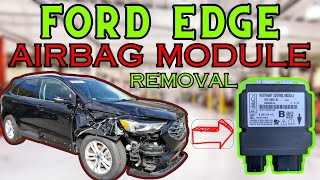
- Incorrect RCM Programming or Configuration 🔴 High Probability As noted in TSB 20-2373, specific procedures must be followed when replacing the RCM or related components. Failure to follow these steps, which require dealer-level tools to load 'As-Built' data, is the most common trigger. This often occurs after collision repairs where the RCM was replaced. 🎬 Watch: How to flash a Ford RCM after airbag deployment.
How to confirm: A technician with Ford's IDS/FDRS software or FORScan can check the current RCM configuration against the vehicle's 'as-built' data from Ford's servers. If the data does not match, this is the cause.
Typical fix: Reprogramming the RCM using the correct 'Programmable Module Installation' (PMI) or 'As-Built' data procedure. In some cases, this may also require reprogramming the Body Control Module (BCM) and contacting the Ford Technical Assistance Center (TAC) for specific instructions.
Est. part cost: $0 - RCM Replaced with an Incorrect or Used Part 🟡 Medium Probability If a used RCM from another vehicle is installed, its configuration (VIN and vehicle options) will not match, causing this fault. A new RCM will also set this code until it is configured for the first time. The module is sensitive to being the correct part for the vehicle's specific options.
How to confirm: Check the part number on the installed RCM against the correct part number for the vehicle's VIN. A scan tool can also read the VIN stored in the module, which may not match the vehicle. A forum user reported U2300 and U3000 after installing a used module, which was traced back to two different VINs being present in the module's data.
Typical fix: Install a new, correct RCM for the vehicle's VIN and then perform the proper programming procedure. Part numbers are VIN-specific but often follow a pattern likeGT4Z-58043B13-GBfor the airbag itself orCT4Z-14B321-Afor the module.
Est. part cost: $250-$500 - Faulty Restraints Control Module (RCM) ⚪ Low Probability While less common than a programming error, the module itself can fail internally in a way that prevents it from accepting or holding the correct configuration. This can happen even with new modules, as reported by a user on Reddit whose dealer diagnosed two separate modules as faulty before a third one worked.
How to confirm: If the correct programming procedure (PMI or As-Built) fails repeatedly with a known-good, new, correct part number and intact wiring, the module itself is suspect.
Typical fix: Replace the RCM with a new, correct part and program it to the vehicle.
Est. part cost: $250-$500
Rare But Worth Checking
- Software Incompatibility with Aftermarket Scan Tools:
Diagnosis Steps
- Connect a professional scan tool (like Ford IDS/FDRS or a high-end aftermarket tool) capable of reading manufacturer-specific codes from the RCM.
- Confirm that U2300 is present. Note if it is an active code or a stored (continuous memory) code and if it has a suffix (:55, :64, etc.).
- Check for other RCM, BCM, or CAN network codes like U3000 or U2100.
- Verify the part number on the installed RCM is correct for the vehicle's VIN.
- Attempt to clear the code. If it immediately returns as an active code, it confirms a configuration mismatch.
- Using the scan tool, perform the 'As-Built' data programming for the RCM. This downloads the vehicle-specific configuration from Ford's servers and writes it to the module. This procedure may also need to be performed on the BCM.
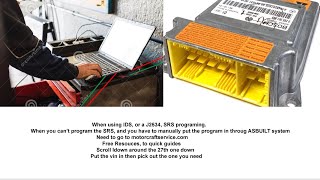
- If programming via the standard 'Programmable Module Installation' (PMI) fails, attempt the 'As-Built' data write directly. 🎬 See how to program a Ford SRS module using As-Built data.
- If using Ford IDS/FDRS fails, and the TSB applies, the technician may need to contact the Technical Assistance Center (TAC) for further instructions.
- As an alternative, advanced users can attempt the As-Built write using FORScan software and a compatible adapter, which has been shown to work when other methods fail.
- If programming is successful, clear all DTCs and cycle the ignition. The airbag light should turn off.
- If all programming attempts fail with a new, correct RCM, inspect the wiring and connectors at the RCM for damage or corrosion. If wiring is intact, the new module may be faulty.
Parts You'll Likely Need
- Restraints Control Module (RCM) Programming — This is a service, not a part. It is the most common solution, as the issue is typically a software configuration error.
OEM price range: $150-$400
Aftermarket price range: $100-$250 - Restraints Control Module (RCM)
(OEM #Varies by VIN (e.g., CT4Z-14B321-A))— This module is only needed if the original is faulty and cannot be reprogrammed, or if an incorrect part was installed. Part number is critical and must match the vehicle's VIN and options.
Trusted brands: Motorcraft
OEM price range: $250-$500
Aftermarket price range: $150-$350 - FORScan Compatible OBD2 Adapter — For advanced DIYers or independent shops, a quality adapter (like OBDLink EX) is required to use FORScan software, which has proven effective at resolving this specific code.
Trusted brands: OBDLink, Vgate
OEM price range: $50-$120
Aftermarket price range: $30-$80
Related Codes That Often Appear With This One
- U3000 — U3000 indicates a general 'Control Module Internal Failure'. It can appear alongside U2300 if the configuration issue is severe enough to be flagged as an internal fault, or if an incorrect/used module is installed.
- U2100 — This code means 'Initial Configuration Not Complete' and often appears with U2300 on a new or newly installed module before any programming has been attempted.
- B00A0 — This code relates to the Occupant Classification System Module (OCSM). If the RCM is not configured correctly, it may not be able to properly identify or communicate with the OCSM, triggering a B00A0 fault.
Technical Service Bulletins (TSBs) & Recalls
- TSB 20-2373: Notes that U2300 can be stored in the RCM on 2015-2018 Edge and 2016-2018 Lincoln MKX models with Active Front Steering if the correct programming procedure was not followed after replacing the RCM or specific driver airbag modules. It provides a specific procedure that involves reprogramming both the RCM and BCM.
Platform-Specific Known Issues
- TSB 20-2373 explicitly states that 2015-2018 Ford Edge vehicles may store DTC U2300 in the RCM if the correct programming procedure was not followed during RCM or driver airbag replacement.
- The TSB specifically applies to models equipped with Active Front Steering (AFS) and lists driver airbag part number GT4Z-58043B13-GB for the Edge.
- The official fix procedure in the TSB for a persistent U2300 requires contacting Ford's Technical Assistance Center (TAC) to get instructions for updating both the RCM and BCM As-Built data.
Hidden / Shadow Codes Worth Checking
- U2300:55: Central Configuration: Not Configured. This code is set by default in any new RCM that has not yet received configuration data from the Body Control Module (BCM). If it appears as an on-demand code, it means the RCM has failed to receive the configuration message. (see via Ford IDS/FDRS, FORScan, or other professional scan tools capable of reading manufacturer-specific DTCs.)
- U2300:64: Central Configuration: Signal Plausibility Failure. This code sets if the RCM receives configuration data from the BCM that does not match the data it received and stored during the first ignition cycle after installation. It indicates a mismatch between the expected and current vehicle configuration. (see via Ford IDS/FDRS, FORScan, or other professional scan tools capable of reading manufacturer-specific DTCs.)
Scan Tool Commands That Help
- Ford IDS/FDRS: Programmable Module Installation (PMI) — Use this function when replacing a module and the original module is still accessible. It reads the configuration data from the old module and writes it to the new one.
- Ford IDS/FDRS: As-Built — Use this function when the original module is missing or too damaged to read. It downloads the vehicle's original factory configuration data from Ford's servers based on the VIN and writes it to the new module. Per TSB 20-2373, this may be required for both the RCM and BCM.
- FORScan: Module Configuration (As-Built format) — This function allows for the manual or automatic loading of As-Built data into a module. It is often used by independent shops or DIYers to program new or used modules. It has been reported to succeed where other tools have failed for this specific issue.
- FORScan: RCM Module reset/Central Configuration — After writing As-Built data, a module reset or a specific 'Central Configuration' service procedure in FORScan may be required to initialize the module and clear the U2300 code.
Wiring & Ground Locations
- G205 — Located at the right center of the dash.. The Restraints Control Module (RCM) is grounded at this location. A poor or corroded ground connection at G205 could potentially cause communication or programming failures, leading to a U2300 code, although this is a rare cause.
- RCM Connector C310A / C310B — The main electrical connectors at the Restraints Control Module, located under the center console.. All communication and power for the RCM pass through these connectors. Damage, corrosion, or backed-out pins in these connectors can prevent successful programming and cause configuration faults.
Real Owner Repair Stories
- Reddit user in r/FORScan (Ford vehicle that was in a flood) — The original RCM was fried. After installing a used replacement RCM (with no crash data), the vehicle had a code for the wrong occupant classification sensor component.
❌ Tried (didn't work) Simply installing the used RCM.
✅ What actually fixed it The user planned to use FORScan to download the vehicle's original As-Built data and write it to the used RCM. This procedure is designed to overwrite the donor vehicle's configuration (which was for a different seat sensor) with the correct configuration for the recipient vehicle, resolving the component mismatch and the resulting U2300 code.
OEM Part Supersession History
FU5Z-15604-AC, FU5Z-15604-AD, FU5Z-15604-C→FU5Z-15604-D— Standard part revision and update by the manufacturer.
Heads up: This is a part history for the Body Control Module (BCM), not the RCM. However, since the BCM is directly involved in RCM configuration and TSB 20-2373 may require programming both, using the latest correct BCM part number is critical if it also requires replacement.
Helpful Videos

Used OEM Parts in Stock



New Aftermarket Parts Available


The information in this article is provided for general reference and educational purposes only. Vehicle specifications, procedures, and part compatibility can vary by production date, trim level, and region. Always consult your vehicle's factory service manual and verify part numbers before purchasing or performing repairs. Safety-critical components such as airbags, seat belts, and braking systems should be installed by a qualified professional.
- Ford EDGE:
- 🎬 Helpful Videos
- 🛍️ Shop This Part
- What's Unique About the 2015-2018 Ford EDGE
- Diagnostic Flowchart
- Symptoms You May Notice
- Most Likely Causes
- Rare But Worth Checking
- Diagnosis Steps
- Parts You'll Likely Need
- Related Codes That Often Appear With This One
- Technical Service Bulletins (TSBs) & Recalls
- Platform-Specific Known Issues
- Hidden / Shadow Codes Worth Checking
- Scan Tool Commands That Help
- Wiring & Ground Locations
- Real Owner Repair Stories
- OEM Part Supersession History
- 🎟️ Get 5% Off