

U2145 on 2020-2024 Mazda CX-30: Remote Tuner Communication Error Causes and Fixes
On a 2020-2024 Mazda CX-30, code U2145 indicates a communication failure with the remote radio tuner. This is a widely known issue, almost always caused by a loose pin in a specific electrical connector behind the dash. The fix is often no-cost, requiring only the reseating of the pin as detailed in Mazda Technical Service Bulletins. This issue is also common on the 2019-2024 Mazda3, which shares the same platform.
- U2145 on a 2020-2024 Mazda CX-30 is a network code for a 'Commu
What's Unique About the 2020-2024 Mazda CX-30

The first-generation Mazda CX-30, along with its platform-mate, the 2019-2024 Mazda3, is particularly susceptible to this issue due to a specific manufacturing flaw. Mazda has acknowledged this in multiple Technical Service Bulletins (TSBs), which point to a single pin (labeled 6F) in the main CMU connector that can back out, causing a poor connection. This makes the diagnosis for U2145 on these specific models unusually straightforward compared to typical network communication problems that often require more extensive troubleshooting.
Diagnostic Flowchart

Tap your situation to follow the diagnostic path that matches what you're seeing on this vehicle.
Symptoms You May Notice

- Intermittent or total loss of audio from all sources (FM/AM, Bluetooth, CarPlay/Android Auto).
- Static noise from the speakers, sometimes triggered by tapping on the dash.
- A distinct "pinging" or "tapping" noise coming from the dashboard area near the center display.
- Inability to select AM/FM radio as an audio source; the option may be grayed out or unresponsive.
- The infotainment screen may display a "No Audio" message in the source menu.
- The volume knob and steering wheel controls for volume may become unresponsive.
- Replacing the audio amplifier. While a related code (U0186) points to the amplifier, the root cause for both codes is often the same loose pin affecting the entire media network.
- Replacing the entire infotainment head unit (CMU) without first inspecting the connector pin 6F, which is the most common and cheapest fix.
- Performing a software update. While a software reset may temporarily restore audio, it does not fix the underlying physical connection issue and the problem will likely return.
Most Likely Causes
- Backed-out Pin in CMU Connector (Pin 6F) 🔴 High Probability This is a well-documented manufacturing defect addressed by multiple Mazda TSBs (SA-070-22, SA-021-24a, SA-008-25). The specific pin for the remote tuner communication (a MOST network connection) can work itself loose over time due to tension in the twisted wire pair.
How to confirm: Visually inspect the instrument panel harness connector 0920-101F where it plugs into the Connectivity Master Unit (CMU). Check if pin 6F has receded into the connector housing compared to the other pins. Tapping on the dash pad near the center display may reproduce the static or audio loss, further indicating a loose connection.
Typical fix: Disconnect the connector, carefully reseat the loose pin until it locks into place, and secure the connection. The TSB also explicitly recommends removing pins 6F and 6H, untwisting the wire pair to add slack, and then reinstalling them into the connector before reconnecting the harness.
Est. part cost: $0
Rare But Worth Checking
- Faulty Remote Tuner (RT) Module: If the connector pin is secure but the problem persists, the tuner module itself may have failed. This is the next logical diagnostic step according to Mazda's TSBs, which suggest swapping the tuner with a known good unit. One owner on a Reddit forum confirmed a dealer replaced the remote tuner to fix the issue after other steps failed.
- Damaged Wiring Harness: In very rare cases, the wiring between the CMU and the remote tuner could be damaged. The TSB repair procedure notes that if the connector itself is damaged and cannot be repaired, the entire instrument panel harness may need replacement. A photo of the unrepairable connector is required for a warranty claim.
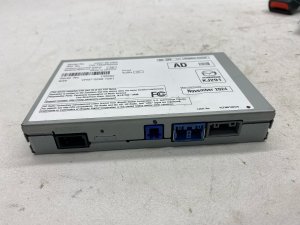
- Faulty Connectivity Master Unit (CMU): While possible, a failure of the main infotainment computer is less likely to be the cause of this specific code than the wiring or the tuner module itself. One user on Reddit tried replacing the CMU and amplifier without success before the dealer identified the remote tuner as the culprit.
Diagnosis Steps
- As a preliminary step, try a soft reset of the infotainment system. Press and hold the 'Back', 'Nav', and 'Mute' buttons simultaneously for about 10 seconds until the system reboots. This is unlikely to be a permanent fix but can sometimes restore audio temporarily.
- Confirm the presence of code U2145 and likely U0186 using an OBD-II scanner.
- Listen for a pinging or static noise from the dash. Try tapping on the dash pad near the center display to see if it triggers the symptom, which strongly suggests a loose connection.
- Gain access to the Connectivity Master Unit (CMU) located behind the dashboard. This typically involves removing trim pieces around the center console and display.
- Disconnect the main instrument panel harness connector, labeled 0920-101F.
- Carefully inspect the connector face. Identify pin 6F and check if it has 'backed out' or is recessed compared to the surrounding pins.
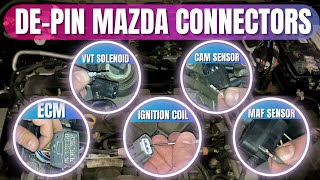
- If the pin is loose, use an appropriate terminal tool to remove both pin 6F and the adjacent pin 6H. 🎬 Watch: Pro tips for safely removing pins from Mazda connectors
- Untwist the wire pair for pins 6F and 6H to create more slack and reduce tension. The TSB suggests you may need to remove about half an inch of insulation for more flexibility.
- Re-insert both pins into the connector until they click and are fully seated. Gently pull on the wires to confirm they are locked in place.
- Reconnect the harness securely, ensuring it is fully locked.
- Clear all DTCs with the scanner.
- Start the vehicle and test all audio functions (AM, FM, Bluetooth) to verify the repair.
- If the pin was not loose or the problem persists, the TSB diagnostic flowchart advises swapping the remote tuner with a known good unit to confirm if the module is faulty before replacing it.
Parts You'll Likely Need
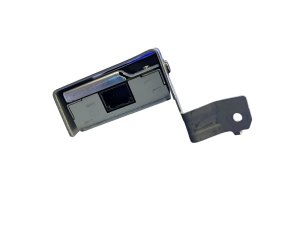
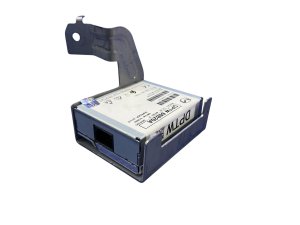
- Remote Tuner Module
(OEM #BDTS-66-DR0C)— This part is only needed if the common wiring pin issue is not the cause. It is the second most likely failure point for this code.
Trusted brands: Mazda (OEM)
OEM price range: $417-$580
Aftermarket price range: $125-$250 (Used)
Related Codes That Often Appear With This One
- U0186 — This code indicates a 'Communication error with audio amplifier'. Both the remote tuner and the amplifier communicate on the same MOST (Media Oriented Systems Transport) network, so the loose pin that causes U2145 often disrupts communication with the amplifier simultaneously. The TSBs list these codes together as expected symptoms of the pin 6F issue.
Technical Service Bulletins (TSBs) & Recalls
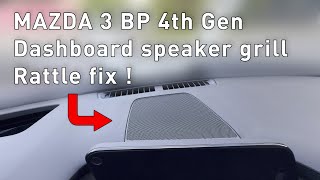
- SA-008-25: Mentions U2145 and U0186 caused by a communication error, with symptoms including a pinging noise on the dash. 🎬 See how to silence dashboard rattles and speaker noises
- SA-070-22: Explicitly states the cause may be 'PIN 6F backing out' of the connector and applies to both Mazda3 and CX-30 models.
- SA-021-24a: Reconfirms the symptoms and associated DTCs for this known issue on Mazda3 and CX-30.
Platform-Specific Known Issues
- Mazda has issued multiple Technical Service Bulletins (TSBs) for the 2020-2024 CX-30 and 2019-2024 Mazda3 regarding intermittent audio loss, static, and DTCs U2145 and U0186. The primary cause identified is Pin 6F backing out of the CMU connector 0920-101F.
Mechanic-Grade Diagnostic Values
- CAN Bus Voltage (Key ON, Engine OFF) — expected: CAN_H: ~2.6V, CAN_L: ~2.4V. Failure: Significant deviation from these voltages, or voltage at 0V or battery voltage, indicates a short or open on the bus.
- CAN Bus Resistance (Battery Disconnected) — expected: Approximately 60 ohms across CAN_H and CAN_L pins at the DLC.. Failure: A reading of 120 ohms indicates an open in the CAN bus backbone or a missing terminating resistor. A reading near 0 ohms indicates a short between the CAN_H and CAN_L wires.
Hidden / Shadow Codes Worth Checking
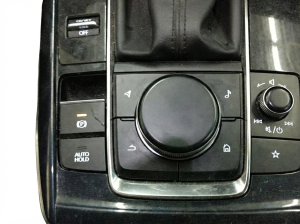
- On-board Diagnostic Test Mode: The Mazda Connect system has a hidden diagnostic menu that allows for testing of system components, viewing DTCs stored within the infotainment system, and checking the functionality of the commander knob and buttons. (see via With the ignition on, press and hold the Volume knob, then press the Music and Favorites buttons simultaneously. Hold for a few seconds until the test screen appears.)
Scan Tool Commands That Help
- Mazda Diagnostic and Repair System (MDARS): Network Test — When diagnosing communication issues, the MDARS Network Test can poll all modules on the network and report which ones are not responding. This can quickly confirm if the Remote Tuner is the only module offline or if there's a wider network problem.
- Mazda Diagnostic and Repair System (MDARS): Software Update — While not a primary fix for the U2145 pin issue, MDARS is used to perform software updates on modules. For example, a related DTC, U3000:04 in the Telematics Communication Unit (TCU), is fixed by a software update to prevent an 'In-Vehicle Network Malfunction' message.
Wiring & Ground Locations
- Remote Tuner (RT) Module — The remote tuner module is mounted in the right rear of the vehicle, behind the C-pillar interior trim panel.. If the common pin-fitment issue at the CMU is ruled out, diagnosis may require accessing the tuner module itself to check its connection or to replace the unit. Knowing its location is critical for that next step.
- Connector 0920-101F (CMU) — Connected to the rear of the Connectivity Master Unit (CMU), which is located in the dashboard behind the center display.. This is the connector where the problematic Pin 6F is located. The TSBs for U2145 specifically direct technicians to inspect and repair this pin at this connector.
Real Owner Repair Stories
- Reddit user on r/mazda3 (2020 Mazda3 Hatchback with Bose audio) — No audio, volume knob did not work for volume but could skip tracks, pressing FM/AM source button did nothing.
❌ Tried (didn't work) The user was installing an aftermarket amplifier and subwoofer when the problem occurred.
✅ What actually fixed it A diagnostic shop determined the radio/tuner module was faulty, likely damaged during the aftermarket installation. The user was seeking the location of the tuner to plan a replacement.
OEM Part Supersession History
BDTS-66-DR0, BDTS-66-DR0A, BDTS-66-DR0B→BDTS-66-DR0C— Standard part evolution, likely for minor revisions or manufacturing improvements.
Heads up: The parts are interchangeable; BDTS-66-DR0C is the current replacement for the previous versions.
Model Year Variations Within This Range
- 2024: For the 2024 model year, Mazda introduced an available 10.25-inch infotainment display, which is larger than the 8.8-inch display on 2020-2023 models. The 2024 system also added touchscreen functionality for Apple CarPlay and Android Auto. While the underlying modules are likely similar, the display hardware and some user interface aspects are different.
Helpful Videos
We Have This Part in Stock



The information in this article is provided for general reference and educational purposes only. Vehicle specifications, procedures, and part compatibility can vary by production date, trim level, and region. Always consult your vehicle's factory service manual and verify part numbers before purchasing or performing repairs. Safety-critical components such as airbags, seat belts, and braking systems should be installed by a qualified professional.
- Mazda CX-30:
- 🎬 Helpful Videos
- 🛍️ Shop This Part
- What's Unique About the 2020-2024 Mazda CX-30
- Diagnostic Flowchart
- Symptoms You May Notice
- Most Likely Causes
- Rare But Worth Checking
- Diagnosis Steps
- Parts You'll Likely Need
- Related Codes That Often Appear With This One
- Technical Service Bulletins (TSBs) & Recalls
- Platform-Specific Known Issues
- Mechanic-Grade Diagnostic Values
- Hidden / Shadow Codes Worth Checking
- Scan Tool Commands That Help
- Wiring & Ground Locations
- Real Owner Repair Stories
- OEM Part Supersession History
- Model Year Variations Within This Range
- 🎟️ Get 5% Off