

U2101 on 2016-2018 Lincoln MKZ: Understanding and Fixing Control Module Incompatibility
On a 2016-2018 Lincoln MKZ, code U2101 indicates a software configuration error in a control module, most commonly the Airbag Control Module (RCM) or the Telematics Control Unit (TCU). This means the module's 'As-Built' data doesn't match the car's features. The fix is almost always a module reprogram performed by a dealer or qualified shop, not a part replacement. Expect to pay for 1-2 hours of labor.
- U2101 is a software problem, not a hardware failure. Do not replace parts before attempting a software update.
- This code requires a trip to a Lincoln dealer or a well-equipped independent shop that has Ford/Lincoln's proprietary diagnostic software (IDS/FDRS) or extensive experience with FORScan.
- The symptoms will tell you which module is affected: an airbag light points to the RCM, while battery drain or app connectivity issues point to the TCU.
- If you are replacing a module (especially the TCU for a 4G upgrade), it MUST be programmed with your car's specific 'As-Built' data to function correctly and avoid this code.
What's Unique About the 2016-2018 Lincoln MKZ
For the 2016-2018 Lincoln MKZ, this code is specifically documented in manufacturer Technical Service Bulletins (TSBs) for two separate systems. It can appear in the Restraints Control Module (RCM), triggering the airbag light, or in the Telematics Control Unit (TCU), causing issues with the MyLincoln Mobile app and potentially battery drain. The specific symptoms you experience will point to which module is affected, but the solution for both is consistently a software reprogram, as outlined in the TSBs.
Diagnostic Flowchart
Tap your situation to follow the diagnostic path that matches what you're seeing on this vehicle.
Symptoms You May Notice
- Airbag warning light illuminated on the dashboard
- "911 assist not operational" message displayed on the SYNC screen
- MyLincoln Mobile app not connecting or showing incorrect data (fuel level, tire warnings).
- Battery drain, potentially leading to a no-start condition after the vehicle sits for a few hours or days.
- Inability to clear the trouble code with a standard OBD-II scanner.
- A "Service Vehicle Soon" message may appear on the instrument cluster.
- Replacing the Restraints Control Module (RCM) or Telematics Control Unit (TCU) without first attempting to reprogram it. The official TSBs from Lincoln explicitly state to reprogram the module as the primary fix. This needlessly costs hundreds of dollars.
Most Likely Causes
- Module Software/Configuration Error 🔴 High Probability Multiple TSBs (SSM 46901, SSM 47159, SSM 46109) were issued by the manufacturer for this specific model and year range, indicating a known software bug in both the RCM and TCU that requires an update to the latest calibration. This was a common issue on newly built vehicles.
How to confirm: A professional scan tool (like Ford IDS) or FORScan software is needed to check the software calibration level of the affected module (RCM or TCU) and compare it against the latest available version from Ford.
Typical fix: Reprogram the affected module (RCM or TCU) to the latest software calibration using IDS, FDRS, or FORScan. This is a software-only fix and does not require parts.
Est. part cost: $0 - Incorrect or Used Control Module Installed 🟡 Medium Probability This often happens after collision repair where an airbag module is replaced, or when upgrading the TCU from 3G to 4G. A used module contains the 'As-Built' data from its donor vehicle, causing a VIN and feature mismatch that triggers U2101.
How to confirm: Using FORScan or IDS, read the 'As-Built' data from the module and compare it to the vehicle's factory data, which can be downloaded from Ford's Motorcraft service site using the VIN. The VIN stored in the module will not match the vehicle's actual VIN.
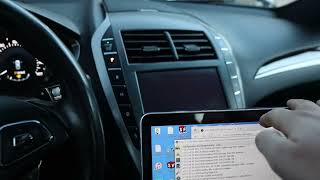
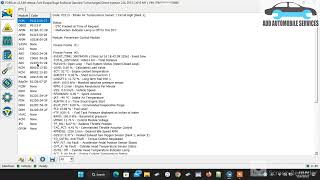
Typical fix: The module must be reprogrammed with the correct 'As-Built' data for the vehicle it is installed in. This is done via a 'Programmable Module Installation' (PMI) procedure with IDS or by manually writing the correct data with FORScan. 🎬 Watch: How to program a used module using FORScan
Est. part cost: $200-$800
Rare But Worth Checking
- Damaged Wiring or Connectors: While the TSBs point to software, physical damage to the CAN bus wiring or the connectors at the RCM or TCU could theoretically cause communication errors that might be interpreted as a configuration issue. This should be investigated only after reprogramming fails. A Reddit user reported a faulty wire assembly causing a persistent battery drain, which can be related.
Diagnosis Steps
- Scan the vehicle with a professional-grade scan tool capable of reading manufacturer-specific codes from all modules (e.g., FORScan with an OBDLink EX adapter, or a dealer's IDS/FDRS).
- Identify which specific module is storing the U2101 code. This is critical as symptoms and TSBs differ between the RCM and TCU.
- If the code is in the RCM, check for an illuminated airbag light and other related 'B' or 'U' codes mentioned in TSBs SSM 46901 or SSM 46109.
- If the code is in the TCU, check for symptoms related to the MyLincoln Mobile app or battery drain, as noted in TSB SSM 47159.
- Connect the vehicle to the Ford/Lincoln diagnostic tool (IDS or FDRS) or a laptop with FORScan (with an extended license) and a stable internet connection. A battery tender should be connected to the vehicle.
- Follow the on-screen prompts to perform a 'Module Reprogramming' or 'Programmable Module Installation (PMI)' for the affected module. If using FORScan, you may need to load the vehicle's factory 'As-Built' data file.
- After reprogramming, clear all DTCs and cycle the ignition. Re-scan to confirm the U2101 code does not return.
- If reprogramming fails or the code returns immediately, investigate if the installed module is the correct part for the vehicle or check for wiring harness damage.
Parts You'll Likely Need
- Restraints Control Module (RCM)
(OEM #Base P/N: 14B321 (e.g., DG9Z-14B321-F))— Only needed if the original module is physically damaged (e.g., water intrusion) or fails to accept a reprogram. In most cases, the original module is simply reprogrammed, not replaced.
Trusted brands: Motorcraft
OEM price range: $300-$500
Aftermarket price range: $150-$300 (Used/Remanufactured) - Telematics Control Unit (TCU)
(OEM #HJ5T-14G087-U* / HS7Z-14G229-A*)— Only needed if the original module is faulty and cannot be reprogrammed. More commonly, owners of 2016-2017 models may be upgrading their obsolete 3G TCU to a 4G unit 🎬 Watch: Step-by-step guide to upgrading your MKZ TCU to 4G due to the 3G network shutdown, which can introduce this code if not programmed correctly. Part numbers starting with 'H', 'J', 'K', or 'L' are typically 4G.
Trusted brands: Motorcraft
OEM price range: $500-$800
Aftermarket price range: $150-$400 (Used 4G unit)
Related Codes That Often Appear With This One
- U2100 — Often appears with U2101 as it also indicates an 'Initial Configuration Not Complete' status. Both are frequently mentioned together in the same TSBs for the RCM and TCU.
- U3000 — This is a generic 'Control Module' fault code. When seen with U2101 in the RCM, it reinforces that the module has an internal software or configuration conflict, as noted in TSB SSM 46901.
- B-codes (B0080, B141B, etc.) — When U2101 is in the RCM, various B-codes (Body codes) related to specific airbag components may also be present, as listed in TSB SSM 46901 and SSM 46109.
Technical Service Bulletins (TSBs) & Recalls
- SSM 46901: Recommends reprogramming the RCM for U2101 and other codes related to the airbag system.
- SSM 47159: Recommends reprogramming the TCU for U2101 related to mobile app and battery drain issues.
- SSM 46109: Recommends reprogramming the RCM for U2101 on vehicles that may exhibit an airbag lamp.
- SB-45317: Links U2101 in the TCU to My Lincoln Mobile app connection failures.
Platform-Specific Known Issues
- TSB SSM 47159: TCU Issues: Addresses U2101 in the TCU causing issues with the MyLincoln Mobile app and potential battery drain. The fix is to reprogram the TCU to the latest calibration using IDS version 108.06 or higher.
- TSB SSM 46901 & SSM 46109: RCM Issues: Address U2101 in the RCM causing the airbag light to illuminate and a '911 assist not operational' message. The fix is to reprogram the RCM to the latest level and then perform an as-built configuration.
- 3G Network Sunset: A major factor for TCU issues is the shutdown of 3G cellular networks. Original TCUs in 2016-2017 models are now obsolete. Owners upgrading to a 4G TCU (new or used) must have it properly programmed to the vehicle's VIN and As-Built data to avoid triggering U2101. Ford had a customer satisfaction program (21B09) for this, but it has expired for most owners.
Hidden / Shadow Codes Worth Checking
- U2101:00-AB or U2101:00-2F: These are not hidden codes but status bytes shown on advanced scan tools. The ':00' indicates no subtype information. The '-AB' or '-2F' suffix indicates the status, such as 'DTC Present at Time of Request' or 'Invalid Configuration'. They confirm the code is active but do not change the core diagnosis. (see via Ford IDS, FORScan, or other professional-grade diagnostic scanners.)
Scan Tool Commands That Help
- Ford IDS/FDRS: Programmable Module Installation (PMI) — This is the official procedure used when a new module is installed. It downloads the vehicle's 'As-Built' data from Ford's servers and writes it to the new module to ensure it is correctly configured for the vehicle's specific options and VIN.
- FORScan: Module Configuration (As-Built format) — Used to manually load a saved 'As-Built' file or to modify individual parameters. This is essential when replacing a module with a used one, especially for a 3G to 4G TCU upgrade where the original As-Built data is not compatible.
- FORScan: TCU Firmware Update — When performing a 3G to 4G TCU upgrade, the replacement module may need its firmware (strategy) updated to a newer version (e.g., -UM or -UN) to be fully compatible and resolve battery drain issues.
- FORScan: TCU Module Reset / Reboot — After writing new As-Built data or performing a firmware update, this service function forces the module to restart, which can be necessary for the new configuration to take effect.
Wiring & Ground Locations
- Restraints Control Module (RCM) — Under the center console, between the front seats, bolted to the floor. Access requires removing the side trim panels of the console and potentially pulling the entire console back.. This is one of the two primary modules that set U2101 on this vehicle. Physical access is required if reprogramming fails and the module or its connectors need to be inspected or replaced.
- Telematics Control Unit (TCU) — In the trunk, behind the driver's side trim panel/carpet, near the vehicle battery.. This is the second primary module that sets U2101. Its location is important for owners performing the 3G to 4G upgrade, which is a common trigger for this code.
- G200 — A common chassis ground point located at the center of the dash.. While not a primary cause, a poor ground connection to a control module can cause a variety of communication errors. If reprogramming a module repeatedly fails, checking the integrity of its ground connection at a point like G200 is a valid next step for advanced diagnosis.
Real Owner Repair Stories
- YouTube user 'Sieg', CyanLabs Forum (2017 Lincoln MKZ) — Lincoln Connect app not working after 3G network shutdown.
❌ Tried (didn't work) Simply swapping the 3G TCU for a 4G TCU (Part No. HJ5T-14G087-UF) and loading the original As-Built data caused issues and did not work.
✅ What actually fixed it The U2101 code and functionality were fixed using FORScan by: 1. Updating the 4G TCU's firmware to a newer version (-UN). 2. Manually editing the first line of the TCU's As-Built data to 'B100' to clear the donor vehicle's VIN. 3. Performing a Master Reset on the APIM (SYNC screen). 4. Waiting 10 minutes before attempting to activate the vehicle in the Lincoln Way app. - Reddit user on r/FORScan (2017 Ford Edge (similar electronic platform)) — DTC U2101:00-AB stored in the ABS module that would not clear.
❌ Tried (didn't work) Reloading the factory As-Built data into the ABS module., Resetting the ABS module., Tweaking individual ABS settings in FORScan.
✅ What actually fixed it The discussion pointed out that even though the ABS module was reporting the code, the root cause was likely an incompatible configuration in a *different* module on the network that communicates with the ABS system. The fix is to perform a full network scan and check the configuration of all related modules, not just the one flagging the code.
OEM Part Supersession History
GP5T-14G087-DF (example 3G TCU)→HJ5T-14G087-U* or JL3T-14G229-* (example 4G TCUs)— The 3G cellular network was shut down, rendering all 3G TCUs obsolete for connected services. Ford initiated Customer Satisfaction Program 21B09 to facilitate upgrades.
Heads up: Crucially, you cannot use the 'As-Built' data from the original 3G TCU on the new 4G TCU. You must obtain As-Built data from a 2018+ vehicle with a factory 4G TCU. Additionally, the 4G TCU requires an external FAKRA antenna, as the 3G antenna was internal.
Model Year Variations Within This Range
- 2016-2017: These model years were factory-equipped with a 3G Telematics Control Unit (TCU). Due to the 3G network sunset, these units are no longer functional for remote services via the Lincoln Way app. Any instance of U2101 in the TCU on these years is highly likely to be related to a failed or improperly executed 3G-to-4G upgrade.
- 2018: The 2018 model year came from the factory with a 4G TCU. A U2101 code in the TCU on this year is less likely to be from a 3G/4G swap and more likely due to a software glitch requiring a reprogram (as per TSB SSM 47159) or a replacement module that was not programmed correctly.
Helpful Videos
Used OEM Parts in Stock


New Aftermarket Parts Available


The information in this article is provided for general reference and educational purposes only. Vehicle specifications, procedures, and part compatibility can vary by production date, trim level, and region. Always consult your vehicle's factory service manual and verify part numbers before purchasing or performing repairs. Safety-critical components such as airbags, seat belts, and braking systems should be installed by a qualified professional.
- Lincoln MKZ:
- 🎬 Helpful Videos
- 🛍️ Shop This Part
- What's Unique About the 2016-2018 Lincoln MKZ
- Diagnostic Flowchart
- Symptoms You May Notice
- Most Likely Causes
- Rare But Worth Checking
- Diagnosis Steps
- Parts You'll Likely Need
- Related Codes That Often Appear With This One
- Technical Service Bulletins (TSBs) & Recalls
- Platform-Specific Known Issues
- Hidden / Shadow Codes Worth Checking
- Scan Tool Commands That Help
- Wiring & Ground Locations
- Real Owner Repair Stories
- OEM Part Supersession History
- Model Year Variations Within This Range
- 🎟️ Get 5% Off