

U2100 on 2016-2020 Lincoln MKZ: Airbag Light and App Connectivity Fixes
On a 2016-2020 Lincoln MKZ, code U2100 means a module's software is not configured. It usually appears in the Telematics Control Unit (TCU), causing Lincoln Way app problems, or the Restraints Control Module (RCM), triggering the airbag light. The fix is almost always a software update at a dealership, costing around $150-$350 for labor. For app issues on 2016-2018 models, an obsolete 3G TCU may need a 4G upgrade.
- U2100 is a software configuration code, not a broken part code. Do not replace parts before getting a proper diagnosis.
- Your symptoms determine the problem area: app issues point to the TCU, while an airbag light points to the RCM.
- The most common fix is a software update performed by a Lincoln dealer or a specialized shop with Ford-specific tools.
- This is not a DIY-friendly repair due to the need for proprietary programming software and the safety-critical nature of the airbag system.
- If you have a 2016-2018 model with app problems, the issue may be an obsolete 3G modem that needs a hardware upgrade to a 4G unit.
What's Unique About the 2016-2020 Lincoln MKZ
What's unique about the U2100 code on the second-generation MKZ and its Ford Fusion platform-mate is its dual personality. The same code can point to a minor inconvenience (app not working) or a critical safety issue (airbag system disabled). Ford/Lincoln has issued multiple Technical Service Bulletins (TSBs) for this exact issue, acknowledging that software glitches are the common cause. The fix is rarely a new part; it's almost always a software re-flash or Programmable Module Installation (PMI) performed by a dealer, highlighting how dependent modern vehicles are on correct software calibration.
Diagnostic Flowchart
Tap your situation to follow the diagnostic path that matches what you're seeing on this vehicle.
Symptoms You May Notice
- Airbag warning light is on
- A 'SYNC 911 assist not operational' message is displayed
- Remote features via the Lincoln Way mobile app do not work (e.g., remote start, lock/unlock)
- Incomplete user authorization when trying to set up the mobile app
- Incorrect oil life, fuel level, or tire pressure information shown in the mobile app
- No modem Electronic Serial Number (ESN) displayed in vehicle settings
- Inability to activate a new or upgraded TCU in the Lincoln Way app
- Replacing the TCU or RCM before attempting a software update. The TSBs make it clear that reprogramming is the first and most common fix. Replacing the hardware without programming will not solve the issue and will still result in a U2100 code.
Most Likely Causes
- Outdated or Corrupt Module Software 🔴 High Probability Multiple TSBs (SSM 50346, SSM 46901, SSM 47159, etc.) confirm that software glitches are the primary cause for this code in both the TCU and RCM modules. A failed over-the-air update can also trigger this.
How to confirm: A dealer or a shop with Ford's IDS/FDRS software can check the current software calibration of the affected module against the latest available version.
Typical fix: Reprogramming (re-flashing) the affected module (TCU or RCM) to the latest software version. This is a software-only fix. For the TCU, this may involve a Programmable Module Installation (PMI) procedure.
Est. part cost: $0 - Obsolete 3G Telematics Control Unit (TCU) 🟡 Medium Probability Many 2016-2018 models were equipped with 3G modems. As cellular carriers shut down their 3G networks in 2022, these modules can no longer connect, which can cause communication faults and prevent app activation.
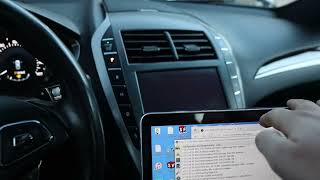
How to confirm: If app-related symptoms are present on a 2016-2018 model, check the TCU part number. Part numbers starting with 'G' (e.g., GP5T-14G087-DF) are 3G. A dealer can also confirm if the vehicle was part of the 4G upgrade program (Customer Satisfaction Program 21B09). 🎬 Watch: Step-by-step guide to upgrading your MKZ TCU from 3G to 4G.
Typical fix: The TCU must be replaced with a newer 4G-compatible unit and then programmed to the vehicle. This often requires a new 4G antenna as well, as the 3G antenna was internal to the old module.
Est. part cost: $65-$250 - Faulty Control Module (TCU or RCM) ⚪ Low Probability While less common than software issues, the module itself can fail internally, especially after events like a collision 🎬 See how a professional technician flashes a Ford RCM after deployment. (for the RCM) or electrical surge.
How to confirm: If reprogramming the module fails or the code returns immediately, the module itself is likely defective. This is a diagnosis of exclusion. A DTC suffix of -49 can also indicate an internal electronic failure.
Typical fix: Replacement of the faulty module (TCU or RCM) followed by programming it to the vehicle using the PMI procedure.
Est. part cost: $150-$500
Rare But Worth Checking
- Improper Module Replacement Procedure: If a module is physically swapped before the diagnostic tool (FDRS) session is started and instructs the technician to do so, it can cause a U2100 code. The software must be prepared for the new hardware.
Diagnosis Steps
- Perform a full vehicle scan with a diagnostic tool capable of reading manufacturer-specific codes from all modules (e.g., FORScan, Ford IDS).
- Identify which module has stored the U2100 code. Note the symptoms. If the airbag light is on, focus on the RCM. If app connectivity is the issue, focus on the TCU.
- Check for the presence of related codes like U2101, B156D, or U3000 to further pinpoint the issue.
- Using a dealer-level tool (Ford IDS/FDRS), check the current software calibration of the affected module.
- Follow the relevant TSB procedure. For TSBs SSM 46901, SSM 46109, or SSM 47159, the primary step is to reprogram the RCM or TCU to the latest calibration.
- If reprogramming is successful, clear all DTCs and re-test the system (check the airbag light and/or app functionality).
- If reprogramming fails or the code persists, diagnose the module for internal failure. This may require module replacement and subsequent programming (known as Programmable Module Installation or PMI).
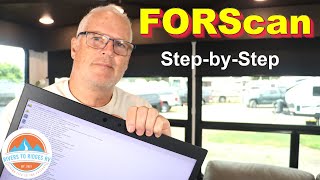
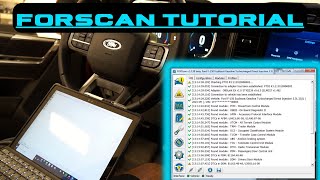
- For advanced DIYers using FORScan for a TCU upgrade, a common procedure involves force-rewriting the As-Built data and performing a module reset to clear the old VIN and allow activation. 🎬 Learn how to use FORScan for advanced module diagnostics and configuration.
Parts You'll Likely Need
- Telematics Control Unit (TCU)
(OEM #HJ5T-14G087-UF (4G, common upgrade); JL3T-14G229-AJ (4G, from F-150 but compatible))— This module is the cause when symptoms relate to the Lincoln Way app. It may be an obsolete 3G unit or have faulty software. It is usually reprogrammed or replaced and then programmed.
Trusted brands: Motorcraft, FoMoCo
OEM price range: $150-$400
Aftermarket price range: $65-$150 (Used/Remanufactured) - Restraints Control Module (RCM)
(OEM #HP5T-14B321-AE (example for 2017-2019))— This module is the cause when the airbag light is on. It typically requires a software update per TSBs. Replacement is only necessary if reprogramming fails.
Trusted brands: Motorcraft, FoMoCo
OEM price range: $300-$500
Aftermarket price range: $100-$200 (Used/Remanufactured)
Related Codes That Often Appear With This One
- U2101 — Often appears with U2100 as it also relates to control module configuration issues ('Control Module Configuration Incompatible'). It is cited in the same TSBs for both the RCM and TCU.
- B156D — This code for 'TCU Not Configured' can be stored along with U2100 when there are problems with the Lincoln Way app features.
- U3000 — A general 'Control Module' internal failure code that can accompany U2100 when the RCM has a fault.
- U0452 — Indicates 'Invalid Data Received From Restraints Control Module', often seen when the RCM is malfunctioning and setting codes like U2100.
Technical Service Bulletins (TSBs) & Recalls
- SSM 50346: Addresses inoperative remote features and DTCs U2100/B156D in the TCU, recommending a PMI procedure.
- SSM 46901: Pertains to a 'SYNC 911 assist not operational' message and U2100 in the RCM, requiring an RCM reprogram.
- SSM 47159: Covers incorrect app data and DTCs U2100/U2101 in the TCU, fixed by reprogramming the TCU.
- SB-45317: Notes MyLincoln Mobile app connection failures with U2100/U2101 in the TCU.
- SSM 46109: Relates to an airbag light and various DTCs, including U2100, in the RCM of early-build 2017 models.
- 21B09: Customer Satisfaction Program to upgrade obsolete 3G TCUs to 4G units. The program covered labor, but the owner had to purchase the part. It has since expired for most.
Platform-Specific Known Issues
- Software Updates are Key: Ford has issued multiple TSBs (SSM 50346, SSM 46901, SSM 47159, SB-45317, SSM 46109) that directly address code U2100 on the MKZ. In nearly all cases, the recommended fix is to reprogram the TCU or RCM, not replace it.
- 3G Modem Obsolescence: For app connectivity issues on 2016-2018 models, the problem is often that the vehicle has an outdated 3G TCU that can no longer connect to cellular networks. The only fix is to upgrade to a 4G TCU. Ford's Customer Satisfaction Program 21B09 addressed this, but has expired for most owners.
- DIY 4G Upgrade Path: A popular owner modification is to source a used 4G TCU (e.g., part number starting with 'H' or 'J' like HJ5T-14G087-UF) from a newer Ford/Lincoln model and install it. This requires using FORScan software to update firmware and clear the old VIN from the module to allow activation on the new vehicle.
Hidden / Shadow Codes Worth Checking
- U2100:00: Initial Configuration Not Complete: No Sub Type Information. This is the most common variant, indicating a general configuration failure. The diagnostic step is to perform a PMI. If it persists in the RCM, replacement of the RCM may be necessary. (see via Ford IDS/FDRS, FORScan)
- U2100-49: Initial Configuration Not Complete: Internal Electronic Failure. This sub-type specifically points to a hardware fault within the module itself, making a software re-flash less likely to succeed and module replacement more probable. (see via Ford IDS/FDRS, FORScan)
Scan Tool Commands That Help
- Ford IDS/FDRS: Programmable Module Installation (PMI) — This is the primary dealer-level function used to resolve U2100. It re-writes the vehicle's 'As-Built' configuration data to the module. It's required after replacing a module and is the standard fix for a software corruption-induced U2100.
- Ford IDS/FDRS: VIN Write — Used when a module has DTC U3002 (VIN not programmed) alongside U2100, typically after a module replacement. This function specifically writes the vehicle's VIN into the new module's memory.
- FORScan: Module Firmware Update — For DIY TCU upgrades, the replacement (often used) 4G TCU may need its firmware updated to a version compatible with the MKZ before it will accept the vehicle's As-Built data.
- FORScan: As-Built 'Force Rewrite' — This function is used to clear a persistent U2100 code after a failed update or when swapping modules. It rewrites the existing configuration data, which can clear memory corruption that a simple DTC clear cannot.
- FORScan: TCU Module Reset — After writing new As-Built data or performing a firmware update on the TCU, this command forces the module to reboot, which is necessary for the new configuration to take effect and for the module to attempt to authorize with the network.
Wiring & Ground Locations
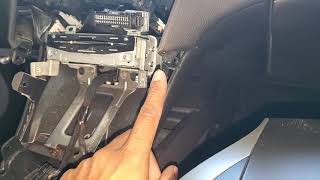
- Restraints Control Module (RCM) — Under the center console, between the shifter and the center storage bin. Access requires removing the side panels of the console.. This is one of the two primary modules that sets U2100. Physical access is needed for replacement, and checking its connection is a basic diagnostic step.
- Telematics Control Unit (TCU) — In the trunk, located behind the passenger-side trunk liner/carpet.. This is the second primary module that sets U2100. Physical access is required for the 3G to 4G upgrade or for replacement.
- G304 — A ground point located under the center console, often near the RCM.. A poor ground connection at G304 could potentially cause communication or power issues for the RCM, leading to various codes including U2100. Checking that this ground is clean and tight is a valid diagnostic step if software fixes fail.
Real Owner Repair Stories
- Cyanlabs Forum User (2017 Lincoln MKZ) — Lincoln Way app features were disabled due to the 3G network shutdown.
❌ Tried (didn't work) Simply installing the new 4G TCU did not work as it needed to be programmed.
✅ What actually fixed it A complete DIY process fixed the issue: 1. Replaced the 3G TCU (Part #GP5T-...) with a used 4G TCU (Part #HJ5T-14G087-UF) from a Ford Escape. 2. Installed a new, separate 4G FAKRA-connector antenna. 3. Using FORScan, updated the firmware on the replacement TCU. 4. Using FORScan As-Built, changed a specific line (754-01-01 to B100) to clear the donor vehicle's VIN. 5. Performed a master reset of the APIM (SYNC screen). After waiting 10 minutes, the vehicle was successfully activated in the Lincoln Way app. - Reddit user on r/fordfusion (Ford Fusion (platform mate)) — Airbag warning light was on.
❌ Tried (didn't work) The user did not report trying other fixes first.
✅ What actually fixed it The user took the vehicle to a Ford dealer. The dealer reprogrammed the Restraints Control Module (RCM), and the airbag light never came back on. This aligns with the official TSBs for the U2100 code when it's stored in the RCM.
OEM Part Supersession History
GP5T-14G087-** (and other 'G' prefixes)→HJ5T-14G087-, JL3T-14G229-, KS7T-14G229-** ('H', 'J', 'K' prefixes)— Upgrade from obsolete 3G cellular technology to 4G LTE to restore Lincoln Way app connectivity after the 3G network shutdown.
Heads up: The 3G TCU has an internal antenna. The 4G TCU requires a separate, external FAKRA-connector antenna that must be purchased and installed. The original antenna cannot be reused.
Model Year Variations Within This Range
- 2016-2018: These model years were most likely to be equipped with a 3G TCU from the factory. For any issues related to the Lincoln Way app on these years, the first step is to confirm if the TCU is a 3G or 4G unit. Models from 2019-2020 came with a 4G TCU from the factory.
Helpful Videos
Used OEM Parts in Stock



New Aftermarket Parts Available


The information in this article is provided for general reference and educational purposes only. Vehicle specifications, procedures, and part compatibility can vary by production date, trim level, and region. Always consult your vehicle's factory service manual and verify part numbers before purchasing or performing repairs. Safety-critical components such as airbags, seat belts, and braking systems should be installed by a qualified professional.
- Lincoln MKZ:
- 🎬 Helpful Videos
- 🛍️ Shop This Part
- What's Unique About the 2016-2020 Lincoln MKZ
- Diagnostic Flowchart
- Symptoms You May Notice
- Most Likely Causes
- Rare But Worth Checking
- Diagnosis Steps
- Parts You'll Likely Need
- Related Codes That Often Appear With This One
- Technical Service Bulletins (TSBs) & Recalls
- Platform-Specific Known Issues
- Hidden / Shadow Codes Worth Checking
- Scan Tool Commands That Help
- Wiring & Ground Locations
- Real Owner Repair Stories
- OEM Part Supersession History
- Model Year Variations Within This Range
- 🎟️ Get 5% Off