

U2100 on 2016-2018 Lincoln MKX: Causes and Fixes for TCU and Lincoln Way App Faults
On a 2016-2018 Lincoln MKX, code U2100 almost always indicates a software or configuration error in the Telematics Control Unit (TCU). This disables Lincoln Way app features. The most common fix is a dealer-performed software update, not an expensive part replacement. For 2016-2017 models, an upgrade to a 4G modem is often required due to the 3G network shutdown.
- U2100 on a 2016-2018 MKX is a software/configuration code for the Telematics Control Unit (TCU), not a mechanical problem.
- The primary symptom is the failure of the Lincoln Way app's remote features. The vehicle is safe to drive.
- Do not replace the TCU module. The first and most common fix is a software update (called a PMI) performed by a Lincoln dealer.
- Mention the specific TSBs (SSM 50346, SSM 47159) to your service advisor to ensure the correct procedure is followed.
- For 2016-2017 models, the issue may be an obsolete 3G modem that needs to be upgraded to a 4G unit.
What's Unique About the 2016-2018 Lincoln MKX
For this generation of Lincoln MKX, the U2100 code is overwhelmingly tied to the Telematics Control Unit (TCU) and the associated Lincoln Way mobile app. This is not a typical wiring or mechanical failure, but a software issue documented by Lincoln in multiple Technical Service Bulletins (TSBs). The problem was common as these vehicles and their underlying software were updated, and simply replacing the TCU module often fails to fix the issue without the correct dealer programming procedure known as a Programmable Module Installation (PMI). Some earlier models (2016-2017) are also affected by the shutdown of 3G cellular networks, which makes their original 3G modem obsolete and requires a physical upgrade to a 4G unit to restore functionality.
Diagnostic Flowchart
Tap your situation to follow the diagnostic path that matches what you're seeing on this vehicle.
Symptoms You May Notice
- Remote features via the Lincoln Way mobile app do not work (e.g., remote start, lock/unlock, vehicle location).
- Incorrect fuel level or oil life displayed in the app. [TSB #SSM 47159]
- False low tire pressure warnings sent from the app. [TSB #SSM 47159]
- Incomplete user authorization message in the app. [TSB #SSM 50346, 27]
- Modem Electronic Serial Number (ESN) is missing or blank in the SYNC infotainment settings. [TSB #SSM 50346, 16]
- An 'SOS System Fault' message may appear on the instrument cluster, as this safety feature also uses the TCU.
- Inability to 'activate' the vehicle within the Lincoln Way app after adding it by VIN.
- Replacing the Telematics Control Unit (TCU) without first attempting a software update. The issue is most often software-related, and a new module will still require programming.
- Blaming the Lincoln Way app or the user's smartphone. While app issues can occur, the U2100 code specifically points to a configuration fault within the vehicle itself that must be fixed first.
- Replacing the SYNC (APIM) module. The APIM controls the infotainment screen, while the TCU is a separate module that handles cellular communication for remote features.
Most Likely Causes
- Outdated or Corrupt TCU Software 🔴 High Probability Ford/Lincoln has released multiple software updates to address connectivity and configuration bugs in the TCU. TSB SSM 47159 directly instructs technicians to reprogram the TCU to the latest calibration to fix this issue for 2016 models, while SSM 50346 covers 2018 models with the same problem.
How to confirm: A dealer or a shop with Ford's IDS/FDRS software can check the current software calibration of the TCU and compare it against the latest available version. The issue can persist even after a software update if the procedure is not completed correctly. [TSB #SSM 50346]
Typical fix: Perform a 'Programmable Module Installation' (PMI) or 'Module Configuration' routine on the TCU using dealer-level diagnostic tools. This is a software-based repair and does not involve replacing parts.
Est. part cost: $0 - Obsolete 3G Telematics Control Unit 🟡 Medium Probability Earlier models in this range (especially 2016-2017) were equipped with 3G modems. As cellular carriers decommissioned their 3G networks starting in 2022, these modems can no longer connect, which can lead to communication faults and render the Lincoln Way app useless.
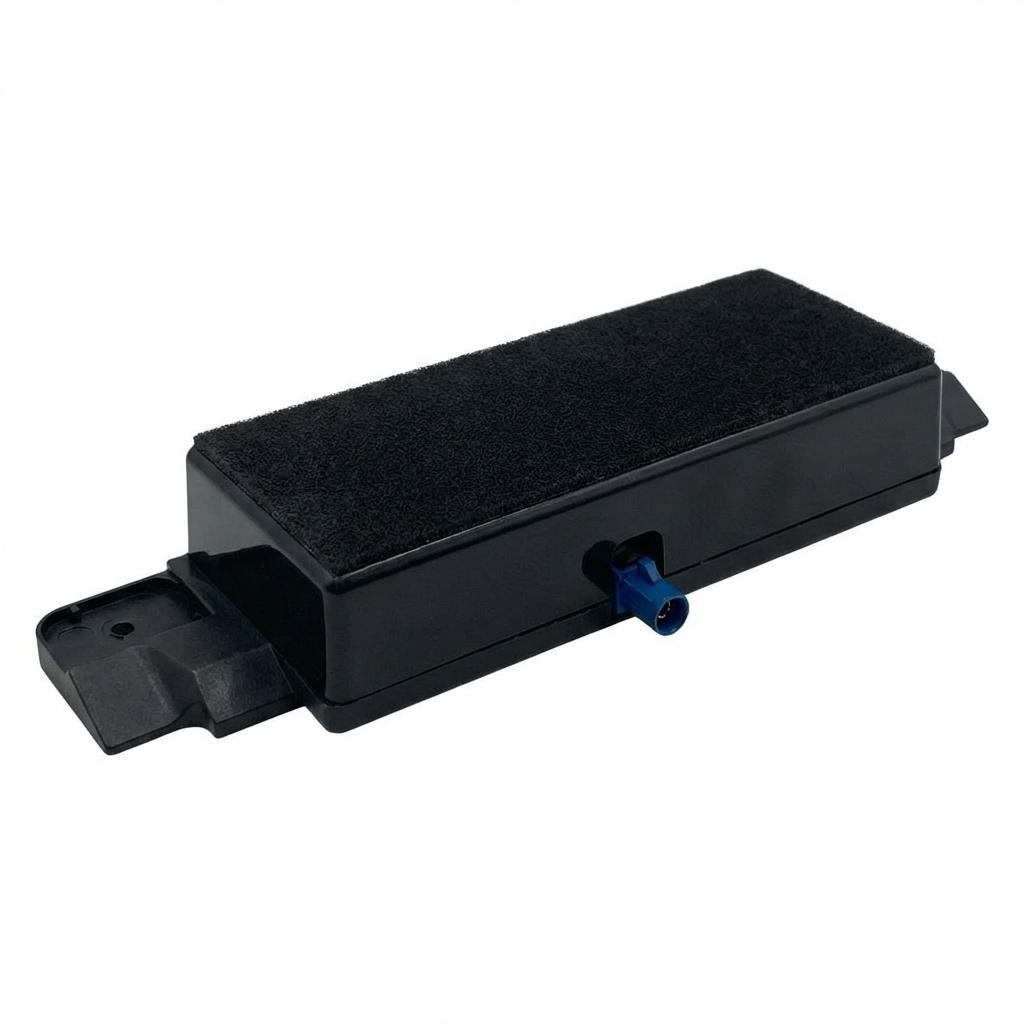
How to confirm: A visual inspection of the TCU or checking the part number can confirm if it's a 3G or 4G unit. A 4G TCU will have at least one purple FAKRA antenna port, while a 3G unit will have none. Part numbers starting with 'F' (e.g., FA1T-14G087-DL) are typically 3G, while those starting with 'H', 'J', 'K', or 'L' are 4G.
Typical fix: Replace the 3G TCU with a 4G TCU and perform the necessary programming (PMI). Ford had a customer satisfaction program (21B09) for this upgrade, but it expired on July 31, 2023. Owners must now typically pay for both the part and labor.
Est. part cost: $200-$500 - Faulty Telematics Control Unit (TCU) ⚪ Low Probability While less common than software issues, the TCU module itself can fail electronically. In some cases, a faulty TCU can cause a parasitic battery drain as it fails to enter its low-power sleep mode.
How to confirm: This is diagnosed by exclusion. If the TCU software is up to date (or it's already a 4G unit) and the PMI programming procedure repeatedly fails, the module itself is likely defective. [TSB #SSM 50346] Unplugging the TCU fuse and observing if a battery drain stops can also point to a faulty module.
Typical fix: Replace the TCU with a new or remanufactured unit and perform the 'Programmable Module Installation' (PMI) to configure it for the vehicle.
Est. part cost: $250-$600
Rare But Worth Checking
- Weak or Failing 12V Battery: Low battery voltage during startup or a recent battery replacement can cause random communication errors between modules, potentially corrupting the TCU's configuration and triggering a U2100 code. Before extensive diagnostics, it's always wise to test the health of the main vehicle battery, but replacing the battery will not fix the configuration issue once it has occurred.
- Failed DIY Programming with FORScan: Advanced users attempting to modify vehicle settings or upgrade the TCU using FORScan can sometimes fail to complete the process correctly, leaving the TCU in an unconfigured state and setting code U2100. This often happens if the incorrect firmware is used or As-Built data is not written properly.
Diagnosis Steps
- Verify the code with a scanner capable of reading manufacturer-specific 'U' codes from all modules, specifically checking the TCU.
- Check for the presence of related codes like U2101 or B156D.
- As a simple first step, attempt a system reset by pulling the fuse for the TCU for 5-10 minutes, or by disconnecting the negative battery terminal for 20 minutes. This is unlikely to fix a configuration error but can clear temporary glitches.
- Check for relevant TSBs for your vehicle's VIN. Specifically mention TSBs SSM 50346, SSM 47159, and SB-45317 to your service advisor.
- If remote features are the only symptom, take the vehicle to a Lincoln dealer or qualified independent shop with Ford/Lincoln diagnostic software (IDS/FDRS).
- Request the technician to check the TCU's current software calibration and perform a 'Programmable Module Installation' (PMI) or 'Module Configuration' update as prescribed by the TSBs.
- If programming fails or the vehicle is a 2016-2017 model, have the technician verify if the TCU is an obsolete 3G unit that requires a hardware upgrade to a 4G module. The part number prefix will be 'F' or 'G' for 3G units.
- Only if all software and programming steps fail should the TCU module itself be replaced. A new TCU will still require the PMI procedure.
Parts You'll Likely Need
- Telematics Control Unit (TCU)
(OEM #HJ5T-14G087-UM (Common 4G Upgrade), JL3T-14G229-AJ (Alternative 4G))— This is the module that stores the faulty configuration. It must be replaced if it's an obsolete 3G unit (on 2016-2017 models) or if it has failed internally and cannot be reprogrammed.
Trusted brands: Motorcraft (OEM), Continental (OEM Supplier), Visteon (OEM Supplier)
OEM price range: $400-$600
Aftermarket price range: $150-$450 (Used/Remanufactured) - 4G Cellular Antenna
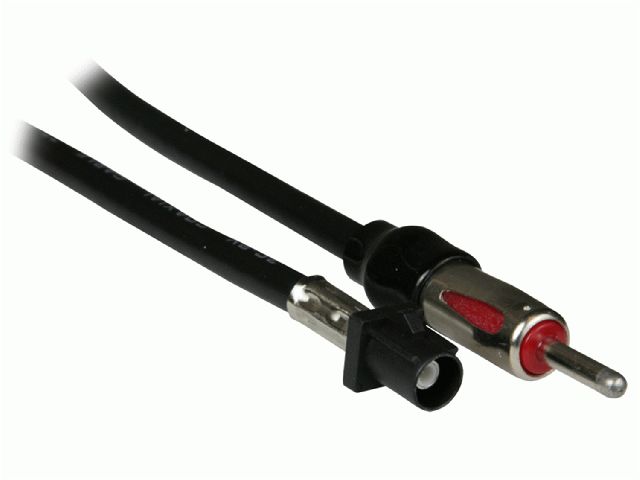
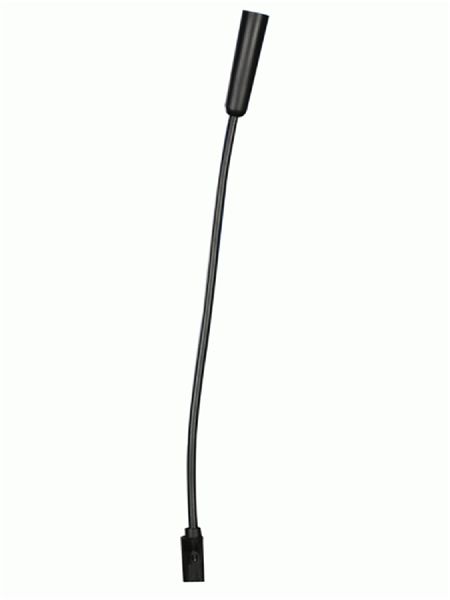
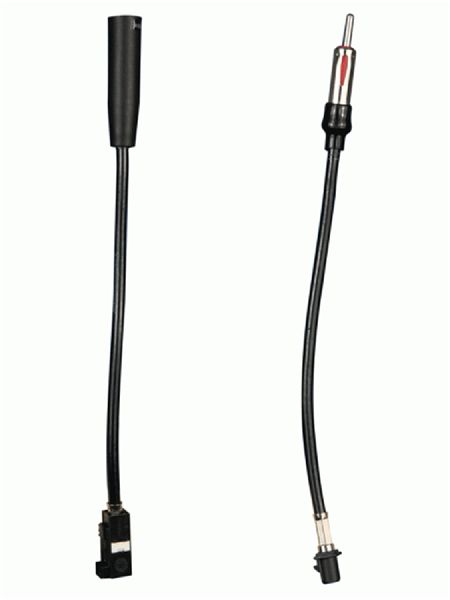
(OEM #NL1Z-19A390-A)— When upgrading from a 3G TCU to a 4G TCU, a new antenna is required. The 3G antenna is internal to the old module, while the 4G module requires an external antenna connected via a FAKRA port.
Trusted brands: Ford (OEM), Bingfu (Aftermarket, may cause open circuit DTC), Various FAKRA D-connector antennas
OEM price range: $50
Aftermarket price range: $10-$25
Related Codes That Often Appear With This One
- U2101 — This code means 'Control Module Configuration Incompatible' and often appears with U2100 when a module programming procedure fails or the wrong part is installed. [TSB #SB-45317, TSB #SSM 47159, 16]
- B156D — This code relates to 'User Authorization' and is frequently seen with U2100 when the TCU is the source of the problem, directly affecting Lincoln Way app features. TSB SSM 50346 explicitly links these two codes. [TSB #SSM 50346, 21]
Technical Service Bulletins (TSBs) & Recalls
- SSM 50346: Addresses inoperative remote features, no modem ESN, and DTCs U2100/B156D in the TCU, recommending a PMI procedure.
- SSM 47159: Addresses incorrect app data and DTCs U2100/U2101, with the fix being to program the TCU to the latest calibration. [TSB #SSM 47159]
- SB-45317: An early bulletin linking U2100/U2101 to the MyLincoln Mobile app not being able to connect to the vehicle. [TSB #SB-45317]
- Customer Satisfaction Program 21B09: Detailed the process and terms for upgrading eligible vehicles from a 3G to a 4G TCU. Though expired, its documents provide valuable part and procedure information.
Platform-Specific Known Issues
- TSB SSM 47159 specifically addresses U2100 and U2101 on 2016 models, noting incorrect app fuel levels and other data, with the fix being a TCU software update. [TSB #SSM 47159]
- TSB SSM 50346 covers 2018 models (among others) where U2100 and B156D appear, causing inoperative remote features, and recommends a TCU PMI procedure. [TSB #SSM 50346, 11]
- 2016-2017 models were subject to Customer Satisfaction Program 21B09 to upgrade the obsolete 3G TCU to a 4G unit. This program expired on July 31, 2023.
Mechanic-Grade Diagnostic Values
- TCU Programming Voltage — expected: Stable voltage above 12.0V, ideally maintained with a battery charger of at least 8 amps.. Failure: Voltage dropping below 12.0V during programming can corrupt the firmware update and cause a U2100 code.
Scan Tool Commands That Help
- Ford IDS/FDRS: Programmable Module Installation (PMI) — This is the primary dealer-level function used to fix U2100. It reprograms the TCU with the correct configuration and firmware from Ford's servers. It's required after replacing a TCU or to recover a corrupted one.
- Ford IDS/FDRS: TCU On-Demand Self Test — This function can be run to check the internal status of the TCU. However, it may report 'no problems detected' even when a U2100 configuration fault is present, as the fault is in the software configuration, not necessarily the hardware.
- FORScan: Module Configuration (As-Built) 'Force Rewrite' — For advanced DIYers, this can fix a persistent U2100 code after a failed update. The process involves loading the module's As-Built data, selecting 'Write All', and choosing the option to 'Force Rewrite'. This is followed by a 'Module Reset' on both the TCU and GWM.
- FORScan: TCU Firmware Update — Used during a DIY 3G to 4G upgrade. A newer 4G TCU from a different vehicle model may need its firmware downgraded or updated to a version compatible with the MKX's architecture. This is a high-risk procedure that requires a wired OBD-II adapter and a stable power supply.
Wiring & Ground Locations
- Telematics Control Unit (TCU) — In the right rear quarter panel, located in the cargo area. It is typically found to the top left of the subwoofer.. This is the physical location of the module that needs to be reprogrammed or replaced. Access is required for any physical diagnosis, replacement, or to check its part number to determine if it is a 3G or 4G unit.
- Fuse F79 (Passenger Compartment) — In the passenger compartment fuse panel, located under the instrument panel to the left of the steering column.. This 7.5A fuse powers the Telematics Control Unit. Pulling this fuse for several minutes is a common first-step diagnostic reset attempt to clear temporary glitches before attempting more complex software repairs.
- Ground G205 — Located on the left side of the dash.. This is a common ground point for multiple modules in the dashboard area. While a poor ground is a rare cause for U2100 (which is primarily a software issue), a compromised G205 could cause intermittent communication issues across several systems, including the TCU.
Real Owner Repair Stories
- Lincoln Nautilus Forum user 'Dallas150' (2016 Lincoln MKX) — Loss of Lincoln Way app remote features due to the 3G network shutdown.
❌ Tried (didn't work) The original 3G TCU could no longer connect to the cellular network.
✅ What actually fixed it The user successfully performed a DIY upgrade from the original 3G TCU to a 4G TCU. This involved physically replacing the module in the right rear quarter panel, adding a new 4G antenna, and using FORScan to program the new module. The user noted the new TCU's electrical connectors faced the front of the vehicle, whereas the original faced the rear. - CyanLabs Official Community user 'ccihon' (2016 Lincoln MKX) — After swapping a 3G TCU for a 4G TCU (Part No. KT1T-...), the SYNC 3 screen showed no modem ESN and the Lincoln Way app would not activate. A TCU test in FORScan failed.
❌ Tried (didn't work) A simple plug-and-play swap of the TCU did not work. The new module was visible on the CAN bus but was not configured correctly.
✅ What actually fixed it The issue was identified as incorrect firmware on the donor 4G TCU. The module was calibrated for a newer vehicle with HS4-CAN, which the 2016 MKX does not support. The fix required using FORScan to reprogram (re-flash) the TCU with the correct Calibration and Strategy files compatible with the 2016 MKX architecture, and then adjusting the As-Built data to match the vehicle's features.
OEM Part Supersession History
FA1T-14G087-DL (and similar F-series PNs)→HJ5T-14G087-UM, JL3T-14G229-AJ (Common 4G upgrade units)— The original 'F' and 'G' series TCUs were 3G modems which became obsolete after the 3G network shutdown in 2022. 'H', 'J', 'K', and 'L' series TCUs are 4G capable.
Heads up: Direct replacement is not plug-and-play. The new 4G module requires a separate external antenna. The module's firmware may need to be updated or downgraded using FORScan to match the vehicle's CAN architecture, and As-Built data must be programmed. US and Canadian TCUs are not directly interchangeable due to different cellular networks, though roaming may work temporarily.
Model Year Variations Within This Range
- 2016-2017: These model years were originally equipped with 3G TCUs. To restore Lincoln Way app functionality after the 3G network shutdown, a physical hardware upgrade to a 4G TCU is mandatory.
- 2018: The 2018 model year came standard with the 4G 'Lincoln Connect' TCU. For these vehicles, a U2100 code is almost always a software configuration issue that needs to be resolved with a PMI procedure, not a hardware replacement. [TSB #SSM 50346]
Used OEM Parts in Stock
New Aftermarket Parts Available

The information in this article is provided for general reference and educational purposes only. Vehicle specifications, procedures, and part compatibility can vary by production date, trim level, and region. Always consult your vehicle's factory service manual and verify part numbers before purchasing or performing repairs. Safety-critical components such as airbags, seat belts, and braking systems should be installed by a qualified professional.
- Lincoln MKX:
- 🛍️ Shop This Part
- What's Unique About the 2016-2018 Lincoln MKX
- Diagnostic Flowchart
- Symptoms You May Notice
- Most Likely Causes
- Rare But Worth Checking
- Diagnosis Steps
- Parts You'll Likely Need
- Related Codes That Often Appear With This One
- Technical Service Bulletins (TSBs) & Recalls
- Platform-Specific Known Issues
- Mechanic-Grade Diagnostic Values
- Scan Tool Commands That Help
- Wiring & Ground Locations
- Real Owner Repair Stories
- OEM Part Supersession History
- Model Year Variations Within This Range
- 🎟️ Get 5% Off