

U2100 on 2018-2019 Ford Explorer Police Intercept: Module Configuration Guide
Code U2100 on a 2018-2019 Ford Explorer Police Intercept means 'Initial Configuration Not Complete' and almost always points to the Telematics Control Unit (TCU). This is a software and procedural issue, not a broken part. The fix requires a dealer to perform a 'Programmable Module Installation' (PMI) on the TCU to re-establish the digital handshake with Ford's servers.
- U2100 on your Explorer Police Intercept is a software configuration error in the Telematics Control Unit (TCU), not a broken part.
- The primary symptom will be the failure of FordPass app remote features like remote start and lock/unlock.
- Do not replace the TCU unless all programming attempts by a qualified technician have failed. The fix is almost always reprogramming the existing module.
- This is not a DIY-friendly repair. A trip to a Ford dealer or a shop with Ford-specific programming tools is required to perform the mandatory 'Programmable Module Installation' (PMI).
What's Unique About the 2018-2019 Ford EXPLORER POLICE INTERCEPT
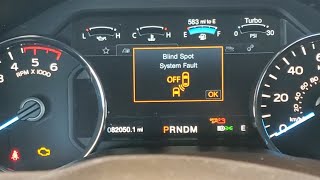
On this specific platform, U2100 is strongly linked to the Telematics Control Unit (TCU) and the FordPass app functionality. A key TSB (SSM 50346) notes that the problem can persist even after a software update or TCU replacement. This indicates the problem is not a simple part failure but a complex authorization and configuration issue between the vehicle's module and Ford's servers. Ford issued these specific repair instructions as a Special Service Message (SSM), which is an internal communication for technicians and not a formal recall. The procedure 🎬 Watch: This breakdown explains the U2100 code and TCU issues. requires a specific dealer process to resolve the communication breakdown. Many 2018 models were originally equipped with 3G TCUs that required a hardware upgrade to a 4G unit due to the cellular network shutdown, a process which could easily trigger U2100 if not performed correctly.
Diagnostic Flowchart
Tap your situation to follow the diagnostic path that matches what you're seeing on this vehicle.
Symptoms You May Notice
- Inoperative remote features via the FordPass mobile app (remote start, lock/unlock, etc.).
- Inability to complete user authorization for the FordPass app.
- No modem Electronic Serial Number (ESN) displayed in scan tool data.
- Check Engine Light (Malfunction Indicator Lamp) may be illuminated.
- Error messages in the instrument cluster or infotainment screen related to specific disabled features.
- FordPass or Lincoln Way app spins endlessly or fails to connect.
- Replacing the TCU without performing the PMI procedure. The TSB explicitly states that even after replacement, the issue can persist if the module is not correctly configured and authorized.
Most Likely Causes
- Incomplete or Failed Module Programming/Configuration 🔴 High Probability As per TSB SSM 50346, replacing or updating the TCU software without performing the correct Programmable Module Installation (PMI) and authorization process will cause this code. This can also happen after a failed Over-The-Air (OTA) update or an improper 3G to 4G TCU hardware upgrade.
How to confirm: A Ford-specific scan tool (IDS/FDRS) is needed to check the configuration status of the TCU. If the 'Authorization Status PID' is not correct, this is the cause.
Typical fix: A Ford dealer or qualified shop must perform a Programmable Module Installation (PMI) on the Telematics Control Unit (TCU) using the latest version of the Ford diagnostic scan tool.
Est. part cost: $0 - Faulty Telematics Control Unit (TCU) 🟡 Medium Probability While less common than a configuration issue, the TCU module itself can fail internally, preventing it from holding its configuration or communicating. This can sometimes manifest as a parasitic battery drain as the module fails to enter a low-power sleep state.
How to confirm: If a PMI procedure fails repeatedly and all wiring is confirmed to be good, the module itself is suspect. A technician may also note the module is unresponsive or fails to communicate with the scan tool.
Typical fix: Replace the Telematics Control Unit (TCU) and then perform the PMI procedure to configure the new module to the vehicle.
Est. part cost: $300-$600 - Corrupted Module Software ⚪ Low Probability A failed over-the-air (OTA) update, a dealer software update that was interrupted, or a significant voltage fluctuation during a battery replacement can corrupt the module's memory.
How to confirm: This is usually diagnosed after a recent update attempt or battery event. The fix is the same as an incomplete configuration.
Typical fix: Attempt to reprogram the module using the PMI procedure with a Ford scan tool.
Est. part cost: $0
Rare But Worth Checking
- Wiring Harness or Connector Issue: Although the TSB points to a software issue, physical damage to the wiring or connectors for the TCU can cause identical communication failures. This should be checked before replacing the module.
- Significant Voltage Fluctuation: A module's configuration data can potentially become corrupted during a battery replacement or a jump-start if a significant voltage spike or drop occurs, triggering a U2100 code. The fix is still to reprogram the module.
Diagnosis Steps
- Scan all vehicle modules with a Ford-specific scan tool (like FORScan or Ford IDS/FDRS).
- Confirm that U2100 and likely B156D are present in the Telematics Control Unit (TCU).
- Check the vehicle's repair history. The code most often appears after a module replacement, battery change, or software update.
- Using the scan tool, attempt to read the modem ESN from the TCU. If it is blank or missing, this confirms the issue described in TSB SSM 50346.
- Using the scan tool, check the 'Authorization Status PID' value in the TCU datalogger. This data is required if a hotline ticket to Ford is necessary. The status may read 'Factory Mode' when the error is present.
- Visually inspect the wiring and connectors at the TCU. On the 2018-2019 Explorer, the TCU is located in the left side of the cargo area, behind the trim panel.
- If wiring is intact, the primary fix is to perform a 'Programmable Module Installation' (PMI) on the TCU using Ford's IDS or FDRS software. This is typically a dealer-level repair.
- Note: TSB SSM 49690 warns that to prevent this code during a module replacement, the scan tool session must be started *before* the old module is removed.
- If the PMI fails, the TSB instructs the technician to open a hotline ticket with Ford, providing specific data from the scan tool, including the Authorization Status PID.
- If directed by diagnostics or if the module is completely unresponsive, replace the TCU and perform the PMI on the new unit.
Parts You'll Likely Need
- Telematics Control Unit (TCU)
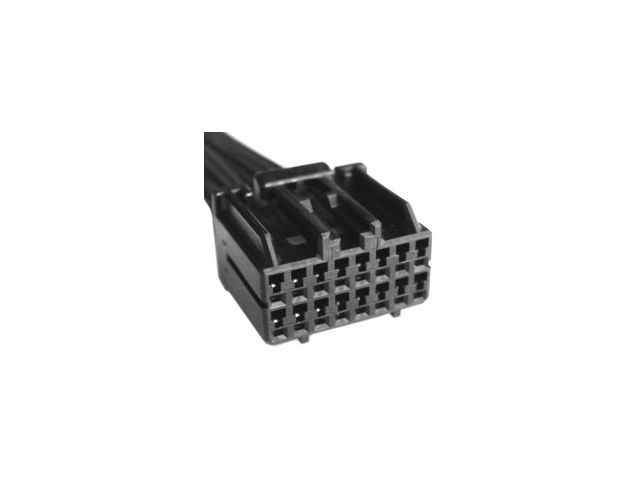
(OEM #14G229 (base), KT1T-14G229-AM, JL3T-14G229-AG)— This module is the source of the U2100 code in this specific context. It may need replacement if it has failed and cannot be reprogrammed. The part number 14G229 is listed as the causal part in TSB SSM 50346. Specific part numbers vary by vehicle and year, such as KT1T-14G229-AM or JL3T-14G229-AG.
Trusted brands: Motorcraft
OEM price range: $300-$600
Aftermarket price range: N/A
Related Codes That Often Appear With This One
- B156D — This code, meaning 'TCU Not Configured', is specifically mentioned alongside U2100 in TSB SSM 50346. They both point to the same root cause of an unconfigured Telematics Control Unit.
Technical Service Bulletins (TSBs) & Recalls
- SSM 50346: Addresses inoperative FordPass/Lincoln Way features and DTCs U2100 and/or B156D in the TCU, requiring a PMI procedure to fix.
- SSM 49292: An earlier version of SSM 50346 that describes the same TCU configuration issue and repair procedure for 2018-2020 vehicles.
- SSM 49690: Warns technicians that installing a new module *before* starting the PMI process in the FDRS scan tool can cause a U2100 fault.
Platform-Specific Known Issues
- TSB SSM 50346 specifically addresses code U2100 and B156D on 2018-2021 Ford vehicles, including the Explorer, where FordPass remote features are inoperative. It highlights that a simple software update or module replacement is often not enough, and a specific PMI procedure (and possible communication with Ford's technical hotline) is required.
Mechanic-Grade Diagnostic Values
- TCU Authorization Status PID (TCU_AUTHSTATE) — expected: The PID should progress from 'Factory Mode' to 'Unprovisioned', then 'Waiting for Authorization', and finally 'Authorized Mode' after a successful PMI or activation process.. Failure: The PID being stuck in 'Factory Mode' or not progressing to 'Authorized Mode' indicates a configuration failure.
Hidden / Shadow Codes Worth Checking
- U2100:00: No Sub Type Information. This is a generic version of the code where the primary description is sufficient. (see via Ford FDRS, FORScan)
- U2100:46: Calibration or Parameter Memory Failure. This points to a problem with the module's internal FLASH or EEPROM memory where configuration data is stored, often indicating corruption. (see via Ford FDRS, FORScan)
- U2100:57: Invalid or Incompatible Software Component. The module has detected a software file that is not compatible with its hardware or other vehicle software. (see via Ford FDRS, FORScan)
Scan Tool Commands That Help
- Ford IDS/FDRS: Programmable Module Installation (PMI) — This is the primary dealer-level function used to configure a new or existing TCU, as directed by TSB SSM 50346. It downloads As-Built data from Ford's servers and writes it to the module.
- Ford IDS/FDRS: PMI (with original module 'unavailable') — This is a technician trick to fix a corrupted module without replacing it. By telling the FDRS tool that the original module is not available, the system downloads fresh As-Built data and writes it to the existing module as if it were a new part.
- FORScan: As-Built 'Force Rewrite' — An advanced DIY method to potentially fix a persistent U2100 after a failed Over-The-Air (OTA) update or user modification. It forces a rewrite of the existing As-Built data, which can sometimes clear deep-seated corruption.
- FORScan: Gateway Module (GWM) Reset — This should be performed after a 'Force Rewrite' on another module like the TCU. Resetting the GWM forces the entire vehicle network to re-establish communication, ensuring the newly configured module is recognized correctly.
Wiring & Ground Locations
- TCU Location — On the 2018-2019 Explorer, the TCU is located in the left side of the cargo area, behind the main trim panel.. Physical access is required to check for loose connectors, damaged wiring, or to replace the module if software fixes fail.
Real Owner Repair Stories
- F150 Forum user @i8iridium (Ford F-150 (similar TCU architecture)) — FordPass app would not activate or authenticate after a TCU retrofit.
❌ Tried (didn't work) Removing and re-adding the truck in the FordPass app., Simply resetting the TCU module.
✅ What actually fixed it Using FORScan, the user monitored the 'Authorization Status PID'. They manually changed an As-Built value (754-01-01) to put the TCU into an initial configuration mode ('UNPROVISIONED'), then changed it back. This forced the TCU to re-initiate the entire handshake process with Ford's servers, eventually reaching 'Wait For Authorize' status, which then allowed the app to successfully activate.
OEM Part Supersession History
PC3Z-14G229-B→RC3Z-14G229-E— Part revision and update, likely for hardware or firmware improvements.EJ7Z-14G229-B, C, D→EJ7Z-14G229-E— Multiple part revisions over time for the same base part.
Model Year Variations Within This Range
- 2018: Many 2018 models were originally equipped with a 3G TCU. Due to the shutdown of 3G cellular networks, these vehicles were subject to Ford's Customer Satisfaction Program 21B09 to upgrade the hardware to a 4G TCU. A U2100 code is a very common result of an improperly performed upgrade procedure where the new 4G module was not correctly configured using a PMI.
- 2019: 2019 models were more likely to be factory-equipped with a 4G TCU and were not part of the 3G upgrade program. A U2100 code on these vehicles is more likely related to a failed over-the-air (OTA) update or a standard dealer software flash rather than a hardware swap.
Helpful Videos
We Have This Part in Stock

The information in this article is provided for general reference and educational purposes only. Vehicle specifications, procedures, and part compatibility can vary by production date, trim level, and region. Always consult your vehicle's factory service manual and verify part numbers before purchasing or performing repairs. Safety-critical components such as airbags, seat belts, and braking systems should be installed by a qualified professional.
- Ford EXPLORER POLICE INTERCEPT:
- 🎬 Helpful Videos
- 🛍️ Shop This Part
- What's Unique About the 2018-2019 Ford EXPLORER POLICE INTERCEPT
- Diagnostic Flowchart
- Symptoms You May Notice
- Most Likely Causes
- Rare But Worth Checking
- Diagnosis Steps
- Parts You'll Likely Need
- Related Codes That Often Appear With This One
- Technical Service Bulletins (TSBs) & Recalls
- Platform-Specific Known Issues
- Mechanic-Grade Diagnostic Values
- Hidden / Shadow Codes Worth Checking
- Scan Tool Commands That Help
- Wiring & Ground Locations
- Real Owner Repair Stories
- OEM Part Supersession History
- Model Year Variations Within This Range
- 🎟️ Get 5% Off