

U2018 on 2022-2024 Lincoln Navigator: BlueCruise & Lane Centering Fault Explained
Code U2018 with failure type :51 on a 2022-2024 Lincoln Navigator indicates a software or configuration error in the Rear Camera Module (CMR) that disables BlueCruise and lane centering. This is a known issue documented in TSBs 24-2251 and 25-2104. The fix is a dealer-performed software update using the FDRS tool, not a hardware replacement.
- Code U2018:51 on a 2022-2024 Navigator is a specific software fault, not a hardware failure, that disables BlueCruise.
- It is almost always seen with code U0565:86 in the IPMA.
- The official fix is a dealer-only procedure to reprogram the Rear Camera Module (CMR) using the FDRS tool, as detailed in TSB 24-2251 and TSB 25-2104.
- The repair is typically covered under the new vehicle warranty.
- Do not replace the camera module unless the software reprogram fails to resolve the issue.
What's Unique About the 2022-2024 Lincoln NAVIGATOR
This fault is highly specific to modern Ford and Lincoln vehicles equipped with the BlueCruise hands-free driving system. Unlike many trouble codes that point to a failed part, U2018:51 is almost always related to a known software issue documented by the manufacturer. The problem arises from a mismatch in software levels between the rear camera and the main image processor, often following an over-the-air (OTA) update or when modules are replaced.
Diagnostic Flowchart
Tap your situation to follow the diagnostic path that matches what you're seeing on this vehicle.
Symptoms You May Notice
- Inoperative BlueCruise
- Inoperative lane centering
- "Driver Assist Fault" or similar warning message on the instrument cluster
- Inability to activate hands-free driving mode in a designated Blue Zone 🎬 Watch: A real-world example of BlueCruise and driver assist failing.
- "Front Camera Low Visibility Clean Screen" message, even when the windshield is clean
- Message: "Driver monitor camera fault See manual"
- Replacing the rear camera module (CMR) without first attempting to reprogram it. The official TSBs strongly indicate the problem is software-based. A new, unprogrammed camera would likely exhibit the same fault until it is correctly configured by a dealer.
- Blaming a dirty windshield or camera lens. While a blocked camera can disable the system, this specific code combination points directly to a software configuration problem.
Most Likely Causes
- Incorrect Module Software/Configuration 🔴 High Probability This is a known issue documented by Lincoln in Technical Service Bulletins (TSBs) 24-2251 and its successor 25-2104 for vehicles equipped with BlueCruise. The complexity of the ADAS system and the rollout of over-the-air updates can lead to software mismatches between modules, particularly after a Ford Power-Up update.
How to confirm: A technician can use a Ford/Lincoln-specific scan tool (FDRS) to confirm the presence of DTC U2018:51 in the Camera Module - Rear (CMR) and DTC U0565:86 in the Image Processing Module A (IPMA), while also verifying that DTC U3000:49 is *not* stored in the CMR.
Typical fix: The standard repair is to reprogram the CMR module using the latest software level available through the Ford Diagnostic & Repair System (FDRS) scan tool, as instructed by the TSB. This procedure requires connecting a 12-volt battery charger to maintain stable voltage during the update.
Est. part cost: $0
Rare But Worth Checking
- Faulty Rear Camera Module (CMR): While the TSBs point to a software issue, a hardware failure of the CMR itself is still possible, though much less common. This would typically be diagnosed only after a software reprogram fails to resolve the issue. In some cases, a dealer may order a new camera if reprogramming fails.
- Wiring Harness or Connection Issue: A damaged wire or loose connection between the CMR and the IPMA could cause communication errors. Forum users on similar platforms have noted that pinched wiring, particularly after headliner or windshield service, can sometimes be a cause for camera-related faults. This would require a physical inspection of the harness.
- Low 12V Battery Health: An owner on an F-150 Lightning forum reported that their dealer also found a weak 12V battery that was not up to spec. While not the direct cause of the software mismatch, a weak battery can cause various electronic module issues and may complicate the reprogramming process if not addressed.
Diagnosis Steps
- Connect a professional scan tool capable of reading manufacturer-specific codes from all modules (e.g., Ford FDRS).
- Scan the Camera Module - Rear (CMR) for DTCs. Confirm if U2018:51 is present.
- Scan the Image Processing Module A (IPMA) for DTCs. Confirm if U0565:86 is present.
- Check the CMR again to ensure DTC U3000:49 (Internal Electronic Failure) is NOT present. If U3000:49 is present, the TSB does not apply and standard diagnostics are required.
- If the specific combination of codes (U2018:51 in CMR, U0565:86 in IPMA, no U3000:49) is found, the vehicle matches the condition described in TSB 24-2251 and TSB 25-2104.
- Follow the service procedure in the TSB. Connect a stable 12-volt battery charger (e.g., Rotunda GRX-3590) to the vehicle, ensuring the negative lead is on a chassis ground, not the battery terminal.
- Using FDRS, reprogram the CMR with the latest available software level.
- Clear all DTCs and perform a road test, verifying that BlueCruise and lane centering now function correctly 🎬 Watch: How to properly use and activate Lincoln BlueCruise. in a designated Blue Zone.
- If the code combination does not match the TSB, or if reprogramming fails, proceed with standard diagnostics of the CMR, IPMA, and the network wiring between them.
Parts You'll Likely Need
- No Parts Typically Required — The fault is documented as a software/configuration issue. The repair involves reprogramming existing modules, not replacing hardware. TSB 25-2104 allocates 0.3 hours of labor for the reprogram. This repair is typically covered under the vehicle's new vehicle limited warranty.
OEM price range: $0
Aftermarket price range: $0 - Camera Module - Rear (CMR)
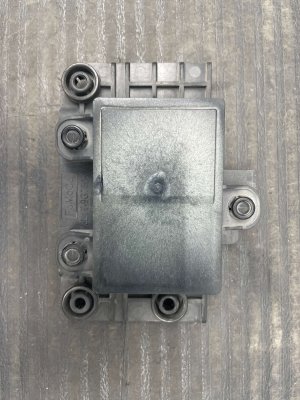
(OEM #FL7Z-19G490-B)— This is the physical camera module. It should only be replaced in the rare event that reprogramming fails and a hardware fault is confirmed. The part number supersedes FL7Z-19G490-A.
Trusted brands: Ford/Motorcraft
OEM price range: $100-$200
Aftermarket price range: $80-$150
Related Codes That Often Appear With This One
- U0565:86 — This code, stored in the Image Processing Module A (IPMA), indicates it has received invalid data from the Rear Camera Module (CMR). TSBs 24-2251 and 25-2104 list this code as appearing alongside U2018:51 as part of the same specific fault condition.
Technical Service Bulletins (TSBs) & Recalls
- TSB 25-2104: Supersedes TSB 24-2251. Provides updated labor times (0.3 hours for Navigator) for the CMR reprogram procedure to fix inoperative BlueCruise with DTCs U2018:51 and U0565:86.
- TSB 24-2251: The primary bulletin identifying the issue on 2022-2024 Navigators and other models. It details the specific DTC combination (U2018:51 in CMR, U0565:86 in IPMA, no U3000:49), symptoms, and the official repair procedure (reprogram CMR).
- TSB 24-2062: A related TSB for the 2022-2023 Mustang Mach-E, explicitly linking the U2018:51 fault to a recent Ford Power-Up OTA software update, confirming the cause is often a botched update.
Platform-Specific Known Issues
- A known software issue affects 2022-2024 Lincoln Navigators (and related Ford models) with BlueCruise, causing the system to become inoperative. Lincoln has issued Technical Service Bulletins TSB 24-2251 and its successor TSB 25-2104 to address this, providing dealers with a specific software reprogramming procedure.
Scan Tool Commands That Help
- Ford Diagnostic & Repair System (FDRS): Module Reprogramming - CMR — This is the primary service function specified by TSB 24-2251 and 25-2512 to load the corrected software into the Camera Module - Rear (CMR) to resolve the U2018:51 fault.
- Ford Diagnostic & Repair System (FDRS): Programmable Module Installation (PMI) — This function is used when a module is physically replaced. It copies the configuration data (As-Built data) from the old module and writes it to the new one. If the old module is not available, FDRS may download the As-Built data from Ford's online database. A related TSB (23-2170) notes that for a successful IPMA PMI, other modules like the PSCM, CCM, and CMR may need to be updated first.
- Ford Diagnostic & Repair System (FDRS): Reset Battery Monitor Sensor Learned Values — This should be performed if the 12V battery state of charge is found to be low and requires charging, or if the battery is replaced. A weak battery can cause various module communication issues and complicate programming.
Wiring & Ground Locations
- Image Processing Module A (IPMA) — Mounted to the interior side of the windshield, behind the rearview mirror assembly.. The IPMA is the primary module for ADAS features. It receives data from the CMR and sets DTC U0565:86 when it gets invalid data from the CMR due to the software fault that causes U2018:51.
- Camera Module - Rear (CMR) — Located in the tailgate appliqué, near the Lincoln star emblem.. This is the module that stores the U2018:51 fault code due to its own internal software/configuration error. Physical access is required for replacement if reprogramming fails.
Real Owner Repair Stories
- F150LightningForum.com user 'Jimbalf' (2023 F-150 Lightning Lariat (platform mate)) — BlueCruise stopped working after 2 years and 35,000 miles.
❌ Tried (didn't work) The dealer initially could not complete the CMR update per TSB 24-2251.
✅ What actually fixed it The technician first had to address TSB 23-2122, which related to a previously incomplete download. After clearing that, they were able to successfully perform the TSB 24-2251 reprogram for the BlueCruise issue. They also discovered and replaced a weak 12V battery that was not up to specification.
Helpful Videos


We Have This Part in Stock




The information in this article is provided for general reference and educational purposes only. Vehicle specifications, procedures, and part compatibility can vary by production date, trim level, and region. Always consult your vehicle's factory service manual and verify part numbers before purchasing or performing repairs. Safety-critical components such as airbags, seat belts, and braking systems should be installed by a qualified professional.
- Lincoln NAVIGATOR:
- 🎬 Helpful Videos
- 🛍️ Shop This Part
- What's Unique About the 2022-2024 Lincoln NAVIGATOR
- Diagnostic Flowchart
- Symptoms You May Notice
- Most Likely Causes
- Rare But Worth Checking
- Diagnosis Steps
- Parts You'll Likely Need
- Related Codes That Often Appear With This One
- Technical Service Bulletins (TSBs) & Recalls
- Platform-Specific Known Issues
- Scan Tool Commands That Help
- Wiring & Ground Locations
- Real Owner Repair Stories
- 🎟️ Get 5% Off