

U1548 on 2014-2018 Chevy Silverado 1500: Network Communication Loss Causes and Fixes
Code U1548 on a 2014-2018 Silverado most often points to a pinched wiring harness behind the left side of the instrument panel. This is a known issue covered by GM Technical Service Bulletin PIT5288H. The fix involves accessing the harness from under the dash, repairing the damaged wires, and rerouting it to prevent future damage.
- U1548 is a network communication code, not a faulty part code.
- The overwhelming cause for this code on a 2014-2018 Silverado is a pinched wiring harness behind the driver's side of the dashboard.
- This issue is shared across the entire GM K2XX platform, including the GMC Sierra, Tahoe, Suburban, and Escalade.
- Symptoms are often varied and seemingly random, from a dead battery to inoperative windows or radio.
- Diagnosis requires a physical inspection of the harness from under the dash, as described in GM TSB PIT5288H.
- The fix is typically a wiring repair, not a component replacement.
What's Unique About the 2014-2018 Chevrolet SILVERADO 1500

The 2014-2018 Silverado (and its K2XX platform mates like the Sierra, Tahoe, and Suburban) is uniquely prone to this issue due to a specific design flaw. The main instrument panel wiring harness can be pinched between a metal mounting bracket on the left side of the dashboard and the body of the truck. This pinching can occur on the top or bottom of the bracket and can damage the delicate LIN bus wires, causing intermittent or total communication loss and triggering code U1548 along with a host of other seemingly unrelated electrical symptoms.
Diagnostic Flowchart
Tap your situation to follow the diagnostic path that matches what you're seeing on this vehicle.
Symptoms You May Notice
- Rear power windows inoperative
- Dead battery due to modules not 'sleeping'
- Steering wheel controls not working
- Touch screen or radio display is blank or inoperative
- Remote Keyless Entry (RKE) or passive entry system inoperative
- "Service Stabilitrak" message on the dash
- Rear wiper (on applicable models like Suburban/Tahoe) inoperative
- "No Fob Detect" message on Driver Information Center (DIC)
- "Service Tire Pressure System" message
- Replacing individual switches (like a window switch) without checking the network.
- Replacing the battery without diagnosing the parasitic drain caused by the communication fault.
- Replacing the radio or infotainment screen when the communication loss is the root cause.
- Replacing individual modules that are setting codes without first inspecting the harness that connects them.
Most Likely Causes

- Pinched Instrument Panel (IP) Wiring Harness 🔴 High Probability As documented in multiple revisions of GM TSB PIT5288, the harness routing path places it in a vulnerable position where it can be crushed by a dash mounting bracket during assembly or service.
How to confirm: Visually inspect the wiring harness located behind the fuse block cover on the left end of the dashboard. The TSB advises the inspection must be done from *under* the dash, looking up. The harness may be pinched against the metal IP mounting bracket at the top or bottom. A key diagnostic step is to feel the harness; if it cannot be moved freely away from the bracket, it is likely pinched, even if visible damage isn't apparent.
Typical fix: Loosen the IP mounting bracket bolts (typically 10mm), free the harness, carefully open the loom, and repair any chafed, broken, or crushed wires using appropriate connectors or soldering and heat shrink. Reroute the harness to prevent future pinching and secure it with zip ties.
Est. part cost: $5-$25
Rare But Worth Checking
- Faulty LIN Bus Device: If the wiring harness is confirmed to be intact, one of the modules on that specific LIN bus (e.g., a window motor, active grille shutter actuator) could be shorted internally, bringing down the entire network segment.
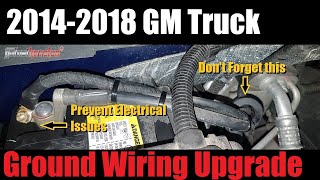
- Corroded or Loose Ground Straps: While the pinched harness is the primary culprit for U1548, other widespread electrical issues on these trucks 🎬 Watch: How to upgrade your grounds to prevent future electrical failures. can be caused by poor grounds. Specifically, the braided ground strap from the frame to the engine block on the passenger side 🎬 See how to repair corroded ground straps causing flickering power. can corrode and fail, causing a variety of seemingly unrelated codes and symptoms. Another known issue is the G218 ground under the driver's side dash, where sound-deadening material can get trapped under the ground nut, causing a poor connection.
- Faulty Master Control Module (e.g., BCM): In very rare cases, the master module (like the Body Control Module) that controls the LIN bus could be at fault, but this should only be considered after all wiring and device issues have been ruled out.
Diagnosis Steps

- Connect a professional scan tool and read codes from ALL modules, not just the engine computer.
- Note all U-codes, B-codes, and C-codes present, as they provide clues to which systems are affected.
- Following GM TSB PIT5288H, remove the cover on the left end of the instrument panel (driver's side).
- From under the dash, look up toward the metal dash support bracket. Visually inspect the large wiring harness for signs of being pinched between the bracket and the truck's body. The damage may be on the top or bottom of the bracket.
- Wiggle the harness to see if it moves freely. If it is tight or stuck, it is almost certainly pinched.
- If pinching is confirmed, loosen the two 10mm dash bracket bolts and carefully pull the harness free.
- Carefully cut open the harness loom and electrical tape. Inspect individual wires (especially the small gauge LIN bus wires) for chafing, breaks, or crushed insulation.
- Repair any damaged wires using butt connectors with heat shrink or by soldering and applying heat shrink tubing.
- Re-tape the repaired section of the harness with high-quality harness tape (e.g., Tesa tape).
- Reroute the harness, ensuring it is clear of the bracket. Secure it away from the pinch point with zip ties.
- Re-tighten the bracket bolts and reassemble the dash.
- Clear all DTCs and perform a full vehicle scan to confirm the issue is resolved.
Parts You'll Likely Need

- Wiring Repair Supplies — The most common fix does not involve replacing a component, but rather repairing existing wires. This includes Tesa tape, heat shrink butt connectors, and potentially extra wire.
Trusted brands: 3M, Tesa, Haisstronica
OEM price range: $10-$30
Aftermarket price range: $5-$20 - Instrument Panel Wiring Harness — In severe cases where the harness is damaged beyond simple repair, the entire instrument panel harness may need to be replaced. This is rare and the part number is highly specific to the vehicle's VIN and option list. Sourcing a replacement may require going to a dealer or a specialized junkyard.
Trusted brands: ACDelco (GM Genuine)
OEM price range: $500-$800
Related Codes That Often Appear With This One
- U1549, U154A — These are also LIN bus communication codes, often set alongside U1548 when multiple devices on the same network are affected by the pinched harness.
- U0151 — Lost Communication With Restraints Control Module. This module can be on a network affected by the pinched harness.
- U0126 — Lost Communication With Steering Angle Sensor Module. This can trigger Stabilitrak warnings and is another potential victim of the pinched harness.
- B3101 — Keyless Entry System code. The RKE system relies on network communication that can be disrupted by the harness issue.
- U0028, U0029 — Vehicle Communication Bus A/B Performance. These codes are also listed in TSB PIT5288H as being related to the pinched harness issue.
Technical Service Bulletins (TSBs) & Recalls
- PIT5288H: The most recent version, covering models up to 2020. It lists a wide array of electrical concerns and DTCs (including U1548) caused by the pinched left I/P harness and details the repair procedure.
- PIT5288G: Previous revision that also explicitly lists the affected models (including Silverado, Sierra, Tahoe, Suburban, Escalade) and the full range of symptoms and codes.
- PIT5288D: An earlier version confirming the same issue, symptoms, and repair on 2014-2016 models.
- PIT5698D: Provides general diagnostic information for all GM LIN Bus systems, explaining their operation which is critical for understanding the nature of a U1548 fault.
Platform-Specific Known Issues
- A well-documented issue, covered by multiple revisions of GM Technical Service Bulletin PIT5288 (up to at least PIT5288H), identifies the cause as the instrument panel harness being pinched by a dash mounting bracket.
Mechanic-Grade Diagnostic Values
- LIN Bus Voltage (at rest, no communication) — expected: ~12V (or approx. 1V less than battery system voltage). Failure: Voltage significantly lower than 12V, or 0V, can indicate a short to ground. Voltage stuck high with no toggling can indicate a short to power.
- LIN Bus Voltage (communicating, using a multimeter with Peak Min/Max) — expected: Max voltage of ~12V, Min voltage of ~1V.. Failure: Readings outside this range, or a flat line, indicate a communication failure. A standard multimeter might show an average of 7-9V, which is why a fast-sampling meter on min/max is recommended.
- Isolating a LIN device's reference voltage — expected: With the master module and other devices on the same LIN bus disconnected, a healthy 'smart' device should output a steady ~12V on its LIN circuit terminal.. Failure: No voltage from an isolated device points to a fault in that device (or its power/ground), not necessarily the wiring between devices.
Scan Tool Commands That Help
- GDS2 (GM Global Diagnostic System 2): Data Bus Diagnostic Tool — This function within GDS2 can help identify which modules on a given data bus are not communicating. While it doesn't communicate directly on the LIN bus, it queries the master module (like the BCM) to see which LIN devices are not responding.
- GDS2 (GM Global Diagnostic System 2): Output Controls / Bidirectional Tests — For a LIN bus device like the Active Grille Shutter, a technician can use GDS2 to command it to open or close. If the shutter responds to the command, it confirms the wiring and module are likely okay, pointing to an intermittent issue or a problem with the master module. If it does not respond, it helps confirm the fault is in the device itself or its wiring.
Wiring & Ground Locations
- G218 — Under the driver's side dashboard, near the A-pillar, behind the kick panel and speaker area.. This is a major ground point for many interior electronic modules. It's known to cause widespread, intermittent electrical issues if the connection is poor. A common problem is sound-deadening foam getting trapped under the ground nut during assembly, preventing a solid connection. While not the primary cause of U1548 (which is the pinched harness), cleaning and securing G218 is a critical step when troubleshooting any strange electrical behavior on this platform.
- LIN Bus Wire — Within the main instrument panel harness, specifically in the section routed near the left-side dash bracket.. This single wire is the data carrier. Technicians note that on some related LIN bus circuits, like for the Active Grille Shutter, the wire is often Green. Identifying this wire is key to testing for continuity, shorts to ground, or shorts to power after freeing the harness from the pinch point.
- Passenger-Side Engine Block to Frame Ground — A braided ground strap located on the passenger side of the vehicle, connecting the engine block to the frame.. This is another common failure point due to corrosion. A bad engine ground can cause unstable system voltage and a host of bizarre electrical problems and codes that can mimic a network failure. Technicians recommend inspecting and cleaning this ground as part of a comprehensive electrical diagnosis.
Real Owner Repair Stories
- YouTube user comment on Garcia Garage video (2014-2018 Silverado/Sierra (general)) — Flickering dash lights, truck suddenly shutting down at low speed, slipping transmission feeling, voltage reading under 14V (9-11V), nav system and radio shutting down.
❌ Tried (didn't work) Not specified, but symptoms imply chasing individual component failures.
✅ What actually fixed it The user confirmed that cleaning a corroded ground connection on the passenger side of the engine block resolved all the widespread electrical issues. They emphasize taking off the screw and cleaning the contact surfaces where the terminal meets the block. - YouTube video by Dustin T (2014 Silverado High Country) — Headlights and dash flickering when using turn signal or brake, park assist disabled message, power steering disabled message, truck shutting off completely when turning at low speeds.
❌ Tried (didn't work) Had battery and alternator tested, both were fine.
✅ What actually fixed it The problem was the G218 ground on the driver's side under the dash. Sound deadening material was trapped under the ground nut, causing a poor, intermittent connection. The fix was to remove the trim, pull the material away from the ground stud, and tighten the nut to ensure a solid ground. This corrected all the electrical issues.
Model Year Variations Within This Range
- 2017-2019: The fuse for the Active Grille Shutters may be in a different location in the underhood fuse block for 2017-2019 models compared to 2014-2016 models. For 17-19, it is often a 5-amp fuse in a two-fuse block location, whereas on earlier models it may be fuse F54.
Helpful Videos
We Have This Part in Stock

The information in this article is provided for general reference and educational purposes only. Vehicle specifications, procedures, and part compatibility can vary by production date, trim level, and region. Always consult your vehicle's factory service manual and verify part numbers before purchasing or performing repairs. Safety-critical components such as airbags, seat belts, and braking systems should be installed by a qualified professional.
- Chevrolet SILVERADO 1500:
- 🎬 Helpful Videos
- 🛍️ Shop This Part
- What's Unique About the 2014-2018 Chevrolet SILVERADO 1500
- Diagnostic Flowchart
- Symptoms You May Notice
- Most Likely Causes
- Rare But Worth Checking
- Diagnosis Steps
- Parts You'll Likely Need
- Related Codes That Often Appear With This One
- Technical Service Bulletins (TSBs) & Recalls
- Platform-Specific Known Issues
- Mechanic-Grade Diagnostic Values
- Scan Tool Commands That Help
- Wiring & Ground Locations
- Real Owner Repair Stories
- Model Year Variations Within This Range
- 🎟️ Get 5% Off