

U1518 on 2016-2023 Chevrolet Camaro: HUD Communication Loss Causes & Fixes
This code indicates a communication failure with the Head-Up Display (HUD). The most common fix is to simply reset the HUD module by removing its fuse (F16, a 5A fuse in the trunk) for a minute, which often resolves the issue without needing any parts. If the problem recurs, a dealer software update for the Instrument Panel Cluster (IPC) is the permanent fix.
- U1518 on your Camaro almost always points to a software glitch with the Head-Up Display (HUD).
- Before paying for any diagnosis, try the easiest fix first: pull the 5A HUD fuse (F16 in the trunk) for one minute and reinstall it.
- This code indicates an accessory failure and does not make the car unsafe to drive.
- If the fuse reset doesn't provide a permanent fix, the next step is a software update for the Instrument Panel Cluster (IPC) at the dealer, as per TSB 21-NA-127.
- Replacing the HUD unit is the expensive last resort and should only be done after the software update has been attempted.
What's Unique About the 2016-2023 Chevrolet CAMARO

This is a well-documented issue on the 6th generation Camaro, frequently caused by a software glitch within the HUD module itself. General Motors has issued multiple Technical Service Bulletins (TSBs) acknowledging that the module can get stuck during its power-down sequence due to data timing issues on the LIN bus. Unlike many communication codes that point to wiring failures, for this specific Camaro, the problem is often temporary. The official fix evolved from simply resetting the module (pulling the fuse) to reprogramming the Instrument Panel Cluster (IPC) with updated software to prevent recurrence.
Diagnostic Flowchart
Tap your situation to follow the diagnostic path that matches what you're seeing on this vehicle.
Symptoms You May Notice
- Head-Up Display (HUD) is blank or completely off
- HUD is frozen and does not update
- HUD brightness, position, or page controls are unresponsive.
- Check Engine Light may be illuminated.
- Scan tool shows 'No Communication' with the HUD module.
- Replacing the Head-Up Display unit before performing the IPC software update. Many owners have likely paid for expensive hardware replacement when the TSB 21-NA-127 software fix would have solved the problem.
- Replacing the Instrument Panel Cluster (IPC) before confirming it has the latest software updates. TSB #21-NA-127 suggests reprogramming the IPC as a corrective action, not replacing it.
Most Likely Causes

- HUD Module Software Glitch 🔴 High Probability TSB #21-NA-127 explicitly states the cause can be the timing of data messages on the LIN bus, causing the HUD to get stuck in standby mode until it is reset. This is a known software anomaly, not a hardware failure.
How to confirm: The issue is intermittent or is resolved temporarily by turning the car off and on again, or by performing a power reset via the fuse. The problem often appears randomly at startup.
Typical fix: Temporary fix: Power cycle the HUD module by removing fuse F16 (5A) in the trunk fuse block for at least 60 seconds. Permanent fix: Have a GM dealer reprogram the Instrument Panel Cluster (IPC) with the latest software as per TSB #21-NA-127.
Est. part cost: $0 - $200 (for dealer reprogram) - Blown HUD Fuse 🟡 Medium Probability While less common than a software glitch, a simple blown fuse will cause a total loss of power and communication. This can happen due to a momentary short or age.
How to confirm: Locate fuse F16 (5A Mini Blade Fuse) in the rear compartment fuse block and visually inspect it or test for continuity with a multimeter.
Typical fix: Replace the blown fuse with a new one of the identical amperage (5A).
Est. part cost: $1-$5 - Failed Head-Up Display (HUD) Module ⚪ Low Probability Before the software fix was widely known, hardware failure was the assumed cause. TSB #18-NA-224 suggested replacement if the issue persisted after a power cycle. An internal hardware failure of the HUD unit can still occur, but it is much less likely than the software glitch.
How to confirm: The HUD remains inoperative after a successful fuse pull reset AND after a dealer has performed the IPC reprogram per TSB 21-NA-127. The module will not communicate with a diagnostic scan tool even after these steps.
Typical fix: The entire Head-Up Display unit must be replaced. This is a labor-intensive job that requires disassembly of the dashboard.
Est. part cost: $400-$900
Rare But Worth Checking
- Wiring or Connector Issue: A loose connection at the back of the HUD module or at the Instrument Panel Cluster could cause intermittent communication loss. This is less likely than a software glitch but should be checked if all other steps fail, especially if other dash work was recently performed.
Diagnosis Steps
- Verify the symptom: Confirm the HUD is 🎬 Watch: How to properly adjust and test your HUD controls. blank, frozen, or unresponsive to controls.
- Locate the rear compartment fuse block, which is on the right side of the trunk, under the carpeted cover.
- Identify the fuse for the Head-Up Display. On 6th-gen Camaros, this is consistently identified as fuse F16, a 5A mini blade fuse. Always confirm with your owner's manual.
- With the ignition off, remove the F16 fuse. Wait for at least 60 seconds to allow the module to fully discharge and reset.
- Reinstall the fuse and turn the ignition on to check if HUD operation is restored. This simple step fixes the majority of cases temporarily.
- If the HUD is still inoperative, check if the fuse is blown. If it is, replace it with a new 5A fuse.
- If the fuse is good and the reset did not work, or if the problem returns, the next step is to have a GM dealer perform the Instrument Panel Cluster (IPC) software update as specified in TSB #21-NA-127. This is the official permanent fix.
- If all software updates are complete and the HUD still fails, further diagnosis of the wiring or the HUD module itself is required. This may lead to the replacement of the HUD unit, which is the final and most expensive step.
Parts You'll Likely Need

- Head-Up Display Unit
(OEM #84529329, 84096796, 84016314, 84473291 (Varies by year/options, must verify with VIN))— This is the part to replace if the module has an internal hardware failure that cannot be resolved by a software update or power cycle. Part numbers vary significantly.
Trusted brands: ACDelco (OEM)
OEM price range: $600-$900
Aftermarket price range: $400-$700 - Mini ATM Blade Fuse (5 Amp) — A blown fuse will cut power to the HUD module, causing it to stop communicating. This is an easy and inexpensive part to check and replace for the F16 slot.
Trusted brands: Bussmann, Littlefuse
OEM price range: $1-$5
Aftermarket price range: $1-$5
Technical Service Bulletins (TSBs) & Recalls

- 21-NA-127: Head Up Display (HUD) Blank, Non-Responsive to Brightness, Aim or Page Controls – DTC U1518 Set.
- PIC6310A: Heads Up Display (HUD) Inoperative, No HUD Communication with GDS2, and/or DTC U1518.
- 18-NA-224: Head-Up Display (HUD) Inoperative, Malfunction Indicator Lamp (MIL) Illuminated - DTC U1518 Set.
Platform-Specific Known Issues
- Real-World Repair Story: Fuse Pull and Dealer Reprogram: A user on Camaro6 forums reported their HUD went blank. After confirming the F16 fuse was good, they were quoted $1800 by a dealer for a full replacement. Other users in the same thread confirmed the fuse pull trick worked for them. In another case, a user reported the dealer successfully performed the IPC reprogram outlined in TSB 21-NA-127, which permanently fixed the issue and avoided the costly hardware replacement.
- TSB #21-NA-127: The Definitive Software Fix: This is the most current bulletin. It identifies the cause as a software timing issue on the LIN bus that causes the HUD to get stuck in standby mode. The official fix is to first reprogram the Instrument Panel Cluster (IPC) and then, if needed, cycle power by removing the fuse for 30 seconds to 10 minutes. This supersedes previous advice that suggested replacing the unit.
- TSB #18-NA-224 & PIC6310A: Early Diagnostics: These earlier bulletins also describe the HUD being inoperative and setting code U1518. PIC6310A first documented the fuse-pull reset as a valid fix. TSB 18-NA-224, which superseded it, suggested replacing the HUD for a persistent concern before the root software cause was fully understood and addressed by TSB 21-NA-127.
Mechanic-Grade Diagnostic Values
- LIN Bus Voltage Toggling Range — expected: The voltage on the LIN bus data wire should toggle between a minimum of approximately 1V and a maximum of approximately 1V less than battery system voltage (~11-12V).. Failure: A steady voltage (e.g., stuck at 0V, 12V, or an intermediate voltage) indicates a communication failure, short to ground, or short to power. A voltage that is not toggling can indicate a fault in the master or slave module.
- LIN Bus Resting Voltage — expected: When the bus is at rest (not actively communicating), it should read a steady voltage of approximately 11-12V.. Failure: A voltage significantly lower than 11-12V at rest can indicate a short or a module pulling the bus down.
Hidden / Shadow Codes Worth Checking
- U1518 in Instrument Cluster (P16): This is not a hidden code, but a critical diagnostic detail. The U1518 code is set by the Instrument Panel Cluster (P16), which is the master module, when it loses communication with the Head-Up Display module (K78), the slave module on that specific LIN bus. (see via A professional scan tool like the GM GDS2 will show the code stored within the Instrument Cluster module's fault memory.)
Scan Tool Commands That Help
- GM GDS2 (Global Diagnostic System 2): Module Diagnostics > K78 Head-Up Display Module — This is the first step to verify if communication can be established with the HUD module. TSBs note that a symptom is 'No HUD Communication with GDS2,' confirming this is a primary diagnostic check.
- GM GDS2 with SPS (Service Programming System): Instrument Panel Cluster (IPC) Reprogramming — This is the permanent fix for recurring U1518 codes, as specified by TSB 21-NA-127. It updates the software in the master module to correct the data timing issue on the LIN bus.
- Professional Scan Tools (e.g., Snap-on, Autel): LIN New Module Initialization — This is a general function used after replacing a LIN bus device. It forces the master module to discover and configure any new slave modules on the network. This would be used after replacing the HUD unit itself to ensure it's properly integrated into the network.
Wiring & Ground Locations
- P29 — The main electrical connector on the Head-Up Display module itself, located under the top of the dashboard.. This is the primary connection point for the HUD's power, ground, and LIN data line. A loose pin or corrosion here would directly cause a U1518 code.
- P16 — The main electrical connector on the Instrument Panel Cluster (IPC).. The IPC is the master module that controls and communicates with the HUD. A fault at this connector could interrupt the LIN bus signal at its source.
- G103 — On the cowl at the left rear of the engine compartment, typically located above the brake booster.. This is a major ground point that serves the Body Control Module (BCM) and the Instrument Panel Cluster (IPC). A poor ground here can cause a wide range of difficult-to-diagnose communication issues, including LIN bus faults like U1518.
- JX200 — A splice pack connector located behind the glove box.. The LIN data line for the HUD may pass through this splice pack. A fault or corrosion within this connector could interrupt the data signal between the IPC and the HUD.
Model Year Variations Within This Range
- 2019-2023: The 2019 model year introduced a significant cosmetic facelift (front/rear fascia, lights) and technology updates, including the Chevrolet Infotainment 3 system. However, the underlying LIN bus architecture for the HUD and the software glitch causing code U1518 remained. TSBs addressing the issue were updated to include these later model years, and the corrective actions (fuse pull, IPC reprogram) are consistent across the entire 2016-2023 generation.
Helpful Videos
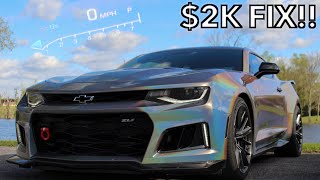

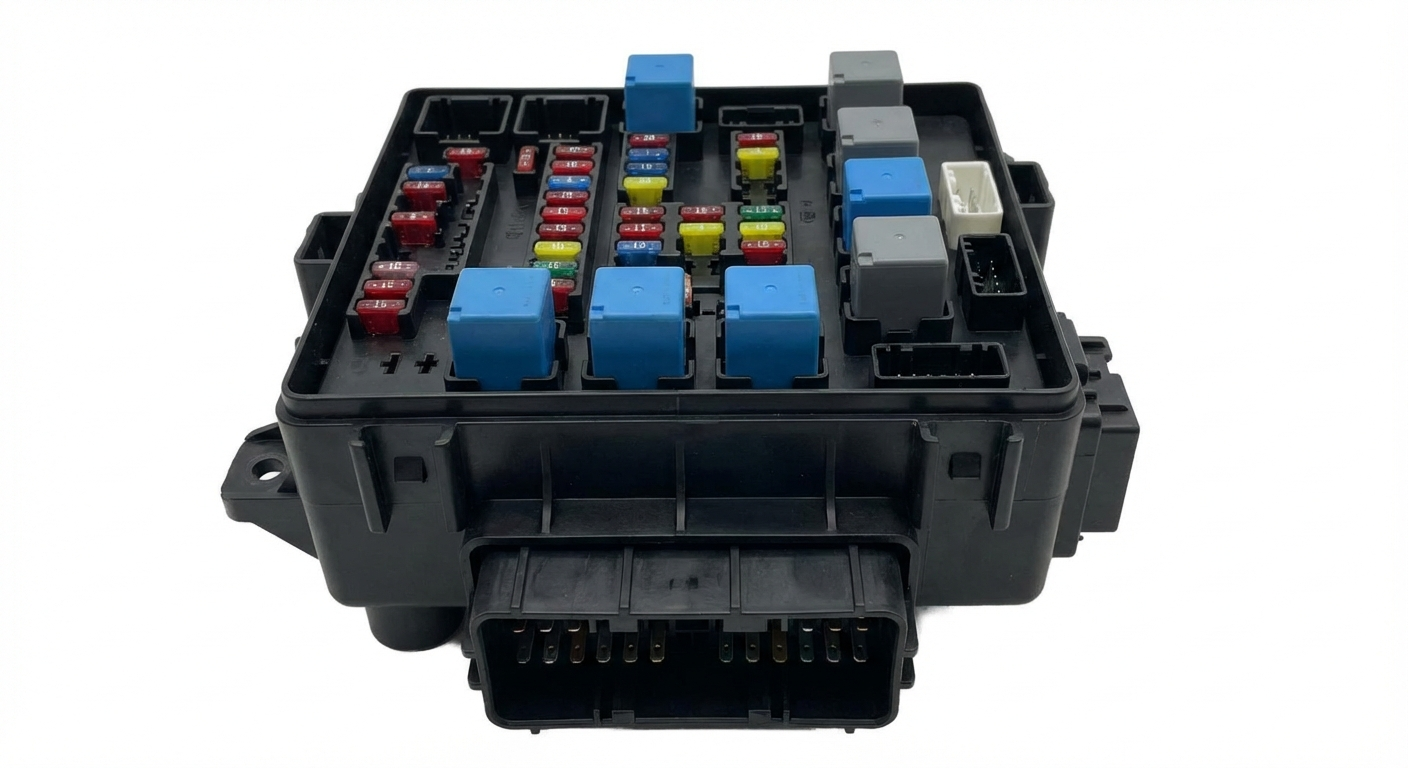
We Have This Part in Stock





The information in this article is provided for general reference and educational purposes only. Vehicle specifications, procedures, and part compatibility can vary by production date, trim level, and region. Always consult your vehicle's factory service manual and verify part numbers before purchasing or performing repairs. Safety-critical components such as airbags, seat belts, and braking systems should be installed by a qualified professional.
- Chevrolet CAMARO:
- 🎬 Helpful Videos
- 🛍️ Shop This Part
- What's Unique About the 2016-2023 Chevrolet CAMARO
- Diagnostic Flowchart
- Symptoms You May Notice
- Most Likely Causes
- Rare But Worth Checking
- Diagnosis Steps
- Parts You'll Likely Need
- Technical Service Bulletins (TSBs) & Recalls
- Platform-Specific Known Issues
- Mechanic-Grade Diagnostic Values
- Hidden / Shadow Codes Worth Checking
- Scan Tool Commands That Help
- Wiring & Ground Locations
- Model Year Variations Within This Range
- 🎟️ Get 5% Off