

U1518 on 2017-2023 Cadillac XT5: Head-Up Display Fixes and Causes
U1518 means your Cadillac XT5's Head-Up Display (HUD) has lost communication and gone blank. The most common fix is a simple reset: turn the ignition off and pull the HUD fuse for about a minute. This often restores function at no cost. If the problem persists, a software update or HUD unit replacement may be necessary.
- U1518 is a common, non-critical code for a blank Head-Up Display on the Cadillac XT5.
- Before paying for any diagnosis, try pulling the HUD fuse (often F18 in the passenger-side console fuse box) for at least one minute, and up to 10 minutes if needed, as this is the official first-step fix from GM.
- If the fuse pull doesn't work, the next step is having a dealer reprogram the Instrument Panel Cluster (IPC), not immediate replacement of the HUD.
- The issue is shared across many GM vehicles built on the C1XX platform, such as the GMC Acadia and Chevrolet Blazer.
What's Unique About the 2017-2023 Cadillac XT5
On the Cadillac XT5 and other similar GM platforms using the C1XX chassis, this code is almost exclusively tied to a software glitch within the Head-Up Display module. The issue is so common that GM has issued multiple Technical Service Bulletins (TSBs). These bulletins acknowledge that the HUD can get stuck in a standby mode due to the timing of data messages on the network, and that a simple power cycle (by pulling the fuse) is often the complete and recommended fix. An early engineering investigation, PIE0582, was launched to root-cause the issue before the TSBs were finalized.
Diagnostic Flowchart
Tap your situation to follow the diagnostic path that matches what you're seeing on this vehicle.
Symptoms You May Notice
- Head-Up Display (HUD) is blank or inoperative.
- HUD is frozen and does not update.
- HUD settings for brightness, aim, or page selection are unresponsive. 🎬 See how the HUD system is designed to function normally
- Check Engine Light may be illuminated in some cases.
- Symptom may be intermittent and disappear after an ignition cycle.
- Replacing the Instrument Panel Cluster when only a software update is needed.
- Searching for a wiring fault before performing the simple and free fuse-pull reset.
- Replacing the HUD unit before attempting an IPC software update as recommended by TSB 21-NA-127.
Most Likely Causes
- Temporary Software Glitch in HUD Module 🔴 High Probability GM TSBs #PIC6310 and #21-NA-127 explicitly state the cause can be a software timing issue that causes the HUD to get stuck in standby mode until it is reset. This is the most widely acknowledged cause by the manufacturer.
How to confirm: The issue is intermittent and may resolve itself after an ignition cycle. Performing a power cycle by pulling the HUD fuse and having the display return to normal function confirms this cause.
Typical fix: Turn the ignition off, locate the HUD fuse in the instrument panel fuse block, remove it for 30-60 seconds, and then reinstall it. TSB 21-NA-127 suggests a 30-second pull first, and if that fails, a 10-minute pull.
Est. part cost: $0 - Outdated Instrument Panel Cluster (IPC) Software 🟡 Medium Probability TSB #21-NA-127 suggests that before resorting to part replacement, reprogramming the Instrument Panel Cluster can be a corrective action for this communication issue. This indicates that GM has released software updates to address the communication timing problem.
How to confirm: A GM dealership or a qualified shop with access to GM's Service Programming System (SPS) can check the current software version against the latest available updates.
Typical fix: Reprogram the Instrument Panel Cluster (IPC) with the latest software available from GM. This requires specialized tools and a subscription to GM's services.
Est. part cost: $0 (if under warranty), $100-$250 (dealer labor for programming) - Failed Head-Up Display Unit ⚪ Low Probability While less common than a software glitch, TSB #18-NA-224 (which supersedes PIC6310A) notes that an internal HUD software concern may require the entire unit to be replaced if a power cycle does not resolve the issue. This is considered the last resort after software-based fixes have been exhausted.
How to confirm: If pulling the fuse does not restore function, or if the problem becomes permanent, the HUD unit itself is the likely failure point. A diagnostic scan tool would show a persistent loss of communication with the module that does not clear.
Typical fix: Replace the Head-Up Display projector unit.
Est. part cost: $300-$800
Rare But Worth Checking
- Poor BUS System Cable Connection: While not specific to U1518, general electrical issues on the XT5, including system failures and random error codes, have been traced back to faulty cable connections to control modules on the BUS system. One owner on Reddit described a litany of electrical problems that a mechanic suspected were due to a bad wiring harness messing with CAN-BUS units. If you have other strange electrical symptoms, this is worth investigating.
Diagnosis Steps
- Verify the symptom: The Head-Up Display is blank, frozen, or unresponsive.
- Scan the vehicle for codes to confirm U1518 is stored in the Instrument Panel Cluster.
- Turn the ignition completely off.
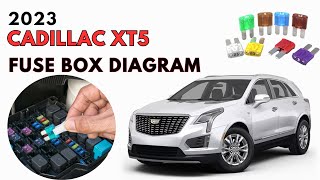
- Locate the instrument panel fuse block. On the XT5, this is located inside the center console, accessible from the passenger side footwell. 🎬 Watch: Locate your fuse box and identify the HUD fuse
- Identify the fuse for the Head-Up Display. According to diagrams and TSBs, this is often fuse F18, which may also power the Instrument Cluster. Always confirm with your owner's manual or the fuse block diagram as it can vary.
- Remove the HUD fuse and wait for at least 60 seconds. TSB 21-NA-127 outlines a two-stage process: first try 30 seconds. If that doesn't work, try again for 10 minutes. This allows the module to fully power down and reset.
- Reinstall the fuse securely.
- Turn the ignition on and check if the HUD is now operational.
- If the HUD works, the repair is complete. If it does not, or if the problem returns frequently, consult a dealer about reprogramming the Instrument Panel Cluster per TSB #21-NA-127.
- If reprogramming fails or is not applicable, and the fuse is confirmed to be good, further diagnosis of the HUD unit and its wiring is necessary. If all else fails, replacement of the HUD unit is the final step as per TSB 18-NA-224.
Parts You'll Likely Need
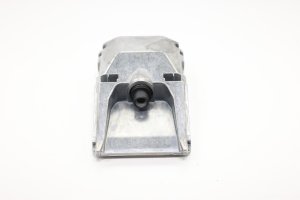
- Head-Up Display Projector
(OEM #84561256)— This is the complete HUD unit. It is replaced only if the software glitch is permanent and cannot be resolved by a power cycle or IPC reprogramming. TSB 18-NA-224 points to an internal, non-serviceable software fault in the unit itself as the cause for replacement.
Trusted brands: ACDelco (OEM)
OEM price range: $600-$900
Aftermarket price range: $300-$500 (Used/Refurbished)
Technical Service Bulletins (TSBs) & Recalls
- 21-NA-127: Head Up Display (HUD) Blank, Non-Responsive to Brightness, Aim, or Page Controls, DTC U1518 Set.
- PIC6310: Heads Up Display (HUD) Inoperative, No HUD Communication with GDS2, and/or DTC U1518. (Superseded by 18-NA-224)
- 18-NA-224: Head-Up Display (HUD) Inoperative, Malfunction Indicator Lamp (MIL) Illuminated - DTC U1518 Set.
- PIE0582: Engineering Information - Head Up Display (HUD) Blank, DTC U1518 Set. (Superseded by 21-NA-127)
Platform-Specific Known Issues
- TSB #21-NA-127: Provides repair information for a blank or unresponsive HUD setting code U1518. The primary fix is to reprogram the Instrument Cluster and/or cycle power by removing and reinstalling the HUD fuse. This TSB was updated multiple times, expanding to include more models and refining the fuse-pull duration to a 10-minute attempt if a 30-second pull fails.
- TSB #PIC6310: Describes the condition of a frozen or inoperative HUD where technicians may find no communication and DTC U1518. It advises cycling power via the HUD fuse to restore function and states a reoccurrence is unlikely. This bulletin was later superseded.
- TSB #18-NA-224: Supersedes an earlier bulletin (PIC6310A) and indicates that if the concern persists after a power cycle, the cause is an internal HUD software issue requiring the replacement of the HUD unit itself.
- Owner Experience on Reddit: A user with a 2020 GMC Acadia (a platform mate) experienced the exact same issue of a suddenly blank HUD. They checked the fuse and replaced it with no luck, indicating a scenario where a simple reset may not work and dealer intervention (IPC reprogram or HUD replacement) would be the next step.
Mechanic-Grade Diagnostic Values
- LIN Bus Voltage - Active Communication — expected: Toggling between approx. 1.0V (dominant) and system voltage, typically 11-12V (recessive).. Failure: A steady voltage (0V, 12V) indicates no communication. 0V suggests a short to ground; a steady 12V suggests an open circuit or a module that is not transmitting.
- LIN Bus Voltage - At Rest (Inactive) — expected: A steady voltage of approximately 12V.. Failure: Voltage significantly lower than 11-12V indicates a potential short or module fault.
- Slave Module Voltage Output (HUD isolated) — expected: With the master module (IPC) disconnected, the slave module (HUD) should still place a steady ~12V on the LIN bus line.. Failure: Absence of voltage from the isolated slave module points to a fault within that module or its power/ground supply.
Hidden / Shadow Codes Worth Checking
- Symptom Byte (e.g., U1518 00): GM uses a two-character hexadecimal 'symptom byte' after the primary DTC to provide more specific details about the fault. For example, '00' often means 'No Additional Information,' while other values can indicate short-to-ground, short-to-voltage, or open circuit. For U1518, this would specify the exact nature of the communication loss. (see via A professional scan tool like the GM GDS2 is required to view symptom bytes.)
Scan Tool Commands That Help
- GM GDS2 (or equivalent professional scanner): Instrument Panel Cluster (IPC) - Reprogram — This is a specific corrective step outlined in TSB 21-NA-127 to fix the software timing issue that causes U1518. This should be attempted after the fuse-pull reset fails to permanently resolve the issue and before considering HUD replacement.
Wiring & Ground Locations
- K18 — Head-Up Display Control Module. This is the projector unit itself, located in the dashboard.. This is the 'slave' module on the LIN bus that is losing communication. TSB 18-NA-224 identifies it as K78 on some platforms.
- P16 — Instrument Panel Cluster. Located behind the steering wheel.. This is the 'master' control module for the HUD's LIN bus. It is the module that detects the loss of communication and stores the U1518 code.
- LIN Bus (Single Wire) — A single wire connecting a specific pin on the Instrument Panel Cluster (P16) to a pin on the Head-Up Display module (K18).. This is the physical data circuit where the communication failure occurs. A short or open on this single wire will cause code U1518. Diagnostic voltage tests are performed on this wire.
OEM Part Supersession History
Varies by year/options→Varies by year/options— GM TSB 18-NA-224 advises using the vehicle's VIN to look up the correct part number in the Electronic Parts Catalog (EPC) at the time of repair.
Heads up: Due to software and potential hardware differences across model years and trim levels, using a part number not specifically called for by the VIN in the EPC can result in a non-functional replacement.
Model Year Variations Within This Range
- 2017-2018: TSB 18-NA-224, which applies to these years, points more directly to replacing the HUD unit if a power cycle doesn't work, suggesting a known internal hardware or un-flashable software issue in earlier units.
- 2019-2022: TSB 21-NA-127, covering the post-refresh models, emphasizes reprogramming the Instrument Panel Cluster (IPC) as a primary fix after the fuse pull. This suggests the flaw in later models is more often correctable via a software update to the master module (IPC) rather than requiring HUD replacement.
- 2020+: The 2020 model year refresh introduced an updated Cadillac User Experience (CUE) system and other technology enhancements. While not directly linked to the HUD failure, major software architecture changes can affect the timing and behavior of network communications, which is the stated root cause of the U1518 glitch.
Helpful Videos

We Have This Part in Stock



The information in this article is provided for general reference and educational purposes only. Vehicle specifications, procedures, and part compatibility can vary by production date, trim level, and region. Always consult your vehicle's factory service manual and verify part numbers before purchasing or performing repairs. Safety-critical components such as airbags, seat belts, and braking systems should be installed by a qualified professional.
- Cadillac XT5:
- 🎬 Helpful Videos
- 🛍️ Shop This Part
- What's Unique About the 2017-2023 Cadillac XT5
- Diagnostic Flowchart
- Symptoms You May Notice
- Most Likely Causes
- Rare But Worth Checking
- Diagnosis Steps
- Parts You'll Likely Need
- Technical Service Bulletins (TSBs) & Recalls
- Platform-Specific Known Issues
- Mechanic-Grade Diagnostic Values
- Hidden / Shadow Codes Worth Checking
- Scan Tool Commands That Help
- Wiring & Ground Locations
- OEM Part Supersession History
- Model Year Variations Within This Range
- 🎟️ Get 5% Off