

U1500 on 2001-2004 GMC Jimmy: OnStar Module Failure Causes and Fixes
On a 2001-2004 GMC Jimmy, code U1500 indicates an internal failure of the OnStar module, also known as the Vehicle Communication Interface Module (VCIM). The most common fix is to replace the module, but since the 2G cellular network it uses is obsolete, many owners simply unplug it to prevent potential battery drain and clear the code.
- U1500 on a 2001-2004 GMC Jimmy means the OnStar module (VCIM) has failed internally.
- Symptoms include a red OnStar light, a 'Phone Unavailable' message, and a potential parasitic battery drain.
- The vehicle is safe to drive; this code does not affect core vehicle functions.
- Since the OnStar service for this vehicle is obsolete, the most practical, cheapest, and most common solution is to simply unplug the module located behind the glove box.
- Do not waste money looking for a wiring problem; GM TSBs confirm this code points to an internal module failure.
What's Unique About the 2001-2004 Gmc JIMMY
For this generation of GM trucks and SUVs, including the GMC Jimmy and its siblings, the Chevrolet Blazer and Oldsmobile Bravada, the U1500 code is exceptionally specific. Unlike in some other vehicles where a U-code might trigger a lengthy search for a wiring fault, on this platform, GM TSBs explicitly state that a current U1500 code points directly to a failed VCIM. The OnStar system in these vehicles relied on analog or 2G cellular networks, which have been completely shut down, making the module and its services entirely obsolete. Therefore, the decision to repair is not about restoring service but about clearing a code and preventing potential side effects like battery drain.
Diagnostic Flowchart
Tap your situation to follow the diagnostic path that matches what you're seeing on this vehicle.
Symptoms You May Notice
- OnStar status indicator light is solid red.
- "Phone Unavailable" audio message plays when trying to use the system.
- Inability to connect to the OnStar call center.
- Complete loss of OnStar functionality.
- Potential for a parasitic battery drain that can lead to a dead battery after the vehicle sits for a few days. Owners on forums frequently report resolving mysterious battery drains by unplugging the faulty OnStar module. 🎬 See how this owner tracked a dead battery to the module.
- Replacing other control modules like the BCM (Body Control Module).
- Searching for an external wiring short or open circuit between modules.
- Blaming the radio/head unit for the communication fault.
Most Likely Causes
- Internal Failure of the OnStar Module (VCIM) 🔴 High Probability This is a documented common failure point acknowledged by GM in multiple technical service bulletins (PIC3278F/G, PIC3718E). The module's internal microprocessor detects a communication fault within its own circuits, a common issue with aging electronics from this era.
How to confirm: If a scan tool shows U1500 as a current DTC (not just history) and the OnStar light is red, the module has failed. TSB PIC3718E states that if the code is set, the module needs replacement. There is no other diagnostic procedure recommended by GM, which points to the certainty of the internal fault.
Typical fix: Replace the Vehicle Communication Interface Module (VCIM). However, since the service is obsolete, the most common and practical owner solution is to simply unplug the module to prevent any potential battery drain and clear the associated code.
Est. part cost: $25-$75 (Used/Salvage), $180-$450 (New/Remanufactured)
Rare But Worth Checking
- Poor Power or Ground Connection to the VCIM: While TSBs point to internal failure, a corroded or loose power/ground wire could theoretically cause the module to malfunction and set this code. This is worth checking before buying a new part, especially in regions with high humidity or road salt usage. On the Blazer/Jimmy platform, the INFO fuse #15 in the instrument panel fuse block powers the module. A visual inspection of the connectors when accessing the module is sufficient.
Diagnosis Steps
- Verify the symptoms. Check if the OnStar indicator light in the rearview mirror is solid red and if you hear a "Phone Unavailable" message when pressing the buttons.
- Scan the vehicle for codes. Use a capable OBD-II scanner to confirm that U1500 is present as a current or history code. Note if B1000 is also present, as it points to the same failure.
- Consult GM TSBs. Per bulletins PIC3278 and PIC3718, a current U1500 code indicates a failed VCIM, and replacement is the official repair.
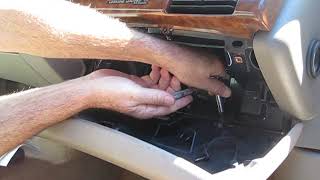
- Locate the VCIM. On a 2001-2004 GMC Jimmy or Chevrolet Blazer, the VCIM is a silver metal box located behind the glove compartment. To access it, open the glove box, release the retaining strap or tabs, and let it swing down completely. 🎬 Watch: A quick guide to removing the glove box for access. The module will be visible mounted inside the dash.
- Inspect the VCIM connectors. Check the two or three wiring harness connectors plugged into the module. Ensure they are secure and free of any signs of corrosion or damage.
- Check the power fuse. Verify that the 10A 'INFO' fuse #15 in the interior fuse block (located on the driver's side of the dashboard) is good.
- Decide on a fix. Given the obsolescence of the 2G OnStar service, the most practical solution is to unplug the module's electrical connectors to prevent battery drain. This will resolve the code and any related symptoms. Replacement is an option but offers no functional benefit as the service cannot be activated.
- Secure the loose connectors. If you choose to unplug the module, use zip ties or electrical tape to secure the loose wiring harnesses to prevent them from rattling inside the dash.
Parts You'll Likely Need
- Vehicle Communication Interface Module (VCIM)
(OEM #15756772 (for year 2000, may vary for 01-04))— This is the part that fails internally, causing the U1500 code as confirmed by GM TSBs. However, it is most often unplugged rather than replaced.
Trusted brands: ACDelco, GM Genuine Parts
OEM price range: $180-$275
Aftermarket price range: $25-$75 (Used)
Related Codes That Often Appear With This One
- B1000 — GM TSBs #PIC3278F and #PIC3278G explicitly state that an internal fault in the OnStar module can cause either a U1500 or B1000 code to be set. Seeing either code with OnStar symptoms points to the same root cause.
Technical Service Bulletins (TSBs) & Recalls
- PIC3718E: Mentions that a red OnStar LED and a U1500 code require replacement of the Vehicle Communication Interface Module.
- PIC3278F / PIC3278G: States an internal OnStar module fault can cause a 'Phone Unavailable' message and set code U1500 or B1000.
Platform-Specific Known Issues
- TSB #PIC3718E states that if the OnStar LED is red and DTC U1500 is set, the Vehicle Communication Interface Module should be replaced.
- TSB #PIC3278F and #PIC3278G note that an internal fault in the OnStar module can produce a 'Phone Unavailable' audio message and set code U1500 or B1000.
- Parasitic Battery Drain: A well-documented issue on forums for the Jimmy/Blazer/Bravada platform is a battery that dies after a few days of sitting. This is often caused by the faulty VCIM failing to enter its 'sleep' mode, and is resolved by unplugging the module.
Mechanic-Grade Diagnostic Values
- Parasitic Current Draw (Entire Vehicle) — expected: Under 50 mA (0.050 A) after all modules enter sleep mode (approx. 10-20 minutes).. Failure: A sustained draw of 200 mA to over 1A often points to a faulty VCIM that is not entering sleep mode. Pulling the 'INFO' fuse (#15) should cause a significant drop in current if the VCIM is the cause.
- Class 2 Serial Data Line Voltage — expected: The bus is active at a nominal 7.0 volts and inactive at ground potential. An oscilloscope will show data packets switching between these levels.. Failure: A line stuck at 0V or a constant high voltage, or a noisy signal, indicates a bus problem. However, for U1500, the issue is internal to the module, not typically a bus-wide problem.
- VCIM Power and Ground — expected: Battery voltage (approx. 12.6V) at the power pin (Orange wire) with key on. Less than 1 ohm of resistance between the ground pin (Black/White wire) and a known good chassis ground.. Failure: Low or no voltage, or high ground resistance, indicates a wiring issue that should be fixed before condemning the module.
Scan Tool Commands That Help
- GM Tech 2: Module ID / Class 2 Message Monitor — To confirm that the VCIM (OnStar module) is the specific module that is not communicating on the Class 2 data bus. When a U1500 is set by another module, a technician can use this function to see which module has stopped sending its regular 'State of Health' message, confirming the VCIM is the source of the network disruption.
Wiring & Ground Locations
- VCIM Connector C1 (16-pin) — Main connector on the Vehicle Communication Interface Module, behind the glove box.. This connector carries the essential power, ground, and data lines. Pin 2 (Dark Green) is the Class 2 Serial Data line. Pin 8 (Black/White) is the ground. Pin 16 (Orange) is the battery positive voltage from the 'INFO' fuse.
- G201 — On the right side of the dash, typically behind the passenger kick panel or near the base of the A-pillar.. This is a common instrument panel ground point. While the VCIM's primary ground is within its harness, a poor G201 connection can cause various unpredictable electrical issues in the dash area. It's a secondary check if direct power/ground tests at the module are inconclusive.
- INFO Fuse #15 — In the Instrument Panel (I/P) fuse block, located at the driver's side end of the dashboard.. This 10A fuse provides dedicated power to the OnStar VCIM. Pulling this fuse is the quickest way to perform a parasitic draw test to see if the current draw drops, confirming the VCIM is the culprit.
Real Owner Repair Stories
- BlazerForum.com user (2001 Chevrolet Blazer (platform mate)) — Battery would be dead overnight or after sitting for a day. A parasitic draw test showed a significant current drain.
❌ Tried (didn't work) Replacing the battery multiple times., Checking alternator and other common electrical components.
✅ What actually fixed it The owner performed a parasitic draw test by pulling fuses one by one. When the OnStar/INFO fuse was pulled, the draw dropped to a normal level. The owner then accessed the silver OnStar module (VCIM) behind the glove compartment, disconnected its three electrical connectors, and taped them to prevent rattling. This permanently solved the battery drain issue and extinguished the red OnStar light on the mirror.
OEM Part Supersession History
12207559→Multiple, including 15756772, 10335146, 15123231— Hardware revisions and transition from analog to digital (but still 2G) networks.
Heads up: Part numbers for the VCIM in this era are highly specific to the year and original equipment. While many look identical, they are not always interchangeable. However, since the fix is to unplug the module, this is largely academic. A salvage yard part may not work even if it fits physically.
Helpful Videos



The information in this article is provided for general reference and educational purposes only. Vehicle specifications, procedures, and part compatibility can vary by production date, trim level, and region. Always consult your vehicle's factory service manual and verify part numbers before purchasing or performing repairs. Safety-critical components such as airbags, seat belts, and braking systems should be installed by a qualified professional.
- Gmc JIMMY:
- 🎬 Helpful Videos
- What's Unique About the 2001-2004 Gmc JIMMY
- Diagnostic Flowchart
- Symptoms You May Notice
- Most Likely Causes
- Rare But Worth Checking
- Diagnosis Steps
- Parts You'll Likely Need
- Related Codes That Often Appear With This One
- Technical Service Bulletins (TSBs) & Recalls
- Platform-Specific Known Issues
- Mechanic-Grade Diagnostic Values
- Scan Tool Commands That Help
- Wiring & Ground Locations
- Real Owner Repair Stories
- OEM Part Supersession History
- 🎟️ Get 5% Off