

U1500 on 2008-2015 Chevrolet Silverado 1500: OnStar Module Failure Causes and Fixes
On a 2008-2015 Silverado, code U1500 almost always means the OnStar module, also known as the Vehicle Communication Interface Module (VCIM), has failed internally. This results in a non-working OnStar system, a red status light, and often a 'Phone Unavailable' message. The fix is to replace the VCIM, which can cost between $50 and $450 for the part. Since the 2G/3G networks for these modules are now defunct, many owners simply unplug the faulty module to fix associated battery drain issues.
- U1500 on a 2008-2015 Silverado is a very specific code that almost always means the OnStar module (VCIM) has failed internally.
- Symptoms are limited to the OnStar system (red light, no connection) and can include a significant parasitic battery drain. The vehicle remains safe to drive.
- The most reliable fix is to replace the OnStar module (VCIM), but this requires dealer programming. Due to the obsolescence of the 2G/3G network, a common and effective DIY fix is to simply unplug the module to prevent battery drain.
What's Unique About the 2008-2015 Chevrolet SILVERADO 1500

For this era of Silverado and its platform mates, the OnStar VCIM is a well-documented failure point. General Motors issued multiple Technical Service Bulletins (TSBs) acknowledging that the module can fail internally, setting the U1500 code. Unlike generic network codes that could have dozens of causes, U1500 on these trucks is almost exclusively tied to this single component. The failure is so common that service manuals explicitly state to replace the VCIM if the code is present and current, not just in history. The issue is prevalent across the entire GM full-size truck and SUV lineup of the era.
Diagnostic Flowchart

Tap your situation to follow the diagnostic path that matches what you're seeing on this vehicle.
Generation note: This year range covers two Silverado generations: the GMT900 (2008-2013) and the K2XX (2014-2015). The U1500 code points to the same OnStar VCIM failure in both generations. However, the physical location and integration of the module differs. In GMT900 trucks, the VCIM is a separate silver box located behind the center dash, often below the radio and to the right of the ashtray. For the 2014-2015 K2XX trucks, the OnStar functionality is integrated into the main radio/infotainment module itself, and there is no separate VCIM box. A separate Customer Satisfaction Program bulletin (14715) was issued for some 2015 models for a performance issue with the OnStar module that could cause a dead battery.
Symptoms You May Notice

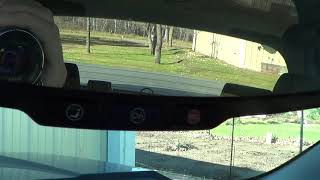
- Red OnStar status light on the rearview mirror
- "Phone Unavailable" audio message playing through the speakers. [Bulletin #PIC3278F, #PIC3278G]
- Inability to connect to OnStar services
- Bluetooth hands-free calling may not function
- Parasitic battery drain, causing a dead battery after the truck sits for a few days. This happens when the failing module does not 'sleep' properly and continues to draw current.
- GPS/Navigation system may show inaccurate location or no signal.
- Radio and audio system may freeze or become unresponsive after several hours of driving, requiring a vehicle restart to fix.
- Replacing the radio/head unit (especially on 2008-2013 models where the VCIM is separate).
- Replacing other control modules like the BCM.
- Attempting to fix a 'network issue' by inspecting wiring throughout the vehicle, when the fault is internal to the VCIM.
- Replacing the battery multiple times without diagnosing the parasitic drain caused by the failing VCIM.
Most Likely Causes

- Internal Failure of the OnStar Module (VCIM) 🔴 High Probability Multiple GM Technical Service Bulletins (#PIC3278F, #PIC3278G, #PIC3718E) identify internal faults as the primary cause. Some bulletins even specified ranges of module Station ID numbers that were particularly prone to failure (STID ranges 14,000,000 - 16,000,000 and 22,000,000 - 23,200,000). The decommissioning of the 2G/3G network can also cause the module to enter a fault state.
How to confirm: Use a scan tool to confirm U1500 is a current DTC, not just history. If power and ground to the module are confirmed good, the module itself is faulty. A GM-specific scan tool may show an inability to communicate with 'Module Info 2' while 'Module Info 1' is still accessible, confirming the internal fault. A definitive DIY confirmation for parasitic drain is to perform a draw test, then unplug the VCIM and see if the current draw drops significantly.
Typical fix: Replace the Vehicle Communication Interface Module (VCIM). The new module will require programming and setup by a dealer or a properly equipped independent shop. A common and effective no-cost alternative is to simply locate the module and disconnect its electrical connectors, which resolves the battery drain and stops the 'Phone Unavailable' message.
Est. part cost: $50 - $450 - Poor Connection at VCIM Connector ⚪ Low Probability Vibrations and harness tension can sometimes lead to a connector not being fully seated, causing a loss of communication. GM issued a PI (#PIC4677E) for other models regarding a specific VCIM connector (C3, Black) that could become unseated and cause high-speed LAN communication issues.
How to confirm: Physically access the VCIM and inspect all electrical connectors. Ensure they are clean, free of corrosion, and securely latched. Disconnect and reconnect them to be certain. This is less likely than module failure but is a crucial check before ordering parts.
Typical fix: Reseat the loose connector. If the connector is damaged, it may need to be repaired or replaced.
Est. part cost: $0 - $50 - Blown Fuse ⚪ Low Probability
How to confirm: Check the fuse boxes (in the cabin and under the hood) for any fuses related to 'Telematics', 'OnStar', or 'Radio'. The fuse is often labeled 'TELE' or 'ONSTAR'. Visually inspect the fuse and test for continuity with a multimeter.
Typical fix: Replace the blown fuse with one of the same amperage rating.
Est. part cost: $1 - $5
Rare But Worth Checking
- Water Intrusion:
Diagnosis Steps
- Scan for Codes: Use an OBD-II scanner to confirm that U1500 is the primary code and if it is 'current' or 'history'. If it is only a history code, it may not indicate a current problem.
- Check Symptoms: Note if the OnStar light is red and if the 'Phone Unavailable' message is present. These are strong indicators of this specific fault.
- Check Fuses: Inspect all fuses related to the telematics (OnStar) and radio systems in both the under-hood and interior fuse panels. The fuse is often labeled 'TELE'.
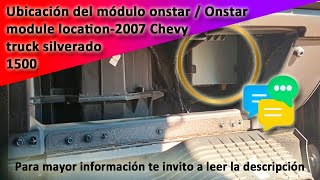
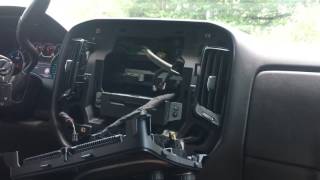
- Access the VCIM: Locate the Vehicle Communication Interface Module. On 2008-2013 models, it's a silver box behind the dash, below the radio. On 2014-2015 models, this function is integrated into the radio module itself.
- Inspect Connectors: Visually inspect the electrical connectors going into the VCIM/radio. Check for looseness, corrosion, or damage. Unplug and replug the connectors to ensure a solid connection.
- (If Battery Drain is a Symptom) Perform Parasitic Draw Test: With the vehicle off and asleep, measure the current draw at the battery. If it's high (typically over 50mA), disconnect the VCIM/OnStar fuse or module connector. If the draw drops significantly, the VCIM is confirmed as the cause.
- Conclude Diagnosis: If fuses are good and the module is receiving proper power and ground (verified with a multimeter), the U1500 code confirms an internal failure of the VCIM. The module requires replacement or disconnection.
Parts You'll Likely Need
- Vehicle Communication Interface Module (VCIM)
(OEM #22898335, 23261702)— This module is the direct cause of the U1500 code in the vast majority of cases, as confirmed by service manuals and manufacturer TSBs. Part number varies by year and options. 23261702 is common for 2015 models.
Trusted brands: ACDelco (OEM)
OEM price range: $250-$450
Aftermarket price range: $50-$200 (Used/Remanufactured)
Related Codes That Often Appear With This One
- B1000 — TSB #PIC3278F and #PIC3278G state that an internal OnStar module fault can produce either a U1500 or a B1000 code.
Technical Service Bulletins (TSBs) & Recalls
- PIC3278F: EQUIPMENT (2014) - States an internal OnStar module fault can c
Platform-Specific Known Issues
- GM Technical Service Bulletins PIC3278F, PIC3278G, and PIC3718E were issued to address this specific code. They identify an internal fault in the OnStar module as the cause and note it may be accompanied by a 'Phone Unavailable' message.
- TSB PIC3718E specifically calls out VCIMs with Station IDs in the 14M-16M and 22M-23.2M ranges as being prone to this failure.
- Customer Satisfaction Program 14715 was issued for some 2015 models due to an OnStar module issue that could cause a dead battery even if the subscription was inactive. The fix was to replace and, if necessary, deactivate the module.
Mechanic-Grade Diagnostic Values
- Parasitic Current Draw — expected: < 50 Milliamps (mA). Failure: A stable reading significantly above 50mA after the vehicle's modules have gone to sleep (wait at least 20-30 minutes). A reading in the hundreds of mA or full amps points to a significant drain, often the VCIM.
Hidden / Shadow Codes Worth Checking
- U1500 with symptom byte (e.g., 31): A professional scan tool can reveal symptom bytes that provide more detail. For example, U1500 31 indicates an internal ECU checksum failure, which directly confirms the module itself is bad and not a wiring issue. Other bytes like 01 or 02 could indicate a short to battery or ground, respectively. (see via GM GDS2 (Global Diagnostic System 2) or a Tech 2 scan tool.)
Scan Tool Commands That Help
- GDS2 / Tech 2 with SPS: VCIM Vehicle Communication Interface Module Set-up — This function is required after installing a new VCIM. It programs the module with the vehicle's specific configuration and VIN.
- GDS2 / Tech 2 with SPS: ONSA-OnStar Activation — After programming a new VCIM, this procedure sends the new module's data to the OnStar network to activate the subscription services. For 2009 and newer models, this is done through the SPS application rather than a manual blue-button press.
Wiring & Ground Locations
- G218 — On K2XX models (2014-2015), this is a critical ground located under the dash on the driver's side, behind the kick panel area. It serves as a ground point for many interior electronics.. While U1500 is typically an internal module fault, a poor ground at G218 can cause a host of bizarre electrical issues in the dash, including problems with the radio and other modules. It's a known issue where sound-deadening foam can interfere with the connection, and cleaning this ground is a wise step when diagnosing any dash-related electronic fault.
- G200 / G201 — On GMT900 models (2008-2013), these grounds are located in the instrument panel's front corners near the A-pillars (G200 on the right, G201 on the left).. These grounds are essential for the instrument panel cluster and surrounding electronics. Access requires dash disassembly, but they are relevant if multiple seemingly unrelated dash modules are showing communication faults alongside the U1500.
- Radio/VCIM Connectors — Directly on the back of the VCIM (GMT900) or radio module (K2XX).. The main power, ground, and communication lines for the module are here. A pinout check with a multimeter should confirm battery voltage on the power wire (often red/white) and good continuity to ground on the ground wire (often black).
Real Owner Repair Stories
- Multiple owner forums (e.g., silveradosierra.com, gm-trucks.com) (Various 2008-2015 Chevrolet Silverado & GMC Sierra trucks) — Battery dies after sitting for a few days, "Phone Unavailable" message, red OnStar light.
❌ Tried (didn't work) Replacing the battery (sometimes multiple times)., Checking all fuses., Looking for other sources of parasitic draw.
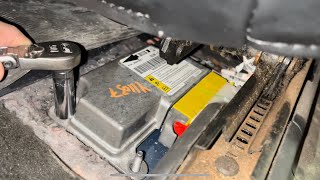
✅ What actually fixed it The most common and successful DIY fix reported by owners is to physically access the OnStar VCIM (or radio module on 2014+ models) and simply unplug its electrical connectors. This permanently disables the faulty module, immediately stopping the parasitic battery drain and the annoying audio messages. Since the 2G/3G service is obsolete, there is no loss of functionality.
OEM Part Supersession History
22767377→22832743, then 22898335— Standard part revision and updates by the manufacturer.
Heads up: Part number 22898335 is listed as discontinued by GM, meaning new OEM stock is unavailable. Used or remanufactured units are the primary option. It is critical to match the part number or a compatible superseded number to the vehicle's VIN, as modules are programmed for specific vehicle options.
Model Year Variations Within This Range

- 2008-2013 (GMT900): These models use a separate, standalone Vehicle Communication Interface Module (VCIM). It is a silver metal box located behind the center of the dashboard, below the radio. Diagnosis focuses on this specific box.
- 2014-2015 (K2XX): OnStar functionality is integrated into the infotainment system. There is no separate VCIM. The key components are the Human Machine Interface (HMI) module and the radio 'silver box' module, typically located behind the glove box or center screen. The U1500 code points to a failure within this integrated system. These trucks use an HMI 2.0 system, which lacks Apple CarPlay/Android Auto found in 2016+ HMI 2.5 systems.
Helpful Videos

The information in this article is provided for general reference and educational purposes only. Vehicle specifications, procedures, and part compatibility can vary by production date, trim level, and region. Always consult your vehicle's factory service manual and verify part numbers before purchasing or performing repairs. Safety-critical components such as airbags, seat belts, and braking systems should be installed by a qualified professional.
- Chevrolet SILVERADO 1500:
- 🎬 Helpful Videos
- What's Unique About the 2008-2015 Chevrolet SILVERADO 1500
- Diagnostic Flowchart
- Symptoms You May Notice
- Most Likely Causes
- Rare But Worth Checking
- Diagnosis Steps
- Parts You'll Likely Need
- Related Codes That Often Appear With This One
- Technical Service Bulletins (TSBs) & Recalls
- Platform-Specific Known Issues
- Mechanic-Grade Diagnostic Values
- Hidden / Shadow Codes Worth Checking
- Scan Tool Commands That Help
- Wiring & Ground Locations
- Real Owner Repair Stories
- OEM Part Supersession History
- Model Year Variations Within This Range
- 🎟️ Get 5% Off