

U1110 on 2016-2018 Toyota RAV4: Infotainment Communication Failure Causes and Fixes
On a 2016-2018 RAV4, code U1110 almost always indicates a software glitch within the Entune infotainment head unit. The most common and effective fix is a software update performed by a Toyota dealership, as specified in Technical Service Bulletins. This is a low-cost fix if a dealer charges for labor (reports range from $60-$200 out of warranty), but in some cases, the head unit itself may have failed and require replacement.
- Code U1110 on a 2016-2018 RAV4 is not a critical error and points directly to the radio/infotainment system.
- The vehicle is safe to drive, as this fault does not affect mechanical or safety systems.
- The most common and official fix is a software update from a Toyota dealer, as detailed in TSB T-SB-0024-20.
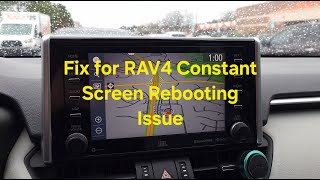
- Before paying for diagnostics, try simple resets like holding the power button, deleting personal data, or the user-reported 'Reverse Gear Reset' trick.
- Do not replace any other computer modules; the problem is isolated to the head unit.
What's Unique About the 2016-2018 Toyota RAV4
The 2016-2018 RAV4, part of the XA40 generation, is particularly known for this issue with its Denso-Ten manufactured Entune infotainment system. The problem is so common that Toyota issued multiple Technical Service Bulletins (TSBs), including T-SB-0024-20 and the now-obsolete T-SB-0003-19_Rev, to address it. Unlike many other vehicles where a 'U' code might suggest a complex wiring or module failure, on this RAV4, the cause is overwhelmingly a software bug within the radio itself.
Diagnostic Flowchart
Tap your situation to follow the diagnostic path that matches what you're seeing on this vehicle.
Symptoms You May Notice
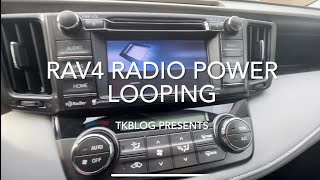
- Intermittent rebooting or restarting of the radio/infotainment screen, sometimes getting stuck in a 'boot loop'.
- Abnormal operation of Pandora Internet Radio.
- The diagnostic screen displays intermittently on its own.
- The Weather Map feature is inoperative.
- An 'Unable to connect to server' message appears when using voice commands.
- The screen may flicker when switching between day and night modes.
- Bluetooth® audio information (song title, artist) is missing from the instrument cluster Multi-Information Display (MID).
- Abnormal navigation routing or turn-by-turn direction display.
- The backup camera may still work correctly even when the rest of the system is rebooting.
- Replacing other vehicle modules. The code U1110 is very specific to the infotainment system on this RAV4; other ECUs are almost never the cause.
- Assuming a major CAN bus wiring failure. While technically possible, a widespread network issue is highly unlikely compared to the known software bug.
Most Likely Causes
- Outdated or Corrupted Head Unit Software 🔴 High Probability The factory Entune software on these models is known to have bugs that cause communication dropouts, as acknowledged by Toyota in TSBs T-SB-0024-20 and T-SB-0003-19_Rev.
How to confirm: Confirm that the vehicle's symptoms match those listed in the TSBs (e.g., radio rebooting, app errors). A dealer can verify the installed software version against the updated versions listed in the bulletin. You can also check the software version yourself via Setup -> General -> Software Update.
Typical fix: A Toyota dealer performs a software update on the multimedia head unit using a specific USB flash drive procedure. This is covered under the basic 3yr/36k mile warranty, but will incur a labor charge if out of warranty.
Est. part cost: $0 - Failing Multimedia Head Unit ⚪ Low Probability If a software update does not resolve the issue or the unit is unresponsive, the internal electronics of the head unit may have failed. This can include failures of the main processor or motherboard.
How to confirm: This is typically confirmed after a software update fails to fix the problem. The unit may be completely unresponsive or stuck in a boot loop that even the dealer cannot interrupt.
Typical fix: Replacement of the entire multimedia head unit assembly. Owners may choose a new OEM unit, a used one from a salvage yard, or an aftermarket unit. Some third-party services also offer mail-in repairs for the original unit.
Est. part cost: $300-$1500
Rare But Worth Checking
- Blown Fuse: While rare for this specific code, it's a simple and free check. A fuse related to the audio or ECU-IG system could potentially cause communication issues. Check the fuse panels in the driver's side footwell and under the hood.
- Corrupted User Data: Some owners have reported that clearing personal data from the head unit can resolve glitches. This is a simple step to try before heading to the dealer.
Diagnosis Steps
- Verify the symptoms. Confirm that the radio is rebooting, apps are malfunctioning, or other known symptoms are present.
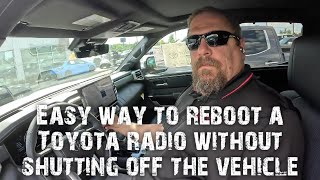
- Attempt a soft reset. 🎬 Watch: A quick guide to resetting your Toyota head unit. Press and hold the radio's power/volume knob for about 10 seconds until the unit reboots. This can sometimes clear a temporary glitch.
- Try the 'Reverse Gear Reset'. With the vehicle safely parked and the parking brake engaged, turn the ignition to the 'ON' position (engine off). Shift the gear selector to Reverse and wait for at least five minutes. Shift back to Park. Multiple owners have reported this procedure successfully breaks a reboot loop.
- Try deleting personal data. Navigate to Setup -> General -> 'Delete Personal Data' in the head unit's menu. This can fix issues caused by corrupted phone or app data. Note that this will erase your presets and paired devices.
- Check the software version. Navigate to Setup -> General -> Software Update to see the current version information. This can be useful when speaking with a dealer.
- Check for related fuses. Inspect the fuses labeled 'RADIO', 'ECU-IG', or 'DOME' in the interior and under-hood fuse boxes.
- Contact a Toyota dealership. Reference TSB T-SB-0024-20 and provide your vehicle's VIN. Inquire if the software update is applicable and has been performed. Be prepared for a diagnostic/labor fee if the vehicle is out of warranty.
- If the software update does not work or is not applicable, the head unit itself is the likely point of failure and may require replacement or specialized repair.
Parts You'll Likely Need
- Multimedia Head Unit (Radio)
(OEM #Varies by trim/options. Examples: 86140-0R170, 86140-42110, 86140-0R180, 86140-42460. Always verify with VIN.)— This part is replaced only if the primary fix, a software update, fails to resolve the communication issue. The internal electronics of the unit can fail, causing the U1110 code.
Trusted brands: Toyota (OEM)
OEM price range: $800-$1500+
Aftermarket price range: $300-$700
Related Codes That Often Appear With This One
- B15E6 — This is another Diagnostic Trouble Code that Toyota's Technical Service Bulletin T-SB-0024-20 explicitly lists as occurring along with U1110 for the same set of infotainment system issues.
Technical Service Bulletins (TSBs) & Recalls
- T-SB-0024-20: Entune Audio Head Unit Software Update (Denso-Ten) - Provides a software fix for various infotainment glitches, including DTC U1110. It applies to 2016-2018 RAV4, 2016-2017 Camry, 2016-2019 Corolla, and 2016-2019 Prius.
- T-SB-0003-19_Rev: An obsolete but relevant TSB that also documented the U1110 code related to head unit issues before being superseded.
Platform-Specific Known Issues
- Toyota has officially acknowledged this issue through Technical Service Bulletin T-SB-0024-20, which provides a software update as the solution for a list of symptoms including the presence of DTC U1110.
- The previous bulletin, T-SB-0003-19_Rev, also addressed this issue but is now considered obsolete and has been replaced by T-SB-0024-20.
- A mail-in repair service successfully fixed one owner's boot-looping head unit for $500 by repairing the motherboard and processor, offering an alternative to full replacement.
Mechanic-Grade Diagnostic Values
- CAN Bus Resistance — expected: 54 to 69 Ω. Failure: A reading outside this range (e.g., ~120 Ω or 0 Ω) indicates an open, short, or faulty terminating resistor in the CAN circuit.
- Head Unit Power Supply — expected: 11 to 14 V. Failure: Voltage below 11V or no voltage indicates a power supply issue to the head unit.
- Head Unit Ground Connection — expected: Below 1 Ω. Failure: High resistance indicates a poor ground connection, which can cause intermittent electronic issues.
Scan Tool Commands That Help
- Toyota Techstream: CAN Bus Check — This function provides a live overview of all modules on the network. It should be used first to confirm that the Multimedia Head Unit is the *only* module showing a communication loss, which is the expected result for code U1110 on this vehicle.
- Toyota Techstream: Health Check — Performs a comprehensive scan of all vehicle ECUs to identify any and all stored Diagnostic Trouble Codes. This is a standard first step in any dealer-level diagnosis.
- Toyota Techstream: ECU Reprogramming / Calibration Update — This is the specific service function used to load the updated firmware from Toyota's Technical Information System (TIS) onto the head unit to perform the fix outlined in TSB T-SB-0024-20.
Wiring & Ground Locations
- 28-Pin Head Unit Connector — The largest primary connector on the back of the multimedia head unit.. This connector contains the essential CAN bus communication wires. A technician can test for proper network voltage and resistance at these pins to rule out a wiring issue before condemning the head unit. Pin 9 is CAN High (Green wire) and Pin 10 is CAN Low (White wire).
Real Owner Repair Stories
- YouTube user (Toyota RAV4 (exact year not specified, but within the generation)) — The radio was stuck in a constant boot loop, repeatedly showing the startup screen and restarting.
❌ Tried (didn't work) The owner could not find a software-based solution online.
✅ What actually fixed it The owner sent the head unit to a mail-in repair service (robertsaudio.com). The diagnosis was a failed motherboard and processor. The service provided a replacement refurbished unit for $500, which resolved the problem. This confirms internal hardware failure as a root cause when software updates don't work.
OEM Part Supersession History
86140-42110→86140-0R170— Standard part revision or replacement by manufacturer.
Heads up: Both part numbers are associated with the 2016-2018 RAV4 without navigation (faceplate ID 100573). When sourcing a replacement, the newer part number (86140-0R170) is the correct one to order.
Helpful Videos
We Have This Part in Stock



The information in this article is provided for general reference and educational purposes only. Vehicle specifications, procedures, and part compatibility can vary by production date, trim level, and region. Always consult your vehicle's factory service manual and verify part numbers before purchasing or performing repairs. Safety-critical components such as airbags, seat belts, and braking systems should be installed by a qualified professional.
- Toyota RAV4:
- 🎬 Helpful Videos
- 🛍️ Shop This Part
- What's Unique About the 2016-2018 Toyota RAV4
- Diagnostic Flowchart
- Symptoms You May Notice
- Most Likely Causes
- Rare But Worth Checking
- Diagnosis Steps
- Parts You'll Likely Need
- Related Codes That Often Appear With This One
- Technical Service Bulletins (TSBs) & Recalls
- Platform-Specific Known Issues
- Mechanic-Grade Diagnostic Values
- Scan Tool Commands That Help
- Wiring & Ground Locations
- Real Owner Repair Stories
- OEM Part Supersession History
- 🎟️ Get 5% Off