

U1110 on 2016-2019 Toyota Corolla: Infotainment System Fault Causes & Fixes
On a 2016-2019 Toyota Corolla, code U1110 almost always points to a software glitch or internal failure of the radio/infotainment head unit. The most common fix is a dealer-installed software update as specified in Toyota Technical Service Bulletins (TSBs). If the update fails, the head unit itself requires replacement.
- On a 2016-2019 Corolla, U1110 is not a critical code and points directly to the radio/infotainment system.
- The most common symptoms are random reboots, frozen screens, and non-functional apps like the Weather Map.
- Before considering expensive repairs, ask a Toyota dealer to check if your vehicle needs an infotainment software update per TSBs T-SB-0003-19_Rev or T-SB-0024-20.
- Do not be misled by online definitions of U1110 that mention ABS, airbags, or parking sensors; for this specific Corolla, the evidence points squarely at the infotainment unit.
- If a software update doesn't work, the head unit itself has likely failed and will need to be replaced.
What's Unique About the 2016-2019 Toyota COROLLA
On this specific generation of the Corolla, code U1110 is very frequently tied to documented software bugs in the Toyota Entune audio system. Toyota acknowledged these issues by releasing Technical Service Bulletins (TSBs) that guide technicians to perform a software update or replace the head unit. Unlike on other vehicles where U1110 might point to ABS or parking sensor modules, on the 2016-2019 Corolla, the problem is consistently traced back to the radio itself.
Diagnostic Flowchart
Tap your situation to follow the diagnostic path that matches what you're seeing on this vehicle.
Symptoms You May Notice
- Radio/infotainment unit reboots intermittently.
- Pandora Internet Radio operates abnormally.
- A diagnostic screen displays intermittently on the radio.
- The Weather Map feature is inoperative.
- An "Unable to connect to server" message appears.
- Frozen or unresponsive touchscreen.
- Black screen or failure to boot past the Toyota logo.
- Bluetooth connectivity issues.
- System plays audio but the screen is black or frozen, preventing control.
- Replacing the battery. While a weak battery can cause various electronic issues, the symptoms linked to U1110 by Toyota's TSBs are specific to the head unit itself. If the battery tests healthy, it is not the cause.
Most Likely Causes
- Infotainment Head Unit Software Glitch 🔴 High Probability This is a known issue acknowledged by Toyota via Technical Service Bulletins T-SB-0003-19_Rev and T-SB-0024-20. The Entune systems in this era were prone to software bugs that could cause instability.
How to confirm: Confirm the vehicle's symptoms match those listed in the TSBs. A Toyota dealer can verify if the software update is applicable by checking the current software version on the head unit.
Typical fix: Update the infotainment system software at a Toyota dealership. This is covered under the 3yr/36k mile basic warranty, but is often a customer-pay service outside of warranty, costing between $60 and $200.
Est. part cost: $0 - Failed Infotainment Head Unit 🟡 Medium Probability If a software update does not resolve the issue, the internal hardware of the head unit (such as the mainboard or processor) has likely failed, which is a common failure mode for these units. Owners report this failure even at relatively low mileage (e.g., 45k miles).
How to confirm: The issue persists after a successful software update, or the unit is completely unresponsive and fails all reset attempts. A dealership diagnosis will confirm the hardware failure.
Typical fix: Replace the entire audio head unit. This often requires programming by the dealer. Some owners opt for used or refurbished OEM units or aftermarket replacements to save money.
Est. part cost: $500-$2000+
Rare But Worth Checking
- Weak or Failing 12V Battery:
Diagnosis Steps
- Verify that the symptoms match the known issues, such as intermittent reboots, frozen screens, or specific app failures.
- Attempt a soft reset by pressing and holding the power/volume knob for about 10 seconds until the unit reboots.
- Attempt a hard reset. A common method is to disconnect the negative terminal of the 12V battery for 10-15 minutes to force all modules to reboot. Note that this will erase presets.
- Check for any blown fuses related to the audio or infotainment system in the vehicle's fuse box.
- If the problem persists, contact a Toyota dealership and reference TSBs T-SB-0003-19_Rev and T-SB-0024-20.
- Allow the dealer to perform the recommended software update. Be aware there may be a diagnostic fee or update charge if the vehicle is out of warranty.
- If the software update does not fix the problem, the head unit itself likely needs to be replaced.
Parts You'll Likely Need
- Audio Head Unit
(OEM #86140-02470, 86140-02540, 86140-12580, 86140-12C70)— This is the root cause of the problem when a software update fails to resolve the issue. The internal electronics have failed. Part number varies by trim level (e.g., with/without navigation, JBL audio).
Trusted brands: Toyota (OEM)
OEM price range: $500-$2000+
Aftermarket price range: $300-$1000
Related Codes That Often Appear With This One
- B15E6 — This is another Toyota-specific code for a multimedia system malfunction, and it is listed alongside U1110 in the same Technical Service Bulletins for the same set of symptoms.
Technical Service Bulletins (TSBs) & Recalls
- T-SB-0003-19_Rev: Notes that DTC U1110 can be present with various infotainment glitches (reboots, Pandora issues, etc.) and points toward a software fix. This TSB was later made obsolete and superseded by T-SB-0024-20.
- T-SB-0024-20: Supersedes the earlier TSB and expands the list of affected vehicles and symptoms, confirming the known issue and software fix for Denso-Ten head units. It covers issues like intermittent reboots, screen flickering, and inoperative apps.
Platform-Specific Known Issues
- Toyota has issued TSBs T-SB-0003-19_Rev and T-SB-0024-20 specifically for these infotainment issues on 2016-2019 models. The bulletins directly link code U1110 to these problems and prescribe a software update as the primary solution.
- Owner forums are filled with reports of this exact issue, with many confirming that a dealer software update fixed it, while others required a full head unit replacement when out of warranty, costing over $1500.
Mechanic-Grade Diagnostic Values
- CAN Bus Resistance — expected: Approximately 60 Ω. Failure: A reading of 120 Ω suggests an open on the bus. A reading significantly lower than 60 Ω suggests a short.
- CAN Bus Voltage (Key On) — expected: Initial voltage of 2.5V on both CANH and CANL. During data transmission, CANH should rise to ~3.5V and CANL should drop to ~1.5V, creating a mirror image pattern on a lab scope.. Failure: Significant variation from the mirror-image pattern indicates a circuit integrity problem.
Scan Tool Commands That Help
- Toyota Techstream: Health Check — To ping all possible ECUs on the vehicle and report their communication status. This is the first step to see which module is not responding.
- Toyota Techstream: CAN Bus Check — To view the real-time communication status of individual modules on the CAN network. The list is color-coded, making it easy to spot a module that has lost communication, which is the root of a U-code.
- Toyota Techstream: System Reset (under Info & Security) — As a last-ditch effort to fix software update errors or a rebooting loop. This resets the head unit and driver display to factory defaults and may force the system to re-attempt an update.
Wiring & Ground Locations
- DLC3 (Data Link Connector 3) — Under the driver's side dashboard, above the pedals.. This is the primary access point for diagnostics. The main CAN bus can be tested for resistance and voltage at pins 6 (CANH) and 14 (CANL) of this connector.
- 28-pin and 30-pin Head Unit Connectors — Rear of the infotainment head unit.. These connectors carry all power, ground, speaker, and data signals to the head unit. The 28-pin connector handles many signals including VSS and steering wheel controls, while the 30-pin is used for the backup camera, ignition signal, and e-brake signal. A loose connection or damaged pin here could cause communication loss.
Real Owner Repair Stories
- Reddit user in r/Toyota (2018 Camry SE (similar Entune system)) — Entune system was updating fine, then started to fail on the install part of an over-the-air update, preventing use of any apps.
❌ Tried (didn't work) User was unable to access the apps portion to try deleting personal data for a reset.
✅ What actually fixed it The consensus from other users was that a failed update which corrupts the unit often requires a complete head unit replacement, as the interruption can damage internal hardware. - Toyota Corolla Forum user (2014 Corolla S, 80k Miles) — Radio gets stuck in a reboot loop on an 'update' screen.
❌ Tried (didn't work) Dealer visit, where they were unable to fix it and quoted $1,000 for a new unit plus a $60 installation fee.
✅ What actually fixed it No fix was found by the dealer. The user was left with the options of paying for a new OEM unit, finding a used one on eBay, or trying an aftermarket replacement. This highlights the common end-point for this failure when out of warranty.
Helpful Videos

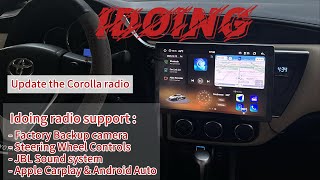
We Have This Part in Stock



The information in this article is provided for general reference and educational purposes only. Vehicle specifications, procedures, and part compatibility can vary by production date, trim level, and region. Always consult your vehicle's factory service manual and verify part numbers before purchasing or performing repairs. Safety-critical components such as airbags, seat belts, and braking systems should be installed by a qualified professional.
- Toyota COROLLA:
- 🎬 Helpful Videos
- 🛍️ Shop This Part
- What's Unique About the 2016-2019 Toyota COROLLA
- Diagnostic Flowchart
- Symptoms You May Notice
- Most Likely Causes
- Rare But Worth Checking
- Diagnosis Steps
- Parts You'll Likely Need
- Related Codes That Often Appear With This One
- Technical Service Bulletins (TSBs) & Recalls
- Platform-Specific Known Issues
- Mechanic-Grade Diagnostic Values
- Scan Tool Commands That Help
- Wiring & Ground Locations
- Real Owner Repair Stories
- 🎟️ Get 5% Off