

OBD-II Code U0499: Invalid Data from Telematics Control Module
The Ultimate Guide to Understanding, Diagnosing, and Fixing DTC U0499
- DTC U0499 indicates the Telematics Control Module is broadcasting corrupt data, disabling GPS, remote start, and SOS features.
- You can safely drive the vehicle, but the loss of automatic crash notification and SOS services creates a significant safety risk during an accident.
- A faulty telematics module frequently fails to enter sleep mode, creating a 150-400mA parasitic draw that kills a healthy battery in under 3 days.
- Always verify available Technical Service Bulletins (TSBs) and perform a $150-$400 software reflash before authorizing a $1,000+ module replacement.
- Perform a 30-second soft reset (holding the radio power and tuner knobs) on Stellantis vehicles or a 30-minute battery disconnect on others as your first diagnostic step.
What Does U0499 Mean?

Code U0499 indicates your vehicle's main computer network received illogical, corrupt, or nonsensical data from the Telematics Control Module (TCM). The TCM is the central hub for connected services, including GPS navigation, smartphone app integration, Wi-Fi hotspots, and automatic emergency (SOS) calls. When this code triggers, a communication breakdown effectively disables these connected features.
Technical definition: Invalid Data Received From Telematic Control Module.
Can I Drive With U0499?
Yes, But With Caution. Yes, you can drive the vehicle. The U0499 code does not affect core engine, transmission, or braking systems. However, the in-car emergency (SOS) and automatic crash notification services are inoperative, creating a significant safety risk during an accident. Remote features like smartphone door unlocking and remote start also fail, potentially leaving you stranded if you rely exclusively on them.
Common Causes

- Software Glitch or Failed OTA Update (Very Common) — A software problem within the Telematics Control Module is the most frequent trigger. This happens after a failed or interrupted over-the-air (OTA) update, or when firmware corrupts over time, causing the module to broadcast garbled data.
- Faulty Telematics Control Module (TCM) (Common) — The module fails due to internal hardware degradation. Cracked circuit boards, failing voltage regulators, or damaged transceivers prevent the TCM from processing and sending data correctly.
- Low Battery Voltage or Poor Ground (Common) — A weak battery (below 12.4V) or a corroded ground connection provides unstable power to the TCM. Electronic modules require steady voltage; fluctuations cause them to boot improperly and send faulty data.
- Cellular Network Incompatibility (3G Sunset) (Less Common) — Telematics modules relying on decommissioned 3G networks get stuck in infinite connection loops, corrupting network data. This also occurs in vehicles imported across borders (e.g., Canada to the U.S.) where the module cannot connect to local cellular bands.
- Corroded Wiring or CAN Bus Fault (Less Common) — Moisture, road salt, or physical damage corrodes the wires and connectors attached to the TCM. This introduces electrical noise. Alternatively, a short in the main CAN bus distorts all transmitted data before it reaches other modules.
- Aftermarket Accessory Interference (Rare) — A poorly installed aftermarket remote starter, alarm system, or GPS tracker tapped into the CAN bus disrupts communication. This interference corrupts data packets from the telematics module.
Symptoms

- SOS or Communication Warning Light Illuminated — A dashboard warning light shaped like a satellite or phone, or a message reading 'Emergency Call System Malfunction', appears immediately.
- Remote Start, App Features, and SOS Buttons Fail — You cannot use your key fob or smartphone app to remote start the vehicle, lock/unlock doors, or check vehicle status. In-car emergency and roadside assistance buttons are dead.
- GPS and Navigation Malfunctions — The onboard navigation system freezes, loses its signal, shows an incorrect vehicle location, or fails to load maps.
- Severe Parasitic Battery Drain — The vehicle battery dies overnight or within a few days. The faulty telematics module fails to enter sleep mode, continuously drawing 150-400mA of power while the car is off.
Diagnostic Flowchart

Tap your situation to follow the diagnostic path that matches what you're seeing on this code.
Common Fixes & Costs
- Software Reflash/Update — Parts: $0, Labor: $150-$400, ~0.8 hr book time (Professional)
- Replace Telematics Control Module (TCM)
— Parts: $500-$1200, Labor: $150-$300, ~1.5 hr book time
(Professional)
: OEM ['84644344', '87843789', '86815701']
: OEM ['JL3T-14G370-HKB', 'HS7T-14G370-GBE'] (Alt: Pre-programmed OEM modules from vendors like All Things Sync or 4D Tech.)
: OEM ['Varies by VIN'] - Replace Vehicle Battery — Parts: $150-$300, Labor: $50-$100, ~0.5 hr book time (DIY)
- Clean or Repair Wiring/Connectors — Parts: $10-$50, Labor: $150-$400, ~2 hr book time (Intermediate)
- Component-Level Module Repair — Parts: $50-$200, Labor: $300-$500, ~2.5 hr book time (Specialist)
Used vs. New Parts: Buying Guide
When a used part is worth it: A used or refurbished Telematics Control Module makes sense for out-of-warranty vehicles where new OEM modules exceed $1,000. It is highly recommended to buy pre-programmed aftermarket units to avoid expensive dealer programming fees.
Donor-vehicle mileage cap: roughly under 100000 miles for the part to have meaningful remaining life.
Donor quality checklist:
- Match the part number exactly. Superseded numbers are often incompatible.
- Source from a seller offering at least a 30-day warranty and pre-programming services.
- Avoid modules from flood-damaged vehicles.
Decision logic:
- If The vehicle is under bumper-to-bumper warranty → Use a new OEM part installed by the dealer to ensure coverage.
- If The issue is a known TSB requiring a software update → Do not buy parts; pay the dealer $150-$400 for the software reflash.
- If The vehicle is out of warranty and a pre-programmed aftermarket module is available → Buy the pre-programmed unit to balance cost and reliability, avoiding dealer fees.
- If Budget is the top priority and you accept the risk of failure → Buy a used, non-programmed module from a salvage yard, but expect to pay a dealer for programming.
Warranty tradeoff: Used parts offer 30-90 day warranties. Refurbished/pre-programmed modules offer 1-year warranties. New OEM parts installed by a dealer carry 1-2 year warranties on parts and labor.
Worst-case if a used part fails: $300-$600 if a used module fails or cannot be programmed, requiring repeat diagnostic labor and a second module purchase.
What Happens If You Wait — Timeline
- 0-2 weeks: Code sets and an 'SOS Malfunction' warning light appears. Remote app features and emergency buttons stop working. No drivability symptoms. (MPG impact: 0%% · Added cost: $0)
- 2 weeks - 3 months: If the module has a parasitic drain issue, the main battery weakens. You experience slow cranking or require occasional jump starts. (MPG impact: 0%% · Added cost: $50-$150 in lost time or jump start services.)
- 3-6 months: The battery dies frequently overnight. A constant 200-400mA draw permanently damages a lead-acid battery through sulfation, requiring replacement. (MPG impact: 0%% · Added cost: $150-$300 for a new battery, plus the eventual original repair cost.)
- 6+ months: Continued operation with invalid network data causes other modules to log secondary communication faults. This diagnostic clutter increases labor time to trace the original fault. (MPG impact: 0%% · Added cost: $150-$300 in additional diagnostic labor.)
Cost of Not Fixing It
- Immediate: Loss of connected services, remote start, real-time traffic, and smartphone app integration. Automatic crash notification and SOS emergency calls are disabled. (Added cost: $0)
- 1-3 months: A dead battery. The faulty telematics module fails to enter low-power sleep mode, draining the battery overnight and requiring frequent jump starts. (Added cost: $150-$300 for a new battery.)
- 3+ months: Increased diagnostic complexity. Ignoring the initial code causes other modules to log secondary communication faults, making it harder and more expensive for a technician to trace the original problem. (Added cost: $150-$300 in additional diagnostic labor.)
Diagnosis Steps
- Perform a Full Vehicle DTC Scan
Use a professional-grade OBD-II scanner to read codes from ALL vehicle modules (Engine, Body, Chassis, Network). Confirm if U0499 is isolated or if other U-codes (e.g., U0140, U0198) are present, indicating a wider network problem instead of just the TCM.
Tools: Professional OBD-II Scanner (Beginner) - Perform a Hard Reset
Disconnect the negative battery terminal for 30 minutes. This forces a full power-down reset of all electronic modules, clearing temporary software glitches. Reconnect, clear the codes, and drive the vehicle to see if U0499 returns.
Tools: Wrench Set (Beginner) - Check Battery Voltage and Ground Connections
Using a multimeter, verify the battery voltage is above 12.4 volts with the engine off. Start the engine and ensure charging voltage is a stable 13.7-14.7 volts. Inspect the main battery ground strap and the TCM's specific ground point for cleanliness and tightness.
Tools: Multimeter (Beginner) - Check for Software Updates and TSBs
Check with a dealership or use a professional scan tool subscription to verify available Technical Service Bulletins (TSBs) or software updates for the TCM. Manufacturers frequently release updates to fix bugs causing U0499.
Tools: Professional Scan Tool, Manufacturer Software Subscription (Professional) - Visually Inspect the Telematics Module and Connectors
Locate the TCM (commonly under the dashboard, behind the glove box, or near the roof antenna). Unplug its connectors and inspect pins for green/white corrosion, moisture damage, or loose terminals. Apply dielectric grease before reassembly.
Tools: Trim Removal Tools, Socket Set, Electrical Contact Cleaner, Dielectric Grease (Intermediate) - Pro Tip: Test for Parasitic Battery Drain
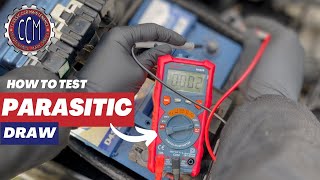
If the battery dies overnight, test for parasitic draw. With the vehicle off and modules asleep (wait 60 mins), connect a multimeter in series with the negative battery cable. Normal draw is under 85mA. If the draw exceeds 150mA, pull the telematics module fuse. If amperage drops, the module is the drain source.
Tools: Multimeter with 10A capability (Advanced) - Pro Tip: Test CAN Bus Resistance
With the battery disconnected, measure resistance between CAN High (Pin 6) and CAN Low (Pin 14) at the DLC. A healthy network reads 60 Ohms. A reading of 120 Ohms means one terminating resistor is offline. Near 0 Ohms indicates a short; infinite resistance indicates an open circuit.
Tools: Multimeter, DLC Breakout Box (optional) (Advanced) - Pro Tip: Test CAN Bus Voltage and Isolate the Module
With the vehicle on, connect an oscilloscope to CAN High (Pin 6) and CAN Low (Pin 14). Both lines idle at ~2.5V. When communicating, CAN High jumps to ~3.5V and CAN Low drops to ~1.5V. A flat or distorted line indicates a short or dead module. Disconnect modules one by one; when the faulty module is unplugged, the proper square wave pattern reappears.
Tools: Oscilloscope, DLC Breakout Box, Wiring Diagrams (Advanced)
When This Code Triggers (Freeze-Frame Conditions)
- Vehicle Speed: 35-55 mph (The code sets during steady-state driving when the network is stable and modules actively exchange data.)
- Battery Voltage: 13.5-14.5V (The fault logs with the engine running and the alternator charging, ruling out a simple low voltage issue at the exact moment of failure.)
- Engine State: Running (The fault occurs when modules expect continuous, valid data streams from the TCM.)
- Time Since Start: > 5 minutes (The code rarely sets immediately at startup; it appears after several minutes, allowing the communication error to be repeatedly verified by the ECU.)
Related Codes
- U0198 — 'Lost Communication With Telematic Control Module.' U0198 sets when the TCM goes completely silent. U0499 sets when the TCM is talking, but the data is corrupt. If your scanner cannot communicate with the TCM at all, U0198 is the primary fault.
- U0140 — 'Lost Communication With Body Control Module (BCM).' The BCM routes messages between networks. If the BCM fails, TCM messages never reach their destination, causing other modules to log U0499. Multiple U-codes point to a gateway module fault, not the TCM.
- U0001 — 'High-Speed CAN Communication Bus.' Indicates a general fault on the primary network, like a short circuit. If the entire bus is down, U0499 logs as a secondary fault by modules expecting TCM data.
- B-codes (e.g., B101D, B2284) — Body (B-codes) point to internal electronic failures within a specific module. A B-code stored inside the telematics module alongside U0499 confirms the module hardware has failed and requires replacement.
Climate & Environmental Factors
- High Humidity / Road Salt: Accelerates corrosion of wiring and connector pins for the telematics module and CAN bus network, leading to intermittent signal loss.
- Extreme Cold: Reduces battery cranking power. A marginal battery drops below the 12.4V operating threshold for sensitive electronics in the cold, causing modules to boot improperly and send corrupt data.
- Cellular Network Shutdowns (3G Sunset): Forces older telematics modules (especially 2016-2019 Subaru DCMs) into an infinite connection loop. This prevents the network from sleeping, causing a severe 150-400mA parasitic battery drain.
- High Heat (Vehicle Interior): Ford APIM (SYNC) modules located near HVAC ducts overheat, causing thermal shutdown of the infotainment screen and triggering communication faults.
How to Talk to a Mechanic About This Code
Say this: "I have a U0499 code and my remote start and app features are not working. Before quoting a full module replacement, please check for any available software updates or TSBs related to the telematics module."
This directs the technician to the most cost-effective first step (a $150 software flash) instead of defaulting to a $1,000 hardware replacement. It establishes you as an informed consumer.
Avoid saying:
- 'My GPS isn't working.' (Too specific, leads them down the wrong path)
- 'My check engine light is on, can you look at it?' (Too vague, invites expensive broad diagnostics)
- 'Just replace the OnStar module.' (You are authorizing an expensive part you may not need)
Questions to ask before authorizing the repair:
- Did you check for software updates for the telematics module first?
- If the module needs replacement, does the new one require programming to my vehicle's VIN, and is that included in the quote?
- If you suspect a wiring issue, exactly where was the fault found?
- What is the warranty on the replacement module and the labor?
Where to Take It: Dealer vs Independent vs Chain
- Dealer:
Recommended for in-warranty vehicles or if a software-only fix is suspected. Their access to factory software is required for this code.
Best for: Vehicles under bumper-to-bumper warranty., Performing manufacturer-specific software updates and TSBs., Complex programming of a new module tied to the vehicle's VIN and subscription services.
Downsides: Highest labor rates and part costs., Defaults to expensive module replacement instead of investigating cheaper wiring or software fixes. (Typical cost: +50% vs. baseline) - Independent Shop:
Excellent for diagnosing parasitic drains or wiring faults. Verify they have advanced diagnostic tools before booking.
Best for: Out-of-warranty vehicles where cost is a major factor., Diagnosing wiring issues, CAN bus faults, or parasitic drains., Installing customer-supplied pre-programmed modules.
Downsides: Lacks the expensive subscription-based tools to perform software reflashes on all makes., Quality varies; requires a shop specializing in electrical diagnostics. (Typical cost: +0% vs. baseline) - Chain Shop:
AVOID. This is a complex electronic network issue. They are not equipped to diagnose or fix a U0499 code.
Best for: Simple battery replacement or reading the initial code for free.
Downsides: Technicians lack specialized training and equipment for network diagnostics and module programming., Highly likely to misdiagnose the issue or be unable to perform the repair. (Typical cost: -10% vs. baseline)
When to Walk Away From the Repair
If the estimated repair cost exceeds 40-50% of your car's value, do not fix it. The car remains mechanically drivable without telematics features.
- Car worth $5000, fix is $1200: Borderline. The repair is 24% of the car's value. Since drivability is unaffected, consider pulling the module fuse to prevent battery drain and driving without the features.
- Car worth $25000, fix is $1500: Fix it. The repair is 6% of the vehicle's value and restores important safety features, preserving resale value.
- Car worth $3000, fix is $1000: Walk away. The repair cost is a massive portion of the car's value for non-essential features.
What Scan Tool You Need for This Code
Minimum: A scanner that reads codes from ALL vehicle modules (Body, Network, Chassis), not just the engine. Advertised as 'All System Scan'.
A basic $20 code reader only checks engine codes (P-codes). U0499 is a network code; a basic reader will not even see it.
Budget: BlueDriver Pro (~$90) — Reads and clears codes from all modules. This is the minimum requirement to confirm U0499 and check for related network codes.
Mid-range: Innova 5610 / Foxwell NT510 Elite (~$350) — Provides full system diagnostics and bidirectional controls. Bidirectional capability allows you to actively test the telematics module by sending commands to it.
Professional: Autel MaxiCOM MK808 / Launch X431 CRP919XBT (~$500-1200) — Offers full bidirectional controls and OEM-level module programming capabilities. This is dealer-level functionality needed for programming a new module.
Rent vs buy: Buy. Auto parts stores' free loaner tools are basic code readers that cannot diagnose U-codes. You must buy an 'All System' scanner.
How to Clear the Code After You Fix It
- Reconnect the battery if disconnected during repair.
- Use an OBD-II scan tool to perform a 'Clear DTCs' command.
- Perform a full drive cycle to run readiness monitors and confirm the fix.
Drive cycle (~30 minutes): Start from a cold engine. Idle for 3 minutes. Drive 15 minutes at a steady 55-65 mph. Drive 10-15 minutes in stop-and-go traffic, including four 30-second idle periods. Do not turn the engine off until complete.
Readiness monitors affected: Clearing codes resets all emissions readiness monitors (Catalyst, O2, EVAP), which must re-run before an emissions test.
Before emissions retest: drive at least 100 miles to fully set monitors.
Watch out for:
- Clearing the code without fixing the hardware or software fault causes the code to return immediately.
- Disconnecting the battery resets all readiness monitors, causing an automatic failure at an emissions testing station until a drive cycle is completed.
Will This Fail Emissions / State Inspection?
Yes — this code typically fails an OBD-II emissions inspection.
- California: A 'U' code causes an automatic failure of the OBD-II smog check. All readiness monitors must be 'Ready' after clearing codes before re-testing.
- New York: Any active Diagnostic Trouble Code, including U0499, results in an immediate inspection failure.
- Texas: In emissions-testing counties, an active DTC causes an OBD-II test failure. The vehicle cannot be tested until readiness monitors are set.
Most Commonly Affected Vehicles
- GMC Sierra 1500, 2500HD/3500HD, Acadia, Yukon (2015-2024) — Very common issue related to the OnStar module. Out-of-warranty replacement costs $750-$1200. TSB 23-NA-065 addresses modules on Canadian vehicles failing in the U.S. Campaign N242435630 involves reprogramming the gateway module to prevent battery drain after OTA updates on 2023-2024 models.
- Chevrolet Silverado 1500, 2500HD/3500HD, Tahoe, Suburban (2015-2024) — Shares the OnStar telematics platform with GMC. Highly susceptible to module failures and software glitches requiring dealer reflashes.
- Ford F-150, Escape, Edge, Bronco (2016-2024) — Related to the SYNC/APIM module. Symptoms include a black screen and loss of FordPass connectivity. DIY replacement of the APIM module costs $350-$500 using pre-programmed aftermarket units, compared to $1,500+ at a dealer.
- Ram 1500 (2019-2024) — Related to the Uconnect Telematics Box Module (TBM). Customer Satisfaction Notification Z91 addresses incorrect TBMs on 2022 models. Owners fix 80% of intermittent screen freezes with a soft reset (holding power and tuner knobs for 20 seconds).
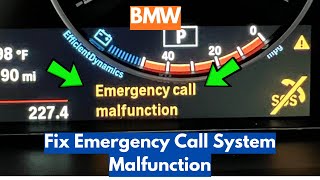
- BMW 3 Series, 5 Series, X3, X5 (2016-2022) — Manifests as an 'Emergency Call Malfunction' message. Caused by the failure of a non-replaceable backup battery inside the Telematics Communication Box (TCB). Requires full module replacement costing $800-$1500.
- Hyundai / Kia Tucson, Santa Fe, Sportage, EV6 (2017-2024) — Blue Link (Hyundai) or UVO (Kia) issues trigger this code. The SOS light turns red and the app fails to connect. A pinhole reset of the head unit restores connectivity.
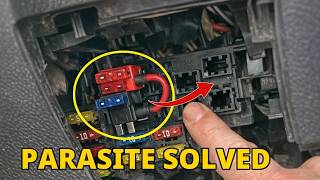
- Subaru Outback, Forester, Ascent, Crosstrek (2016-2023) — The Starlink Data Communications Module (DCM) fails due to the 3G network sunset, creating a 150-400mA parasitic battery drain. Subaru issued a Warranty Extension Program (up to 8 years/150,000 miles). Pulling the 7.5A 'DCM' fuse is a permanent DIY fix if Starlink is unused.
- Jeep Grand Cherokee, Wrangler (2018-2023) — Uconnect systems experience identical issues to Ram trucks. The 20-second soft reset is the mandatory first step. Wiring issues in the Wrangler tailgate area also trigger CAN bus faults.
Manufacturer-Specific Notes
- General Motors (Chevrolet/GMC): The OnStar module fails frequently. TSB 23-NA-065 addresses modules on Canadian-market vehicles failing in the U.S. due to cellular incompatibility. Out-of-warranty replacement costs $750+.
- Ford: The SYNC/APIM module is the culprit. A master reset via the touchscreen or pulling the SYNC fuse provides a temporary fix. Owners save over $1,000 by sourcing pre-programmed APIM modules online instead of using the dealer.
- Subaru: A failed Starlink DCM causes a severe parasitic battery drain (150-400mA) due to the 3G network sunset. Check for warranty extensions (up to 8 years/150k miles). Pulling the 7.5A DCM fuse permanently stops the drain.
- BMW: The 'Emergency Call Malfunction' message is caused by a failed internal battery inside the Telematics Communication Box (TCB). BMW does not sell the battery separately, forcing a $1,000+ module replacement.
- Ram / Jeep (Stellantis): Uconnect glitches are rampant. Always perform a 'soft reset' by pressing and holding the power and tuner knobs simultaneously for 20 seconds until the screen reboots. This resolves 80% of temporary connectivity issues.
Real Owner Stories
2019 Subaru Outback with 50K miles
Battery died every morning. Replacing the battery did not fix the issue. Dealer quoted $990 to replace the Data Communications Module (DCM).
What they tried:
- Replaced the main vehicle battery.
- Paid dealer $160 for a parasitic draw test, identifying the DCM.
- Dealer pulled the DCM fuse as a temporary fix, stopping the drain but disabling front speakers and Bluetooth.
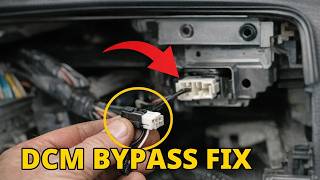
Outcome: The root cause is the DCM endlessly searching for the defunct 3G network. The owner bypassed the $990 repair by installing a $50 aftermarket loopback connector that restores speaker function while keeping the DCM disconnected.
Lesson: For 2016-2023 Subarus, a parasitic drain is almost certainly the DCM. Check for Subaru's DCM warranty extension. If uncovered, use an aftermarket bypass harness to permanently fix the drain for under $50.
2020 BMW X3 M with 'Emergency Call Malfunction'
An 'Emergency Call System Malfunction' message appeared, disabling the CarPlay microphone and satellite maps.
What they tried:
- Attempted an iDrive reset by holding the volume knob for 30 seconds; error remained.
- Dealer diagnosed a failed internal battery in the Telematics Communication Box (TCB) and quoted $500+ due to labor involving headliner removal.
Outcome: The owner took the vehicle to an independent BMW specialist who replaced the $80 internal battery for half the dealer's labor cost.
Lesson: On modern BMWs, this malfunction is almost always the small backup battery inside the TCB, not the module itself. Avoid dealer labor rates by using an independent specialist.
2019 Ram 1500 with intermittent Uconnect issues
The Uconnect screen randomly froze, Bluetooth disconnected, and app features failed.
What they tried:
- Searched online forums before scheduling a dealer diagnostic.
Outcome: The owner performed a 'soft reset' by holding the volume and tuner knobs for 20 seconds. The system rebooted, functionality restored, and the code did not return.
Lesson: For any Stellantis vehicle (Ram, Jeep, Chrysler), perform a soft reset as the very first step. This 30-second procedure resolves the majority of software glitches and saves a costly dealer trip.
How to Prevent This Code From Triggering
- Maintain Battery Health (Every oil change) — Low voltage causes module communication errors. Test battery voltage (>12.4V at rest) and clean terminal corrosion to ensure a solid power supply.
- Protect Wiring and Connectors (During under-hood or under-dash work) — Moisture causes invalid data signals. Apply dielectric grease to pins of disconnected electrical connectors to create a moisture-proof barrier.
- Ensure Successful OTA Updates (Whenever an update is available) — Interrupted OTA updates corrupt firmware. Perform updates in areas with strong cell signals, ensure the battery is healthy, and never turn off the vehicle mid-update.
- Limit Short Trips (Daily habit) — Short drives prevent the alternator from fully recharging the battery. This gradually weakens the battery, leading to low voltage conditions that trigger communication codes.
Frequently Asked Questions
Can I fix U0499 myself?
You can perform basic diagnostics like checking fuses, testing battery voltage, and performing a hard reset. However, advanced steps like CAN bus testing, software updates, or module programming require specialized tools and professional expertise.
Will clearing the code fix the problem?
If the cause was a temporary network glitch, clearing the code resolves it temporarily. If a persistent hardware or software fault exists, the code returns immediately after the modules re-establish communication.
What's the difference between U0499 and U0198?
U0499 (Invalid Data) means the module is broadcasting, but the data is corrupt. U0198 (Lost Communication) means the module is completely dead or disconnected and sending zero data.
Does U0499 mean I need a new GPS antenna?
No. The GPS antenna provides the satellite signal, while U0499 points to a failure in the module processing that signal. A faulty antenna sets a specific signal loss code, not an invalid data code.
What are common misdiagnoses for U0499?
The most common mistake is replacing the $1,000 Telematics Control Module without first checking for a $150 software update. Another error is ignoring other U-codes; if multiple network codes exist, the fault lies in the CAN bus wiring or a gateway module, not the TCM.
Can a U0499 code drain my battery?
Yes. A faulty telematics module frequently fails to enter sleep mode when the car turns off. This creates a severe parasitic draw (often over 300mA) that kills a healthy battery in a few days, particularly in Subaru vehicles.
Is a U0499 repair covered under warranty?
Repairs are fully covered under a vehicle's bumper-to-bumper new car warranty, but rarely under a powertrain warranty. Some manufacturers, like Subaru, have issued specific Warranty Extension Programs covering this exact module failure up to 150,000 miles.
How much does it cost to fix U0499?
A battery replacement costs $150-$300. A dealer software update costs $150-$400. Replacing the telematics module ranges from $700 to over $1,500 for parts and labor, depending on the manufacturer.
Key Takeaways
- DTC U0499 indicates the Telematics Control Module is broadcasting corrupt data, disabling GPS, remote start, and SOS features.
- You can safely drive the vehicle, but the loss of automatic crash notification and SOS services creates a significant safety risk during an accident.
- A faulty telematics module frequently fails to enter sleep mode, creating a 150-400mA parasitic draw that kills a healthy battery in under 3 days.
- Always verify available Technical Service Bulletins (TSBs) and perform a $150-$400 software reflash before authorizing a $1,000+ module replacement.
- Perform a 30-second soft reset (holding the radio power and tuner knobs) on Stellantis vehicles or a 30-minute battery disconnect on others as your first diagnostic step.
Helpful Videos

The information in this article is provided for general reference and educational purposes only. Vehicle specifications, procedures, and part compatibility can vary by production date, trim level, and region. Always consult your vehicle's factory service manual and verify part numbers before purchasing or performing repairs. Safety-critical components such as airbags, seat belts, and braking systems should be installed by a qualified professional.
- 🎬 Helpful Videos
- What Does U0499 Mean?
- Can I Drive With U0499?
- Common Causes
- Symptoms
- Diagnostic Flowchart
- Common Fixes & Costs
- Used vs. New Parts: Buying Guide
- What Happens If You Wait — Timeline
- Cost of Not Fixing It
- Diagnosis Steps
- When This Code Triggers (Freeze-Frame Conditions)
- Related Codes
- Climate & Environmental Factors
- How to Talk to a Mechanic About This Code
- Where to Take It: Dealer vs Independent vs Chain
- When to Walk Away From the Repair
- What Scan Tool You Need for This Code
- How to Clear the Code After You Fix It
- Will This Fail Emissions / State Inspection?
- Most Commonly Affected Vehicles
- Manufacturer-Specific Notes
- Real Owner Stories
- 2019 Subaru Outback with 50K miles
- 2020 BMW X3 M with 'Emergency Call Malfunction'
- 2019 Ram 1500 with intermittent Uconnect issues
- How to Prevent This Code From Triggering
- Frequently Asked Questions
- Can I fix U0499 myself?
- Will clearing the code fix the problem?
- What's the difference between U0499 and U0198?
- Does U0499 mean I need a new GPS antenna?
- What are common misdiagnoses for U0499?
- Can a U0499 code drain my battery?
- Is a U0499 repair covered under warranty?
- How much does it cost to fix U0499?
- Key Takeaways
- 🎟️ Get 5% Off