

U0485 on 2022-2024 Chrysler Pacifica: Radio Communication Error Causes and Fixes
On a 2022-2024 Chrysler Pacifica, code U0485 is almost always caused by a software glitch in the Uconnect 5 radio. The fix is a software update that can be done over-the-air (OTA) or by a dealer. If out of warranty, expect a dealer to charge $150-$250 for labor. Do not replace any hardware until the software has been updated.
- U0485 on your Pacifica almost certainly means your Uconnect radio needs a software update.
- This is not a safety issue and you can continue to drive the vehicle.
- Before paying for any repairs, check for an Over-the-Air update notification on your screen by connecting to a stable Wi-Fi network.
- If you visit a dealer, reference the numerous TSBs for this issue (e.g., 08-007-24, 08-101-25) to ensure the correct fix is applied.
- Do not replace the radio or amplifier unless a software update has been performed by a dealer and fails to resolve the problem.
What's Unique About the 2022-2024 Chrysler PACIFICA
The 2022-2024 Chrysler Pacifica uses the sophisticated, Android-based Uconnect 5 infotainment system. For this specific platform, code U0485 is overwhelmingly linked to software bugs within the radio itself. Chrysler has released numerous Technical Service Bulletins (TSBs) acknowledging that various glitches, which trigger this code, are resolved by updating the radio's firmware to versions like T25.50 or U29.28. Unlike other vehicles where this code might point to wiring or hardware failure, on the Pacifica, the first and most probable cause is always the software.
Diagnostic Flowchart
Tap your situation to follow the diagnostic path that matches what you're seeing on this vehicle.
Symptoms You May Notice
- Radio freezes, resets, or goes to a black/blank screen (though the rearview camera typically still works).
- Wireless CarPlay® or Android Auto® is inoperable or disconnects frequently.
- Voice Recognition (VR) is inoperative.
- Blank phone or media widgets on the display.
- Inability to save radio presets 🎬 See this full tutorial on using the UConnect 5 system or other settings.
- Audio disruptions, popping/crackling sounds, or complete loss of audio.
- Pop-up error messages like "setting not saved", especially related to Geolocation/Privacy.
- Touchscreen is unresponsive or slow to respond.
- System is unable to find or connect to Wi-Fi networks for an OTA update.
- Replacing the radio head unit or amplifier before performing a software update. The issue is most often the software, not the hardware, and replacing parts unnecessarily is expensive and unlikely to fix the root cause.
Most Likely Causes
- Outdated or Corrupt Radio Software 🔴 High Probability The Uconnect 5 system in these vehicles has a documented history of software bugs that are addressed through firmware updates, as confirmed by numerous manufacturer TSBs specifically listing U0485 as a symptom.
How to confirm: Check the radio's current software version in the settings menu (typically under Settings > System > System Information) and compare it against the latest versions mentioned in Chrysler TSBs (e.g., T25.50, U29.28). You can also check for an "Update Now" notification on the screen or enter your VIN on the official Uconnect update website. 🎬 Watch: How to check for software updates on your Pacifica
Typical fix: Install the latest radio software. This can happen automatically via an Over-The-Air (FOTA) update if connected to Wi-Fi, or may require a dealer to perform a USB software update using their diagnostic tools.
Est. part cost: $0
Rare But Worth Checking
- Failing Radio Head Unit or Amplifier: If a software update is correctly performed but the code and symptoms persist, a hardware failure in the radio or amplifier becomes a possibility. This is uncommon compared to the software issue, and TSBs often explicitly warn against replacing hardware before flashing the software. A hardware failure would require checking power, ground, and communication bus voltages at the module connector.
- Wiring Harness or Connection Issue: A loose connector, corroded pin, or damaged wire between the radio and the amplifier can corrupt the data signal. This should only be investigated after software and module hardware have been ruled out.
- Failed Over-the-Air (OTA) Update: An incomplete or failed OTA update can corrupt the radio's software, leading to this code. Owners have reported updates getting stuck or failing, after which the system becomes unstable. In some cases, a dealer visit is required to perform a 'Restore Vehicle Configuration' to make the radio aware of the vehicle's options again.
Diagnosis Steps
- Confirm the presence of U0485 using an OBD-II scanner that can read U-codes (network codes).
- Note all symptoms, such as radio freezing, CarPlay issues, or blank widgets.
- Check for an Over-the-Air (FOTA) update notification on your Uconnect screen. If available, ensure you are connected to a stable Wi-Fi network and select "Update Now," following the on-screen prompts.
- If no update notification is present, manually check the software version. Navigate to 'Settings' > 'System' > 'System Information' to view the current radio version.
- Enter your vehicle's VIN on the official Mopar/Uconnect software update website to see if a downloadable update is available for your vehicle.
- Contact a Chrysler dealership and inquire about TSBs related to radio issues for your VIN. Specifically mention TSBs like 08-101-25, 08-007-24, and 0821023, and ask if your software is up to date.
- If a software update is required, have the dealer perform the update. This is the most reliable fix.
- If the software is already up-to-date or the update does not fix the issue, then (and only then) proceed with diagnosing the wiring, connectors, and modules (radio and amplifier) for hardware faults by checking for power, ground, and bus communication signals at the module.
Parts You'll Likely Need
- Radio Software Update — This is the official and most common fix documented in multiple Technical Service Bulletins for this exact code and vehicle.
Trusted brands: Mopar (dealer service)
OEM price range: $0
Aftermarket price range: $0
Technical Service Bulletins (TSBs) & Recalls
- 08-101-25: Notes that U0485 is set with symptoms like a blank phone widget or radio freeze. [⭐ MANUFACTURER TSB — highest authority]
- 0821023: Specifies the fix is a "Radio T25.50 USB Software Update" when the amplifier sets U0485. [⭐ MANUFACTURER TSB — highest authority]
- 08-103-25: Recommends a "Radio U29.28 USB Software Update" for U0485 set by the amplifier module. [⭐ MANUFACTURER TSB — highest authority]
- 08-007-24 REV. D: Details an Over The Air (FOTA) update to version U29.28 to fix U0485 and other symptoms like "setting not saved" errors. [⭐ MANUFACTURER TSB — highest authority]
- 08-121-22: Describes a FOTA update to fix radio resets, freezes, and audio disruptions.
Platform-Specific Known Issues
- Multiple TSBs (e.g., 08-101-25, 08-007-24, 0821023) have been issued by Chrysler for the 2022-2024 Pacifica, explicitly linking code U0485 to radio software that requires an update.
- Symptoms are often resolved by updating the radio software to versions like U29.28 or T25.50, which can be done over the air (FOTA) or via USB at a dealership.
- Owners on forums report frequent issues with the OTA update process failing, often requiring a dealer visit to complete the update successfully.
Mechanic-Grade Diagnostic Values
- CAN Bus Network Resistance — expected: Approximately 60 Ω. Failure: A reading of 120 Ω indicates a missing termination resistor or an open in the bus. A reading significantly lower than 60 Ω (e.g., near 0 Ω) suggests a short between the CAN High and CAN Low wires.
- CAN Bus Voltage (Key On, Engine Off) — expected: CAN High (CAN H) should be ~2.5-3.5V. CAN Low (CAN L) should be ~1.5-2.5V. Both lines idle at ~2.5V.. Failure: Voltages stuck at 0V, 5V, or identical values on both lines indicate a short to ground, short to power, or short between the lines.
- Battery Voltage During Flash/Update — expected: Stable voltage between 13.2V and 13.5V.. Failure: Dropping below 13.2V or climbing above 13.5V can interrupt the process and corrupt the module being flashed.
Hidden / Shadow Codes Worth Checking
- U0485-00: The '-00' is a standard Failure Type Byte (FTB) indicating 'No Sub Type Information'. For this specific DTC, it confirms the general 'Implausible Data Received From Radio' fault without pointing to a more specific circuit failure, which reinforces the diagnosis of a software-level problem. (see via Dealer-level scan tools like wiTECH or advanced aftermarket scanners that can read manufacturer-specific FTBs.)
Scan Tool Commands That Help
- wiTECH (Dealer Tool): Restore Vehicle Configuration — This routine is used after a module is replaced or after a failed software update corrupts the vehicle's configuration. It forces modules to re-learn the vehicle's original factory setup from a master configuration stored in the BCM. A failed OTA update can sometimes cause the radio to 'forget' the vehicle's options, and this procedure restores them.
- wiTECH (Dealer Tool): PROXI Configuration Alignment — This is often performed along with 'Restore Vehicle Configuration'. It ensures that all modules on the network are properly synchronized and aware of each other's presence and features. A misalignment can cause various features to stop working and may trigger communication codes.
- Uconnect System (User Accessible): Soft Reset (Power + Tune buttons) — As a first, non-invasive step, a user can perform a soft reset by pressing and holding the radio power and tune buttons for 10-20 seconds until the system reboots. This can temporarily clear glitches but is unlikely to fix the root software bug causing U0485.
Real Owner Repair Stories
- Reddit user on r/ram_trucks (2021+ Ram with Uconnect 5 (shares architecture with Pacifica)) — After an automatic Over-the-Air (OTA) update, the radio lost dual climate control, backup lines disappeared, voice control failed, and options the truck didn't have (like air suspension) appeared on the screen. The system was also extremely laggy.
❌ Tried (didn't work) Waiting for the system to fix itself.
✅ What actually fixed it Performing a soft reset by holding the power and tune buttons simultaneously for about 10-20 seconds forced the Uconnect system to reboot. Another user noted that after a failed update, the system sometimes needs to 'relearn' the vehicle's options, and a reset can trigger this process. In more severe cases, a dealer visit for a 'Restore Vehicle Configuration' is required.
Model Year Variations Within This Range
- 2022-2024: Different TSBs specify different software version numbers as the fix. For example, TSB 0821023 calls for update T25.50, while TSB 08-103-25 calls for U29.28. This indicates that the required software version can vary based on the vehicle's specific model year, build date, and hardware combination. A dealer must use the VIN to determine the correct update. [⭐ MANUFACTURER TSB — highest authority]
Helpful Videos

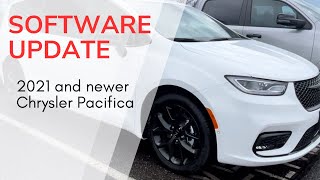
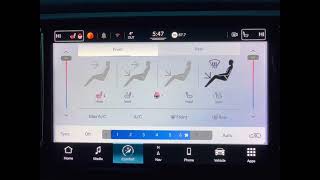
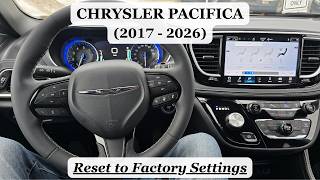
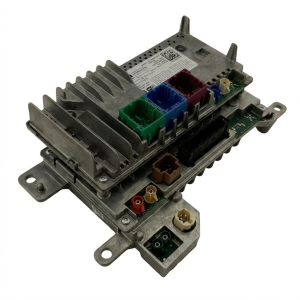
We Have This Part in Stock




The information in this article is provided for general reference and educational purposes only. Vehicle specifications, procedures, and part compatibility can vary by production date, trim level, and region. Always consult your vehicle's factory service manual and verify part numbers before purchasing or performing repairs. Safety-critical components such as airbags, seat belts, and braking systems should be installed by a qualified professional.
- Chrysler PACIFICA:
- 🎬 Helpful Videos
- 🛍️ Shop This Part
- What's Unique About the 2022-2024 Chrysler PACIFICA
- Diagnostic Flowchart
- Symptoms You May Notice
- Most Likely Causes
- Rare But Worth Checking
- Diagnosis Steps
- Parts You'll Likely Need
- Technical Service Bulletins (TSBs) & Recalls
- Platform-Specific Known Issues
- Mechanic-Grade Diagnostic Values
- Hidden / Shadow Codes Worth Checking
- Scan Tool Commands That Help
- Real Owner Repair Stories
- Model Year Variations Within This Range
- 🎟️ Get 5% Off