

U0422 on 2017-2020 Chevrolet Silverado 1500: Invalid BCM Data Causes and Fixes
On a 2017-2020 Silverado, code U0422 usually points to a problem with the Serial Data Gateway Module (SDGM) or its connectors, not the Body Control Module (BCM) itself. The most common fix is inspecting and repairing the SDGM's X1 and X2 connectors for loose terminals, an issue cited in GM Technical Service Bulletins like PIT5586G and 20-NA-212. Do not replace the BCM until the SDGM and its wiring are confirmed to be good.
- U0422 on a 2017-2020 Silverado is a network communication code, not a simple sensor failure.
- The primary suspect is the Serial Data Gateway Module (SDGM) or its wiring connectors, not usually the Body Control Module (BCM) itself.
- Always inspect the SDGM connectors for loose or corroded pins first, as this is a known issue documented in GM service bulletins and is a low-cost check.
- Diagnosis is complex and best left to a professional with GM-specific diagnostic tools.
- Do not replace the BCM or other modules until the SDGM and its wiring have been thoroughly checked.
What's Unique About the 2017-2020 Chevrolet SILVERADO 1500

On this generation of GM trucks (K2XX and T1XX platforms), the Serial Data Gateway Module (SDGM) is the central router for all vehicle communication networks. Manufacturer TSBs, like PIT5586G and 20-NA-212, specifically identify the SDGM and its connectors as the primary culprits for setting code U0422, often with a flood of other communication codes. This is a known issue where the module can get a "logic lock" or suffer from poor terminal connections at the X1 and X2 connectors, causing widespread electronic issues like a flickering instrument cluster or a no-start condition.
Diagnostic Flowchart

Tap your situation to follow the diagnostic path that matches what you're seeing on this vehicle.
Generation note: The 2017-2020 range covers two Silverado generations. The 2017-2018 models are the third generation (K2XX platform), while the 2019-2020 models are the fourth generation (T1XX platform). The provided TSBs (PIT5586G and 20-NA-212) cover years from both generations, suggesting the SDGM and its connector issues are a common problem across this entire year range. The SDGM is located under the driver's side dashboard, near the steering column, and looks like a small box about the size of a hockey puck with two connectors (gray and black).
Symptoms You May Notice

- Multiple warning lights on the instrument panel, including 'Service Stabilitrak'.
- Instrument cluster gauges dropping to zero or behaving erratically.
- Check Engine Light (Malfunction Indicator Lamp) is on.
- Loss of turn signal sounds or other chimes.
- Power door locks, windows, or mirrors not working correctly.
- Interior or exterior lights flickering or failing to operate.
- Radio display is blank or does not shut off when the door is opened.
- Vehicle may not start (no-crank) or may start and immediately stall.
- Replacing the Body Control Module (BCM) without first inspecting the Serial Data Gateway Module (SDGM) and its connectors. The SDGM is the more frequent point of failure for this specific code on these trucks.
- Replacing other modules like the Instrument Panel Cluster (IPC) or radio before verifying the integrity of the central SDGM and its connections.
Most Likely Causes

- Poor Connection at Serial Data Gateway Module (SDGM) 🔴 High Probability GM TSB #PIT5586G and #20-NA-212 specifically call out terminal issues at the SDGM's X1 and X2 connectors as a common cause for U0422 and other communication codes. Terminals can have insufficient tension, get bent, corrode, or back out of the connector housing, disrupting the CAN bus network.
How to confirm: Visually inspect the SDGM connectors (located under the driver's dash) for corrosion, moisture, or pins that have backed out. A technician can perform a 'pin drag' test on the female terminals to check for proper tension. The issue is often with the gray or black connectors plugged into the module.
Typical fix: Repairing the terminal crimps, cleaning the connectors with electrical contact cleaner, and ensuring they are fully seated. In some cases, a new connector pigtail or individual terminated lead (per TSB PIT5586G, p/n 84619127) may be needed.
Est. part cost: $10-$50 - Serial Data Gateway Module (SDGM) Logic Lock or Failure 🟡 Medium Probability As the central communication hub, the SDGM can become overwhelmed or enter a 'logic lock' state, causing it to stop routing messages correctly. This is mentioned as a possibility in TSB #PIT5586G and #20-NA-212.
How to confirm: After ruling out connector issues, a technician would use a GM-specific scan tool to check for communication with the SDGM. A hard reset (disconnecting the battery for 15 minutes) or pulling the SDGM fuse may temporarily resolve a logic lock. TSB 20-NA-212 recommends reprogramming the SDGM as a first step for certain symptoms.
Typical fix: If a reset works temporarily, the module may require reprogramming with the latest software via a dealer or qualified shop. If the module has failed internally, it must be replaced and programmed to the vehicle. A common part number for the 2017-2018 SDGM is 13514249 or 13599318.
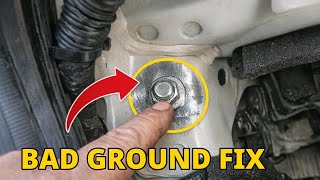
Est. part cost: $150-$300 - Low Battery Voltage or Poor Grounds 🟡 Medium Probability Modern trucks are extremely sensitive to voltage. A weak battery, failing alternator, or corroded ground strap can cause modules to receive insufficient power, leading to corrupt data and a cascade of communication codes. Key ground locations include the engine-to-chassis strap (often on the passenger side firewall) and the main battery grounds to the chassis.
How to confirm: Test the battery voltage (should be >12.4V with engine off), check the alternator output (should be ~13.7-14.7V with engine running), and inspect the main battery, engine, and body ground connections for corrosion or looseness.
Typical fix: Charge or replace the battery, clean or replace corroded ground straps, or replace the alternator if faulty.
Est. part cost: $20-$700 - Faulty Body Control Module (BCM) ⚪ Low Probability While the code directly names the BCM, it is less commonly the root cause on this platform compared to the SDGM. However, an internal BCM failure due to water intrusion or electronic fault can cause it to send out invalid data.
How to confirm: This is typically diagnosed by exclusion. If the SDGM, wiring, and power/ground systems are all confirmed to be good, the BCM becomes the primary suspect. A technician can use a high-end scan tool to try and communicate directly with the BCM and perform bidirectional tests.
Typical fix: Replacement of the BCM, which requires programming to the vehicle's VIN and options. This is a costly last resort.
Est. part cost: $250-$500
Rare But Worth Checking
- CAN Bus Wiring Harness Damage: The communication wires that connect the modules can become chafed, shorted, or corroded, especially in areas where the harness passes through the firewall or near sharp metal edges. This requires meticulous inspection of the wiring loom.
- Spurious History Code: GM has issued bulletins for other models (like TSB 16-NA-407) stating that a history U0422 code can sometimes be set due to high bus traffic on startup. If the code is not active and there are no symptoms, it can be cleared and ignored.
Diagnosis Steps
- Connect a professional scan tool capable of reading GM-specific codes and viewing network data from all modules.
- Record all present DTCs and look for a pattern of communication (U-prefix) codes, especially those listed in TSB PIT5586G.
- Check battery voltage and charging system performance to rule out a power supply issue. A resting battery should be above 12.4V.
- Following TSB #PIT5586G and #20-NA-212, locate the Serial Data Gateway Module (SDGM) under the driver's side dash, near the steering column.
- Disconnect the battery. Disconnect the SDGM connectors (gray X1 and black X2) and inspect for any backed-out terminals, bent pins, corrosion, or signs of moisture.
- If terminals look suspect, test pin tension using a pin drag test and repair as necessary. Re-seat the connectors firmly.
- Inspect key ground locations, particularly the main engine-to-firewall ground strap and battery-to-chassis grounds, for corrosion and tightness.
- If no physical wiring issues are found, reconnect the battery and attempt to start the vehicle. If issues persist, a software reprogram of the SDGM may be required as per TSB 20-NA-212.
- If the code returns after all wiring and software checks, the issue may lie with the SDGM module itself, requiring replacement and programming.
Parts You'll Likely Need
- Serial Data Gateway Module
(OEM #13514249, 13599318 (for 2017-2018 models, verify by VIN))— This module is the most common point of failure for this code, either
Related Codes That Often Appear With This One
- U0073 — Control Module Communication Bus 'A' Off. This is a general communication loss code that often appears with more specific codes like U0422 when there's a network-wide issue originating from the SDGM.
- U0100 — Lost Communication With ECM/PCM. This indicates the SDGM or another module is not receiving data from the engine controller, often listed alongside U0422 in TSBs.
- U0140 — Lost Communication With Body Control Module. This is the counterpart to U0422, indicating a complete loss of signal from the BCM, often due to the same SDGM or wiring faults.
- U0155 — Lost Communication With Instrument Panel Cluster (IPC) Control Module. This often sets when the IPC isn't receiving valid data from the BCM via the SDGM, causing gauges to fail.
Technical Service Bulletins (TSBs) & Recalls
- PIT5586G: Mentions U0422 in the context of a logic lock or connector terminal issues at the Serial Data Gateway Module.
- PIT5713A: Lists U0422 as part of a large group of DTCs that can set when multiple IPC warnings are displayed.
Platform-Specific Known Issues
- TSB #PIT5586G points to a logic lock of the Serial Data Gateway Module or poor terminal connections at its X1 and X2 connectors as a primary cause for a host of communication codes, including U0422.
- TSB #20-NA-212 expands on PIT5586G, covering more model years (including 2017-2020) and provides instructions for reprogramming the SDGM as a potential fix for logic lock issues before inspecting connectors.
- The SDGM is located under the driver's side dash, to the side of the steering column. It is a small black module with a gray and a black connector. Setting the parking brake can help move the pedal out of the way for better access.
Mechanic-Grade Diagnostic Values
- High-Speed CAN Bus Network Resistance — expected: Approximately 60 Ohms between CAN High (Pin 6) and CAN Low (Pin 14) at the DLC with the battery disconnected.. Failure: A reading of 120 Ohms indicates an open circuit or a missing termination resistor. A reading significantly below 60 Ohms (e.g., ~40 Ohms) suggests a third resistor is on the network or a module is shorted.
- High-Speed CAN Bus Voltage (Key On, Engine Off) — expected: Both CAN High and CAN Low lines should idle at approximately 2.5V. During data transmission, CAN High pulses to ~3.5V and CAN Low pulses to ~1.5V.. Failure: Voltages stuck high or low, or no voltage, indicate a short or open in the wiring. Measuring with a DMM will show fluctuating values around 2.5V; an oscilloscope is needed for precise analysis.
- Ground Point Resistance — expected: Less than 0.1 Ohms from the ground lug (e.g., G218) to the negative battery terminal.. Failure: Higher resistance indicates a poor ground connection due to corrosion, paint, or looseness, which can cause module instability.
Hidden / Shadow Codes Worth Checking
- U0422-71: Invalid Data Received From Body Control Module - Actuator Stuck. This symptom byte points to a specific failure related to a stuck actuator, rather than a general data error. GM TSB #22-NA-205 links this specific code to water intrusion at the Transfer Case Actuator connector on 4WD models. (see via A professional GM-specific scan tool like the GDS2 is required to read symptom bytes.)
Scan Tool Commands That Help
- GM GDS2 (Global Diagnostic System 2): Module Diagnostics > BCM > Control Functions — To verify if the BCM is capable of functioning. A technician can command outputs like windows or lights on and off. If the commands work, the BCM is likely operational, and the fault is with data transmission (wiring, SDGM, grounds) rather than the BCM itself.
- GM SPS (Service Programming System): SDGM or BCM Programming — This is required after replacing the Serial Data Gateway Module or Body Control Module. It loads the correct vehicle-specific software and VIN onto the new module. This is not a diagnostic function but a necessary step for module replacement.
Wiring & Ground Locations
- G218 — Location varies by generation. On 2017-2018 K2XX models, it is typically behind the driver's side A-pillar/kick panel. On 2019+ T1XX models, it is located on the passenger-side A-pillar frame.. This is a major ground point for the BCM and other interior modules. Factory paint or sound-deadening material is often trapped under the ground lug, causing a poor connection and leading to a cascade of communication codes.
- CAN Bus Star Connectors — Located in the driver's side footwell, near the kick panel. They look like small plastic blocks where multiple network wires join together.. These are junction points for the communication network. A loose pin, corrosion, or damaged wire at one of these connectors can bring down the entire network or isolate certain modules.
- Transfer Case Actuator Connector — On the transfer case of 4WD models.. A TSB identifies that the grommet on this connector can tear, allowing water intrusion and corrosion. This specifically can cause the U0422-71 symptom code.
- Firewall-to-Engine Ground Strap — A braided strap connecting the engine block to the vehicle's firewall.. This is a primary ground path. Corrosion or a break in this strap can cause widespread electrical issues and communication faults.
Real Owner Repair Stories
- YouTube channel 'Advanced Level Diagnostics' (2018 Chevrolet Silverado) — Multiple communication codes, airbag light on, and a blank radio screen. No communication with the airbag module.
❌ Tried (didn't work) The referring shop suspected a major network issue and was hesitant to diagnose.
✅ What actually fixed it The technician found that the airbag module and the radio ('info') were powered by the same fuse. A single blown 10-amp fuse in the right instrument panel fuse block was the cause. Replacing the fuse restored communication and function to both components. - Go-Parts.com article citing an AnandTech Forums user (2014 Chevrolet Silverado 1500) — Multiple electrical issues and communication codes.
❌ Tried (didn't work) Initial diagnosis was inconclusive.
✅ What actually fixed it The G218 ground connection was faulty. Sound-deadening insulation was trapped between the ground wire's eyelet and the body stud. The fix was to remove the A-pillar and kick panel trim, pull the insulation away, clean the contact surfaces, and securely tighten the ground nut.
"I Checked Everything" — The Actual Cause
- In a 2018 Silverado with a blank radio and multiple communication codes, the issue was not a wiring harness or ground fault, but a single blown 10A fuse in the instrument panel fuse block that powered both the radio (infotainment) and the airbag module. Technicians can miss this by focusing only on network wiring instead of shared power supplies.
Model Year Variations Within This Range
- 2017-2019 (K2XX) vs 2019-2020 (T1XX): The 2019 model year is a transition year. The 'Silverado 1500 LD' or 'Legacy' is the old K2XX body style, while the all-new Silverado 1500 is the T1XX platform. They have different frames, bodies, and interiors.
- 2017-2019 (K2XX) vs 2019-2020 (T1XX): The location of the critical G218 ground point is different. On K2XX trucks, it's on the driver's side A-pillar. On the new T1XX trucks, it's on the passenger's side A-pillar. Checking the wrong side will lead to a missed diagnosis.
- 2020+: The CAN bus architecture was changed. Measuring resistance at the DLC on a 2020+ model may yield 120 Ohms (reading only the SDGM), whereas earlier models typically read 60 Ohms at the DLC. This is normal for the newer platform and not an indication of a fault.
Helpful Videos

The information in this article is provided for general reference and educational purposes only. Vehicle specifications, procedures, and part compatibility can vary by production date, trim level, and region. Always consult your vehicle's factory service manual and verify part numbers before purchasing or performing repairs. Safety-critical components such as airbags, seat belts, and braking systems should be installed by a qualified professional.
- Chevrolet SILVERADO 1500:
- 🎬 Helpful Videos
- What's Unique About the 2017-2020 Chevrolet SILVERADO 1500
- Diagnostic Flowchart
- Symptoms You May Notice
- Most Likely Causes
- Rare But Worth Checking
- Diagnosis Steps
- Parts You'll Likely Need
- Related Codes That Often Appear With This One
- Technical Service Bulletins (TSBs) & Recalls
- Platform-Specific Known Issues
- Mechanic-Grade Diagnostic Values
- Hidden / Shadow Codes Worth Checking
- Scan Tool Commands That Help
- Wiring & Ground Locations
- Real Owner Repair Stories
- "I Checked Everything" — The Actual Cause
- Model Year Variations Within This Range
- 🎟️ Get 5% Off