

U0403 on 2015-2022 Chevrolet Colorado: Service 4WD Causes and Fixes
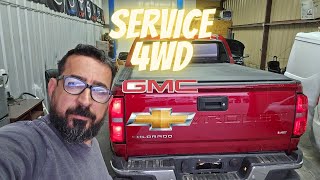
On a 2015-2022 Colorado, U0403 almost always triggers a 'Service 4WD' message. The most likely causes are a wiring issue under the truck (corroded connector or chafed harness), a software glitch in the Transfer Case Control Module (TCCM), especially in cold weather, or a faulty ground. A DIY fix is unlikely; expect a shop to diagnose and repair wiring or reprogram/replace the TCCM.
- U0403 means your truck's 4WD computer (TCCM) is sending bad data, which disables the system.
- Before replacing any expensive parts, have the wiring harness and connectors under the truck inspected for corrosion or damage.
- In cold climates, always try to park your truck in 2WD to avoid a known software glitch that can trigger this code on startup.
- This is not a good DIY code. Diagnosis requires tools that can communicate with the TCCM, and a new module requires professional programming.
What's Unique About the 2015-2022 Chevrolet Colorado
On this generation of Colorado and its GM truck siblings, U0403 is frequently linked to two specific issues. First is a known software sensitivity in the TCCM, particularly in very cold climates, where starting the truck in any mode other than 2WD can trigger the fault. Forum users report that GM acknowledged this issue and was working on a software update, advising owners to park in 2WD as a workaround. Second, the wiring harness for the transfer case components is routed underneath the vehicle, making it susceptible to corrosion, moisture, and physical damage, which can corrupt the communication signals and set this code.
Symptoms You May Notice
- "Service 4WD" message displayed on the driver information center.
- Inability to switch between 2WD, Auto, 4-High, or 4-Low.
- The 4WD selector switch indicator lights are off or flash when a new mode is selected.
- Traction control and/or Stabilitrak system may be disabled.
- The vehicle is stuck in its last known drive mode (usually 2WD).
- Parasitic battery drain, potentially caused by the TCCM staying active trying to resolve the fault.
- Replacing the transfer case encoder motor (actuator). While the actuator can fail, it typically sets different codes related to motor circuits (like C0306 or C0398). U0403 is a data communication error, which more often points to the wiring, grounds, or the TCCM itself, not the motor.
Most Likely Causes
- Wiring Harness or Connector Damage 🔴 High Probability The harness to the TCCM and transfer case encoder motor is routed under the truck, exposed to road salt, moisture, and debris. This leads to corrosion on connector pins (especially the large X119 connector near the battery 🎬 Watch this diagnostic and repair walk-through for Chevy TCCM issues) or chafed wires shorting to ground. Some owners report that dealer-applied undercoating can swell connectors, allowing water intrusion.
How to confirm: Visually inspect the wiring harness and connectors going to the Transfer Case Control Module and the transfer case actuator. Check for green corrosion, pushed-out pins, or chafed insulation. A technician would perform a continuity and short-to-ground test on the CAN bus wires. A key connector to check is the X119 connector, located near the battery on the driver's side, which is a known failure point.
Typical fix: Clean the connectors with electrical contact cleaner and apply dielectric grease. If corrosion is severe, the connector pigtail may need to be replaced. Damaged sections of the harness must be repaired.
Est. part cost: $20-$100 - Transfer Case Control Module (TCCM) Software Glitch 🟡 Medium Probability Forum reports from as early as 2015 indicate a known issue on GM trucks where the TCCM can 'lock up' if the vehicle is shut down in 4WD or Auto mode during extremely cold weather (e.g., -40°C), setting code U0403 on the next startup. GM issued a bulletin acknowledging the cold weather sensitivity.
How to confirm: This is difficult to confirm without a dealer-level scan tool. If the problem only occurs on cold starts and can be cleared by a TCCM reset (either with a scan tool or by disconnecting the battery), a software issue is likely. Check with a dealer for any available TCCM software updates.
Typical fix: A dealership or qualified shop must reprogram the TCCM with the latest software. As a preventative measure, owners in cold climates are advised to always switch the truck to 2WD before shutting it off. Some owners have had success getting the dealer to perform a software flash update to resolve the issue.
Est. part cost: $0-$250 - Faulty Transfer Case Control Module (TCCM) 🟡 Medium Probability Internal failure of the module's processor or power supply can cause it to broadcast corrupt data onto the network. The module's location on the frame rail (or under the driver's seat on older models) makes it vulnerable to moisture and corrosion over time.
How to confirm: This is a process of elimination. If the power, ground, and communication wiring to the module are all confirmed to be good, and a software update doesn't fix it, the module itself is the likely culprit.
Typical fix: Replace the TCCM. The new module must be programmed with the correct software for the vehicle's VIN and options. Some owners of older generation Colorados have relocated the TCCM to a higher, drier location inside the cabin to prevent repeat failures.
Est. part cost: $250-$500 - Poor Ground Connection 🟡 Medium Probability GM trucks of this era are known for having ground issues. The main ground points for body and control modules can corrode, creating high resistance and causing unpredictable electronic behavior. A bad ground can cause modules to send corrupt data, triggering U-codes.
How to confirm: Inspect the main ground connections, especially the ground splice packs under the hood (SP-105 near the battery, SP-106 behind the airbox) and the main frame ground under the driver's side door area. Look for rust and looseness. A technician would perform a voltage drop test on the ground circuit.
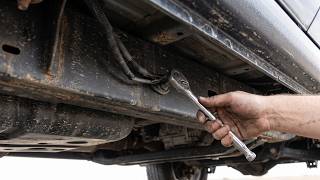
Typical fix: Remove the ground bolt/nut, clean the terminal, the wire lug, and the mounting surface 🎬 See how to fix a Service 4WD light with a simple ground cleaning down to bare metal. Re-secure the connection tightly and apply a protective coating.
Est. part cost: $5-$20 - Faulty 4WD Selector Switch ⚪ Low Probability The dash-mounted switch is a mechanical part with electrical contacts that can wear out over time, sending erratic or no signal to the TCCM. There is also a known issue where the wrong switch (e.g., one with an 'Auto 4WD' position on a truck not equipped with it) can be installed, causing DTCs.
How to confirm: A technician can monitor the switch's output data on a scan tool while turning the knob. If the values are erratic or don't correspond to the selected position, the switch is faulty. Also, verify the switch part number is correct for the vehicle's RPO code (NQ6 or NQ7).
Typical fix: Replace the 4WD selector switch assembly in the dashboard. 🎬 Watch this quick step-by-step 4x4 switch replacement video Ensure the correct part is used based on the vehicle's options.
Est. part cost: $40-$90
Rare But Worth Checking
- Low Battery Voltage: Control modules can send corrupt data during startup if system voltage is too low. Before complex diagnostics, ensure the battery is healthy and all main ground connections (especially G103, G104 on the engine block) are clean and tight. A failing battery can cause a cascade of communication codes.
Diagnosis Steps
- Check for Technical Service Bulletins (TSBs): Ask a dealer or use a professional database to check for TSBs related to U0403 or 'Service 4WD'. TSBs like PIT5391A point to known wiring issues, while others address software updates or incorrect parts.
- Scan All Modules: Use a full-featured OBD-II scanner that can communicate with the TCCM, BCM, and other modules. Note any other communication (U-series) or chassis (C-series) codes. A basic engine code reader may not show the relevant faults.
- Inspect Wiring and Connectors: Perform a thorough visual inspection of the wiring harness and connectors. Pay close attention to the TCCM connector, the transfer case actuator connector, and the large X119 harness connector near the driver's side battery. Look for corrosion, damage, or loose connections.
- Inspect Ground Connections: Check the primary ground points under the hood and on the frame under the driver's door. Disassemble, clean, and re-tighten any corroded grounds.
- Test Power and Ground at the TCCM: Using a multimeter, confirm that the TCCM is receiving proper battery voltage and has a solid ground connection. A bad ground is a common cause of module communication issues.
- Check 4WD Selector Switch: Use a scan tool to monitor the live data from the selector switch as you turn it. The position should change cleanly. Verify the correct switch is installed per TSB PIP5256B.
- Test CAN Bus Integrity: This is an advanced step. A technician will measure the resistance and voltage on the CAN bus communication wires at the TCCM connector to check for opens, shorts, or abnormal voltage.
Parts You'll Likely Need
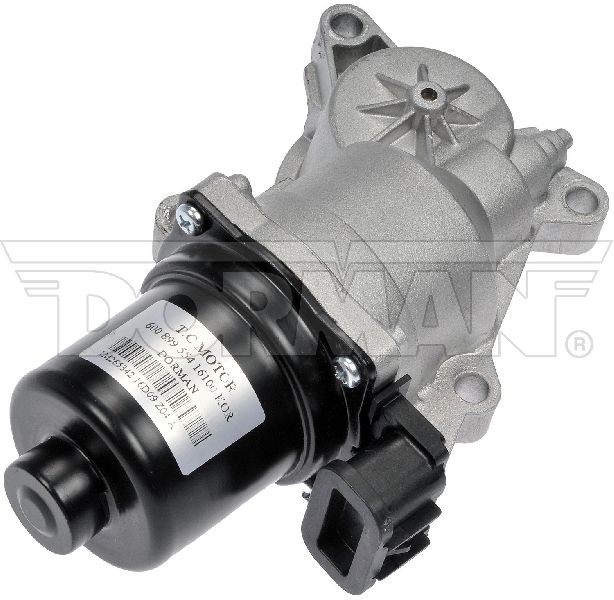
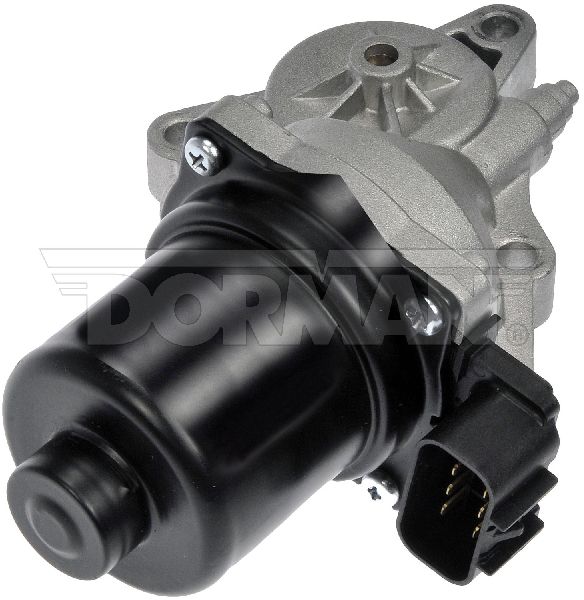
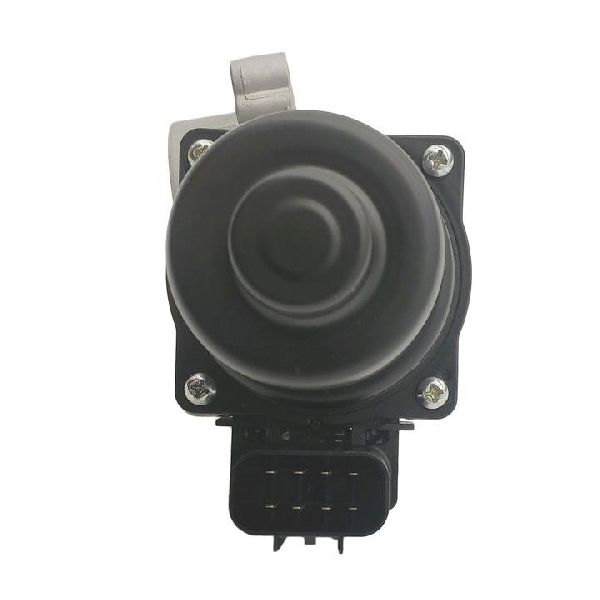
- Transfer Case Control Module (TCCM)
(OEM #84406742, 84377721 (Verify by VIN))— The module itself can fail internally, causing it to send corrupt data. This is often the final diagnosis after wiring and software are ruled out.
Trusted brands: ACDelco, Dorman
OEM price range: $300-$500
Aftermarket price range: $200-$400 - 4WD Selector Switch
(OEM #23173756 (Without Auto 4WD - NQ7), 23173757 (With Auto 4WD - NQ6))— The switch in the dash can wear out or be the incorrect part for the vehicle's options, sending erratic signals that confuse the TCCM and trigger a communication fault.
Trusted brands: ACDelco, Standard Motor Products
OEM price range: $60-$90
Aftermarket price range: $30-$60 - Wiring Harness Connector Pigtail — If the connector at the TCCM, transfer case actuator, or a major junction like X119 is heavily corroded, replacing the connector pigtail is often more effective than just cleaning the pins.
Trusted brands: ACDelco, Dorman
OEM price range: $40-$80
Aftermarket price range: $20-$50
Related Codes That Often Appear With This One
- C0364 — Mentioned in GM TSB #PIT5391A alongside U0403, relating to the transfer case lock circuit and general electrical issues stemming from poor connections in the under-hood fuse block.
- C0396 — This code for 'Transfer Case Encoder Circuit Malfunction' can be caused by the same wiring harness issues (like a short to ground) that might also corrupt data and set U0403.
- B2725 — This code for 'Transfer Case Range Select Switch Circuit' can be set if the wrong 4WD switch is installed, which sends an invalid voltage to the TCCM, potentially triggering U0403 as well.
- U0102 — This code means 'Lost Communication with TCCM'. It often appears with U0403. U0102 indicates a complete loss of signal, while U0403 indicates the signal is present but invalid. Both point to issues with the TCCM or its wiring.
Technical Service Bulletins (TSBs) & Recalls
- PIT5391A: Addresses no-crank/stall, Service 4WD message with U0403/C0364, caused by poor terminal connections in under-hood and instrument panel fuse blocks.
- PIP5256B: Addresses 'Service 4WD' with codes B2725 or B0770, caused by incorrect 4WD selector switch being installed from the factory.
- 18-NA-355: (Unrelated to U0403, for Known Issues) Addresses the 'Chevy Shake' or transmission shudder, fixed by a transmission fluid flush with a specific Mobil 1 synthetic fluid.
Platform-Specific Known Issues
- A widely reported issue on GM truck forums involves the TCCM faulting in extreme cold weather if the vehicle is started while the 4WD system is in 'Auto' or '4WD'. The recommended practice is to switch the vehicle to '2WD' before shutting it down to prevent this glitch.
Mechanic-Grade Diagnostic Values
- CAN Bus Network Resistance — expected: Approximately 60 Ohms when measured between CAN_H and CAN_L pins (e.g., pins 12 and 13 on the chassis high-speed network at the DLC) with the battery disconnected.. Failure: A reading of 120 Ohms indicates an open circuit or a missing terminating resistor. A reading near 0 Ohms indicates a short between the CAN wires.
- CAN Bus Voltage — expected: With the key on, engine off, CAN_H should be ~2.7V and CAN_L should be ~2.3V, both relative to a good chassis ground.. Failure: Voltages that are stuck high, low, or equal to each other indicate a short to power, short to ground, or short between the CAN wires.
- TCCM Power and Ground — expected: With the key on, confirm battery voltage (12.6V) at the TCCM's main power feed wire and less than 0.1V of voltage drop on the main ground wire when measured between the connector pin and the negative battery terminal.. Failure: Low or no voltage on the power wire, or high resistance/voltage drop on the ground wire, indicates a wiring or fuse issue preventing the module from powering on correctly.
Scan Tool Commands That Help
- GM GDS2 (Global Diagnostic System 2): Module/ECU Information — To verify the software and calibration part numbers currently flashed to the TCCM, which can be compared against GM's latest available software versions to see if an update is needed.
- GM GDS2 (Global Diagnostic System 2): Output Controls / Bidirectional Tests — To command the transfer case actuator motor to shift between ranges (2WD, 4H, 4L) while observing live data. This isolates the problem: if the module can command the shift via the scan tool but not the dash switch, the switch or its circuit is suspect. If it fails to command the shift, the TCCM, wiring, or actuator is at fault.
- GM GDS2 or high-end aftermarket scanner: Transfer Case High/Low Clutch/Shift Learn — After replacing the TCCM or transfer case actuator, this procedure must be run. It allows the new module to learn the physical end-points of the shift mechanism. Failure to perform this learn procedure will often result in continued 'Service 4WD' messages.
Wiring & Ground Locations
- TCCM (Transfer Case Control Module) — On 2015-2022 models, it is typically located on the frame rail. On some older GM trucks it was under the driver's seat, making it prone to water damage. On some 2nd gen Colorados, it may be located behind the glove box.. This is the source module for the U0403 code. All power, ground, and communication wires terminate here, making its connector a primary point of inspection.
- SP106 (Ground Splice Pack) — Located on the passenger side of the engine bay, behind the engine airbox.. This splice pack provides ground for the Transfer Case Control Module on some model years. Corrosion here creates high resistance, which can cause the TCCM to send invalid data.
- G100 / G101 / G105 / G110 — These are primary engine bay and frame ground points. G100/G105 are near the front radiator support. G101/G110 are often on the engine block or cylinder head. For example, on a similar GM platform, G110 is on the right rear of the engine, mounted to the back of the cylinder head.. The TCCM and other critical modules rely on these main grounds. A loose or corroded main ground can cause floating voltages and communication errors across multiple systems, including the TCCM.
- Interior Fuse Block — Located in the passenger side kick panel area.. This panel contains the fuse for the TCCM (often labeled TREC). A poor connection or failing fuse can cause intermittent power loss to the module.
- Underhood Fuse Block — Located on the driver's side of the engine bay, near the battery.. This block contains relays and fuses that supply power to various systems, including circuits related to the TCCM. The TSB #PIT5391A points to issues within this block as a potential cause.
Real Owner Repair Stories
- GM-Trucks.com forum user 'CaptainCanuck' (2015 GM Truck (model not specified, but behavior is identical to Colorado issue)) — After sitting for 8 hours in -40°C temperature, the 'Service 4WD' message appeared and the selector switch was stuck in 'Auto'. OnStar diagnostics returned code U0403.
❌ Tried (didn't work) The dealer initially just reset the TCCM, but warned the problem would likely return.
✅ What actually fixed it This was identified as a known GM issue per a service bulletin. A software update was in the works. The temporary fix and prevention method advised by the dealer was to always park the truck in 2WD mode, as the fault only triggers on startup if left in Auto or 4WD in extreme cold.
OEM Part Supersession History
84219971→86522174— Part update for reliability or component changes.
Heads up: When replacing the TCCM, the new module must be programmed via GM's SPS (Service Programming System) with the vehicle's VIN to ensure it has the correct software and communicates with other modules.84366746→87835510— Part update for reliability or component changes.
Heads up: Programming with the vehicle's VIN is required after installation.
Model Year Variations Within This Range
- 2015-2016: Early models of this generation were more susceptible to the cold-weather software glitch that triggers U0403. Later software flashes released by GM were intended to resolve this sensitivity.
Diagnostic Flowchart
Other Known Issues on This Vehicle
Issues unrelated to this code that are worth knowing about as an owner of this generation:
- 8-Speed Transmission Shudder ('Chevy Shake') 🔴 High — Very common on 2015-2019 models with the 8-speed automatic. Feels like driving over rumble strips at steady speeds. (Ref: TSB 18-NA-355 recommends a fluid flush with an updated synthetic fluid. In some cases, torque converter replacement is necessary.)
- Torque Converter Failure 🔴 High — Often related to the transmission shudder; the original fluid can cause damage to the torque converter clutch, requiring replacement. (Ref: TSB 18-NA-355)
- Frame Wax Coating Failure / Premature Rust 🟠 Medium — The wax-based frame coating applied by GM on many of its trucks can peel or fail to adhere properly, leading to premature surface rust, especially in the rust belt. Interestingly, some reports suggest the Colorado may have a better-painted frame than its full-size Silverado sibling. (Ref: TSB 19-NA-255)
- Loss of Power Steering Assist 🔴 High — Primarily affects 2015 models due to a poor electrical connection in the steering gear torque sensor harness. (Ref: Recall #15595A (NHTSA #16V054000))
- Harsh 1-2 Shift on Cold Start 🟡 Low — Affects 8-speed transmissions; a noticeable harsh shift between 1st and 2nd gear on the first drive of the day. (Ref: TSB 16-NA-361 states this is a normal characteristic and no repairs should be attempted.)
Used vs. New Parts: Buying Guide for This Vehicle
When a used part is the smart pick: A used TCCM from a reputable salvage yard can be a cost-effective option, as can used wiring harness connectors or pigtails if the original is damaged beyond repair. These are generally reliable electronic components when sourced from a vehicle that was not in a flood or major collision.
Donor-vehicle mileage cap: roughly under 100000 miles for the part to have meaningful remaining life.
What to inspect on the donor part:
- For a TCCM, ensure the part number matches or is a known compatible replacement for your original module.
- Check for any signs of water damage, corrosion on the pins, or physical damage to the casing.
- For wiring connectors, inspect for brittle plastic, broken locking tabs, or heavy corrosion on the pins.
- Verify the donor vehicle has the same 4WD system (e.g., Auto 4WD vs. standard 4WD) as yours.
OEM-only on this vehicle (don't cheap out):
- Transfer Case Control Module (TCCM). While a used OEM module is viable, avoid unbranded new aftermarket modules from online marketplaces. These often have high failure rates or cannot be programmed correctly. A new GM Genuine or ACDelco OE part is the most reliable option if buying new.
Aftermarket brands forum-validated for this vehicle:
- ACDelco (GM's OEM parts brand)
- Dorman (Offers remanufactured TCCMs, but OEM is generally preferred for programming compatibility)
Brands owners have reported issues with on this vehicle:
- No-name, unbranded electronic modules from marketplaces like Amazon or eBay. These often fail to program or have short lifespans.
Real Owner Stories
Aggregated from forums and TSBs cited above. Mileages and costs reflect what owners reported in those sources.
2016 Chevrolet Colorado
Symptoms: Service 4WD message displayed on the dash.
What fixed it: The issue is often related to the TCCM locking up in cold weather; forum members suggest switching to 2WD before shutdown or checking for software updates.
Source hint: Reddit r/chevycolorado thread titled 'service 4wd message 16 colorado any ideas'
2015-2022 Chevrolet Colorado
Symptoms: The TCCM faults if the vehicle is started in 'Auto' or '4WD' during extreme cold.
What fixed it: Switching the vehicle to '2WD' before shutting it down to prevent the software glitch.
Source hint: vehicle_specific_issues
Related OBD-II Codes
Frequently Asked Questions
Why does my Chevrolet Colorado display 'Service 4WD' only during extremely cold winter mornings?
Is there a specific wiring connector I should check on my Colorado for the U0403 code?
Could a TSB explain why my truck has a 'Service 4WD' message and won't crank?
Can the 4WD selector switch itself cause a U0403 code on a 2015-2022 model?
How can I prevent the TCCM software glitch from occurring in cold climates?
Does the dealer-applied undercoating on my Colorado affect the 4WD system?
Helpful Videos
Used OEM Parts in Stock


New Aftermarket Parts Available


The information in this article is provided for general reference and educational purposes only. Vehicle specifications, procedures, and part compatibility can vary by production date, trim level, and region. Always consult your vehicle's factory service manual and verify part numbers before purchasing or performing repairs. Safety-critical components such as airbags, seat belts, and braking systems should be installed by a qualified professional.
- Chevrolet Colorado:
- 🎬 Helpful Videos
- 🛍️ Shop This Part
- What's Unique About the 2015-2022 Chevrolet Colorado
- Symptoms You May Notice
- Most Likely Causes
- Rare But Worth Checking
- Diagnosis Steps
- Parts You'll Likely Need
- Related Codes That Often Appear With This One
- Technical Service Bulletins (TSBs) & Recalls
- Platform-Specific Known Issues
- Mechanic-Grade Diagnostic Values
- Scan Tool Commands That Help
- Wiring & Ground Locations
- Real Owner Repair Stories
- OEM Part Supersession History
- Model Year Variations Within This Range
- Diagnostic Flowchart
- Other Known Issues on This Vehicle
- Used vs. New Parts: Buying Guide for This Vehicle
- Real Owner Stories
- 2016 Chevrolet Colorado
- 2015-2022 Chevrolet Colorado
- Related OBD-II Codes
- Frequently Asked Questions
- 🎟️ Get 5% Off