

U0268 on 2017-2018 GMC Acadia: Causes and Fixes for Lost Communication With Object Detection Module
This code typically indicates a failed Side Blind Zone Alert (SBZA) module, usually the right-hand (passenger side) one, located in the rear bumper. The failure is almost always caused by water intrusion and corrosion due to its poor location and sealing. The fix involves replacing the faulty module and often its wiring connector, which then requires programming by a dealer or qualified shop to restore function.
- U0268 on a 2017-2018 Acadia almost always points to a problem with the right-side (passenger) Side Blind Zone Alert module.
- The most likely cause is a failed sensor module in the rear bumper corner, which has been damaged by water and corrosion. This is a known design flaw.
- GM issued a special coverage program (N172097060) for the 2017 model year, but it is now expired. 2018 models were not covered.
- Repair is not a simple DIY swap; the rear bumper must be removed, and the new module requires professional programming to work.
- Always inspect the wiring connector for corrosion; it often needs to be replaced with a pigtail (ACDelco PT2712) at the same time as the module.
What's Unique About the 2017-2018 Gmc ACADIA
The 2017-2018 Acadia, part of the model's second generation built on the C1XX platform, has a significant design flaw. The side object detection modules are mounted low in the rear bumper corners, an area highly susceptible to water, road salt, and debris kicked up by the rear wheels. The module's housing and connector are inadequately sealed, which often leads to water intrusion and corrosion, causing the modules to fail. The problem was so prevalent that GM issued a Special Coverage program (N172097060) 🎬 See why this common warning message appears on GM vehicles. for the 2013-2017 models to address these failures.
Diagnostic Flowchart
Tap your situation to follow the diagnostic path that matches what you're seeing on this vehicle.
Symptoms You May Notice
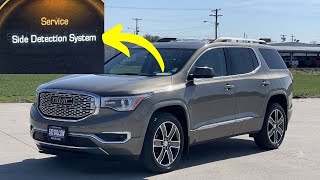
- "Service Side Detection System" message on the Driver Information Center (DIC)
- "Side Blind Zone Alert Unavailable" message
- Warning lights for driver assistance systems are illuminated
- The amber warning icons in the side mirrors do not light up when a vehicle is in the blind spot, or one or both may stay lit continuously
- Rear Cross Traffic Alert system is disabled
- In severe cases where the module shorts the data bus, other seemingly unrelated warnings (like for airbags) can appear, or the instrument cluster may go blank intermittently.
- Replacing the wrong side module. Diagnostics should confirm which module (left or right) has lost communication before parts are ordered. U0268 is for the right side, U0269 is for the left.
- Replacing only the module when the connector pigtail is also heavily corroded. This can lead to a repeat failure.
- Assuming the module is bad without checking for power, ground, and data line integrity at the connector first.
Most Likely Causes
- Failed Side Object Detection Module (Right Side) 🔴 High Probability The modules are located in the rear bumper corners and are poorly sealed, making them highly susceptible to water intrusion, which leads to internal corrosion and failure. The modules can often be seen physically swollen or cracked from the corrosion inside.
How to confirm: After removing the rear bumper cover, visually inspect the module for signs of corrosion, swelling, or water damage. A professional scan tool will also be unable to communicate with the specific module. A useful diagnostic step is to swap the left and right modules; if the code changes to U0269 (Lost Communication with Left Module), the module itself is confirmed to be faulty.
Typical fix: Replace the failed module. They are often sold as a kit with a new wiring harness. The new module must be programmed by a dealer or a shop with GM diagnostic software.
Est. part cost: $250-$500 - Damaged or Corroded Wiring/Connector 🟡 Medium Probability The same environmental factors that damage the module also affect its electrical connector and wiring harness. Water wicks into the connector, causing corrosion on the pins (often turning them green) and leading to intermittent or total loss of communication.
How to confirm: Visually inspect the connector for green or white corrosion, broken wires, or loose pins after unplugging it from the module. Water may physically drip out of the connector upon removal.
Typical fix: If corrosion is minor, cleaning the terminals may work temporarily. However, the corrosion often compromises the pins and plastic. The standard professional repair is to replace the connector pigtail (e.g., ACDelco PT2712) by splicing it into the existing harness. Sometimes the entire rear bumper harness must be replaced if damage is extensive.
Est. part cost: $30-$100 - Faulty Diagnostic Equipment ⚪ Low Probability This is not a vehicle fault, but a diagnostic one. GM issued bulletin PIT5441C noting that a faulty MDI (Multiple Diagnostic Interface) or its cable can cause false communication codes, including U0268, to be stored by interfering with the object detection data bus.
How to confirm: If multiple, unrelated communication codes are present, or if the code appears during diagnosis but no fault is found, try using a different, known-good diagnostic interface to scan the vehicle again.
Typical fix: Replace the faulty diagnostic tool or cable.
Est. part cost: $0
Rare But Worth Checking
- Failed Active Safety Control Module:
Diagnosis Steps
- Scan all vehicle modules with a professional-grade scan tool capable of reading GM-specific codes and viewing the status of all network modules.
- Confirm that the Active Safety Control Module is reporting code U0268 and that the Right Side Object Detection Module is not communicating.
- Gain access to the Side Object Detection modules by removing the rear bumper fascia.
- Visually inspect the right-side module and its electrical connector for signs of water intrusion, corrosion (green/white powder), swelling, or physical damage.
- If damage is evident, the module and/or harness connector is the likely cause.
- If no physical damage is visible, disconnect the modules and swap the left and right units. Reconnect them and clear the codes. Re-scan the system. If the code changes to U0269 (Lost comm with left module), the original right-side module is faulty. If code U0268 returns, the problem lies in the wiring to the right-side connector.
- If wiring is suspected, use a multimeter to check for proper power, ground, and continuity of the CAN bus wires between the module connector and the Active Safety Control Module.
- As per TSB PIT5441C, if diagnosis is inconclusive or multiple U-codes are present, consider the possibility that the scan tool itself is inducing the fault and re-test with different equipment.
Parts You'll Likely Need
- Side Object Detection Module (Right/Passenger)
(OEM #84440528)— This is the sensor module that fails due to water intrusion. It is the primary cause of code U0268 on this vehicle. This part number supersedes older numbers like 22971841 and 23133813.
Trusted brands: GM Genuine Parts
OEM price range: $350-$450
Aftermarket price range: $200-$350 - Side Object Detection Module (Left/Driver)
(OEM #84440527)— This is the module for the opposite side, which often fails for the same reasons and may be replaced preventatively or if code U0269 is also present. This part supersedes older numbers like 22844861.
Trusted brands: GM Genuine Parts
OEM price range: $350-$450
Aftermarket price range: $200-$350 - Connector Pigtail
(OEM #ACDelco PT2712 / GM 19300189)— The factory connector is often destroyed by corrosion. This pigtail is required to be spliced into the harness to provide a clean, reliable connection to the new module.
Trusted brands: ACDelco, GM Genuine Parts
OEM price range: $30-$50
Aftermarket price range: $15-$30
Related Codes That Often Appear With This One
- U0269 — This code is for the other side's object detection module ('Module A', Left/Driver side). It's common for both modules to be exposed to the same conditions, and they may fail around the same time or one after the other.
- B1755 — This is a more specific code indicating an internal failure of the side object detection module, which can accompany the general communication loss code.
Technical Service Bulletins (TSBs) & Recalls
- PIT5441C: Addresses multiple U-codes related to the Object Detection System, noting that a faulty diagnostic cable (MDI) can be a potential cause of the codes being set by interfering with the specific data bus on DLC pins 3 and 11.
- N172097060: This is a Special Coverage program, not a TSB, that GM created to address the widespread failure of Side Blind Zone Alert modules due to water intrusion
- PIT5622B: Addresses a 'Side Detection System Unavailable' message that appears on startup without DTCs, caused by misaligned or broken module mounting brackets on the rear fascia. This can cause the module to 'learn' it is in the wrong position over time and disable itself.
Platform-Specific Known Issues
- GM Special Coverage N172097060 was issued for 2013-2017 GMC Acadia models due to a high rate of failure for the Side Blind Zone Alert (SBZA) modules from water intrusion. This program extended the warranty for this specific failure to 6 years or 80,000 miles from the vehicle's in-service date. For all 2017 models, this coverage is now expired. The 2018 model year was not included in this program.
Mechanic-Grade Diagnostic Values
- CAN Bus Network Resistance — expected: Approximately 60 Ω (Ohms) when measured between CAN High and CAN Low wires with the battery disconnected.. Failure: A reading of ~120 Ω indicates an open circuit or a missing terminating resistor (one of the modules on the bus is disconnected or internally failed). A reading near 0 Ω indicates a short between the CAN High and CAN Low wires.
- CAN Bus Voltage (Key On, Engine Off) — expected: CAN High to Ground: ~2.6V. CAN Low to Ground: ~2.4V.. Failure: Voltages that are stuck high, low, or at battery/ground potential indicate a shorted wire or a faulty module pulling the bus voltage down.
Scan Tool Commands That Help
- GM GDS2 (Global Diagnostic System 2): SPS (Service Programming System) Programming — This function is mandatory after replacing either the left or right Side Object Detection Module. The new module must be programmed with the vehicle's specific configuration and VIN to be recognized and function correctly. Failure to program the new module will result in it not working and communication codes persisting.
- GM GDS2 (Global Diagnostic System 2): Module Diagnostics / Data Display — Used during initial diagnosis to verify which modules are communicating on the network. For U0268, the scan tool will show the Right Side Object Detection Module as 'Not Responding' or absent from the network topology view, confirming the loss of communication.
Wiring & Ground Locations
- Side Object Detection Module Connector (Right) — Plugged into the module located in the right rear corner of the vehicle, behind the bumper fascia.. This is the direct connection point for the module. The CAN bus wires are pins in this connector. Pin 5 (Dark Green wire) is the CAN High line, and Pin 6 (Yellow wire) is the CAN Low line. These specific pins are where voltage and resistance measurements should be taken to verify the integrity of the communication circuit to the module.
- Rear Bumper Main Harness Connector — A larger connector, typically located on the driver's side behind the rear bumper or wheel well liner, that connects the entire rear bumper harness (including both object sensors, parking sensors, etc.) to the main body harness.. Damage or corrosion at this main connector can cut off communication to everything in the bumper, including the right-side module. A fault here can mimic a failed module but is a wiring issue upstream from the sensor itself.
Real Owner Repair Stories
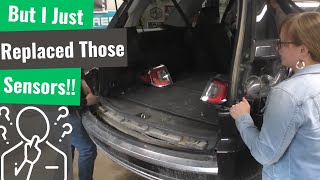
- YouTube video from a repair shop (2017 GMC Terrain (shares a similar system)) — Service Side Detection System message. The scan tool could not see or communicate with either side object detection module, as if the vehicle was not equipped with them.
❌ Tried (didn't work) The customer had already replaced the left-side module with no success. Fuses were checked and found to be good.
✅ What actually fixed it Upon removing the rear bumper, the technician found broken wires at the main rear bumper wiring harness connector, specifically the CAN bus wires (pink/green in the video example). The entire rear bumper harness needed to be replaced to restore communication to the modules.
OEM Part Supersession History
22971841, 23133813→84440528— Part has been updated by GM over time, likely to improve sealing or internal components against moisture.
Heads up: The newest part number (84440528) is the correct replacement for the 2017-2018 Acadia. Using older stock or used parts with previous numbers is not recommended as they are more prone to the original failure mode.
Helpful Videos

![How To Test CAN BUS With A Multimeter [CAN Bus Resistance Check] Mechanic Mindset](https://img.youtube.com/vi/JPE42HSJxAk/mqdefault.jpg)
We Have This Part in Stock



The information in this article is provided for general reference and educational purposes only. Vehicle specifications, procedures, and part compatibility can vary by production date, trim level, and region. Always consult your vehicle's factory service manual and verify part numbers before purchasing or performing repairs. Safety-critical components such as airbags, seat belts, and braking systems should be installed by a qualified professional.
- Gmc ACADIA:
- 🎬 Helpful Videos
- 🛍️ Shop This Part
- What's Unique About the 2017-2018 Gmc ACADIA
- Diagnostic Flowchart
- Symptoms You May Notice
- Most Likely Causes
- Rare But Worth Checking
- Diagnosis Steps
- Parts You'll Likely Need
- Related Codes That Often Appear With This One
- Technical Service Bulletins (TSBs) & Recalls
- Platform-Specific Known Issues
- Mechanic-Grade Diagnostic Values
- Scan Tool Commands That Help
- Wiring & Ground Locations
- Real Owner Repair Stories
- OEM Part Supersession History
- 🎟️ Get 5% Off