

U0265 on 2018 Buick Enclave: Front Camera Communication Loss Causes and Fixes
This code means the advanced safety systems have lost communication with the front camera. The most common fix is a software update from a GM dealer, not a new camera. Expect to pay for about one hour of labor for the reprogram; do not replace parts until the software is checked. If the windshield was recently replaced, the camera's wiring should be inspected immediately.
- U0265 on a 2018 Enclave means the front camera for your safety systems is offline.
- The most common fix is a software update performed by a GM dealer; do not immediately replace the camera.
- If the windshield was recently replaced, check the camera's wiring connector for damage or a loose connection.
- Driving is possible, but be aware that key safety features like Automatic Emergency Braking will not work until the issue is resolved.
What's Unique About the 2018-2018 Buick ENCLAVE
For the 2018 Enclave and similar GM platforms of this era (like the Chevrolet Traverse and Cadillac XT5), U0265 is frequently caused by a software glitch rather than a physical part failure. GM has acknowledged in numerous service bulletins that the Front Camera Module can stop communicating due to software anomalies, with the primary fix being a reprogram. Technicians should also be aware of a specific TSB (#PIT5441C) that warns their own diagnostic equipment (MDI cable) can sometimes induce this code by failing to communicate properly on the object detection bus, complicating diagnosis.
Diagnostic Flowchart
Tap your situation to follow the diagnostic path that matches what you're seeing on this vehicle.
Symptoms You May Notice
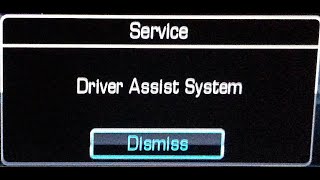
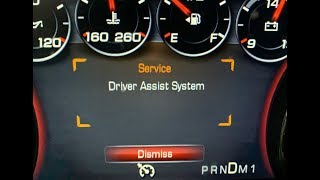
- "Service Driver Assist" or similar message on the instrument cluster
- Warning lights for safety systems (e.g., forward collision alert) are illuminated.
- Forward Collision Alert system is inoperative
- Automatic Emergency Braking (AEB) is disabled.
- Lane Keep Assist and Lane Departure Warning do not function.
- Adaptive Cruise Control may be disabled (if equipped)
- Replacing the Front Camera Module without first attempting a software update. This is the most common and expensive mistake, as the software update often resolves the issue for a fraction of the cost.
- Blaming the Active Safety Control Module or Body Control Module (BCM). These modules are typically just reporting the loss of communication from the camera; they are rarely the root cause.
Most Likely Causes
- Front Camera Module (FCM) Software Anomaly 🔴 High Probability GM has released multiple service bulletins (e.g., 25-NA-050, N202305180, N212356230) for vehicles on similar platforms indicating that software glitches can cause the module to stop communicating intermittently.
How to confirm: A GM-specific scan tool (GDS2) is needed to check the current software calibration version in the B174W Front Camera Module against the latest version available in GM's online service database (TIS2Web).
Typical fix: Reprogram the Front Camera Module with the latest software available from GM. This must be done by a dealer or a qualified independent shop with a subscription to GM's Service Programming System (SPS). The bulletins explicitly state not to replace the module for this condition.
Est. part cost: $0 - Wiring Harness or Connector Issue 🟡 Medium Probability The wiring and connector are located behind the rearview mirror and can be disturbed, improperly seated, or damaged during windshield replacement. The connector pins are also sensitive to corrosion or looseness from vibration over time.
How to confirm: Visually inspect the electrical connector and wiring harness leading to the front camera module. Check for loose connections, bent or corroded pins, or chafed wires. Use a multimeter to verify stable 12V power and a solid ground connection at the module connector (less than 5 ohms of resistance).
Typical fix: Repair the damaged section of the wiring harness or clean and re-secure the connector. Applying dielectric grease can help prevent future moisture issues. If the connector itself is damaged, it will need to be replaced.
Est. part cost: $10-$150 - Failed Front Camera Module ⚪ Low Probability While less common than software or wiring issues, the internal electronics of the camera module can fail from thermal stress or age. This should only be considered after software and wiring are ruled out.
How to confirm: If the software is up-to-date and the wiring, power, and ground connections are all confirmed to be good, the module itself is the likely point of failure.
Typical fix: Replace the Front Camera Module. The new module must be programmed and calibrated by a dealer or qualified shop using GDS2 and the Service Programming System (SPS).
Est. part cost: $350-$600
Rare But Worth Checking
- Faulty Diagnostic Tool: TSB #PIT5441C specifically warns that a faulty MDI (Multiple Diagnostic Interface) cable used by the technician can induce U0265 and other communication codes. If the code only appeared during a professional diagnosis, this is a possibility.
- Improper Windshield Replacement: If the windshield was recently replaced, the issue could be a poorly seated connector, damaged wiring, or a failure to perform the mandatory camera calibration after installation. Some aftermarket windshields may also lack the correct mounting points, causing misalignment.
- Low Vehicle Battery: A low or failing battery can cause a drop in system voltage, leading to various and sometimes random communication errors between modules. If other seemingly unrelated electrical issues are present, the battery and charging system should be tested.
Diagnosis Steps
- Connect a GM-specific diagnostic tool (like a GDS2) to the vehicle.
- Check for any Technical Service Bulletins (TSBs) related to U0265 for the specific vehicle VIN, paying close attention to software update bulletins like 25-NA-050 and diagnostic advisories like PIT5441C.
- Attempt to communicate with the Front Camera Module (FCM/B174W). If communication is possible, check the current software part number.
- Compare the installed software part number with the latest version available in GM's TIS2Web database. If it is outdated, perform a software update using the Service Programming System (SPS).
- If the software update does not resolve the issue or communication with the module is not possible, turn off the vehicle.
- Carefully access and inspect the electrical connector and wiring at the front camera module, located on the windshield near the rearview mirror. Pay special attention if the windshield has been replaced.
- Check for any signs of damage, corrosion, or loose pins. Ensure the connector is fully seated.
- Using a multimeter, verify that the module is receiving correct battery voltage (approx. 12V) and has a solid ground connection (less than 5 ohms of resistance to chassis ground).
- If wiring, power, and ground are confirmed to be good and the software is up-to-date, the Front Camera Module has likely failed and should be replaced.
- After replacement, the new module must be programmed and then a camera calibration/learn procedure must be performed using the diagnostic tool. This may require driving the vehicle under specific conditions to complete. 🎬 See how a dynamic camera calibration is performed on the road.
Parts You'll Likely Need
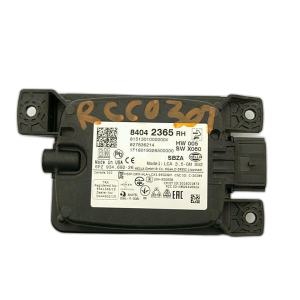
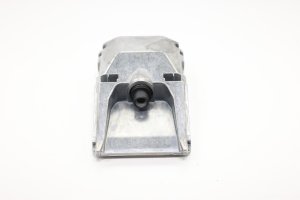
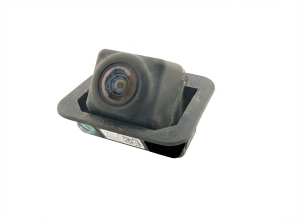
- Front View Camera
(OEM #84508388 (superseded by 84839553, verify with VIN))— This module is replaced only after software and wiring issues have been completely ruled out. Internal failure is the least common cause of code U0265.
Trusted brands: ACDelco (Genuine GM)
OEM price range: $350-$600
Aftermarket price range: $250-$450
Related Codes That Often Appear With This One
- U0075 — This is another communication bus code often listed alongside U0265 in GM service bulletins, indicating a broader network communication problem.
- U026A, U026B, U026C, U0268, U0269 — These codes relate to lost communication with other ADAS sensors (like side and rear object detection modules) and are mentioned in the same TSB as U0265, pointing to a potential systemic network issue or a faulty diagnostic tool.
Technical Service Bulletins (TSBs) & Recalls
- PIT5441C: Mentions U0265 in the context of diagnosing Object Detection System messages and warns that a technician's faulty diagnostic cable can induce this and other communication codes.
- 25-NA-050: While for a 2024 Corvette, it details the exact same U0265 symptom caused by a software anomaly in the B174W Front Camera Module, with the explicit fix being 'Reprogram... do not replace.' This confirms the pattern for GM vehicles.
- N202305180 / N212356230: These service updates for other GM models also address front camera module communication loss with the sole correction being a software reprogram, further cementing the software-first diagnostic approach.
Platform-Specific Known Issues
- A known issue, documented in TSB #PIT5441C, involves the diagnostic process itself. A faulty MDI (Multiple Diagnostic Interface) cable used by the technician can sometimes induce code U0265 and other communication faults. The bulletin advises technicians to check their equipment if these codes appear during diagnosis.
Mechanic-Grade Diagnostic Values
- Front Camera Module Power Supply Voltage — expected: 12.0 ± 0.5 V with ignition on.. Failure: Voltage below this range indicates a power supply issue (fuse, wiring).
- Front Camera Module Ground Circuit Resistance — expected: Below 5.0 Ω to a known good chassis ground.. Failure: Resistance above this value indicates a poor or open ground connection.
- Object Detection CAN Bus Resistance — expected: ~60 Ω (measured at DLC pins 3 & 11 with battery disconnected).. Failure: A reading of ~120 Ω indicates an open circuit. A reading significantly below 60 Ω suggests a short between the CAN high and low wires.
- Object Detection CAN Bus Voltage — expected: CAN_H and CAN_L should both be ~2.5 V at idle (recessive state). During communication (dominant state), CAN_H should pulse to ~3.5 V and CAN_L should pulse to ~1.5 V.. Failure: Voltages stuck high or low, or no voltage change, indicates a bus fault.
Hidden / Shadow Codes Worth Checking
- U0265 sym00: A specific symptom byte variant of U0265 stored in the Body Control Module. GM bulletin PIT6436C advises technicians to clear this code and not replace parts if it's the only code present, as the root cause is under investigation. (see via GM GDS2 or equivalent professional scan tool that can read symptom bytes.)
- U3000 with symptom 44, 49, 54, or 57: These are internal fault codes that can be set within the B174W Front Camera Module itself. They point to specific internal logic or hardware failures. For example, symptom 44 can be caused by low voltage, and symptom 49 by a blocked camera view. (see via GM GDS2 scan tool, checking for DTCs within the Front Camera Module specifically.)
Scan Tool Commands That Help
- GDS2 / SPS: Reprogram K217A/B Frontview Camera Windshield — This is the first step and most common fix for an intermittent U0265 code. It updates the module's software to correct known glitches.
- GDS2: Front View Camera Module Learn — This calibration is mandatory after replacing the camera, reprogramming the software, or replacing the windshield. It requires driving the vehicle under specific conditions (e.g., 35-56 MPH on well-marked roads) to complete.
- GDS2: Extended Camera Relearn Procedure — Use this special procedure when the standard 'Learn' process fails or gets stuck (e.g., at 94%). It involves covering the camera lens, letting the vehicle go fully to sleep for 30+ minutes, and then re-initiating the learn process.
- GDS2: FCM Service Learn (SPC) — This function is used after reprogramming the Front Camera Module to finalize the software update process and ensure the module is fully operational.
Wiring & Ground Locations
- B174W Front Camera Module — Mounted on the front windshield in a bracket, typically behind the inside rearview mirror.. This is the module that is losing communication. Its electrical connector is a primary point to inspect for damage or a loose connection, especially after windshield replacement.
- Data Link Connector (DLC) Pins 3 & 11 — The OBD-II port under the driver's side dashboard.. These are the specific pins for the Object Detection CAN Bus used by the front camera. TSB PIT5441C warns that a faulty technician's diagnostic cable can cause communication errors on these exact pins, inducing a false U0265 code.
- Fuse F11DR (example) — In the X51R Right Instrument Panel Fuse block on some similar GM platforms.. This fuse has been identified in TSBs as the power supply for the B174W Front View Camera. A blown or loose fuse here would cut power to the module, causing it to lose communication. The exact fuse location for the Enclave should be verified with a service manual.
"I Checked Everything" — The Actual Cause
- A technician may find that they cannot communicate with the front camera module at all using the GDS2 scan tool, leading them to believe the module is completely dead. However, the actual cause could be a software bug in the GDS2 diagnostic tool itself. TSB PIT5874 describes a scenario where the technician must build the vehicle as a newer model year within the tool to establish communication and proceed with diagnosis or programming.
OEM Part Supersession History
84508388→84839553— Standard part revision by manufacturer.
Heads up: Always verify part number with VIN. This part is for the primary ADAS forward-facing camera.23416304→23204599— Standard part revision by manufacturer.
Heads up: This part is listed as 'Front View Driver Information Camera' for the 2018 Enclave and may be for a different function (e.g., surround view system) than the primary ADAS camera. It is critical to verify the correct part for the specific system being repaired.
Helpful Videos
We Have This Part in Stock




The information in this article is provided for general reference and educational purposes only. Vehicle specifications, procedures, and part compatibility can vary by production date, trim level, and region. Always consult your vehicle's factory service manual and verify part numbers before purchasing or performing repairs. Safety-critical components such as airbags, seat belts, and braking systems should be installed by a qualified professional.
- Buick ENCLAVE:
- 🎬 Helpful Videos
- 🛍️ Shop This Part
- What's Unique About the 2018-2018 Buick ENCLAVE
- Diagnostic Flowchart
- Symptoms You May Notice
- Most Likely Causes
- Rare But Worth Checking
- Diagnosis Steps
- Parts You'll Likely Need
- Related Codes That Often Appear With This One
- Technical Service Bulletins (TSBs) & Recalls
- Platform-Specific Known Issues
- Mechanic-Grade Diagnostic Values
- Hidden / Shadow Codes Worth Checking
- Scan Tool Commands That Help
- Wiring & Ground Locations
- "I Checked Everything" — The Actual Cause
- OEM Part Supersession History
- 🎟️ Get 5% Off