

U0264 on 2019-2020 Ram 2500: Lost Communication With Rear Camera Fixes
On a 2019-2020 Ram 2500, code U0264 almost always points to a problem with the wiring or connectors for the rear camera, located in the tailgate. The most likely fix is inspecting and repairing the wiring harness where it flexes or reseating the connectors, which is often a low-cost DIY repair. Many owners fix this by simply unplugging, cleaning, and reconnecting the harness.
- U0264 on a 2019-2020 Ram 2500 means the rear camera has stopped communicating with the truck's computer.
- Before buying any parts, always inspect the wiring harness and connectors between the truck bed and tailgate first. This is the most common and cheapest fix.
- Symptoms are typically a blue or black screen when you shift into reverse, often with a 'Camera System Unavailable' message.
- Do not replace the expensive camera module or radio head unit until you have definitively ruled out a wiring or connector problem. Many owners fix this for under $20 with dielectric grease and some patience.
What's Unique About the 2019-2020 Ram 2500

On 5th generation Ram trucks (2019+), the rear camera system switched to a digital signal transmitted over a coaxial cable with FAKRA connectors. This wiring for the tailgate-mounted camera is a well-documented weak point. The harness must flex every time the tailgate is opened and closed, leading to eventual wire fatigue and breakage. Furthermore, the FAKRA connectors themselves, located inside the tailgate and under the bed near the driver's side rear tire, can become loose or corroded, interrupting the sensitive video signal and triggering this specific communication communication code.
Diagnostic Flowchart
Tap your situation to follow the diagnostic path that matches what you're seeing on this vehicle.
Symptoms You May Notice

- Backup camera shows a black or blue screen when in reverse.
- "Camera System Unavailable" or similar message on the Uconnect display.
- Flickering or intermittent video feed from the rear camera, sometimes with lines or a corrupted picture.
- Loss of the dynamic gridlines on the backup camera display, even if the image sometimes works.
- In some cases with a total communication loss, all camera views (including 360/surround view) may become unavailable, not just the rear camera.
- Replacing the camera module first. Many owners purchase a new camera only to find the problem was a simple broken wire or loose connection in the tailgate harness.
- Replacing the radio head unit. This is an expensive and unlikely fix for a single camera communication code. One owner reported a dealer replaced the radio, camera, and harness multiple times before finding the issue was a loose connector.
Most Likely Causes

- Damaged Tailgate Wiring Harness 🔴 High Probability The harness constantly flexes with tailgate use, causing internal wires to break over time. This is the most common failure point, widely discussed by owners.
How to confirm: Open the tailgate and carefully inspect the wiring harness that runs from the truck bed into the tailgate for any visible chafing, pinching, or broken wires. A continuity test with a multimeter across the harness pins can confirm an internal break.
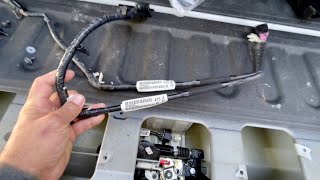
Typical fix: Repair the broken section of wire or, more reliably, replace the entire tailgate wiring harness. 🎬 Watch: Step-by-step guide to installing a new tailgate harness. This is a common DIY fix.
Est. part cost: $30-$90 - Loose or Corroded Connectors 🔴 High Probability There are multiple connection points between the camera and the main harness. The main culprit is often the large connector under the truck bed near the spare tire/driver's side frame rail, which is exposed to the elements. The connector at the camera itself can also work loose.
How to confirm: Locate the connectors (one inside the tailgate access panel, one under the truck near the spare tire), disconnect them, inspect for green/white corrosion or bent pins, apply dielectric grease, and reseat them firmly. 🎬 Watch: A quick fix for common Ram backup camera connection issues. Many owners report simply unplugging and replugging the connector solves the problem temporarily, confirming a connection issue.
Typical fix: Clean the connector pins and apply dielectric grease. If the connector is damaged, it may need to be replaced. Some owners have had to carefully tighten the female ground ring on the FAKRA connector to ensure a solid connection.
Est. part cost: $5-$25 - Faulty Rear Camera Module 🟡 Medium Probability The camera module itself is an electronic component that can fail from moisture intrusion, vibration, or internal defects. This is especially true if the lens appears foggy or filled with condensation.
How to confirm: After confirming the wiring and connectors are good, the only definitive test is to substitute a known-good camera module. A faulty camera can cause the U0264 code to appear immediately upon clearing.
Typical fix: Replace the rear camera assembly. 🎬 See this walkthrough for replacing the rear camera module. Note: Some aftermarket cameras may not support the dynamic gridlines feature, so an OEM part is often recommended.
Est. part cost: $150-$400
Rare But Worth Checking
- Faulty Central Vision Processing Module (CVPM) or Radio Head Unit: This is rare. Before suspecting the main computer, all other causes, especially wiring, should be exhaustively ruled out. A failure here would likely present with other camera-related codes or symptoms affecting multiple cameras.
- Software Glitch: Occasionally, the Uconnect system can experience software issues. A soft reboot (holding the power and tune knobs) or a battery disconnect for 30 minutes can sometimes resolve communication freezes. A TSB also exists for software updates to fix various screen issues, though it notes the camera should still work.
- Body Control Module (BCM) Memory Loss After Battery Disconnect: Some owners report that after disconnecting the battery for other service (like a starter replacement), the camera and other features stop working because the BCM has lost its configuration. In some cases, the system may relearn and begin working again after a day of driving.
Diagnosis Steps
- Read the codes with a capable OBD-II scanner to confirm U0264 is present and see if any other codes are stored.
- Visually inspect the wiring harness that passes from the truck bed to the tailgate. Look for any signs of damage, chafing, or sharp bends.
- Remove the access panel on the inside of the tailgate (typically requires a Torx driver).
- Inspect the FAKRA connector going into the back of the camera module. Disconnect it, check for corrosion or bent pins, apply a small amount of dielectric grease, and reconnect it securely, ensuring it 'clicks'.
- Trace the wiring to the main harness connector under the truck, usually located on the frame rail behind the driver's side rear tire. Disconnect, inspect, clean with contact cleaner, apply dielectric grease, and reseat this connector as well.
- If wiring looks good, perform a continuity test on each wire in the tailgate harness using a multimeter to rule out an internal break.
- If the wiring and connectors appear perfect, the next logical step is to test with a new tailgate harness, as they are inexpensive and a very common point of failure.
- If a new harness does not solve the issue, the fault likely lies with the camera module itself.
- If a new camera does not resolve the code, the issue may be with the CVPM or main vehicle wiring, which requires advanced diagnostics.
Parts You'll Likely Need
- Tailgate Camera Wiring Harness
(OEM #68189124AC (or superseded))— This harness is the most frequent failure point due to repeated flexing from tailgate operation, causing wire fatigue and breakage.
Trusted brands: Mopar
OEM price range: $60-$120
Aftermarket price range: $25-$50 - Rear View Camera Module
(OEM #68417514A-series)— If the wiring and connections are confirmed to be good, the camera module itself may have failed internally. Note that aftermarket versions may lack support for dynamic gridlines.
Trusted brands: Mopar
OEM price range: $250-$400
Aftermarket price range: $100-$200
Related Codes That Often Appear With This One
- B217A-92 — This code for 'Rear Camera-Performance or Incorrect Operation' is often set alongside U0264, as noted in manufacturer TSB 9004369. It indicates the control module has detected a performance issue in addition to the communication loss.
Technical Service Bulletins (TSBs) & Recalls
- 9004369: Notes that U0264-00 is an expected DTC when the rear camera is not functioning and instructs to check the camera connection first. Applies to 2500/3500/4500/5500 models.
Platform-Specific Known Issues
- A manufacturer Technical Service Bulletin (TSB) #9004369 explicitly links U0264-00 'Lost Communication With Camera Module - Rear' to rear camera failures on 2019-2020 Ram trucks. The TSB advises technicians to first ensure the connection at the rear camera is secure by disconnecting and reconnecting it.
Mechanic-Grade Diagnostic Values
- CAN Bus Network Termination Resistance — expected: ~60 Ω. Failure: A reading of ~120 Ω indicates a missing termination resistor or a break in one of the CAN lines. A reading significantly different from 60 Ω suggests a wiring issue.
- CAN Bus Voltage (Key On, Idle/Recessive State) — expected: CAN_H ≈ 2.5V and CAN_L ≈ 2.5V. Failure: Voltages that are stuck high or low, or do not mirror each other, indicate a short to power, ground, or a faulty module on the bus.
- CAN Bus Voltage (Active/Dominant State) — expected: CAN_H ≈ 3.5V and CAN_L ≈ 1.5V. Failure: Inability to switch to the dominant state points to a network communication failure.
- Wiring Harness Continuity Test — expected: Near 0 Ω. Failure: A reading greater than 10 Ω indicates an open circuit or high resistance in the wire being tested.
Hidden / Shadow Codes Worth Checking
- U0422: Implausible Data Received from Body Control Module. This can be set by the CVPM when it receives conflicting or unexpected data from the BCM, often seen in module mismatch scenarios. (see via Advanced scan tools like AlfaOBD or the dealer's WiTech/DealerConnect.)
- B223B: Vehicle Configuration Mismatch. This code indicates that the CVPM or another module's configuration does not match the vehicle's factory setup, which can happen if a used module is installed without proper programming. (see via Advanced scan tools like AlfaOBD or the dealer's WiTech/DealerConnect.)
Scan Tool Commands That Help
- AlfaOBD: CVPM Service Calibration — After replacing a camera or the CVPM, this function is used to calibrate the new camera(s). The procedure requires selecting an individual camera and driving slowly in a straight line until calibration completes.
- AlfaOBD: Car Configuration Change: 'CHMSL Camera Present' — When adding or troubleshooting a factory cargo camera, this setting must be changed from 'No' to 'Yes' in the BCM to enable the camera's functionality and softkey on the radio.
Wiring & Ground Locations

- Central Vision Processing Module (CVPM) — Under the driver's seat, beneath the left seat rail. It is typically covered by a black plastic cover that can be popped off after removing the seat's side trim.. This is the central computer for the camera system. All camera FAKRA coaxial cables terminate here. A loose connection at this module could cause a communication fault, though it is less common than failures at the tailgate.
Real Owner Repair Stories
- RamForum.com user 'A_mod_too_far' (Year not specified, but 4th Gen Ram with U0264 code.) — Blue screen on the display and a U0264 code stored in the BCM.
❌ Tried (didn't work) Replacing tailgate wiring harnesses., Attempting to use a cheap aftermarket camera from eBay, which had poor image quality., Swapping internal components between the OEM and aftermarket cameras.
✅ What actually fixed it Purchasing and installing a used OEM camera from eBay resolved the blue screen and cleared the U0264 code. The user strongly advises against using non-OEM 'knock off' cameras. - YouTube channel 'TunedRAMS' (4th Gen Ram (similar wiring principles to 5th Gen tailgate).) — Flickering backup camera screen with squiggly lines, and faulty power tailgate locks.
❌ Tried (didn't work) Applying dielectric grease to the connectors, which did not solve the underlying wire break.
✅ What actually fixed it Replacing the main tailgate wiring harness (the larger of the two harnesses in the tailgate) with a new Mopar part. The user noted the new part number was a later revision (ending in 'AD' vs the original 'AC'). Cleaning the truck-side connector before plugging in the new harness was also performed.
OEM Part Supersession History
68189124AB→68189124AC, 68189124AD— Revisions to improve durability and prevent wire breakage in the flexible portion of the tailgate harness.
Heads up: Later revisions are directly compatible with earlier trucks. Using the latest available part number is recommended for the most durable repair.
Model Year Variations Within This Range
- 2019-2020: The core camera technology for the 2019-2020 Ram 2500 is consistent. Both standard and surround-view backup cameras are digital and use coaxial cables with FAKRA connectors. While minor trim and package options changed between the two model years, the diagnosis and common failure points for code U0264 remain the same.
Helpful Videos
We Have This Part in Stock



The information in this article is provided for general reference and educational purposes only. Vehicle specifications, procedures, and part compatibility can vary by production date, trim level, and region. Always consult your vehicle's factory service manual and verify part numbers before purchasing or performing repairs. Safety-critical components such as airbags, seat belts, and braking systems should be installed by a qualified professional.
- Ram 2500:
- 🎬 Helpful Videos
- 🛍️ Shop This Part
- What's Unique About the 2019-2020 Ram 2500
- Diagnostic Flowchart
- Symptoms You May Notice
- Most Likely Causes
- Rare But Worth Checking
- Diagnosis Steps
- Parts You'll Likely Need
- Related Codes That Often Appear With This One
- Technical Service Bulletins (TSBs) & Recalls
- Platform-Specific Known Issues
- Mechanic-Grade Diagnostic Values
- Hidden / Shadow Codes Worth Checking
- Scan Tool Commands That Help
- Wiring & Ground Locations
- Real Owner Repair Stories
- OEM Part Supersession History
- Model Year Variations Within This Range
- 🎟️ Get 5% Off