

U0198 on 2020-2025 Mazda CX-30: Telematics Communication Error Fixes
On a 2020-2025 Mazda CX-30, code U0198 almost always means there's a software issue in the Telematics Communication Unit (TCU). This is often triggered by the expiration of the Mazda Connected Services subscription. The most common fix is a software update performed by a Mazda dealer, often covered by a TSB. If the module has failed or is 'bricked' by a failed update, replacement can cost over $1,500 as the part is VIN-locked.
- U0198 on a Mazda CX-30 means the Telematics unit (which controls remote services and SOS) has stopped communicating.
- The most common cause is a software glitch, often triggered after the free 3-year Connected Services plan expires.
- This is not a DIY fix. The primary solution is a software update that must be performed by a Mazda dealer.
- Driving is safe, but important safety (SOS call) and convenience (remote start) features will be disabled until it's fixed.
- If a software update doesn't work or fails during installation, the TCU module may need to be replaced, which is a very expensive repair.
What's Unique About the 2020-2025 Mazda CX-30

This is a well-documented issue for the Mazda CX-30 and related platforms (Mazda3, CX-5, etc.). Mazda has released numerous Technical Service Bulletins (TSBs) acknowledging that communication errors with the Telematics Communication Unit (TCU) are often due to software glitches. A common trigger for this code is the expiration or disconnection of the complimentary Mazda Connected Services subscription, which can cause the TCU's software to fault and stop communicating. Unlike many other codes where hardware is the primary suspect, the fix for U0198 is frequently a dealer-installed software update rather than a hardware replacement.
Diagnostic Flowchart

Tap your situation to follow the diagnostic path that matches what you're seeing on this vehicle.
Symptoms You May Notice

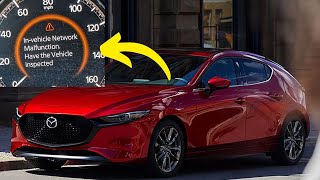
- "In-Vehicle Network Malfunction" message on the instrument cluster. 🎬 Watch: See what this network malfunction warning looks like.
- "Telematics Malfunction" message in the instrument cluster.
- Mazda Connected Services (remote start, lock/unlock) are inoperative.
- SOS or e-Call button is disabled or shows a red light.
- Vehicle location services in the MyMazda app do not work.
- Reception strength icon on the infotainment screen shows an "X".
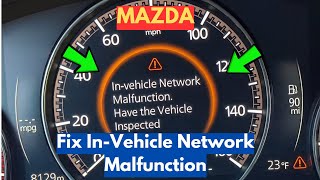
- Infotainment system may become slow or unresponsive. 🎬 Watch: A quick guide on addressing this network error.
- Replacing the Connectivity Master Unit (CMU) or infotainment screen. While these components communicate with the TCU, they are rarely the source of a U0198 code.
- Blaming the main vehicle battery. While a low vehicle battery can cause various communication codes, the U0198 issue on these Mazdas is most often a persistent software fault, not a simple voltage issue.
Most Likely Causes

- Software Glitch / Outdated Firmware 🔴 High Probability Mazda has issued multiple TSBs (e.g., SA-012-26a, SA-029-20g, and 09-001/24) confirming that software issues are the primary cause. The problem is often triggered when the initial Connected Services contract ends or is discontinued, causing a software fault in the TCU.
How to confirm: A Mazda dealer must check the vehicle's VIN against active TSBs and verify the TCU's current software version using their proprietary MDARS diagnostic tool. They will compare it to the latest version specified in the bulletins (e.g., version 10019 for a 2020-2023 CX-30 per TSB 09-001/24).
Typical fix: Update the software of the Telematics Communication Unit (TCU). This must be performed by a Mazda dealer or a qualified independent shop with access to Mazda's software and the specific update files (e.g., TCU_7000T11-0601_8013.kwi).
Est. part cost: $0 - Failing Telematics Communication Unit (TCU) 🟡 Medium Probability In some cases, a software update may fail during installation, which can 'brick' the module and necessitate replacement. There are also reports of internal module failure, potentially due to a weak or failed internal battery that is not serviceable.
How to confirm: This is typically confirmed after a software update fails to resolve the issue or cannot be completed. A technician may also perform specific network tests that point to an internal module fault. If the module does not respond to the MDARS tool at all, it is likely failed.
Typical fix: Replace the Telematics Communication Unit. The new module must be activated and programmed to the vehicle's VIN by a dealer using MDARS, as detailed in TSB SA-004/21. It is not a plug-and-play part.
Est. part cost: $800-$1600 - Wiring or Connector Issue ⚪ Low Probability While not common, the TCU is located under the dashboard, and its wiring could be disturbed during other repairs or simply fail over time due to vibration. Water intrusion from a clogged cowl or HVAC drain can also cause connector corrosion.
How to confirm: Visually inspect the wiring harness and connectors going to the TCU for any signs of damage, corrosion, or looseness. A multimeter can be used to check for power, ground, and continuity at the TCU connector. A healthy CAN bus should have approximately 60 ohms of resistance between pins 6 and 14 at the OBD-II port (with the battery disconnected).
Typical fix: Repair the damaged section of the wiring harness or clean/replace the faulty connector.
Est. part cost: $5-$50
Rare But Worth Checking
- Internal TCU Battery Failure:
Diagnosis Steps
- Connect a professional-grade scanner (ideally Mazda's MDARS) capable of reading Mazda-specific codes from all modules.
- Verify that U0198 is present and check for any other communication codes, especially U3000:04 in the TCU.
- Check for applicable Technical Service Bulletins (TSBs) for the vehicle's VIN. Mazda has issued several for this issue (SA-012-26a, SA-029-20g, SA-060-25, 09-001/24).
- Follow the TSB repair procedure, which will likely involve a software update of the Telematics Communication Unit (TCU) using the Mazda Diagnostic and Repair Software (MDARS). This step requires a dealer or specialized shop.
- If a software update fails or does not resolve the issue, disconnect the battery and check the CAN bus resistance between pins 6 (CAN-H) and 14 (CAN-L) on the OBD-II port. A healthy reading is ~60 Ohms.
- If CAN resistance is good, inspect the wiring and connectors at the TCU for damage, corrosion, or loose pins.
- Using a multimeter, verify the TCU has proper power and ground according to the factory wiring diagram.
- If wiring, power, and ground are good and the software update failed, the TCU itself is likely faulty and requires replacement, activation, and programming by a dealer.
Parts You'll Likely Need
- Telematics Communication Unit (TCU)
(OEM #BDGF-66-9C0 (Note: This is a base number; the full part number with suffix, e.g., BDGF-66-9C0S, is vehicle-specific and must be ordered by VIN))— This module is the source of the communication loss. It may require replacement if a software update fails or if it has an internal hardware fault. The part is VIN-locked upon activation and cannot be swapped between vehicles.
Trusted brands: Mazda (OEM)
OEM price range: $1200-$1600
Aftermarket price range: Not Available
Related Codes That Often Appear With This One
- B1252:87 — This code specifically indicates a communication error between the TCU and the CMU, as noted in Mazda TSB SA-012-26a.
- U0156:00 — This indicates a communication error with the CMU. It can appear with U0198 when network-wide communication issues are present, as seen in TSB SA-029-20g.
- U3000:00 — This is a general control module internal malfunction code. TSB SA-029-20g shows it can be stored in the TCU along with U0198.
- U3000:04 — A very common companion code. Multiple TSBs (like 09-001/24) point to this specific code for a TCU internal malfunction caused by improper software, which is the primary issue fixed with a dealer software update.
Technical Service Bulletins (TSBs) & Recalls
- SA-012-26a: Notes U0198 as a communication error with the Emergency Call Unit/TCU, causing remote functions to fail.
- SA-029-20g: Lists U0198 as a communication error between the BCM and the emergency call unit.
- SA-060-25: Cites U0198 as a communication error with the TCU, which may cause a "Telematics Communication Unit Inspected" message.
- 09-001/24: A key TSB that provides specific software
Platform-Specific Known Issues
- Mazda has issued multiple TSBs for the 2020-2025 CX-30 related to this code, including SA-012-26a, SA-060-25, and several versions of SA-029-20 and 09-001/24. This indicates a known issue, often solvable with a software update at the dealership.
- A Reddit user on r/mazda with a 2021 CX-30 reported that a dealer's attempt to apply a software update TSB failed, 'bricking' the module. The subsequent repair required replacing the TCU at a quoted cost of $1600, highlighting the risk of this repair.
- Multiple owners on forums like cx30talk.com and Reddit report the 'Telematics Malfunction' or 'In-Vehicle Network Malfunction' message appearing intermittently at first, then becoming permanent. Often, a dealer reset or firmware re-install resolves the issue if it's caught early.
Mechanic-Grade Diagnostic Values
- CAN Bus Network Resistance — expected: ~60 Ohms. Failure: 120 Ohms indicates an open in one of the two terminating resistors/modules. A reading significantly less than 60 Ohms indicates a short between the CAN High and CAN Low wires.
- CAN High (CAN-H) Voltage — expected: ~2.6V to 2.7V. Failure: Voltage significantly different, or identical to CAN-L voltage, indicates a short or open circuit.
- CAN Low (CAN-L) Voltage — expected: ~2.3V to 2.4V. Failure: Voltage significantly different, or identical to CAN-H voltage, indicates a short or open circuit.
Hidden / Shadow Codes Worth Checking
- U3000:04: Control Module: System Internal Failures. This specific sub-type points to an internal software or memory fault within a control unit. For this issue, it is consistently stored in the TCU and is the primary target of the software update TSBs. (see via Mazda-specific scanner like MDARS is required to see Failure Type Bytes (FTB).)
- B1252:87: TCU - Communication Error With Connectivity Master Unit (CMU). The ':87' Failure Type Byte indicates a 'Bus Signal / Message Failure', specifically a missing message. This code is logged by the CMU when it stops hearing from the TCU. (see via Mazda-specific scanner like MDARS.)
- U0198:00-03: CMU - Communication Error With Emergency Call Unit/Telematics Communication Unit. This is a Mazda-specific formatting of the U0198 code, logged by the Connectivity Master Unit (CMU), explicitly pointing to the TCU as the source of the lost communication. (see via Mazda-specific scanner like MDARS.)
Scan Tool Commands That Help
- Mazda MDARS: TCU Software Update / Reprogramming — This is the primary repair procedure outlined in multiple TSBs. It is used to load new firmware onto the TCU to correct the software glitch that causes the communication loss, often after a Connected Services subscription expires.
- Mazda MDARS: TCU Activation — This function is mandatory after installing a NEW Telematics Communication Unit. It pairs the new module to the vehicle's VIN. Failure to perform this step will result in the connected services not functioning.
- Vehicle Infotainment System (Diagnostic Menu): Device Program Update via USB — This is a specific method for applying the TCU software update. By loading the update file onto a USB stick and accessing a hidden service menu (holding Volume + Entertainment + Favorites buttons), a technician can initiate the update directly through the infotainment screen.
Wiring & Ground Locations
- Telematics Communication Unit (TCU) — Located under the dashboard, typically on the passenger side, though specific location can vary slightly.. This is the module that is failing to communicate. Physical access is required for checking connectors, power, ground, or for replacement.
- OBD-II Data Link Connector (DLC) — Under the driver's side dashboard, to the left of the steering column.. This is the primary access point for network diagnostics. Pins 6 (CAN-H) and 14 (CAN-L) are used to measure the overall health of the CAN bus network with a multimeter.
- TCU Main Connector — At the TCU module itself. Some wiring guides indicate a white 28-pin plug at the associated Connectivity Master Unit-Display may contain relevant wiring.. This connector must be secure and free of corrosion. It is the point where a technician would perform direct voltage and ground tests on the TCU's power supply if network-level tests are inconclusive.
Real Owner Repair Stories
- YouTube channel 'Shop Foreman Garage' (2021 Mazda CX-30) — "In Vehicle Network Malfunction" message displayed on the instrument cluster.
❌ Tried (didn't work) The video narrator mentions that vehicle owners attempting a fix often try disconnecting the battery or pulling fuses, which does not resolve the issue.
✅ What actually fixed it A software update of the Telematics Communication Unit (TCU) was performed. The technician first used MDARS to confirm the presence of DTC U3000:04. Then, using a USB flash drive loaded with the new software file, they accessed the vehicle's diagnostic menu and successfully updated the TCU. Finally, all DTCs were cleared using MDARS, which resolved the warning message.
OEM Part Supersession History
BDGF-66-9C0 (Base Number)→Various suffixes (e.g., BDGF-66-9C0S, BDGF-66-9C0V)— Part revisions and vehicle-specific programming.
Heads up: CRITICAL: A new TCU is VIN-locked to the vehicle upon activation via MDARS. A used TCU from another vehicle CANNOT be installed or activated. Attempting to do so may disable connected services on both the donor and recipient vehicles. This part is not plug-and-play.
Model Year Variations Within This Range
- 2020-2025: The primary failure trigger is time-based, not year-based. The issue often surfaces after the complimentary 3-year Mazda Connected Services subscription expires. Therefore, 2020 models were most affected starting in 2023, 2021 models in 2024, and so on. The underlying software vulnerability is present in all years within this range.
Helpful Videos

The information in this article is provided for general reference and educational purposes only. Vehicle specifications, procedures, and part compatibility can vary by production date, trim level, and region. Always consult your vehicle's factory service manual and verify part numbers before purchasing or performing repairs. Safety-critical components such as airbags, seat belts, and braking systems should be installed by a qualified professional.
- Mazda CX-30:
- 🎬 Helpful Videos
- What's Unique About the 2020-2025 Mazda CX-30
- Diagnostic Flowchart
- Symptoms You May Notice
- Most Likely Causes
- Rare But Worth Checking
- Diagnosis Steps
- Parts You'll Likely Need
- Related Codes That Often Appear With This One
- Technical Service Bulletins (TSBs) & Recalls
- Platform-Specific Known Issues
- Mechanic-Grade Diagnostic Values
- Hidden / Shadow Codes Worth Checking
- Scan Tool Commands That Help
- Wiring & Ground Locations
- Real Owner Repair Stories
- OEM Part Supersession History
- Model Year Variations Within This Range
- 🎟️ Get 5% Off