

U0198 on 2012-2017 Ford Focus: Lost Communication With Telematics Control Unit Fixes
On a 2012-2017 Ford Focus, code U0198 almost always means the Telematics Control Unit (TCU) has failed, its software is corrupt, or it has been rendered obsolete by the 3G network shutdown. This causes the MyFord Mobile app to stop working and can cause a significant parasitic battery drain. The easiest fix is often to pull the TCU fuse to stop the battery drain. A proper fix involves a software update or a complete TCU replacement, which requires a dealer or qualified shop for programming.
- U0198 on a Ford Focus means the Telematics Control Unit (TCU) has stopped communicating.
- The most common symptoms are the MyFord Mobile app not working and a dead battery.
- The first step in diagnosis should be to check if a software update (FSA) is available from Ford.
- If software updates don't fix it, the TCU module itself has likely failed.
- Replacement of the TCU requires programming by a dealer or qualified shop, making this a difficult DIY repair.
What's Unique About the 2012-2017 Ford FOCUS

The 2012-2017 Ford Focus, particularly the Focus Electric (BEV) and Energi (PHEV) models, are known for issues with the Telematics Control Unit (TCU). Ford has issued multiple Technical Service Bulletins (TSBs) acknowledging that these units can fail, leading to code U0198, a dead battery from parasitic drain, and non-functional remote app features. The problem is exacerbated by the fact that these vehicles were equipped with 3G modems. With the shutdown of 3G cellular networks in 2022, these TCUs can no longer connect, causing some to enter a continuous search cycle that drains the 12V battery. Ford's primary recommended fix is to check for software updates (Field Service Actions) before condemning the module itself. [SSM 47198, SSM 47161, SSM 46534]
Diagnostic Flowchart

Tap your situation to follow the diagnostic path that matches what you're seeing on this vehicle.
Generation note: The 2012-2017 year range covers the entire third generation (Mk3) of the Ford Focus in North America, including the 2015 facelift. The TSBs specifically mention models from 2012-2017, indicating the TCU issue can affect the entire generation, though some bulletins focus on specific years like 2012-2014. [SSM 47198, SSM 47161, SSM 46534] The issue is particularly prevalent in the Focus Electric (BEV) and Energi (PHEV) models which relied heavily on the telematics features. The TCU is part of the Sync 2 system, which was used until the 2016 model year, when Sync 3 began to be introduced.
Symptoms You May Notice

- Remote features via MyFord Mobile or FordPass app do not work (e.g., remote start, lock, unlock). [7, SSM 47198]
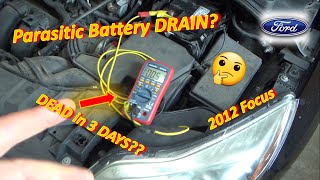
- Battery drains overnight or after sitting for a period (parasitic draw). 🎬 Watch: Diagnosing a 2012 Focus battery drain in 3 days. [SSM 47161]
- Check Engine Light or a warning message on the instrument cluster or infotainment screen.
- GPS or vehicle location services are inoperative.
- Emergency e-Call or SOS system malfunction warning.
- In the diagnostic menu, the modem Electronic Serial Number (ESN) may be missing. [SSM 46534, SSM 47161]
- Inability to authorize or add the vehicle to the FordPass app. [SSM 47198]
- Replacing the battery. While a dead battery is a primary symptom, it's usually caused by a parasitic drain from the faulty TCU. Replacing the battery without fixing the TCU will result in the new battery also being drained.
- Replacing the APIM (infotainment screen/module). The fault code is stored in the APIM because it's the module that detects the loss of communication, but the APIM itself is rarely the cause of a U0198 code.
- Blaming the DC/DC converter (on Electric models). While a failing DC/DC converter can also cause 12V battery issues, the presence of code U0198 specifically points towards the telematics system as the likely source of the problem.
Most Likely Causes
- Failed Telematics Control Unit (TCU) 🔴 High Probability As documented in multiple Ford TSBs, the TCUs in this generation of Focus are prone to internal electronic failure. This can be caused by software corruption, failed internal components, or the unit repeatedly trying to connect to the now-shutdown 3G network, causing it to lock up and create a parasitic battery drain. [SSM 47198, SSM 47161, SSM 46534]
How to confirm: After confirming power and ground to the TCU and checking for software updates, if the module still does not communicate on the CAN bus network, it has likely failed. A professional scan tool is needed to verify the lack of communication. A simple test is to pull the TCU fuse; if the parasitic battery drain disappears, the TCU is the culprit.
Typical fix: Replace the Telematics Control Unit and program the new module to the vehicle. Alternatively, many owners simply pull the fuse for the TCU to stop the battery drain, accepting the loss of telematics features.
Est. part cost: $250-$500 - Corrupt or Outdated TCU Software / 3G Network Shutdown 🟡 Medium Probability Ford's first recommended step in their TSBs is to check for and perform any open Field Service Actions (FSAs), which are typically software updates. This indicates that software glitches are a known cause. Furthermore, the 3G cellular network used by these TCUs was shut down in 2022. The old software may not handle the lack of a network connection gracefully, causing the module to lock up or constantly search for a signal, draining the battery.
How to confirm: A Ford dealer or a shop with a subscription to Ford's service information can check the vehicle's VIN for any open FSAs or available software updates for the TCU. If the MyFord Mobile app stopped working around 2022, the 3G shutdown is almost certainly a contributing factor.
Typical fix: Reprogram the TCU with the latest software using the Ford Integrated Diagnostic System (IDS). In some cases, an upgrade to a 4G TCU is possible but is a more involved process. For many, simply pulling the TCU fuse is the most practical solution.
Est. part cost: $0 - Wiring or Connector Issue ⚪ Low Probability While less common than module failure, any vehicle can suffer from wiring issues due to vibration, moisture, or damage. The TCU is located behind the glove box, an area that is generally well-protected but can be disturbed during cabin air filter replacement or other dash work.
How to confirm: Visually inspect the wiring harness and connectors going to the TCU, which is located behind the glove box. Check for power, ground, and CAN bus signal integrity at the TCU connector using a multimeter and wiring diagrams.
Typical fix: Repair the damaged section of the wiring harness or clean/replace the corroded connector.
Est. part cost: $10-$50
Diagnosis Steps
- Connect a professional scan tool (like FORScan or Ford IDS) and confirm that U0198 is present in the APIM module.
- Using the scan tool, attempt to communicate directly with the Telematics Control Unit (TCU). If it doesn't respond, proceed with diagnosis.
- Check with a Ford dealer or online service portal for any open recalls or Field Service Actions (FSAs) for your vehicle's VIN related to the TCU. Perform any software updates first.
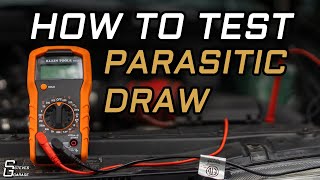
- Perform a parasitic draw test. With the vehicle off and all modules asleep (may take up to 40 minutes), measure the amperage draw at the battery. A normal draw should be under 50mA. 🎬 See how to perform a professional parasitic draw test.
- Locate the fuse for the TCU. On the Focus Electric, this is often fuse F1 in the rear fuse panel (trunk). On other models, it may be in the passenger compartment fuse box (BCM) behind the glove box, often fuse F67. Pull the fuse and see if the parasitic draw drops significantly. If it does, the TCU is the source of the drain.
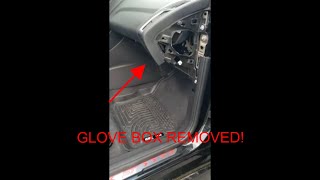
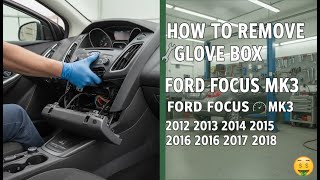
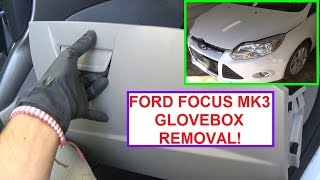
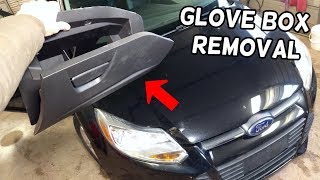
- If you wish to proceed with replacement, locate the TCU, which is found behind the glove compartment. 🎬 Watch: Step-by-step guide to removing the Focus MK3 glove box.
- Using a multimeter, verify that the TCU is receiving proper battery voltage and has a solid ground connection at its electrical connector.
- Inspect the CAN bus wiring between the APIM and the TCU for any visible damage, corrosion, or loose connections.
- If software is up-to-date, and power, ground, and wiring are all confirmed to be good, the Telematics Control Unit has failed and must be replaced or permanently disabled by leaving the fuse out.
Parts You'll Likely Need

- Telematics Control Unit (TCU)
(OEM #DM5Z-14G229-C (example, part number varies by year and model))— This is the module that fails internally or becomes problematic due to the 3G shutdown, causing the loss of communication and parasitic drain. It is the most common fix for this code when software updates don't work.
Trusted brands: Motorcraft
OEM price range: $250-$500
Aftermarket price range: N/A
Related Codes That Often Appear With This One
- U0140 - Lost Communication With Body Control Module (often appears with U0198 when performing aftermarket Sync upgrades).
Technical Service Bulletins (TSBs) & Recalls
- SSM 47198: Addresses inoperative remote features, discharged battery, and DTC U0198 on 2014 models, recommending checking for FSAs.
- SSM 47161: Similar to the above, but for 2013 models.
- SSM 46534: Also addresses inoperative remote features, battery drain, and U0198 on 2014 models.
Platform-Specific Known Issues
- Ford has issued multiple Technical Service Bulletins (TSBs) for the 2012-2017 Focus regarding this exact issue. Bulletins SSM 47198, SSM 47161, and SSM 46534 all describe symptoms of a discharged battery and inoperative remote features linked to DTC U0198 and a faulty TCU.
- The 3G cellular network shutdown in 2022 has rendered the telematics features on these vehicles obsolete. The TCU may enter a fault state where it continuously searches for a non-existent network, causing a significant parasitic battery drain.
- On the Focus Electric, a common owner-recommended fix is to simply pull fuse F1 in the trunk fuse panel to disable the TCU and stop the battery drain.
Mechanic-Grade Diagnostic Values
- HS-CAN Bus Resistance — expected: Approximately 60 Ω between CAN_H and CAN_L pins at the DLC with the battery disconnected.. Failure: A reading of 120 Ω indicates an open circuit or one of the two terminating resistors is not seen. A reading near 0 Ω indicates a short between the two CAN lines.
- HS-CAN Bus Voltage (Key On, Engine Off) — expected: CAN_H to ground should be ~2.6V. CAN_L to ground should be ~2.4V.. Failure: Voltages that are stuck high, low, or at battery voltage indicate a short to power or ground on the respective line.
- TCU Ground Circuit Resistance — expected: Less than 5 Ω between the TCU connector's ground pin and a clean chassis ground point.. Failure: High resistance (or an open circuit) indicates a poor ground connection, which can cause the module to malfunction.
Scan Tool Commands That Help
- Ford IDS (Integrated Diagnostic System): Programmable Module Installation (PMI) — This function is required when replacing the Telematics Control Unit (TCU). It downloads the vehicle-specific 'as-built' data from Ford's servers and programs it into the new module to ensure it functions correctly with the other systems in the car.
- Ford IDS (Integrated Diagnostic System): Module Reprogramming — This is used to update the software/firmware of the existing TCU. It's the first step recommended by Ford's TSBs and Customer Satisfaction Program 17B07 to resolve battery drain issues before replacing the module.
- FORScan: TCU Module Reset — Advanced users can use FORScan to attempt a reset of the TCU module, which may temporarily restore communication. It can also be used to perform the PMI process if the user has an extended license and the correct calibration files.
Wiring & Ground Locations

- Main Dash Ground Points — Under the airbox, in front of the battery. There are typically two ground studs on the chassis rail that serve as primary grounds for many components.. The TCU, APIM, and other related modules rely on clean, solid ground connections. A corroded or loose ground at these main points can cause intermittent communication issues and codes like U0198. Cleaning the paint from under the ground lugs to ensure a metal-to-metal contact is a common preventative fix.
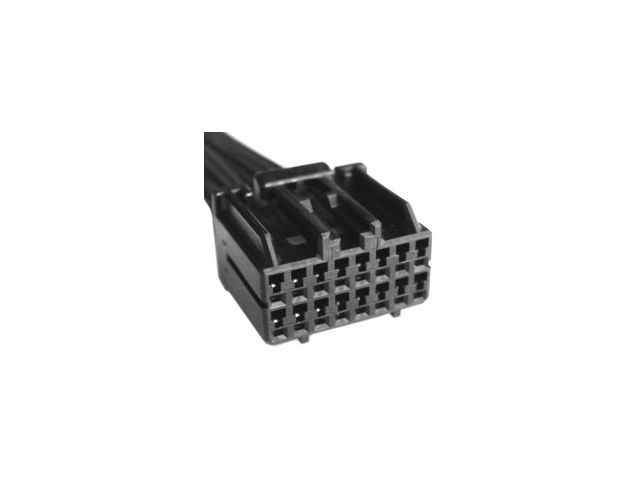
- TCU Connector — Behind the glove compartment, connected to the Telematics Control Unit.. This is the primary connection point for power, ground, and the HS-CAN network to the TCU. Technicians will test for voltage and network signals at this connector's pins to determine if the fault is in the wiring or the module itself.
- Rear Fuse Panel (Focus Electric) — In the trunk/hatch area of the Focus Electric.. This panel contains Fuse F1, which powers the TCU on the electric models. Pulling this fuse is the most common and effective way for owners to stop the parasitic battery drain caused by a faulty TCU.
Real Owner Repair Stories
- Focus Electric Forum user (2012-2014 Ford Focus Electric) — 12V battery repeatedly dying overnight. MyFord Mobile app stopped working.
❌ Tried (didn't work) Replacing the 12V battery (the new one also died)., Charging the vehicle more frequently.
✅ What actually fixed it The owner identified the parasitic draw coming from the Telematics Control Unit (TCU) after the 3G network shutdown. The final, permanent fix was to pull fuse F1 from the rear fuse box in the trunk, which disables the TCU and eliminates the battery drain. The owner accepted the loss of the non-functional MyFord Mobile app features.
OEM Part Supersession History
DM5Z-19A387-C→DM5Z-14G229-C— Part number consolidation and potential minor hardware/software revision.
Heads up: DM5Z-14G229-C is listed as the direct replacement for DM5Z-19A387-C for 2013-2016 Focus models. Both are 3G modules and will require programming (PMI) upon installation.
Model Year Variations Within This Range
- 2012-2015: These model years were primarily equipped with the Sync 2 (MyFord Touch) infotainment system. The U0198 code is very common on these systems, especially those with the integrated 3G TCU for MyFord Mobile.
- 2016-2017: The 2016 model year was a transition year where some Focus models began to be equipped with the newer Sync 3 system. Sync 3 uses a different APIM and has different hardware. While some 2016 models still had Sync 2 and the problematic 3G TCU, vehicles with factory Sync 3 may have a different 4G TCU (if equipped with Sync Connect), which has different failure modes and part numbers.
Helpful Videos


We Have This Part in Stock

The information in this article is provided for general reference and educational purposes only. Vehicle specifications, procedures, and part compatibility can vary by production date, trim level, and region. Always consult your vehicle's factory service manual and verify part numbers before purchasing or performing repairs. Safety-critical components such as airbags, seat belts, and braking systems should be installed by a qualified professional.
- Ford FOCUS:
- 🎬 Helpful Videos
- 🛍️ Shop This Part
- What's Unique About the 2012-2017 Ford FOCUS
- Diagnostic Flowchart
- Symptoms You May Notice
- Most Likely Causes
- Diagnosis Steps
- Parts You'll Likely Need
- Related Codes That Often Appear With This One
- Technical Service Bulletins (TSBs) & Recalls
- Platform-Specific Known Issues
- Mechanic-Grade Diagnostic Values
- Scan Tool Commands That Help
- Wiring & Ground Locations
- Real Owner Repair Stories
- OEM Part Supersession History
- Model Year Variations Within This Range
- 🎟️ Get 5% Off