

U0198 on 2018-2019 Ford Explorer: Lost Communication With Telematics Control Unit Fixes
On a 2018-2019 Ford Explorer, U0198 almost always means the Telematics Control Unit (TCU) has frozen, causing FordPass app features to stop working. The most common fix is a simple DIY reset: pull fuse #10 (a 5A fuse) from the passenger compartment fuse panel for 5 minutes and reinstall it.
- U0198 on your Explorer means the FordPass app and remote features won't work due to a communication loss with the telematics modem.
- Your vehicle is safe to drive; this code does not affect its operation.
- Before paying for any diagnosis or parts, try the simplest fix first: pull fuse #10 (a 5A fuse) from the fuse box under the steering wheel for 5 minutes and put it back in. This resolves the issue in a majority of cases.
- If the fuse pull doesn't work, the TCU module itself may have failed, which is a more expensive repair requiring a new, programmed part, with dealer quotes often exceeding $1000.
What's Unique About the 2018-2019 Ford EXPLORER

For this generation of Ford Explorer, the TCU is integral to the FordPass connected vehicle experience. While many vehicles have telematics, the issue on this platform is very frequently a simple software lock-up rather than a hardware failure. Ford itself issued a Technical Service Bulletin (TSB SSM 48267) acknowledging this common glitch and prescribing a simple fuse pull as the official preliminary fix, which is an unusually simple solution for a network communication code. 🎬 Learn more about diagnosing Ford communication and U-series codes This problem is widespread across many Ford and Lincoln models from the same era, confirming it's a module-specific issue rather than an Explorer-specific one.
Diagnostic Flowchart
Tap your situation to follow the diagnostic path that matches what you're seeing on this vehicle.
Symptoms You May Notice
- Inoperative remote features via the FordPass mobile app (e.g., remote start, lock/unlock, vehicle status).
- Vehicle location not updating in the FordPass app.
- Accessory Protocol Interface Module (APIM) or infotainment screen does not display the modem's Electronic Serial Number (ESN).
- A telematics system warning message may appear on the instrument cluster or infotainment screen.
- Inability to activate the vehicle in the FordPass app, with the activation prompt never appearing on the SYNC screen.
- Vehicle hotspot feature shows as 'not enabled' or connectivity settings menu is unavailable.
- Replacing the APIM (infotainment screen module). While the APIM reports the code, it is usually not the cause. The problem lies with the TCU that the APIM is trying to talk to.
- Replacing the vehicle battery. While a weak battery can cause widespread electronic issues, U0198 is typically more specific to the TCU itself.
Most Likely Causes

- Telematics Control Unit (TCU) Software Glitch 🔴 High Probability The TCU module is prone to temporary lock-ups or freezing, similar to a home internet router. This is a well-documented issue across many Ford models with the FordPass system, as confirmed by multiple TSBs and countless owner forum posts.
How to confirm: The easiest way to confirm is to try the fix. If pulling the fuse for 5 minutes restores functionality, a software glitch was the cause. Functionality is restored when the modem ESN reappears in the 'About SYNC' screen.
Typical fix: Perform a hard reset of the TCU by removing its fuse for 5 minutes, then reinstalling it. For the 2018-2019 Explorer, this is fuse #10 (5A) in the passenger compartment fuse panel, located below and to the left of the steering wheel. 🎬 Watch: Locate and access your Explorer's interior fuse panels This is the official procedure recommended by Ford TSB #SSM 48267.
Est. part cost: $0 - Faulty Telematics Control Unit (TCU) 🟡 Medium Probability While less common than a glitch, the TCU can fail internally like any electronic module due to thermal stress or manufacturing defects.
How to confirm: If a fuse pull reset does not work, and the fuse and wiring are confirmed to be good, the module itself is the likely culprit. Diagnosis requires a scan tool that can attempt to communicate with the module. A failed hardware test in the dealer's diagnostic software (FDRS) confirms failure.
Typical fix: Replace the Telematics Control Unit. The new module will need to be programmed to the vehicle using a tool like FORScan with an extended license or by the dealer. This process involves loading the vehicle's 'as-built' data into the new module.
Est. part cost: $300-$700 - Blown Fuse or Wiring Issue ⚪ Low Probability Wiring can be damaged by vibrations, moisture, or previous repairs. While not specific to this platform, it's a general possibility for any electronic component.
How to confirm: Visually inspect fuse #10 in the passenger compartment fuse panel. Use a multimeter to check for power and ground at the TCU connector. Inspect the wiring harness for any visible damage, corrosion, or loose connections.
Typical fix: Replace the blown fuse or repair the damaged section of the wiring harness.
Est. part cost: $1-$50
Rare But Worth Checking
- Outdated TCU Software:
Diagnosis Steps

- Verify the symptoms by attempting to use the FordPass app features. Note if they fail to connect.
- Check for the modem's Electronic Serial Number (ESN) on the infotainment screen. Go to Settings > About SYNC. If the ESN is blank, this confirms the TCU is not communicating.
- Locate the passenger compartment fuse panel, which is below and to the left of the steering wheel, near the brake pedal.
- Identify fuse #10, which is a 5-amp fuse. The fuse panel diagram should be in the owner's manual or on the fuse box cover.
- As per Ford TSB #SSM 48267, remove the TCU fuse. Wait for a full 5 minutes to allow the module to completely discharge and reset.
- Reinstall the fuse.
- Turn the vehicle on and wait a few minutes for the system to re-initialize. Check the 'About SYNC' screen again to see if the ESN has returned. Test the FordPass app features.
- If the issue is not resolved, remove the fuse again and check it with a multimeter or visually to see if it is blown. Replace it if necessary.
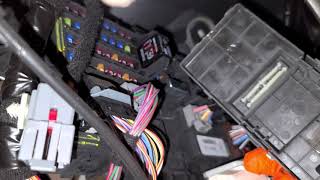
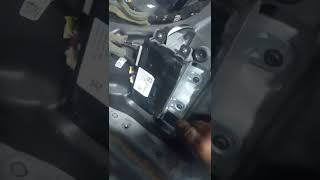
- If the fuse is good but the problem persists, the next step is to access the TCU itself to inspect its wiring 🎬 See this video to find the TCU module's physical location connector for damage or corrosion and test for power and ground with a multimeter.
- If power and ground are present but the module does not communicate after a hard reset, the TCU itself has likely failed and requires replacement and programming.
Parts You'll Likely Need

- Telematics Control Unit (TCU)
(OEM #JL1Z-14G229-AN (example, part number varies by specific vehicle options and build date, always verify with VIN))— This is the module that freezes or fails, causing the U0198 code. In most cases it just needs to be reset, but if it has failed internally, it will need to be replaced and programmed.
Trusted brands: Motorcraft
OEM price range: $400-$700
Aftermarket price range: $300-$500
Technical Service Bulletins (TSBs) & Recalls
- SSM 48267: Addresses inoperative remote features and DTC U0198 on 2017-2019 Ford models including the F-150 and Explorer, recommending a TCU fuse pull to reset the module.
- SSM 47160: A similar TSB for 2015-2017 Lincoln models with the same symptoms and U0198 code, also recommending a fuse pull followed by reprogramming the TCU if the DTC remains.
- SSM 47161: Another similar TSB for Ford's electric and hybrid vehicles (Focus BEV, Fusion Energi, C-Max Energi) from 2012-2017, again prescribing the fuse pull and potential reprogram for U0198.
Platform-Specific Known Issues
- Ford Technical Service Bulletin #SSM 48267 specifically addresses this issue on 2018 Explorers. It notes that vehicles may have inoperative remote features via the FordPass app, an incomplete user authorization, and/or APIM DTC U0198. The bulletin explicitly states: 'To correct this condition prior to programing remove the TCU fuse for 5 minutes then reinstall.'
- A user on the Ford Edge Forum with a 2019 model experienced the exact same symptoms and received a $1200 dealer quote for TCU replacement. They later updated their post on Reddit confirming that simply pulling the fuse for 5 minutes completely resolved the problem, avoiding the costly repair.
- A video from a professional technician working on a 2019 Ford Edge with this issue demonstrates the entire diagnostic process, from confirming the missing ESN to locating and pulling the correct fuse (#10, 5A) to successfully rebooting the module and restoring FordPass functionality.
Mechanic-Grade Diagnostic Values
- Voltage at TCU Connector C4803A, Pin 1 (VBATT) — expected: 12V+ (Battery Voltage). Failure: 0V or significantly lower than battery voltage indicates a power supply issue (fuse, wiring).
- Resistance at TCU Connector C4803A, Pin 13 (Ground) to Chassis Ground — expected: Less than 0.2 Ω. Failure: A reading higher than 0.2 Ω indicates a poor ground connection, corrosion, or a broken wire.
- CAN Bus Voltage (HS3) — expected: CAN H (Pin 8): ~2.5-3.5V; CAN L (Pin 16): ~1.5-2.5V. Both should show clean square waves on an oscilloscope.. Failure: Voltages stuck high or low, or no signal, indicates a CAN bus wiring fault or a fault in another module on the same bus.
Hidden / Shadow Codes Worth Checking
- PID: TCU_AUTHSTATE: This is not a DTC, but a live data Parameter ID (PID) that shows the provisioning status of the TCU. If it reads 'Factory Mode', the module has not been properly initialized to the vehicle. (see via Ford IDS/FDRS or FORScan scan tools.)
Scan Tool Commands That Help
- Ford IDS / FDRS: Programmable Module Installation (PMI) — This function is required when replacing the TCU or if the module is stuck in 'Factory Mode'. It downloads the vehicle-specific configuration into the new or existing module.
- FORScan: TCU Module Reset — This performs a software-based reset of the module, similar to a fuse pull. It can be used as a diagnostic step if the fuse pull does not resolve the issue.
- FORScan: Module Configuration (As-Built format) — When replacing a TCU with a used unit from another vehicle, the As-Built data from the original vehicle must be loaded into the replacement module to ensure all features work correctly.
Wiring & Ground Locations
- TCU (Telematics Control Unit) — Behind the passenger side glove box. Access requires removing the glove box assembly.. This is the physical location of the module that has lost communication. It must be accessed to test wiring, check connections, or replace the unit.
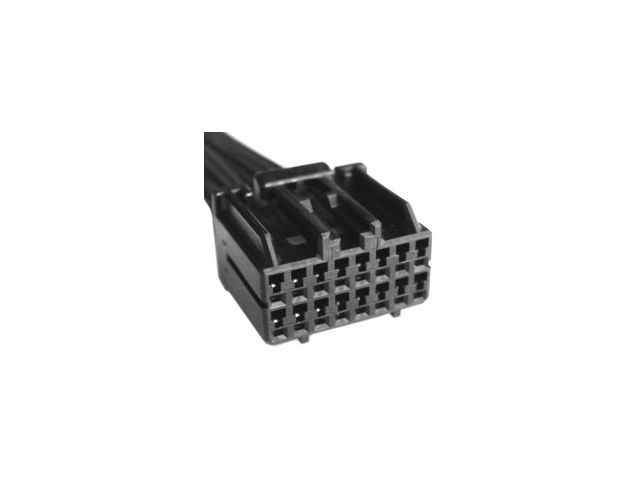
- Connector C4803A — The main electrical connector on the TCU module itself.. This is the connector where power, ground, and CAN bus signals must be tested. The pigtail service part number is WPT-242.
- Ground Points G200 / G201 — G200 is located under the right-hand (passenger) side of the instrument panel. G201 is located behind the right-hand (passenger) kick panel.. These are the primary chassis ground points in the vicinity of the TCU. A loose or corroded connection at one of these points could cause the U0198 code by interrupting the TCU's ground path (Pin 13 on C4803A).
Real Owner Repair Stories
- Reddit user post on r/Ford (2019 Ford Edge Titanium (shares platform architecture and components with Explorer)) — FordPass App stopped connecting, remote features inoperative.
❌ Tried (didn't work) Took vehicle to the Ford dealer.
✅ What actually fixed it The dealer diagnosed an internal TCU fault and quoted $1,200 for replacement. The owner later found a video online, pulled the TCU fuse for 5 minutes, and reinstalled it. This completely reset the module and restored all functionality, saving the owner the entire repair cost.
When the Usual Fixes Don't Work
- In cases where the primary fix of pulling the TCU fuse for 5 minutes does not resolve the U0198 code, Ford's official procedure is to then attempt a software update. TSB 50726 instructs technicians that if the fuse pull restores communication (the ESN becomes visible), the next step is to start a new diagnostic session and program the TCU to the latest software level using the Ford Diagnosis and Repair System (FDRS). This indicates that while the freeze is temporary, an underlying software instability may exist that a firmware update can permanently correct.
OEM Part Supersession History
14G087 (base number)→14G229 (base number)— These are functionally identical and interchangeable modules, but made by different suppliers (Continental and Visteon, respectively).
Heads up: The prefix of the part number (e.g., JL1Z, JL3T) indicates the original model line, but modules are often cross-compatible if programmed correctly. However, TCUs intended for the Canadian market will not work in the US (and vice-versa) due to different cellular band support.
Model Year Variations Within This Range
- 2018-2019: There are no significant documented differences between the 2018 and 2019 Ford Explorer models regarding the Telematics Control Unit, its wiring, or the common causes and fixes for code U0198.
Helpful Videos

![Ford Lost Communication Problems [The U-Codes]](https://img.youtube.com/vi/h04Cyo78bBU/mqdefault.jpg)
We Have This Part in Stock

The information in this article is provided for general reference and educational purposes only. Vehicle specifications, procedures, and part compatibility can vary by production date, trim level, and region. Always consult your vehicle's factory service manual and verify part numbers before purchasing or performing repairs. Safety-critical components such as airbags, seat belts, and braking systems should be installed by a qualified professional.
- Ford EXPLORER:
- 🎬 Helpful Videos
- 🛍️ Shop This Part
- What's Unique About the 2018-2019 Ford EXPLORER
- Diagnostic Flowchart
- Symptoms You May Notice
- Most Likely Causes
- Rare But Worth Checking
- Diagnosis Steps
- Parts You'll Likely Need
- Technical Service Bulletins (TSBs) & Recalls
- Platform-Specific Known Issues
- Mechanic-Grade Diagnostic Values
- Hidden / Shadow Codes Worth Checking
- Scan Tool Commands That Help
- Wiring & Ground Locations
- Real Owner Repair Stories
- When the Usual Fixes Don't Work
- OEM Part Supersession History
- Model Year Variations Within This Range
- 🎟️ Get 5% Off