

U0198 on 2018-2019 Ford EcoSport: Lost Communication With Telematics Control Unit Fixes
On a 2018-2019 Ford EcoSport, code U0198 almost always indicates a temporary glitch with the Telematics Control Unit (TCU). The most common fix, recommended by Ford in a Technical Service Bulletin, is to simply remove the TCU fuse for 5 minutes to reset the module. This is a 5-minute, no-cost DIY repair that resolves the issue for the majority of owners.
- U0198 on a 2018-2019 EcoSport means the SYNC system has lost contact with the telematics/FordPass module.
- Before buying any parts, try the fix recommended by Ford: pull the TCU fuse (behind the glove box, check manual for number - likely #11 for 2018, #26 for 2019) for 5 minutes, then put it back in.
- This procedure is a simple, no-cost DIY fix that resolves the problem in the vast majority of cases.
- The vehicle is perfectly safe to drive with this code, but remote app features will be unavailable.
What's Unique About the 2018-2019 Ford ECOSPORT

For this specific generation of Ford EcoSport, the U0198 code is frequently caused by a temporary software issue within the Telematics Control Unit (TCU). Ford acknowledged this in a Technical Service Bulletin (SSM 48267), which points to a simple module reset as the solution rather than an immediate part replacement. This makes the fix unusually simple and inexpensive compared to typical network communication failures which often involve complex wiring diagnostics or module replacement.
Diagnostic Flowchart
Tap your situation to follow the diagnostic path that matches what you're seeing on this vehicle.
Symptoms You May Notice

- FordPass / Lincoln Way mobile app features are inoperative (e.g., remote start, lock/unlock).
- Incomplete user authorization message when trying to use FordPass.
- No modem Electronic Serial Number (ESN) is displayed in the SYNC settings.
- Telematics warning light or message on the infotainment display.
- Vehicle location not updating in the FordPass app.
- Emergency-call (e-Call) disabled message or warning.
- Replacing the APIM (SYNC Module). The code is stored in the APIM, but it's reporting a problem with a different module (the TCU). Replacing the APIM will not fix the root cause.
- Assuming the TCU module is faulty without first performing the fuse pull reset. Many owners and even shops might jump to replacing the module when a simple, free reset is all that is needed.
Most Likely Causes

- Telematics Control Unit (TCU) Software Glitch 🔴 High Probability A known condition documented by Ford in TSB #SSM 48267 affects these models, where the TCU can become unresponsive due to a software state lock-up.
How to confirm: The presence of U0198 in the APIM, combined with inoperative FordPass features, strongly suggests this cause. Performing the fuse pull fix will confirm it; if functionality returns, the glitch was the cause. This is the most common scenario.
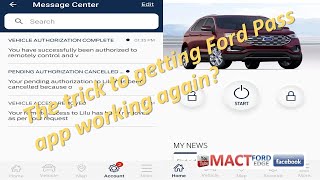
Typical fix: Perform a hard reset of the TCU by removing its fuse for at least 5 minutes and then reinstalling it, as per Ford TSB #SSM 48267. 🎬 Watch: How to reset your TCU and fix FordPass issues
Est. part cost: $0 - Blown TCU Fuse 🟡 Medium Probability While less common than a software glitch, an electrical surge or a short in the TCU circuit can cause the fuse to blow as a protective measure.
How to confirm: Locate and visually inspect the fuse for the Telematics Control Unit. On a 2018 EcoSport, this is fuse #11 (5A). On a 2019 EcoSport, this is typically fuse #26 (7.5A), though some diagrams also point to #11. Always verify with the owner's manual.
Typical fix: Replace the blown fuse with a new one of the exact same amperage rating.
Est. part cost: $1-$5 - Faulty Telematics Control Unit (TCU) ⚪ Low Probability Internal hardware failure of the module is possible, though much less common than the software glitch. This can happen due to voltage spikes, moisture, or component age.
How to confirm: If the fuse pull reset does not resolve the issue, or if the problem returns frequently, and the fuse is confirmed to be good, the module itself may have an internal fault. A dealership or shop with Ford's FDRS diagnostic tool can perform deeper tests.
Typical fix: Replace the Telematics Control Unit. The new module will require programming by a dealer or a qualified shop with Ford diagnostic tools (FDRS) to link it to the vehicle's VIN and network.
Est. part cost: $100-$300
Rare But Worth Checking
- Wiring or Connector Issue: While less common than a module glitch, any communication code can be caused by a damaged wire or loose/corroded connector between the APIM and the TCU. This should be investigated if a fuse pull and module replacement do not solve the problem.
- Low Battery Voltage: A weak or failing 12V battery can cause various modules to stop communicating properly, leading to a cascade of 'U' codes, including U0198. If other communication codes are present, test the battery and charging system first.
Diagnosis Steps

- Confirm the symptoms: Check if FordPass remote features (lock, unlock, start) are working from your phone. Note any telematics warnings on the dash or SYNC screen.
- Scan for codes using an OBD-II scanner to confirm U0198 is present in the APIM.
- Perform the TCU Reset (The TSB Fix): Turn the vehicle ignition completely off.
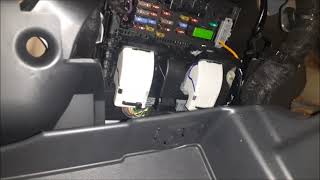
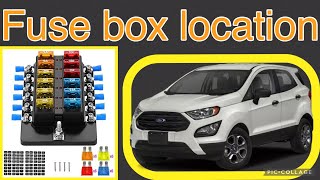
- Locate the passenger compartment fuse box, which is behind the glove box. 🎬 See this video to find the passenger compartment fuse box
- Open the glove box, press the sides inward, and swivel it down to access the fuse panel behind it.
- Identify the fuse for the Telematics Control Unit. For a 2018 model, this is fuse #11 (5A). For a 2019 model, this is often fuse #26 (7.5A). Double-check your owner's manual to be certain.
- With the vehicle off, remove the TCU fuse. A fuse puller tool is recommended. Wait for at least 5 full minutes. This step is critical for allowing the module's internal capacitors to discharge and fully reset.
- Reinstall the fuse securely into its original slot.
- Start the vehicle and allow a few minutes for the systems to re-initialize. Test the FordPass app functions again. It may take 5-10 minutes for the TCU to re-establish a cellular connection and communicate with the Ford servers.
- If the problem is resolved, no further action is needed. If the code returns, inspect the fuse to see if it has blown. If the fuse is good but the problem persists, further diagnosis of the TCU and its wiring by a professional may be required.
Parts You'll Likely Need

- Telematics Control Unit (TCU)
(OEM #GN1Z-14G229-BL (example, VIN specific))— This is the module that fails or requires a reset. It is only needed if the fuse pull reset does not permanently fix the issue. Part number is VIN-dependent and should be verified with a dealer.
Trusted brands: Motorcraft
OEM price range: $200-$400
Aftermarket price range: $100-$250 (Used/Remanufactured) - Mini Fuse — Needed only if the original TCU fuse is found to be blown. The amperage must match the original (e.g., 5A or 7.5A).
Trusted brands: Bussmann, Littlefuse
OEM price range: $1-$5
Aftermarket price range: $0.50
Technical Service Bulletins (TSBs) & Recalls
- SSM 48267: Addresses inoperative remote features and APIM DTC U0198, recommending a TCU fuse pull to correct the condition. This TSB also applies to other Ford models from the same era, such as the F-150, Escape, and Fusion, indicating a widespread issue with the TCU software.
Platform-Specific Known Issues
- Ford Technical Service Bulletin #SSM 48267 directly addresses this code on 2018-2019 EcoSport models, noting that inoperative remote features via the FordPass app can be corrected by removing the TCU fuse for 5 minutes to reset the module.
- There is a discrepancy in fuse location between model years. Fuse diagrams indicate the 2018 EcoSport uses passenger compartment fuse #11 (a 5A fuse) for the TCU. For the 2019 model, diagrams point to fuse #26 (a 7.5A fuse). Owners should always consult their specific vehicle's manual as a primary source.
Mechanic-Grade Diagnostic Values
- CAN Bus Network Resistance — expected: 54 to 69 Ω. Failure: A reading of ~120 Ω indicates an open circuit or one of the two terminating resistors is not seen. A reading below 50 Ω suggests a short in the wiring.
- TCU Ground Circuit Resistance — expected: Below 1.0 Ω (ideally below 0.2 Ω). Failure: A reading higher than 1.0 Ω indicates a poor ground connection (corrosion, loose bolt), which can cause the module to function intermittently or not at all.
- TCU Power Supply Voltage — expected: 11 to 14 V. Failure: Voltage below 11V can cause modules to drop off the network. No voltage indicates a blown fuse or open power wire.
Scan Tool Commands That Help
- Ford Diagnosis and Repair System (FDRS): TCU - Telematics Control Unit Software Update — This function is used when the fuse pull reset fails to resolve the issue, or if a Technical Service Bulletin advises a software update. It downloads the latest firmware from Ford and installs it on the TCU, which can fix deeper software bugs.
- Ford Diagnosis and Repair System (FDRS): Programmable Module Installation (PMI) — This is required after physically replacing the TCU. The PMI process downloads the vehicle-specific configuration (As-Built data) and security information into the new module, allowing it to work with the specific vehicle.
- Ford Diagnosis and Repair System (FDRS): Network Test — This is a general diagnostic command that polls all modules on the CAN networks and reports their status. It's used to confirm which modules are communicating and which are not, and to refresh the module list after performing an update or replacement.
Wiring & Ground Locations
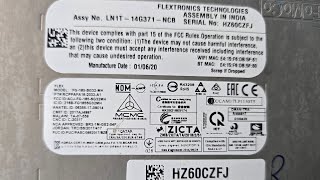
- Telematics Control Unit (TCU) — Behind the passenger side glove box. The glove box must be opened and swiveled down to gain access to the fuse panel and surrounding modules.. This is the physical location of the module that has lost communication. Access is required for advanced diagnostics like checking connector integrity, power, ground, and CAN bus signals at the module itself, or for module replacement.
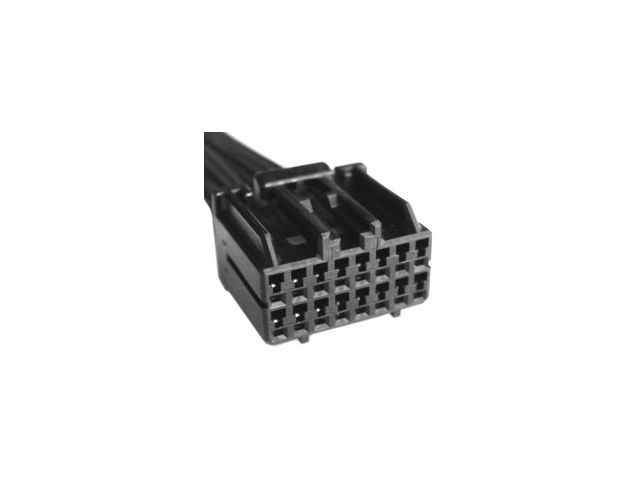
- TCU Main Connector — Plugged into the Telematics Control Unit, behind the glove box.. This is the primary connection point for the TCU's power, ground, and CAN bus network wires. A loose connection, corrosion, or backed-out pin at this connector is a potential cause for code U0198 if the fuse pull does not work.
- Chassis Ground (General) — Ford vehicles typically use ground points designated with a 'G' number (e.g., G2xx for grounds inside the passenger compartment). The specific ground for the TCU is not specified in available data, but a technician would locate a nearby chassis ground bolt for testing continuity.. A poor ground connection is a common cause of intermittent electronic issues and communication faults. Verifying the TCU has a solid ground path is a key step in advanced diagnosis.
Real Owner Repair Stories
- Reddit user discussion on r/Ford (Modern Ford vehicle (not specified as EcoSport, but process is identical)) — Non-functional telematics features requiring TCU replacement.
❌ Tried (didn't work) Hoping for a simple software fix.
✅ What actually fixed it The user considered a DIY replacement to save money. Other users correctly advised that while you can physically replace the module yourself for ~$600, it will not function until it is programmed by a Ford dealer using FDRS. The dealer charges 1-2 hours of labor for this programming, so the total cost savings for a DIY physical install might only be a few hundred dollars. This highlights that even a successful hardware swap requires dealer software intervention.
OEM Part Supersession History
GN1Z-14G229-BL (Example)→Varies— Ford frequently releases updated hardware revisions for modules to fix bugs, improve performance, or change component suppliers.
Heads up: TCU part numbers are highly specific to vehicle model, year, and feature set (e.g., with or without Wi-Fi hotspot). Using a part from another model or even a different revision for the same model (e.g., FA1Z-14G229-BH vs FA1Z-14G229-BL) may result in it not programming or functioning correctly. Always confirm the exact part number required using the vehicle's VIN at a Ford dealership.
Helpful Videos
Used OEM Parts in Stock


New Aftermarket Parts Available

The information in this article is provided for general reference and educational purposes only. Vehicle specifications, procedures, and part compatibility can vary by production date, trim level, and region. Always consult your vehicle's factory service manual and verify part numbers before purchasing or performing repairs. Safety-critical components such as airbags, seat belts, and braking systems should be installed by a qualified professional.
- Ford ECOSPORT:
- 🎬 Helpful Videos
- 🛍️ Shop This Part
- What's Unique About the 2018-2019 Ford ECOSPORT
- Diagnostic Flowchart
- Symptoms You May Notice
- Most Likely Causes
- Rare But Worth Checking
- Diagnosis Steps
- Parts You'll Likely Need
- Technical Service Bulletins (TSBs) & Recalls
- Platform-Specific Known Issues
- Mechanic-Grade Diagnostic Values
- Scan Tool Commands That Help
- Wiring & Ground Locations
- Real Owner Repair Stories
- OEM Part Supersession History
- 🎟️ Get 5% Off