

U0197 on 2013-2016 Dodge Challenger: Lost Communication With Hands Free Module Causes and Fixes
This code means your Challenger's Bluetooth/Uconnect hands-free system has stopped communicating, causing it to not work. The most common fixes are a software update performed by the dealer per TSB #08-115-15, or replacing the failed Hands-Free Module (HFM). A failed HFM can also cause a parasitic battery drain.
- U0197 means the Bluetooth Hands-Free Module (HFM) isn't communicating.
- The most common symptom is the inability to use any hands-free phone features, often with a 'loading' message on the screen.
- A known software bug is a very frequent cause; check for TSB #08-115-15 before replacing any parts.
- A failed HFM is also a common cause and can lead to a parasitic battery drain that kills the battery.
- A dealer visit for a software update is often the cheapest and correct first step.
- If a software update doesn't work or you have a battery drain, the HFM module itself has likely failed and needs replacement.
What's Unique About the 2013-2016 Dodge CHALLENGER
For this specific generation of Dodge Challenger, the U0197 code is very frequently tied to a known software glitch. Chrysler (Dodge's parent company) issued a Technical Service Bulletin (TSB #08-115-15) specifically to address this problem. Unlike many other vehicles where this code immediately points to a bad module or wiring, for the Challenger, the first step is often a simple, dealer-installed software update. This makes the diagnostic process different and potentially much cheaper than on other cars. Additionally, a common failure mode for the HFM on this platform is an internal short that creates a parasitic battery drain, killing the battery overnight.
Diagnostic Flowchart
Tap your situation to follow the diagnostic path that matches what you're seeing on this vehicle.
Symptoms You May Notice
- Hands-free (Bluetooth) feature does not work.
- Cannot pair a new phone.
- Radio screen may be stuck on "Hands Free System Loading Please Wait...".
- Pressing the phone button on the steering wheel or radio does nothing or results in no response.
- The Check Engine Light may be illuminated in some cases.
- Parasitic battery drain, causing the battery to die after sitting for a day or two.
- Uconnect system is unresponsive to voice commands.
- Replacing the radio head unit. The radio is usually just the interface; the HFM is a separate module that does the processing for Bluetooth. If the radio works but Bluetooth doesn't, the radio is rarely the cause.
- Assuming the module is bad before checking for software updates. Given the specific TSB for this issue, performing the software update first can save hundreds of dollars.
- Replacing the battery repeatedly without diagnosing the parasitic drain. If the HFM has failed, it can continually drain the battery, making it seem like the battery is faulty.
Most Likely Causes
- HFM Software Requires Update 🔴 High Probability Manufacturer TSB #08-115-15 was issued specifically for this problem on this platform, indicating a widespread software issue from the factory. This TSB superseded an earlier version, #08-112-14, showing an ongoing effort to resolve the bug.
How to confirm: A Dodge dealership can check the current software version of the HFM using a wiTECH scan tool and compare it to the latest version available under the TSB. The TSB provides specific software version numbers to check against.
Typical fix: Reprogramming the Hands-Free Module with the updated software. This is typically performed by a dealer using a USB drive and their diagnostic tool.
Est. part cost: $0 - Failed Hands-Free Module (HFM) 🟡 Medium Probability The module itself is a common failure point. It can fail internally, causing a parasitic battery drain by not allowing the CAN bus network to go to sleep, or it can simply stop communicating altogether. The part has been superseded numerous times, indicating efforts to correct design flaws.
How to confirm: If a software update doesn't resolve the issue, or if a scan tool shows the HFM is completely offline and not responding, the module is likely bad. A parasitic draw test showing a significant current draw (e.g., over 1 amp) that drops when the HFM is disconnected also points to a bad module.
Typical fix: Replace the Hands-Free Module. It is located under the driver's side dashboard, above the pedals, and is held in by two screws. 🎬 Watch this video to see how to access and replace the module. A Proxi Alignment procedure is required after installation.
Est. part cost: $150-$450 - Blown Fuse or Power/Ground Issue ⚪ Low Probability While not specific to this vehicle, all electronic modules require stable power and ground to function. A fuse can blow due to an internal short in the HFM.
How to confirm: Check the fuse for the HFM/Radio. On many Challengers, this is fuse F12 in the rear fuse box (in the trunk). Use a multimeter to test for battery voltage (10-16V) and a good ground at the HFM connector.
Typical fix: Replace the blown fuse or repair the compromised wiring/ground connection. If the fuse blows again, the HFM is likely shorted internally and needs replacement.
Est. part cost: $1-$20
Rare But Worth Checking
- CAN Bus Network Fault: While rare for a single module to be the only symptom, a wiring issue in the CAN bus network (opens, shorts, corrosion in connectors) can cause communication codes. This is more likely if multiple 'U' codes for different modules are present.
Diagnosis Steps
- Verify the symptom: Confirm that the Bluetooth/hands-free system is inoperative, stuck on the "loading" screen, and will not pair with a phone.
- Scan for codes: Use an OBD-II scanner to confirm U0197 is the primary code. Note any other communication codes from other modules.
- Check for TSBs: The most critical step is to acknowledge TSB #08-115-15. The recommended first step is a software update.
- Attempt a soft reset: Disconnect the negative battery terminal for 15-30 minutes. This can sometimes temporarily restore communication by power-cycling the module. Some owners also pull the radio/HFM fuse (often F12 in the trunk) to achieve the same result.
- Check the HFM fuse: Locate the fuse for the HFM (often labeled 'HFM', 'Telematics', or 'Radio') in the rear power distribution center (trunk) and check if it's blown.
- Perform Software Update: Take the vehicle to a dealer or a qualified shop with a wiTECH tool to have the HFM software updated per TSB #08-115-15.
- Perform Parasitic Draw Test: If the battery is dying, perform a parasitic draw test with an ammeter. If the draw is high (over ~50mA after the car sleeps), pull the HFM fuse. If the draw drops significantly, the HFM is the culprit.
- Test Module Communication: If the update fails or the issue persists, a technician will use a scan tool to see if the HFM is active on the network bus.
- Check Power and Ground at the Module: If the module is not on the bus, locate the HFM under the driver's side dash. Unplug its connectors and test the wiring for proper 12V power and a solid ground connection using a multimeter.
- Replace HFM: If power and ground are present but the module will not communicate or causes a parasitic drain, replace the Hands-Free Module. The new module will require a Proxi Alignment procedure 🎬 See a step-by-step tutorial on performing a Proxi Alignment with the WiTech tool. by a dealer or equipped shop.
Parts You'll Likely Need
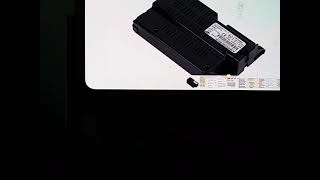
- Hands-Free Module (HFM)
(OEM #5091960AD (supercedes multiple previous numbers including 5064635AE, 5091960AA, etc.))— This is the computer that controls the Bluetooth functions. It is the most common hardware failure for this code, either by failing to communicate or by causing a parasitic battery drain.
Trusted brands: Mopar
OEM price range: $250-$450
Aftermarket price range: $150-$250
Technical Service Bulletins (TSBs) & Recalls
- 08-115-15: Addresses inoperative hands-free (Bluetooth) feature and the presence of DTC U0197, recommending a software update for the Hands-Free Module.
- 08-112-14: An earlier, superseded version of the TSB, also addressing the U0197 code and HFM software update for 2013-2014 models.
- 08-083-19: A later TSB for other vehicles (Charger, 300, Journey) that describes identical symptoms like being stuck on the 'Hands-Free Module Loading' screen and the module appearing off the bus to the scan tool, corroborating the failure mode.
Platform-Specific Known Issues
- A widely documented software issue covered by TSB #08-115-15 is the primary vehicle-specific problem related to code U0197.
- The HFM is known to fail in a way that creates a significant parasitic battery drain, often drawing over 1 amp and killing a healthy battery overnight. This happens when the module fails to shut down, keeping the vehicle's data network awake.
Mechanic-Grade Diagnostic Values
- CAN IHS Bus Resistance — expected: ~60 Ω (with battery disconnected, measured at HFM connector or DLC). Failure: A reading of ~120 Ω indicates an open in the circuit or a faulty terminating module. A reading near 0 Ω indicates a short between the two CAN wires.
- CAN IHS (+) Voltage — expected: ~2.6V (key on, engine off). Failure: Voltage that is 0V, 5V, 12V, or not close to the expected 2.6V indicates a short to ground, short to power, or an open circuit.
- CAN IHS (-) Voltage — expected: ~2.4V (key on, engine off). Failure: Voltage that is 0V, 5V, 12V, or not close to the expected 2.4V indicates a short to ground, short to power, or an open circuit.
- HFM Supply Voltage — expected: 10V to 16V (at the HFM connector power pin). Failure: Voltage below 10V can cause the module to shut down and lose communication.
Scan Tool Commands That Help
- wiTECH: Proxi Configuration Alignment — This procedure is mandatory after replacing the Hands-Free Module (or many other modules). It synchronizes the vehicle's configuration so that all modules recognize the new part. Failure to perform this will result in the new module not functioning and may set other communication codes.
- wiTECH: Restore BCM Proxi Configuration — This may be required before running the main alignment procedure, especially if the Body Control Module (BCM) configuration is suspect or has been corrupted.
- wiTECH: View Network Topology / Active DTCs — Used during initial diagnosis to see which modules are reporting the U0197 code against the HFM and to verify if the HFM is visible on the network at all. If multiple modules log the code, it points more strongly to the HFM itself.
Wiring & Ground Locations
- HFM Connector (C1) — Under the driver's side dashboard, typically above the pedals, attached to the Hands-Free Module.. This is the central point for testing power, ground, and CAN bus signals directly at the module. The CAN IHS (+) and CAN IHS (-) wires (often a twisted pair of White/Light Green and White/Gray) must be tested here.
- Star Connector / CAN Bus Junction — Typically located behind the driver's side dash, near the headlight switch or instrument cluster.. This junction connects multiple modules to the CAN IHS bus. A technician can disconnect individual branches from this point to isolate a faulty module or wiring harness that might be disrupting the entire network, causing the U0197 code.
- G305 — Ground point located in the right rear of the luggage compartment (trunk).. Wiring diagrams show this as a ground point for various modules on the body network. While not the primary ground for the HFM itself, a poor connection here can introduce electrical noise or unstable ground references for related modules, indirectly causing communication issues.
Real Owner Repair Stories
- Common narrative from ChallengerTalk.com and other Dodge forums (2014-2016 Dodge Challenger (various trims)) — Bluetooth suddenly stopped working and the radio screen is stuck on 'Hands Free System Loading'. Days later, the car battery is completely dead. After a jump start, the problem persists and the battery dies again overnight.
❌ Tried (didn't work) Replacing the car battery (the new battery also dies)., Repeatedly jump-starting the vehicle., Trying to re-pair the phone., Pulling the radio fuse, which only temporarily resets the system.
✅ What actually fixed it The owner performed a parasitic draw test and found a high current draw (over 1 amp). By pulling fuses one by one, they discovered the draw disappeared when the fuse for the Hands-Free Module/Radio was pulled. Disconnecting the HFM module under the dash confirmed it was the source of the drain. Replacing the HFM with a new or used unit (Part No. 5091960AD or equivalent) and having a dealer perform a Proxi Alignment resolved both the U0197 code and the parasitic battery drain.
OEM Part Supersession History
5064635AE, 5091960AA, and others→5091960AD— The extensive list of superseded part numbers suggests multiple hardware and/or firmware revisions were made by the manufacturer to address reliability issues, software bugs, and the parasitic drain fault.
Heads up: While older part numbers will physically fit, it is highly recommended to use the latest available revision (5091960AD or newer) to benefit from the most recent fixes. Using an old, used module from a junkyard may re-introduce the original problem.
Model Year Variations Within This Range
- 2015-2016: The 2015 model year introduced a major interior and technology refresh. This included a redesigned dashboard and the widespread availability of the 8.4-inch Uconnect system, which has a different user interface than the 5-inch screen found in some 2013-2014 models. While the underlying U0197 fault and HFM failure mode are the same, the diagnostic steps involving the radio interface may differ slightly. The TSB #08-115-15 specifically added coverage for 2015 models, confirming the issue persisted past the refresh.
Helpful Videos

We Have This Part in Stock





The information in this article is provided for general reference and educational purposes only. Vehicle specifications, procedures, and part compatibility can vary by production date, trim level, and region. Always consult your vehicle's factory service manual and verify part numbers before purchasing or performing repairs. Safety-critical components such as airbags, seat belts, and braking systems should be installed by a qualified professional.
- Dodge CHALLENGER:
- 🎬 Helpful Videos
- 🛍️ Shop This Part
- What's Unique About the 2013-2016 Dodge CHALLENGER
- Diagnostic Flowchart
- Symptoms You May Notice
- Most Likely Causes
- Rare But Worth Checking
- Diagnosis Steps
- Parts You'll Likely Need
- Technical Service Bulletins (TSBs) & Recalls
- Platform-Specific Known Issues
- Mechanic-Grade Diagnostic Values
- Scan Tool Commands That Help
- Wiring & Ground Locations
- Real Owner Repair Stories
- OEM Part Supersession History
- Model Year Variations Within This Range
- 🎟️ Get 5% Off