

U0186 on 2020-2024 Mazda CX-30: Audio Amplifier Communication Error Causes and Fixes
U0186 on a Mazda CX-30 means the audio amplifier has lost communication with the vehicle's network. This typically causes popping/crackling sounds or a complete loss of audio. The issue is well-documented in Mazda Technical Service Bulletins (TSBs), which most often point to a poor pin connection in a harness connector behind the infotainment system or a faulty Tuner and Amplifier Unit. The 2019-2024 Mazda3 shares this exact problem.
- U0186 on a 2020-2024 CX-30 is a very specific, well-documented issue.
- Symptoms are almost always popping/crackling audio or no sound at all.
- The most likely cause is a loose pin in a connector behind the infotainment screen, which is a known issue covered by Mazda TSBs.
- If the connector pin is not the issue, the Tuner and Amplifier unit itself has likely failed.
- This is not a safety-critical issue, but diagnosis and repair involve removing dashboard components and are best left to a professional.
What's Unique About the 2020-2024 Mazda CX-30

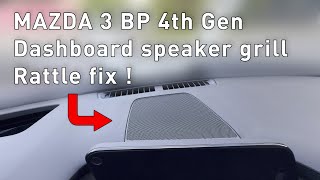
On this specific generation of Mazda CX-30 and the related Mazda3, the U0186 code is strongly linked to a specific set of symptoms and causes outlined in multiple Technical Service Bulletins. Owners commonly experience popping or static noises from the speakers, which can often be reproduced by simply tapping on the dashboard near the MAZDA CONNECT display. 🎬 Watch: How to address common dashboard and speaker rattles. This points directly to a physical connectivity problem—a known issue with a specific connector pin (6F) backing out—rather than a more generic module failure.
Diagnostic Flowchart

Tap your situation to follow the diagnostic path that matches what you're seeing on this vehicle.
Symptoms You May Notice
- Popping, static, or crackling noises from the speakers, often triggered by bumps or tapping the dash.
- Intermittent or complete loss of all audio.
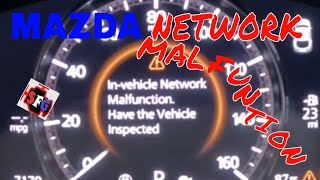
- The 'In Vehicle Network Malfunction' message may appear on the instrument cluster, although this is more commonly associated with other 'U' codes.
- MAZDA CONNECT infotainment system may be slow, freeze, or not respond to inputs.
- Inability to change audio source (e.g., stuck on 'no audio' and cannot select AM/FM).
- Replacing the speakers. The popping sound is a result of a bad data signal, not faulty speakers.
- Replacing the MAZDA CONNECT center display. The display is usually just a screen; the processing and communication fault lies in the CMU-to-amplifier connection or the amplifier itself.
- Replacing the battery. While low system voltage can cause various electronic issues, this specific code and its symptoms are very strongly tied to the TSB-documented harness/module issue unless the battery is clearly failing other tests.
Most Likely Causes

- Loose Pin in Instrument Panel Harness Connector 🔴 High Probability Mazda TSBs SA-008-25, SA-070-22, and SA-021-24 specifically identify that 'PIN 6F' can back out of the CMU connector (0920-101F), causing an intermittent connection for the audio network (MOST bus). The wires are believed to be twisted too tightly from the factory, putting strain on the pin.
How to confirm: A technician can access the connector behind the infotainment unit and visually inspect if the specified pin has backed out. Tapping the dash to reproduce the sound is a strong indicator of this issue, as mentioned in the TSBs.
Typical fix: The TSB outlines a procedure to remove the affected pins (6F and 6H), untwist the wires slightly to add slack, and securely reinstall them into the connector. The technician then pulls on the wires to confirm they are locked in place. If the connector is damaged, the instrument panel harness may need to be replaced.
Est. part cost: $0 if the pin is simply reseated. The cost of a new harness would be significantly more. - Faulty Tuner and Amplifier Unit 🟡 Medium Probability If the wiring and connectors are secure, the internal electronics of the combined tuner and amplifier unit can fail, causing it to stop communicating on the network. This is the next step in the official diagnostic procedure if the pin fix fails.
How to confirm: After confirming the wiring is intact, a diagnostic scan tool would be used to attempt direct communication with the amplifier module. If it's unresponsive despite having good power and ground, the module is likely faulty. The TSB diagnostic tree suggests swapping the unit with a known good one to confirm. One owner on Reddit reported their dealer replaced the remote tuner to fix the issue.
Typical fix: Replacement of the Tuner and Amplifier Unit.
Est. part cost: $350-$700 - Damaged Wiring Harness ⚪ Low Probability Less common than a loose pin, but the wiring itself can be chafed or broken, causing an open or short in the communication circuit.
How to confirm: This requires checking for continuity and resistance along the CAN bus wires between the CMU and the amplifier module using a multimeter.
Typical fix: Repairing the specific damaged section of the wire or, in severe cases, replacing the entire instrument panel harness.
Est. part cost: $5-$10 for wire repair, $500+ for a new harness.
Rare But Worth Checking
- Software Glitch / CMU Lock-up:
Diagnosis Steps
- Verify the complaint. Confirm the presence of popping/static audio or no audio.
- Perform the 'tap test' as described in Mazda TSBs: tap the dashboard near the center display to see if the symptom can be triggered or stopped.
- Scan the vehicle for DTCs using an OBD-II scanner. Confirm the presence of U0186 and check for related codes like U2145.
- If the tap test reproduces the issue, the next step is to gain access to the Connectivity Master Unit (CMU) connector 0920-101F behind the infotainment system.
- Inspect pin 6F in the connector to see if it has backed out or is loose.
- If the pin is loose, perform the TSB repair procedure: remove pins 6F and 6H, untwist the wires, reseat the pins, and confirm they are secure.
- If the pin and connector are visually okay, or if the repair does not fix the issue, the TSB advises swapping the remote tuner with a known-good part. If the audio is recovered, replace the remote tuner.
- If swapping the tuner does not work, the next step is to swap the audio amplifier with a known-good part. If the audio is recovered, replace the audio amplifier.
- If none of the above steps work, perform detailed circuit checks for power, ground, and shorts in the harness.
- Clear all DTCs and verify that the repair has resolved the issue.
Parts You'll Likely Need
- Radio Amplifier / Tuner and Amplifier Unit
(OEM #DFR7-66-A20F)— This is the module that fails or loses communication. If the wiring connection is not the cause, this unit typically needs to be replaced. Part number DFR7-66-A20F is for models with Bose 12-speaker audio. It supersedes DFR7-66-A20, DFR7-66-A20A, DFR7-66-A20B, DFR7-66-A20C, DFR7-66-A20D, and DFR7-66-A20E. Other variants like BDTS-66-A20D exist for non-Bose systems.
Trusted brands: Mazda (OEM)
OEM price range: $600-$900
Aftermarket price range: $300-$500 (Used/Remanufactured)
Related Codes That Often Appear With This One
- U2145:08 — This code for 'Communication error with remote tuner (RT)' is frequently stored alongside U0186 because the tuner and amplifier are often housed in the same physical unit. A communication loss to one is a loss to both.
- U2145:02 — Another variant of the remote tuner communication error, also pointing to the same root cause and listed in the same TSBs.
Technical Service Bulletins (TSBs) & Recalls

- SA-008-25: Addresses intermittent no sound/static noise and DTCs U0186 and U2145, pointing to a loose connector pin. Also applies to 2019-2024 Mazda3.
- SA-070-22: An earlier version of the bulletin with the same information regarding popping noises and communication DTCs.
- SA-021-24: Another bulletin describing the same symptoms and cause, highlighting the consistency of this issue.
Platform-Specific Known Issues
- Mazda has issued multiple Technical Service Bulletins (TSBs), including SA-008-25, SA-070-22, and SA-021-24, which all address this exact issue.
- The primary cause identified by Mazda is a loose pin (Pin 6F) in the main harness connector (0920-101F) that attaches to the Connectivity Master Unit (CMU).
- The symptom of audio crackling when tapping the dashboard is a key diagnostic clue mentioned in the official manufacturer documents.
- The issue is also prevalent on the 2019-2024 Mazda3, which shares the same platform and is explicitly mentioned in the TSBs.
Mechanic-Grade Diagnostic Values
- Communication Timeout Detection — expected: Continuous communication between CMU and audio amplifier.. Failure: The CMU detects a communication interruption with the audio amplifier for approximately 6 seconds.
- Amplifier Ground Voltage Drop — expected: ≤100–200 mV. Failure: A reading higher than 200 mV indicates a poor ground connection, which can cause communication issues.
Hidden / Shadow Codes Worth Checking
- U0186:08: The ':08' is a Failure Type Byte (FTB) indicating 'Bus Signal / Message Failures'. This confirms the issue is related to signal integrity on the communication network, not a simple power failure of the module. (see via A professional OBD-II scanner capable of reading manufacturer-specific codes and their failure types. This is listed in the official Mazda TSBs.)
Scan Tool Commands That Help
- Mazda MDARS (Mazda Diagnostic and Repair Software): Module Replacement / Software Update — MDARS is the dealer-level tool required for programming or reflashing modules on 7th generation Mazda vehicles (2019+). It would be used to configure a new Tuner and Amplifier Unit after replacement. A critical step after any reprogramming is to clear DTCs, turn the ignition off, lock the doors, and wait at least 10 minutes before restarting to prevent setting other communication DTCs.
Wiring & Ground Locations
- Audio Amplifier / Tuner Unit — Under the front passenger's (RH) seat. Access requires sliding the seat, removing a cover, and unbolting the unit.. This is the physical location of the module that has lost communication. Technicians need to access it to check power, ground, and communication line connections, or to replace the unit.
- Connector 0920-101F (CMU Connector) — Behind the MAZDA CONNECT center display, connected to the Connectivity Master Unit (CMU).. This is the connector identified in Mazda TSBs as the primary failure point. Specifically, pin 6F (and its twisted pair partner 6H) for the MOST network can back out, causing the communication loss.
- Main Fuse Box — In the engine compartment, on the driver's side.. While less likely to be the cause than the TSB-identified pin issue, checking the fuse for the audio system (labeled AUDIO) is a basic step in any electrical diagnosis.
Real Owner Repair Stories
- Reddit user BigBadWolf_T in r/mazda (2021 Mazda CX-30 (non-Bose audio)) — No audio from the infotainment system. Hard codes U0186 and U2145 were present.
❌ Tried (didn't work) Clearing DTCs multiple times., Visually inspecting the TSB-specified connector behind the CMU; the pin was not loose., Replacing the CMU with a used unit., Replacing the amplifier with another unit.
✅ What actually fixed it The dealer diagnosed and replaced the 'remote tuner', which restored audio function.
OEM Part Supersession History
DFR7-66-A20, DFR7-66-A20A, DFR7-66-A20B, DFR7-66-A20C, DFR7-66-A20D, DFR7-66-A20E→DFR7-66-A20F— This part is the Radio Amplifier for the 12-speaker Bose audio system. The multiple revisions suggest that the manufacturer made incremental changes to the component over its production life. While the exact reason for each change is not public, a long history of supersessions often points to reliability improvements or minor feature updates.
Heads up: DFR7-66-A20F is the latest, most current version for this application and should be used for replacement.
Model Year Variations Within This Range
- 2020-2024: The physical wiring issue at connector 0920-101F, as documented in TSBs, appears to affect the entire 2020-2024 model year range, as even the latest TSBs from 2024 and 2025 include the 2024 model year. This indicates the manufacturing process was not changed to correct the issue for a significant period.
- 2019+: Servicing electronic modules requires different software. Vehicles from this generation (including the 2019+ Mazda3 and 2020+ CX-30) require the Mazda Diagnostic and Repair Software (MDARS). Earlier models used the older IDS or MMP software.
Helpful Videos

We Have This Part in Stock


The information in this article is provided for general reference and educational purposes only. Vehicle specifications, procedures, and part compatibility can vary by production date, trim level, and region. Always consult your vehicle's factory service manual and verify part numbers before purchasing or performing repairs. Safety-critical components such as airbags, seat belts, and braking systems should be installed by a qualified professional.
- Mazda CX-30:
- 🎬 Helpful Videos
- 🛍️ Shop This Part
- What's Unique About the 2020-2024 Mazda CX-30
- Diagnostic Flowchart
- Symptoms You May Notice
- Most Likely Causes
- Rare But Worth Checking
- Diagnosis Steps
- Parts You'll Likely Need
- Related Codes That Often Appear With This One
- Technical Service Bulletins (TSBs) & Recalls
- Platform-Specific Known Issues
- Mechanic-Grade Diagnostic Values
- Hidden / Shadow Codes Worth Checking
- Scan Tool Commands That Help
- Wiring & Ground Locations
- Real Owner Repair Stories
- OEM Part Supersession History
- Model Year Variations Within This Range
- 🎟️ Get 5% Off