

U0186 on 2017-2020 Chevrolet Tahoe: Lost Communication With Audio Amplifier Fixes
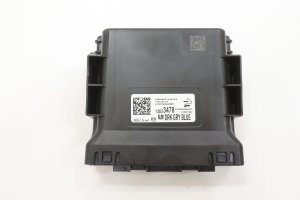
This code means the audio amplifier has stopped communicating with other vehicle modules. On the 2017-2020 Tahoe, this is frequently caused by wiring or connector problems at the Serial Data Gateway Module (SGM), as noted in GM Technical Service Bulletins. Checking the SGM connectors located to the left of the steering column is the first and most critical diagnostic step.
- U0186 means the audio amplifier is offline, resulting in no sound, chimes, or turn signal clicks.
- Before replacing any expensive parts, inspect the connectors at the Serial Data Gateway Module (SGM) as recommended by GM service bulletins.
- A weak battery or bad ground can cause this and other communication codes, so rule them out early.
- The problem is most often a wiring/connector issue, a software glitch in the SGM, or a failed amplifier.
- Diagnosing this code correctly often requires professional tools to avoid replacing the wrong module.
What's Unique About the 2017-2020 Chevrolet TAHOE

For this generation of Tahoe (K2XX platform), General Motors has specifically identified issues with the Serial Data Gateway Module (SGM) and its connectors as a primary cause for a host of communication codes, including U0186. Manufacturer bulletins (like PIT5586 and 20-NA-212) instruct technicians to inspect these specific connectors for damage or poor contact before replacing any modules. This suggests that simple wiring and connector faults at the SGM are more common on this platform than outright amplifier failure.
Diagnostic Flowchart
Tap your situation to follow the diagnostic path that matches what you're seeing on this vehicle.
Symptoms You May Notice
- No sound from the radio, Bluetooth, or any other audio source.
- No audible 'click' when turn signals are on (though the exterior lights will still flash).
- Absence of warning chimes (e.g., seatbelt reminder, door ajar, parking sensor alerts).
- Radio or infotainment display may appear to function normally but produces no sound.
- In some cases, the infotainment screen may be blank or unresponsive.
- Steering wheel audio controls do not work.
- A popping or crackling sound may be heard from the speakers intermittently before total sound failure.
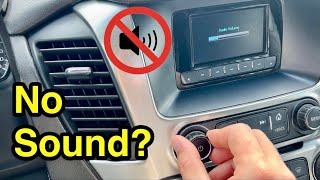
- On some models, a 'reset' procedure of holding the 'end call' button on the steering wheel for 15 seconds might temporarily restore sound, indicating a software or logic lock issue. 🎬 Watch: This video shows a quick fix for Tahoe sound issues.
- Replacing the radio/infotainment head unit. While the head unit is part of the system, U0186 specifically points to a loss of communication with the separate amplifier module, not the head unit itself.
- Replacing the audio amplifier without first inspecting the SGM connectors. Given the number of TSBs pointing to the SGM, it should be the first component checked.
Most Likely Causes

- Poor Connection at Serial Data Gateway Module (SGM) 🔴 High Probability GM has issued multiple Technical Service Bulletins (PIT5586B, PIT5586G, 20-NA-212) pointing to terminal issues at the SGM's X1 and X2 connectors as a common cause for various communication DTCs, including U0186. These bulletins cover the entire K2XX platform.
How to confirm: Visually inspect the X1 and X2 connectors at the SGM, which is located behind the lower dash panel to the left of the steering column. Check for bent, loose, corroded, or backed-out terminals. A technician would perform a 'pin drag' test to check for proper terminal tension.
Typical fix: Repairing the affected terminal, replacing the connector pigtail (e.g., GM Part #84619127 mentioned in TSBs), or replacing the entire connector body if damaged.
Est. part cost: $10-$60 - Serial Data Gateway Module (SGM) Logic Lock or Failure 🟡 Medium Probability TSB 20-NA-212 and PIT5586G mention that an internal microcontroller error can cause the SGM to stop communicating, a condition known as 'logic lock'. This is a known software/firmware issue on this platform.
How to confirm: If connectors are good, a dealer or qualified shop would attempt to reprogram the SGM per TSB 20-NA-212. If reprogramming fails or the issue persists, the module is likely faulty. A temporary fix reported by some owners is a full vehicle power cycle (disconnecting the battery).
Typical fix: Reprogramming the SGM with updated software. If that fails, the SGM must be replaced and programmed to the vehicle.
Est. part cost: $150-$300 - Faulty Audio Amplifier 🟡 Medium Probability Like any electronic component, the amplifier can fail internally. Water intrusion is a possible cause, as seen in other GM models where a leaking high-mount stop lamp allows water into the rear of the vehicle where the amp is located. A rear window washer fluid leak has also been identified as a cause of corrosion on the amplifier connector.
How to confirm: After verifying the SGM and wiring are intact, a technician would check for power, ground, and data signals directly at the amplifier's connector. The amplifier is located in the driver's side rear cargo area, behind the trim panel where the jack is stored. If all inputs are present but the module doesn't communicate, the amplifier is condemned.
Typical fix: Replacing the audio amplifier. The new amplifier may require programming to the vehicle's VIN.
Est. part cost: $250-$500 - Wiring Harness Damage (Open/Short) ⚪ Low Probability Wiring for the audio system runs through the vehicle and can be damaged from abrasion, pinching, or previous repairs. One owner on a forum found that wires under the main underhood fuse box had chafed through on a metal bracket, causing a short that blew the amp fuse. Another common chafe point is under the driver's side door sill plate.
How to confirm: Performing a continuity and resistance test on the GMLAN (General Motors Local Area Network) wires between the SGM and the audio amplifier. Check amplifier fuses F26 and F48 in the passenger-side instrument panel fuse block.
Typical fix: Repairing the specific section of damaged wire or replacing a blown fuse after correcting the underlying short.
Est. part cost: $5-$25
Rare But Worth Checking
- Low Battery Voltage or Bad Ground: Modern vehicles are highly sensitive to voltage. A weak battery or a corroded main ground can cause random communication codes across multiple modules. A forum post about a similar GM vehicle with multiple U-codes pointed to a bad ground strap as the culprit. TSB 20-NA-212 also emphasizes the need for stable battery voltage during diagnosis and programming.
- Blown Driver-Side Dash Speaker (for Chime/Turn Signal sound loss): While this won't cause a U0186 code, it's a very common reason for the loss of turn signal clicks and warning chimes on this platform. The sounds are generated by the audio system and played through the driver's front dash speaker. If this speaker fails (often a simple tear in the cone), the sounds disappear even if the radio audio still works through other speakers. This is a separate, but often related, symptom.
Diagnosis Steps
- Read all DTCs from all modules using a professional-grade scan tool. Note any other U-codes present, as a cluster of them points towards the SGM.
- Check battery voltage and test the battery and charging system to rule out low voltage as a cause.
- Locate the Serial Data Gateway Module (SGM). On a 2017-2020 Tahoe, it is mounted behind the lower dashboard trim, to the left of the steering column.
- Following GM TSBs PIT5586G and 20-NA-212, carefully disconnect and inspect the SGM's X1 and X2 connectors for any bent, backed-out, or corroded pins. Pay close attention to terminal tension.
- If connector issues are found, repair them using the appropriate terminated lead (e.g., GM Part #84619127). Clear codes and re-test.
- If connectors are OK, locate the audio amplifier. It is in the driver's side rear cargo area, behind the trim panel near the jack storage. Inspect its connector (especially the 16-way black C2 connector) and wiring for visible damage or signs of water intrusion.
- Check amplifier fuses. On this platform, check fuse F48 (30A) and F26 in the passenger side instrument panel fuse block.
- Using a digital multimeter, verify the amplifier has proper power (Pin 4, Red/Yellow wire) and ground (Pin 8, Black/White wire) at its main connector.
- Test the GMLAN communication circuit for continuity, shorts to power, or shorts to ground between the SGM and the amplifier. The single-wire Low-Speed GMLAN bus should show pulsing voltage between 0-5V when active.
- If all wiring, power, and grounds are good, the issue is likely a failed SGM (logic lock) or a failed amplifier. At this point, professional diagnosis with module programming capabilities is recommended to either reprogram the SGM or replace and program a new module.
Parts You'll Likely Need

- Serial Data Gateway Module (SGM)
(OEM #84526542 (Verify with VIN))— This module acts as a traffic controller for vehicle data networks. It's a known failure point according to GM TSBs, causing logic lock or communication loss to various modules.
Trusted brands: ACDelco
OEM price range: $150-$300
Aftermarket price range: $100-$200 - Audio Amplifier
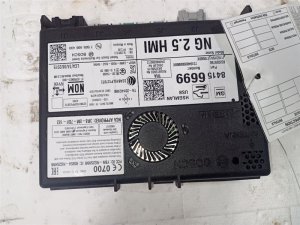
(OEM #84356449 (Bose, verify with VIN))— If the amplifier itself fails internally, it will stop communicating, setting code U0186. This can be due to internal failure or water damage.
Trusted brands: ACDelco (GM Genuine)
OEM price range: $250-$500
Aftermarket price range: $200-$400 - Terminated Lead / Connector Pigtail
(OEM #84619127)— Used to repair damaged or loose terminals in the SGM connectors, as recommended by GM TSBs. This is often all that is needed instead of a full module replacement.
Trusted brands: ACDelco (GM Genuine)
OEM price range: $10-$40
Related Codes That Often Appear With This One
- U0140 — Lost Communication with Body Control Module. This often appears with other U-codes when there is a network-wide issue, such as a problem with the SGM.
- U0151 — Lost Communication with Restraints Control Module. Like U0140, this indicates a broader network problem, often traced back to the SGM or its wiring, as cited in TSB PIT5586B.
- U0155 — Lost Communication with Instrument Panel Cluster. This is another code listed in the same TSBs (PIT5586B, 20-NA-212) related to SGM issues, indicating a widespread communication failure.
Technical Service Bulletins (TSBs) & Recalls
- PIT5586B: Instructs dealers to check the Serial Data Gateway Module X1 and X2 connectors for terminal concerns when U0186 and other U-codes are present.
- PIT5586G: Updates the previous bulletin, adding to check for 'logic lock' of the SGM and providing a specific labor operation for a software reset.
- 20-NA-212: Supersedes parts of earlier bulletins for 2017-2020 models, providing detailed procedures for reprogramming the SGM to fix communication issues and instructions for inspecting/repairing the connector terminals if reprogramming doesn't work.
Platform-Specific Known Issues
- Technical Service Bulletins #PIT5586G and #20-NA-212 are the most relevant. They detail that a wide range of communication codes, including U0186, are often caused by either a physical terminal issue at the SGM's X1/X2 connectors or an internal SGM 'logic lock' requiring a software reset or reprogramming. Technicians are explicitly told to check these before replacing parts.
Mechanic-Grade Diagnostic Values
- Low-Speed GMLAN Bus Voltage — expected: Pulsing signal between 0V and 5V when active.. Failure: A steady 0V indicates an open or short to ground. A steady 12V indicates a short to power. No activity indicates a module or wiring fault.
- High-Speed GMLAN Bus Resistance (for general network checks at DLC) — expected: Approximately 60 Ohms across DLC pins 6 and 14 (with battery disconnected).. Failure: A reading of 120 Ohms indicates an open in the bus or a missing termination resistor. A reading near 0 Ohms indicates the CAN High and CAN Low wires are shorted together.
- Audio Amplifier Power Supply — expected: Battery Voltage (12.6V KOEO, ~14V engine running) at Pin 4 (Red/Yellow wire) of the amplifier connector.. Failure: 0V indicates a blown fuse (F48), wiring issue, or problem with the power source.
- Audio Amplifier Ground — expected: Near 0V and good continuity to chassis ground at Pin 8 (Black/White wire) of the amplifier connector.. Failure: Voltage above 0V or high resistance to ground indicates a poor ground connection (G402).
Hidden / Shadow Codes Worth Checking
- U0186 00: No Additional Information. This is the most common symptom byte and indicates a general loss of communication. (see via GM GDS2 or other professional scan tool capable of reading manufacturer-specific symptom bytes.)
- U0186 71: Invalid Serial Data Received. This indicates the amplifier is communicating, but the data it's sending is corrupt or nonsensical to other modules, often pointing to an internal amplifier fault. (see via GM GDS2 or other professional scan tool.)
- U0186 72: Alive Counter Incorrect. The 'alive' message, a periodic signal that says the module is still active, was not received as expected. This can point to a logic lock or intermittent connection. (see via GM GDS2 or other professional scan tool.)
Scan Tool Commands That Help
- GDS2 (GM Global Diagnostic System 2): Module Programming > Serial Data Gateway Module — This is used to correct a 'logic lock' condition as described in TSB 20-NA-212. If communication cannot be restored by checking connectors, reprogramming the SGM with the latest software is the next step before replacement.
- GDS2 (GM Global Diagnostic System 2): Clear All DTCs — After any repair (connector fix, module replacement, reprogramming), a full vehicle DTC clear is required. This forces all modules to re-establish communication and confirms the fault is resolved.
- GDS2 (GM Global Diagnostic System 2): Data Display > SDGM > Communication Status — To monitor the live communication status of all modules connected to the Serial Data Gateway Module. This helps verify if the amplifier is the ONLY module offline or if it's a wider network problem.
Wiring & Ground Locations

- SGM Connectors X1 & X2 — At the Serial Data Gateway Module, located behind the lower dash panel to the left of the steering column.. These are the primary connectors identified in GM TSBs as having frequent terminal tension and pin-out issues that directly cause U0186 and other communication codes.
- G402 / G403 — In the rear driver's side cargo area, near the amplifier location. Some owners also use the nearby seat belt restraint bolt as a ground point.. This is the primary chassis ground point for the audio amplifier. A loose or corroded connection here will cut power to the amplifier, causing it to stop communicating and setting code U0186.
- Low-Speed GMLAN Pin — The audio amplifier communicates on the single-wire Low-Speed GMLAN bus. This wire can be tested at the SGM connector (Pin 6, Dark Green wire, in the X2 connector per some diagrams) and at the amplifier connector.. A break or short on this specific wire between the SGM and the amplifier will isolate the amplifier from the network and set U0186, even if all other modules are communicating correctly.
- Amplifier Fuses F26 & F48 — In the passenger-side instrument panel fuse block.. These fuses provide the main power to the audio amplifier. A blown fuse is a common cause of the amplifier losing power and communication. A shorted wire or internal amplifier failure can cause these fuses to blow.
Real Owner Repair Stories
- Tahoe/Yukon Forum User (2015-2020 K2XX Platform Truck) — No audio, no chimes, U0186 code present.
❌ Tried (didn't work) Checking fuses., Resetting infotainment system.
✅ What actually fixed it The rear window washer fluid line had developed a leak inside the rear pillar, dripping fluid directly onto the Bose amplifier's electrical connector. This caused severe corrosion on the pins, leading to a loss of communication. The fix was to clean the connector and repair the leaking washer fluid hose. - Tahoe/Yukon Forum User (2016 Chevrolet Tahoe) — Intermittent loss of all audio and chimes, multiple communication codes including U0186.
❌ Tried (didn't work) Replacing the battery., Reprogramming the SGM.
✅ What actually fixed it A wiring harness that runs under the driver's side door sill plate had chafed through on a sharp metal edge. The low-speed GMLAN wire was intermittently shorting to ground, taking the amplifier offline. Repairing the damaged wire and protecting the harness with conduit resolved the issue. - Independent Repair Shop Video (2017 Chevrolet Malibu (similar architecture)) — No audio from radio or blinkers, U0186 stored.
❌ Tried (didn't work) Replacing the amplifier.
✅ What actually fixed it After confirming good power and ground at the amplifier, the technician used an oscilloscope to check the GMLAN data line. The signal was present but erratic. The fault was traced to a poor terminal connection at the Serial Data Gateway Module (SGM), consistent with GM TSBs. Repairing the terminal at the SGM restored communication.
OEM Part Supersession History
84356449→84650050, which was then superseded by 84850435 (Verify with VIN)— Part revisions to improve reliability or address known failure modes.
Heads up: While later part numbers are generally backward compatible for the same RPO code (e.g., UQA for Bose), a replacement amplifier, new or used, will likely require SPS programming with GDS2 to configure it to the vehicle's specific options and VIN.84526542 (SGM)→84526546 (Verify with VIN)— Internal hardware or software updates to address issues like logic lock.
Heads up: Replacement of the SGM always requires online programming via SPS to configure it to the vehicle and ensure all modules can communicate correctly.
Model Year Variations Within This Range
- 2019-2020: Later models in this range may have received updated SGM software from the factory that made them less susceptible to the 'logic lock' issue described in TSB 20-NA-212. However, they are still vulnerable to the physical connector and wiring issues.
- 2017-2020: The base LS trim used a six-speaker audio system, while the LT and Premier trims used a premium Bose system (9-speaker on LT, 10-speaker on Premier). While the U0186 code applies to both, the specific amplifier part number and its location/connectors may differ slightly. The Bose amplifier (RPO code UQA) is the one most commonly discussed in relation to this fault.
Helpful Videos
We Have This Part in Stock





The information in this article is provided for general reference and educational purposes only. Vehicle specifications, procedures, and part compatibility can vary by production date, trim level, and region. Always consult your vehicle's factory service manual and verify part numbers before purchasing or performing repairs. Safety-critical components such as airbags, seat belts, and braking systems should be installed by a qualified professional.
- Chevrolet TAHOE:
- 🎬 Helpful Videos
- 🛍️ Shop This Part
- What's Unique About the 2017-2020 Chevrolet TAHOE
- Diagnostic Flowchart
- Symptoms You May Notice
- Most Likely Causes
- Rare But Worth Checking
- Diagnosis Steps
- Parts You'll Likely Need
- Related Codes That Often Appear With This One
- Technical Service Bulletins (TSBs) & Recalls
- Platform-Specific Known Issues
- Mechanic-Grade Diagnostic Values
- Hidden / Shadow Codes Worth Checking
- Scan Tool Commands That Help
- Wiring & Ground Locations
- Real Owner Repair Stories
- OEM Part Supersession History
- Model Year Variations Within This Range
- 🎟️ Get 5% Off