

U0184 on 2014-2016 GMC Yukon XL: Radio Communication Loss Causes and Fixes
On a 2014-2016 GMC Yukon XL, code U0184 almost always indicates a software glitch in the radio/infotainment module, causing a black/blue screen and total loss of function. The most common permanent fix is a software update performed by a GM dealer, as outlined in TSBs #16-NA-107 and #16-NA-115. A temporary fix can often be achieved by performing a hard reset (disconnecting the battery for 15-30 minutes or pulling the radio fuse). If a reset works, it's a strong indicator that the dealer software
- U0184 on your Yukon XL means the radio has lost communication; it is not a mechanical failure.
- Before any expensive repairs, perform a hard reset by disconnecting the battery for 30 minutes. This is a free and often effective temporary fix.
- The most common permanent solution is a software update performed by a GM dealer, as documented in multiple service bulletins.
- Do not replace the radio or HMI module unless both a hard reset and a software update have failed to solve the problem.
- Driving is possible, but be aware that your backup camera may not function, requiring extra caution when reversing.
What's Unique About the 2014-2016 Gmc YUKON XL
For this generation of GM trucks and SUVs (GMT K2XX platform for 2015-2016 models), the U0184 code is exceptionally common and very frequently linked to software issues within the radio or Human Machine Interface (HMI) module itself. General Motors has issued multiple Technical Service Bulletins (TSBs) acknowledging that the radio can lock up or become inoperative, with the official fix being a software reprogram, not an immediate hardware replacement. This is different from many other vehicles where a communication code might more commonly point to a wiring or connector failure.
Diagnostic Flowchart
Tap your situation to follow the diagnostic path that matches what you're seeing on this vehicle.
Generation note: The 2014 model year is the final year of the third generation (GMT900) Yukon XL, while 2015-2016 models are the first years of the fourth generation (K2XX). The provided TSBs cover models from both generations, with TSB 16-NA-115 specifically targeting 2014 models and TSB 16-NA-107 covering 2015-2016 models, indicating a similar radio/HMI module architecture and a shared software-related problem across the generation change.
Symptoms You May Notice
- Radio is completely inoperative with a black or blue screen.
- No sound from the audio system.
- Touchscreen is frozen or unresponsive.
- Bluetooth, USB, and OnStar features are unavailable.
- Steering wheel audio controls do not work.
- Backup camera display does not appear when in reverse. [Bulletin #16-NA-115]
- AM radio has a clipping noise. [Bulletin #16-NA-107, 11]
- Radio may intermittently work and then shut down.
- A 'Call End' screen from a Bluetooth call may get stuck on the display.
- Replacing the radio or HMI module without first attempting a software update. Many owners have spent hundreds on new hardware when the issue could have been resolved with a less expensive dealer reprogram.
- Replacing the 8-inch display screen. The screen itself is just a display; 🎬 Watch: How to troubleshoot and fix a Chevy black screen issue. the logic and communication functions are handled by the separate HMI and radio modules. A screen failure will not typically cause a U0184 code.
Most Likely Causes
- Radio Software Glitch / Lock-up 🔴 High Probability This is a well-documented issue acknowledged by GM in TSBs #16-NA-107 and #16-NA-115. The software calibration within the radio can cause it to freeze, stop communicating on the vehicle's network, and set U0184.
How to confirm: Perform a hard reset by disconnecting the negative battery terminal for 15-30 minutes or by pulling the specific radio/infotainment fuses. 🎬 See this guide to locate your radio and infotainment fuses. If the radio begins working again, even temporarily, it strongly indicates a software lock-up issue. This is confirmed in Preliminary Information bulletin PIT5401-series.
Typical fix: The permanent fix is to have a GM dealer reprogram the radio module with the latest software calibration using their Service Programming System (SPS).
Est. part cost: $0 - $250 for labor - Failed Radio or HMI Module 🟡 Medium Probability If software updates and resets fail to resolve the issue, the internal hardware of the radio tuner module or the Human Machine Interface (HMI) module may have failed. These components can fail from heat, vibration, or internal component degradation. Some owners on forums report needing to replace the HMI module after reprogramming attempts fail.
How to confirm: This is diagnosed by exclusion. If a hard reset has no effect and a dealer confirms the module has the latest software but still won't communicate, the hardware is deemed faulty. A technician can also verify 12V+ power and ground at the module connector; if power is present but the module is offline, it has failed.
Typical fix: Replacement of the failed module (either the radio tuner or the HMI module). The new module will require VIN programming by a dealer or specialist to function.
Est. part cost: $250 - $800 - Poor Connection or Wiring Issue ⚪ Low Probability While less common than software issues for this specific code, any communication problem can be caused by a loose connector or damaged wire. TSB #PIT5586G points to potential issues with backed-out or corroded terminals at the Serial Data Gateway Module (SDGM) connectors, which can cause widespread communication issues, including U0184.
How to confirm: Visually inspect the connectors at the back of the radio/HMI unit and at the Serial Data Gateway Module (SDGM). Check for loose pins, corrosion, or wire damage. A multimeter can be used to check for continuity and proper voltage on the low-speed GMLAN circuit (Circuit 5060).
Typical fix: Repairing the damaged wire or re-seating the loose connector.
Est. part cost: $0 - $150
Rare But Worth Checking
- Low Battery Voltage:
- Aftermarket Radio Installation Issues:
Diagnosis Steps
- Verify the symptoms: Confirm the radio/infotainment screen is blank, frozen, or otherwise inoperative.
- Scan for codes: Use an OBD-II scanner to confirm U0184 is present and note which other modules are storing the code. A 'history' code may be from a past glitch, while an 'active' code indicates a current fault.
- Attempt a hard reset: Disconnect the negative battery terminal for at least 15-30 minutes to power cycle all modules. Alternatively, locate and pull the fuses for the radio and infotainment system (e.g., F29 and F48 in the passenger-side interior fuse box) for several minutes, then reinstall.
- Check for temporary resolution: If the hard reset restores radio function, it strongly suggests a software lock-up, and a permanent software update is needed.
- Check Battery Health: Ensure battery voltage is stable and above 12.4V. Low voltage can cause random communication faults.
- Consult TSBs: Check with a dealer or online to confirm TSB #16-NA-107 (for 2015-16) or #16-NA-115 (for 2014) apply to your vehicle's VIN.
- Perform software update: If a TSB is applicable, the next step is to have a dealer perform a radio software update using the GM Service Programming System (SPS).
- Inspect wiring (if needed): If resets and software updates fail, inspect the wiring and connectors at the back of the radio, HMI module (often behind the glove box), and at the Serial Data Gateway Module (SDGM) for any visible damage or looseness.
- Diagnose hardware failure: If all the above steps fail and the module has confirmed power and ground, the radio or HMI module itself has likely failed and requires replacement and programming.
Parts You'll Likely Need
- Radio Software Reprogramming — This is the most common official fix from GM to resolve software glitches that cause the radio to lock up and set the U0184 code, as detailed in TSBs 16-NA-107 and 16-NA-115.
Trusted brands: GM Service Programming System (SPS)
OEM price range: $150-$250
Aftermarket price range: N/A - Human Machine Interface (HMI) Module
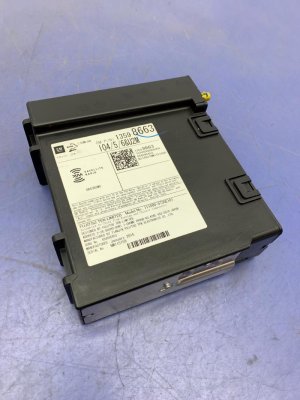
(OEM #23228496)— If the screen is black and reprogramming fails, the HMI module, which controls the display and user interface, may have failed. This part is VIN-locked and requires programming.
Trusted brands: ACDelco, GM Genuine Parts
OEM price range: $250 - $800
Aftermarket price range: N/A
Related Codes That Often Appear With This One
- U0140 — Lost Communication with Body Control Module (BCM). Since the BCM often acts as a gateway for communication, a broader network issue could cause both codes to appear.
- U0155 — Lost Communication with Instrument Panel Cluster (IPC). The IPC and radio often share the same low-speed data bus, so a fault on that circuit could affect both modules.
Technical Service Bulletins (TSBs) & Recalls
- 16-NA-107: Advises reprogramming the radio for conditions including DTC U0184, inoperative radio, and blue screen on 2015-2016 models.
- 16-NA-115: Provides a procedure to reprogram the radio to correct an inoperative radio with DTC U0184 and other infotainment issues on 2014 models.
- PIT5401E: Recommends power-cycling the radio as a primary diagnostic step for an inoperative radio with a U0184 code before attempting any hardware replacement.
- PIT5401F: Supersedes PIT5401E and officially points technicians to the newly released TSBs 16-NA-107 and 16-NA-115 as the permanent correction.
Platform-Specific Known Issues
- TSB #16-NA-107 specifically addresses 2015-2016 models where the radio may be inoperative, show a blue screen, or set a U0184. The fix is to reprogram the radio.
- TSB #16-NA-115 targets 2014 models with an inoperative radio and U0184, also recommending a radio reprogram to fix this and other issues like backup camera problems and disappearing favorites.
- Preliminary Information bulletin #PIT5401E (which supersedes PIT5401D) instructs technicians to first try cycling power to the radio via fuse pull or battery disconnect. If this temporarily restores function, no parts should be replaced, and the customer should be advised that a permanent software solution (which became TSBs 16-NA-107/115) is required.
- Owner forums for the K2XX platform are filled with reports of the 'black screen' issue. A common owner experience shared on sites like tahoeyukonforum.com and Reddit involves the radio dying and then spontaneously starting to work again after the vehicle sits for a while, confirming the intermittent, software-based nature of the fault.
Mechanic-Grade Diagnostic Values
- Low-Speed GMLAN Bus (Circuit 5060) Signal Voltage — expected: 0-5V fluctuating signaling activity with key on.. Failure: No voltage or a static, unchanging voltage indicates a bus or module fault.
- Radio Power Pin Voltage — expected: 12.0 - 12.6 VDC with key on.. Failure: Low or no voltage points to a fuse, wiring, or power supply issue, not the radio module itself.
- Radio Ground Pin Resistance to Chassis — expected: Less than 1 ohm.. Failure: High resistance indicates a poor ground connection, which can cause module malfunction.
Scan Tool Commands That Help
- GM GDS2 (Global Diagnostic System 2): Module Diagnostics -> Radio -> Data Display — Use this to attempt direct communication with the radio/HMI module. If communication is successful even intermittently (e.g., after a power cycle), it strongly suggests a software glitch rather than a hard failure, pointing towards the need for an SPS reprogram.
- GM SPS (Service Programming System): Radio Reprogramming — This is the specific function used to apply the permanent software fix detailed in TSBs #16-NA-107 and #16-NA-115. It updates the radio's calibration to prevent the lock-up condition.
- GM GDS2 (Global Diagnostic System 2): View Network Topology — This function provides a visual map of all communicating modules on the network. It's used as a first step to visually confirm that the radio/HMI module is the one that is offline while others are still communicating.
Wiring & Ground Locations
- Circuit 5060 — This is the single wire for the Low-Speed GMLAN data bus that connects to the radio module.. A short or open on this specific wire will cause the radio to lose communication and trigger U0184. TSB PIT5401E specifically requests technicians to check the voltage on this circuit if a power cycle doesn't fix the issue.
- G103 — Located at the left rear of the engine compartment on the cowl, above the brake booster (on GMT900 platform, relevant for 2014 models).. This is a critical ground point that serves the Radio, Body Control Module (BCM), Instrument Panel Cluster (IPC), and the Data Link Connector (DLC). A poor connection here can cause widespread communication issues, including U0184.
- G303 / G304 — Located on the left (G303) and right (G304) B-pillars behind the trim panels (on GMT900 platform, relevant for 2014 models).. These are interior body grounds. While not directly specified for the radio in all documents, poor interior grounds can cause intermittent issues with nearby electronics, including the infotainment system.
- G302 — Located under the center console, below the rear fuse block.. This ground point specifically serves the radio amplifier. While a fault here might not set a U0184 code directly, it can cause 'no audio' symptoms that often accompany the communication failure.
Real Owner Repair Stories
- GM Technical Service Bulletin #16-NA-107 (2015-2016 GMC Yukon / Yukon XL (and other GM models)) — Radio is inoperative, blue screen, AM clipping noise, U0184 set in multiple modules.
❌ Tried (didn't work) Replacing the radio/HMI module without checking for software updates.
✅ What actually fixed it Reprogramming the radio module with the latest software calibration using the GM Service Programming System (SPS). The bulletin explicitly states the cause is a software calibration issue. - GM Preliminary Information Bulletin #PIT5401E (2014-2016 GMC Yukon / Yukon XL (and other GM models)) — Radio is inoperative, display is blank, no communication with the radio, and U0184 is set.
❌ Tried (didn't work) Immediate replacement of the radio/tuner module.
✅ What actually fixed it Cycling power to the radio by removing and reinstalling the radio/tuner fuse. This was the prescribed temporary fix while GM developed the permanent software solution. If this action restores function, it confirms a software lock-up.
OEM Part Supersession History
Various (e.g., 23228496)→Various newer part numbers— GM frequently updates HMI modules to fix hardware and software bugs. The part numbers are superseded often.
Heads up: It is critical to order a replacement HMI module using the vehicle's VIN and RPO code (IO5 for non-nav, IO6 for nav), not by matching the part number on the old unit. Suppliers will provide the latest compatible hardware revision for the specific vehicle build.
Model Year Variations Within This Range
- 2014-2015: These model years use the HMI 2.0 infotainment system. This system has a dual-core processor, 8GB of memory, and does NOT support Apple CarPlay or Android Auto.
- 2016: This model year primarily uses the HMI 2.5 system, which features a faster quad-core processor, 16GB of memory, and adds support for Apple CarPlay and Android Auto. However, a GM bulletin notes that due to supply constraints, some 2016 trucks were built with the older HMI 2.0 module and given a credit on the window sticker. It is crucial to verify which system a 2016 model has before attempting a replacement or upgrade.
Helpful Videos

We Have This Part in Stock





The information in this article is provided for general reference and educational purposes only. Vehicle specifications, procedures, and part compatibility can vary by production date, trim level, and region. Always consult your vehicle's factory service manual and verify part numbers before purchasing or performing repairs. Safety-critical components such as airbags, seat belts, and braking systems should be installed by a qualified professional.
- Gmc YUKON XL:
- 🎬 Helpful Videos
- 🛍️ Shop This Part
- What's Unique About the 2014-2016 Gmc YUKON XL
- Diagnostic Flowchart
- Symptoms You May Notice
- Most Likely Causes
- Rare But Worth Checking
- Diagnosis Steps
- Parts You'll Likely Need
- Related Codes That Often Appear With This One
- Technical Service Bulletins (TSBs) & Recalls
- Platform-Specific Known Issues
- Mechanic-Grade Diagnostic Values
- Scan Tool Commands That Help
- Wiring & Ground Locations
- Real Owner Repair Stories
- OEM Part Supersession History
- Model Year Variations Within This Range
- 🎟️ Get 5% Off