

U0184 on 2015-2019 GMC Sierra 3500: Lost Communication With Radio Causes and Fixes
On a 2015-2019 GMC Sierra 3500, code U0184 usually means the radio has stopped communicating. The most common fixes are a software update performed by the dealer, checking for loose wiring at the Serial Data Gateway Module, or simply power-cycling the radio by pulling its fuse for a few minutes. This is a well-documented issue on the K2XX platform.
- U0184 on your Sierra 3500 means the radio has lost communication; the truck is still safe to drive.
- Before considering expensive repairs, try the easiest fix: pull the radio fuse for 10-15 minutes to reset the module.
- For 2015-2016 models, a known software glitch is a very common cause; a dealer reprogram (TSB 16-NA-107) is the permanent fix.
- Another known issue is a poor connection at the Serial Data Gateway Module (SDGM) behind the dash.
- Do not replace the radio module unless these more common and cheaper-to-fix software and wiring issues have been ruled out.
What's Unique About the 2015-2019 Gmc SIERRA 3500
The K2XX platform, which includes the 2015-2019 Sierra, is known for specific communication issues. GM has issued multiple Technical Service Bulletins (TSBs) that point directly to software glitches in the radio (HMI module) and wiring terminal problems at the Serial Data Gateway Module (SDGM) as common culprits for this code. Unlike many other vehicles where this code might immediately suggest a failed radio, on these trucks, software and specific wiring connection points are a much higher probability. TSB #PIT5401E explicitly mentions this code and recommends a fuse pull as a temporary fix, acknowledging a widespread software problem.
Diagnostic Flowchart
Tap your situation to follow the diagnostic path that matches what you're seeing on this vehicle.
Symptoms You May Notice
- Radio is completely inoperative (blank or blue screen).
- No sound from the audio system.
- Touchscreen is frozen or unresponsive.
- Bluetooth, USB, and OnStar features are unavailable.
- Steering wheel audio controls do not work.
- Intermittent operation, especially with temperature changes (e.g., works when cool, fails when hot).
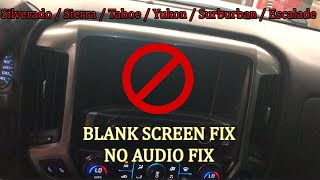
- Backup camera display is not available. 🎬 Watch: Troubleshooting a blank screen and no audio symptoms.
- Replacing the HMI module without first attempting a software update or checking for known wiring issues at the SDGM. Many issues can be resolved with a simple reprogram or connector repair, saving hundreds of dollars.
Most Likely Causes
- Radio Software/Firmware Glitch 🔴 High Probability GM TSB #16-NA-107 and #PIT5401E specifically identify software calibration issues in 2015-2016 models that cause the radio to lock up and lose communication. This is the most widely documented cause for U0184 on this platform.
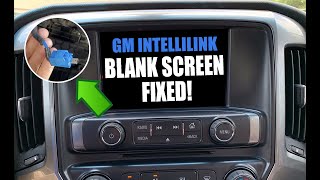
How to confirm: A temporary fix is to power-cycle the radio by pulling the appropriate fuse for several minutes. 🎬 Watch: Quick fix for Intellilink black screen and audio issues. If communication returns, a software issue is extremely likely. A permanent fix requires a dealer to reprogram the radio.
Typical fix: Reprogram the Human Machine Interface (HMI) module with the latest software using the GM Service Programming System (SPS). This is a dealer-level service.
Est. part cost: $0 - Poor Connection at Serial Data Gateway Module (SDGM) 🟡 Medium Probability TSBs #PIT5586B, #PIT5586C, and #20-NA-212 point to bent, loose, or corroded terminals in the SDGM connectors (specifically the X1 and X2 connectors) as a known issue on this platform. The SDGM acts as a network bridge, and a poor connection can isolate the radio.
How to confirm: Visually inspect the connectors and terminals at the SDGM for any signs of damage, corrosion, or pins that have backed out. The SDGM is a small, hockey-puck-sized box located in the driver's side footwell, often above the pedals.
Typical fix: Repair or replace the affected terminals or connector. Ensure the connector is fully seated and secure. GM sells terminated leads for this repair.
Est. part cost: $5-$50 - Low Battery Voltage or Power Interruption ⚪ Low Probability Modern vehicles have many modules that are sensitive to voltage. A weak battery can cause some modules to stop communicating during startup, setting history codes. This can also happen after disconnecting and reconnecting the battery if modules don't re-initialize correctly.
How to confirm: Test the battery and charging system. If the battery is weak or failing (below 12.4V at rest), this can cause a variety of intermittent communication codes. The code will often be stored in history rather than being active.
Typical fix: Charge or replace the vehicle's battery.
Est. part cost: $150-$350
Rare But Worth Checking
- Failed Radio/Human Machine Interface (HMI) Module: While possible, this should be considered only after ruling out the more common software and wiring issues. The module itself can fail internally, but it's less common than the TSB-documented problems. A failure is more likely if the screen is stuck on a message like 'Waiting for Update Media'.
- Aftermarket Electronics Interference: Improperly installed aftermarket accessories (remote start, alarms, audio equipment) can interfere with the Low-Speed GMLAN bus network and cause communication codes like U0184.
Diagnosis Steps
- Scan for Codes: Use a professional-grade OBD-II scanner to confirm U0184 is present and see which other modules are reporting the code. Note if it's an active or history code.
- Attempt a Hard Reset: The simplest first step is to perform a power cycle. Locate the fuse for the radio/infotainment system in the passenger side interior fuse panel (often a 20A fuse at position #18). Remove the fuse for 10-15 minutes, then reinstall it. Alternatively, disconnect the negative battery terminal for 30 minutes. This can often temporarily restore function if the cause is a software glitch.
- Check Battery Health: Test the vehicle's battery and charging system to ensure voltage is stable and above 12.4V. Low voltage can cause random communication faults.
- Inspect SDGM Connectors: Locate the Serial Data Gateway Module (SDGM) in the driver's footwell area, above the pedals. Carefully inspect the gray and black connectors (specifically X1 and X2) for loose, bent, or corroded terminals, as noted in TSB #20-NA-212.
- Check for TSBs: Consult a dealer or use a professional database to see if TSB #16-NA-107 applies. If so, a software update is the recommended permanent fix. This is the most likely solution if the hard reset worked temporarily.
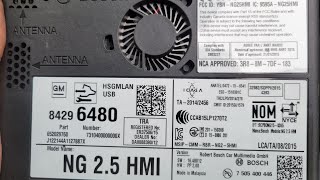
- Check Radio Power and Ground: If the radio remains dead, use a multimeter to verify it is receiving proper power (12V+) and has a solid ground connection at its main connector behind the glovebox. 🎬 See this walkthrough on HMI module location and removal.
- Inspect CAN Bus Wiring: If other communication codes are present, inspect the low-speed GMLAN wiring (often a single tan or dark green wire) for shorts or opens between the radio, IPC, and SDGM.
- Diagnose HMI Module: If all wiring, connections, and software are confirmed to be good, the Human Machine Interface (HMI) module itself may have an internal failure and require replacement and programming.
Parts You'll Likely Need
- Radio / Human Machine Interface (HMI) Module
(OEM #84156699 (example for 2016-2018, many others exist, must match VIN))— This is only needed if the module has an internal hardware failure that cannot be fixed by a software update or wiring repair. It must be programmed to the vehicle's VIN.
Trusted brands: ACDelco (GM Genuine)
OEM price range: $400-$800
Aftermarket price range: $250-$600 (Remanufactured/Used) - Connector Terminals
(OEM #84619127 (example terminated lead for SDGM connector))— If a poor connection is found at the SDGM or radio connector, replacing the individual terminal is the correct repair per TSBs.
Trusted brands: ACDelco
OEM price range: $5-$15
Aftermarket price range: $2-$10
Related Codes That Often Appear With This One
- U0100 — Lost Communication with ECM/PCM. This can appear with U0184 if a broader network issue exists, such as a problem at the Serial Data Gateway Module.
- U0140 — Lost Communication with Body Control Module (BCM). The BCM acts as a central hub, so if it has issues, communication with peripherals like the radio can be lost.
- U0155 — Lost Communication with Instrument Panel Cluster (IPC). The IPC and Radio are on the same low-speed data bus, and a wiring issue affecting one can affect the other.
Technical Service Bulletins (TSBs) & Recalls
- PIT5586B / PIT5586C: DTC list including U0184, advises checking Serial Data Gateway Module X2 connector.
- PIT5401E: 'Radio Inoperative with No Communication and DTC U0184'.
- 16-NA-107: Recommends reprogramming the radio for U0184 and other infotainment symptoms.
- 20-NA-212: Replaces older TSBs and details terminal inspection at the SDGM.
Platform-Specific Known Issues
- TSB #16-NA-107: Addresses various radio issues including inoperability, blue screen, and setting U0184 on 2015-2016 models, which is corrected by a software update. The bulletin explicitly states to power cycle the radio if it's not communicating to allow the update to proceed.
- TSB #PIT5401E: Specifically calls out 'Radio Inoperative with No Communication and DTC U0184' and recommends a power cycle by pulling the fuse as a temporary measure while a permanent software fix was being developed. This TSB confirms GM's awareness of the software glitch.
- TSB #20-NA-212 (supersedes PIT5586): Points to terminal issues at the Serial Data Gateway Module (SDGM) connectors as a cause for multiple communication codes, including U0184. It provides procedures for inspecting and repairing the terminals.
Mechanic-Grade Diagnostic Values
- Low-Speed GMLAN Circuit Voltage (Ignition ON) — expected: Toggling between 0V and 5V during communication.. Failure: A static voltage, or voltage greater than 4.5V when testing for a short to voltage, indicates a circuit fault.
- HMI Module Power Supply Pin — expected: 12.0V - 12.6V.. Failure: Low or no voltage indicates a problem with the power feed or fuse before the module.
- Low-Speed GMLAN Communication Speed — expected: 33.33 Kb/s under normal conditions.. Failure: Inability to read data or incorrect speed on a scope indicates a bus-wide problem.
Scan Tool Commands That Help
- GM GDS2: Radio Programming (SPS) — This is the primary function used to perform the software update specified in TSB 16-NA-107 to permanently fix software-related communication loss. It requires an active GM SPS subscription.
- GM GDS2: Module Diagnostics > Radio > Identification Information — To read the current software and calibration part numbers on the HMI module. This is used to verify if an update is available by comparing it to the latest versions listed in GM's service database.
- GM GDS2: Clear All DTCs — After a repair or a hard reset to see if the U0184 code returns as 'Active'. If it only returns as a 'History' code, the issue may have been temporary, such as a low battery event.
Wiring & Ground Locations
- HMI Module — Located behind the upper and lower glove box compartments, often mounted to a plastic cradle behind a metal dash support bar.. This is the radio's control module. All power, ground, and communication wires connect here. Access is required for replacement or physical inspection.
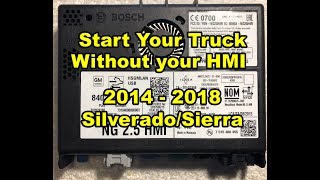
- HMI Connector GMLAN Bypass — On the main connector for the HMI module.. The Low-Speed GMLAN circuit passes through the HMI module. If the module is removed for repair, the truck will not start. A jumper must be installed between pins 11 and 13 (blue wires) and between pins 12 and 14 (white wires) on the harness connector to complete the circuit and allow the vehicle to start.
- Serial Data Gateway Module (SDGM) — In the driver's side footwell area, typically mounted high above the pedals.. This module acts as a bridge between different CAN bus networks. TSBs point to poor terminal connections at its X2 connector as a common cause for isolating the radio from the network. [PIT5586B]
Real Owner Repair Stories
- YouTube user, based on a 2016 GM Equinox with similar architecture (2016 GM Equinox) — Radio, display, and controls were completely dead after the vehicle's battery was discharged. Multiple modules reported U0184.
❌ Tried (didn't work) Checking fuses and following the standard diagnostic chart provided by AllData.
✅ What actually fixed it A full capacitor discharge reset. The technician disconnected both positive and negative battery cables from the battery and held the cable ends together for approximately 5 minutes. This drained the residual power from all modules, including the radio, forcing a complete reboot upon reconnection and restoring all functions. - VXDIAG Blog, user story (2012 Chevrolet Volt (demonstrates HMI programming process)) — Failed navigation head unit.
❌ Tried (didn't work) N/A, went straight to replacement.
✅ What actually fixed it The owner purchased a used, compatible HMI module from eBay for $35. Using a VXDIAG VCX Nano (a GDS2 clone tool) and a $40 one-time GM SPS (Service Programming System) subscription, they successfully reprogrammed the used module to their vehicle's VIN, including configuring options for Bose audio and the backup camera. This avoided a costly dealer visit.
"I Checked Everything" — The Actual Cause
- In a documented case on a similar GM vehicle, all standard diagnostic checks for U0184 (fuses, visual wiring) passed, but the radio remained dead. The root cause was a deep software lock-up within the HMI module following a battery discharge event. The fix was a non-standard procedure: performing a hard reset by disconnecting the battery cables and holding them together for several minutes to fully drain the internal capacitors of all vehicle modules, which successfully rebooted the radio.
OEM Part Supersession History
84156699→84296480— Standard part revision and update by the manufacturer.
Heads up: The new part number is a direct replacement. However, any replacement HMI module, new or used, must be programmed to the vehicle's VIN using GM's Service Programming System (SPS) to function. Some aftermarket vendors sell 'unlocked' modules that are pre-cleared for plug-and-play installation.
Model Year Variations Within This Range
- 2015-2019: The infotainment system is identified by Regular Production Option (RPO) codes: IO4 (base 4.2-inch screen), IO5 (8-inch screen without navigation), and IO6 (8-inch screen with navigation). TSBs and software updates can be specific to one of these systems. For example, upgrading from IO5 to IO6 requires a new HMI module, a GPS antenna, and potentially reprogramming the instrument cluster to display navigation data.
- 2016-2019: Starting in the 2016 model year, trucks with the 8-inch MyLink/IntelliLink screen (IO5, IO6) came standard with Apple CarPlay and Android Auto capability, a feature not present on 2015 models.
Helpful Videos
We Have This Part in Stock



The information in this article is provided for general reference and educational purposes only. Vehicle specifications, procedures, and part compatibility can vary by production date, trim level, and region. Always consult your vehicle's factory service manual and verify part numbers before purchasing or performing repairs. Safety-critical components such as airbags, seat belts, and braking systems should be installed by a qualified professional.
- Gmc SIERRA 3500:
- 🎬 Helpful Videos
- 🛍️ Shop This Part
- What's Unique About the 2015-2019 Gmc SIERRA 3500
- Diagnostic Flowchart
- Symptoms You May Notice
- Most Likely Causes
- Rare But Worth Checking
- Diagnosis Steps
- Parts You'll Likely Need
- Related Codes That Often Appear With This One
- Technical Service Bulletins (TSBs) & Recalls
- Platform-Specific Known Issues
- Mechanic-Grade Diagnostic Values
- Scan Tool Commands That Help
- Wiring & Ground Locations
- Real Owner Repair Stories
- "I Checked Everything" — The Actual Cause
- OEM Part Supersession History
- Model Year Variations Within This Range
- 🎟️ Get 5% Off