

U0184 on 2014-2018 GMC Sierra 2500: Lost Communication With Radio Causes and Fixes
This code means your truck's radio has stopped communicating with other vehicle modules. The most common fixes are a radio software update from the dealer, checking for loose connections at the Serial Data Gateway Module (SDGM), or power-cycling the radio by pulling its fuse. Hardware replacement is rarely the first step.
- U0184 on your Sierra most often means the radio needs a software update from a GM dealer, not necessarily a new radio.
- Before going to the shop, try a simple reset by pulling the radio fuse for a few minutes.
- If you are comfortable with basic auto electronics, check the connectors on the Serial Data Gateway Module under the driver's side dash for a secure fit.
- This code does not affect the truck's safety or drivability; only the infotainment system is impacted.
What's Unique About the 2014-2018 Gmc SIERRA 2500
For this generation of GMC Sierra (and its K2XX platform mates), the U0184 code is very frequently tied to software glitches within the radio module (also called the Human Machine Interface or HMI module) itself. General Motors has issued multiple Technical Service Bulletins (TSBs) acknowledging these issues, often recommending a simple radio software reprogram as the primary fix, rather than immediate hardware replacement. This is a departure from many other vehicles where this code more commonly points to a wiring failure or faulty radio hardware from the start.
Diagnostic Flowchart
Tap your situation to follow the diagnostic path that matches what you're seeing on this vehicle.
Generation note: The 2014-2018 year range covers the end of the second generation (GMT900, 2014) and the majority of the third generation (K2XX, 2015-2018) of the Sierra HD. However, the provided TSBs and common issues with the U0184 code apply across this entire range, indicating the radio and network architecture are similar regarding this fault. The infotainment systems are identified by RPO codes like IO3, IO4, IO5, and IO6, all of which are susceptible to this issue.
Symptoms You May Notice
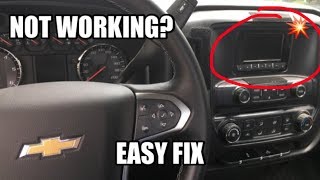
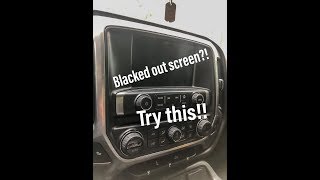
- Radio is inoperative or has a blank/blue screen. 🎬 Watch: Troubleshooting tips for a blacked out radio screen.
- No sound from the audio system, even if the radio appears to be on.
- Infotainment system is frozen or unresponsive to touch.
- AM radio clipping noise or HD radio status not retained. [TSB #16-NA-107]
- XM radio not available on startup. [TSB #16-NA-115]
- Rear-view camera display issues or incorrect park assist symbol position. [TSB #16-NA-115, TSB #16-NA-107]
- OnStar hands-free calling may not work. [TSB #16-NA-115]
- Steering wheel audio controls are inoperative.
- Bluetooth or USB media playback is unavailable.
- Replacing the radio module before checking for software updates. Many owners could fix the issue with a simple reprogram at the dealer instead of costly hardware replacement.
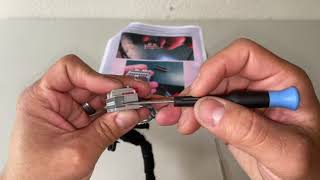
- Replacing the 8-inch touchscreen display. The screen is often just a display, while the communication fault lies in the separate radio/HMI module, which is typically located behind the glove box. 🎬 See this walkthrough on how to locate and remove the HMI module.
- Blaming a bad battery immediately. While a very weak battery can cause communication issues, on these trucks, the software glitch is a more frequent culprit even with a healthy battery.
Most Likely Causes
- Radio Software/Firmware Anomaly 🔴 High Probability GM has released multiple TSBs (#16-NA-107, #16-NA-115, PIT5401E) specifically to address this code with a software update, indicating it's a known glitch in the original programming that can cause the module to lock up.
How to confirm: A GM dealer or a professional shop with access to GM's Service Programming System (SPS) can check for and apply available software updates for the radio module. TSB #16-NA-107 explicitly states to reprogram the radio if U0184 is present.
Typical fix: Reprogramming the radio module to the latest software version. The TSB notes that even if communication is lost, power-cycling the radio may restore it long enough to perform the update.
Est. part cost: $0 - Temporary Radio Module Lock-up 🟡 Medium Probability TSB #PIT5401E explicitly suggests power-cycling the radio as a first step, which indicates the module is prone to freezing or entering a fault state that a simple reset can resolve. This was the recommended interim fix 🎬 Watch: How to quickly reset your radio in one minute. before a permanent software solution was released.
How to confirm: Locate the fuse for the radio in the passenger side instrument panel fuse box (Fuse F18, a 20A fuse). Remove it for at least 5 minutes, then reinstall it. If the radio begins working again, this was the likely cause.
Typical fix: Power-cycling the radio by pulling its fuse. If the problem reoccurs frequently, a software update (the permanent fix for the lock-up) or module replacement may be necessary.
Est. part cost: $0 - Poor Connection at Serial Data Gateway Module (SDGM) 🟡 Medium Probability TSB #PIT5586C points to terminal issues (bent, backed out, or loose tension) in the X1 or X2 connectors of the SDGM as a cause for a wide range of communication codes, including U0184. The SDGM acts as a central hub for network traffic, and a poor connection here can isolate the radio.
How to confirm: Visually inspect the wiring and connector terminals at the SDGM, which is a small black box located under the driver's side of the dashboard, often near the parking brake pedal assembly. Look for any loose pins, corrosion, or damage to the gray and black connectors.
Typical fix: Repairing or re-seating the terminals in the SDGM connector. This may involve carefully re-tensioning female terminals or replacing damaged terminals with a new terminated lead, as per GM's wiring repair guidelines.
Est. part cost: $0-$50 - Failing Radio Module (HMI Module) ⚪ Low Probability While less common than software issues, internal hardware failure of the radio/HMI module can occur, preventing it from communicating. This is often a last resort after all other possibilities are exhausted.
How to confirm: If a software update and wiring checks (at the SDGM and the radio module itself) do not resolve the issue, and the module has proper power and ground when tested with a multimeter, the module itself is likely faulty. This is a process of elimination.
Typical fix: Replacing the radio/infotainment module. The replacement unit will require programming to the vehicle's VIN by a dealer or qualified shop.
Est. part cost: $400-$800
Rare But Worth Checking
- Pinched Dash Wiring Harness:
Diagnosis Steps
- Scan for all DTCs in all modules. Note if U0184 is the only code or if other communication codes (like U0140, U0155) are present, which might point to a network-wide issue like the SDGM connector.
- Attempt to communicate directly with the Radio module (often called HMI or Audio Control Module) using a capable scan tool. If there's no communication, the problem is active.
- Perform a hard reset. Locate the F18 fuse (20A) in the passenger-side instrument panel fuse box. Remove it for at least 5 minutes to power cycle the radio module, then reinstall. Check if radio function returns. This is the specific procedure advised by GM in TSB PIT5401E.
- If the reset fails, contact a GM dealership or qualified repair shop to inquire about available radio software updates. Reference TSBs #16-NA-107 and #16-NA-115. This is the most likely permanent solution.
- If other communication codes are present, locate the Serial Data Gateway Module (SDGM) under the driver's side dashboard. It's a small box with a gray and black connector. Disconnect and inspect its connectors (specifically the X1 and X2 connectors mentioned in TSB #PIT5586C) for loose pins, corrosion, or damage.
- If the problem persists, check for stable power and clean grounds at the radio module itself. The module is typically behind the glove box. A multimeter should show 12V+ power and good continuity to ground.
- As a final step after confirming good wiring, good grounds, and up-to-date software, the radio/HMI module itself is the likely point of failure and requires replacement and programming.
Parts You'll Likely Need
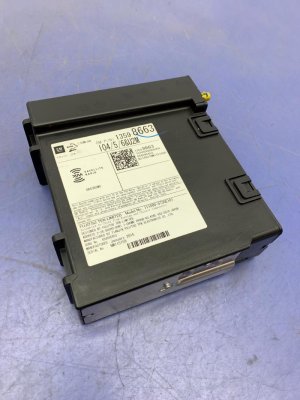
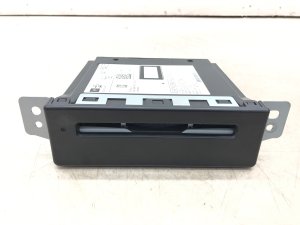
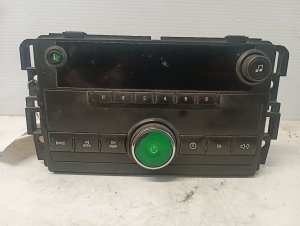
- Radio Control Assembly (Head Unit/HMI Module)
(OEM #13506380, 84062064, 13519224 (Varies by RPO code IO3/IO4/IO5/IO6))— This is the part that fails if software updates and wiring checks do not resolve the communication loss. Part number is highly dependent on the vehicle's specific option package (RPO).
Trusted brands: ACDelco (OEM)
OEM price range: $500-$800
Aftermarket price range: $300-$600
Related Codes That Often Appear With This One
- U0140 — Lost Communication with Body Control Module. Often appears with U0184 when the SDGM connector is the root cause, as noted in TSB PIT5586C.
- U0155 — Lost Communication With Instrument Panel Cluster (IPC) Control Module. Also listed in TSB PIT5586C as a related code due to SDGM connection issues.
- U0100 — Lost Communication with ECM/PCM. This can also be triggered by a fault at the SDGM, disrupting overall vehicle network communication.
Technical Service Bulletins (TSBs) & Recalls
- PIT5586C: Notes that U0184 can be caused by terminal concerns at the Serial Data Gateway Module X1 or X2 connector.
- 16-NA-107: Provides a fix to reprogram the radio for conditions including DTC U0184, an inoperative radio, and blue screens for 2015-2016 models.
- 16-NA-115: Details a radio reprogram procedure to correct an inoperative radio with DTC U0184 for 2014 models.
- PIT5401E/F: Advises technicians to power cycle the radio by pulling the fuse as a first step for an inoperative radio with DTC U0184, and later superseded to recommend the software updates in the other TSBs.
Platform-Specific Known Issues
- A known issue, documented in TSB #PIT5401E, involves the radio becoming completely inoperative. The recommended interim fix before a software solution was developed was to simply pull the radio fuse (F18 in passenger fuse box) to reset it.
- TSB #16-NA-107 and #16-NA-115 were released specifically to fix the U0184 code, along with symptoms like a blue screen or inoperative radio, via a software reprogram.
- Wiring terminal issues at the Serial Data Gateway Module's X1 and X2 connectors are a known cause for U0184 and a host of other communication codes, as per TSB #PIT5586C.
Mechanic-Grade Diagnostic Values
- Low-Speed GMLAN Serial Data Circuit Voltage — expected: Toggles between 0V-5V. At rest, voltage is ~0.2V (Logic '1'). When transmitting, voltage is driven to ~4.0V or higher (Logic '0').. Failure: Voltage is stuck at a constant value (e.g., 0V, 5V, or 12V) or does not toggle, indicating a short or open in the data line or a faulty module.
- Low-Speed GMLAN Wake-Up Pulse — expected: A brief pulse of 10-12 volts to wake up modules on the bus.. Failure: Absence of a wake-up pulse can indicate an issue with the module responsible for waking the network (often the BCM).
- HMI Module Power Supply — expected: 12.0V - 12.6V at the HMI power input pin with the key on.. Failure: Low or no voltage points to a problem with the fuse, wiring, or power source, not necessarily the HMI module itself.
- HMI Module Ground Circuit Resistance — expected: Less than 10 ohms between the ground circuit terminal at the HMI connector and a known good chassis ground.. Failure: High resistance (or an open circuit) indicates a poor ground connection, which can cause a variety of communication issues.
Hidden / Shadow Codes Worth Checking
- U0184 00: The '00' is a symptom byte meaning 'No Additional Information'. It's the most common type and simply confirms the communication loss without providing a more specific reason. (see via A professional scan tool like the GM GDS2 will display the DTC along with its symptom byte.)
- U0184 71: Symptom byte '71' indicates 'Invalid Serial Data Received'. This suggests the radio module is online but sending corrupted or nonsensical data, often pointing to an internal module fault or severe network interference. (see via Requires a GM-specific scan tool (GDS2/Tech2) to view symptom bytes.)
Scan Tool Commands That Help
- GDS2 (Global Diagnostic System 2): Vehicle DTC Information / Clear All DTCs — Used as a first step to see all modules that are reporting the U0184 code and to clear history codes after a repair or reset.
- GDS2 / SPS (Service Programming System): Radio Programming and Setup — This is the specific function used to perform the software update as recommended by TSBs #16-NA-107 and #16-NA-115. It reprograms the HMI module with the latest calibration to fix known software glitches.
- GDS2: Module Diagnostics > Radio > Data Display — To check the live status of the radio module. If the scan tool cannot even establish communication to display data, it confirms the 'lost communication' state is active.
Wiring & Ground Locations
- G218 — Located on the driver's side of the instrument panel, near the A-pillar, often behind the dash side panel or under the speaker grille.. This is a major ground point for multiple interior modules, including parts of the infotainment system. A loose or corroded G218 nut is a well-documented cause for a host of electrical issues on this platform, including flickering screens, Stabilitrak warnings, and communication codes like U0184.
- Radio/HMI Module Connector — The HMI module is located behind the glove box. The main connector contains pins for power, ground, and the Low-Speed GMLAN data line.. This is the direct interface for the module. Technicians test for 12V power, ground continuity, and data line voltage at this connector to determine if the fault is with the module or the vehicle's wiring.
- SDGM Connectors (X1/X2) — The Serial Data Gateway Module is a small black box under the driver's side dash, near the parking brake assembly.. As per TSB #PIT5586C, poor terminal tension or corrosion in these connectors can interrupt communication between the radio and the rest of the vehicle network, triggering U0184 among other codes.
Real Owner Repair Stories
- gm-trucks.com forum user (2015 Chevy Silverado) — Radio screen went black, code U0184 was present.
❌ Tried (didn't work) Pulling the radio fuse, which only provided a temporary fix., Dealer performed a software update, but the problem returned.
✅ What actually fixed it The dealer replaced the Human Machine Interface (HMI) module. This indicates that while software is the first step, hardware failure can still be the ultimate root cause. - silveradosierra.com forum user (2014 Chevy Silverado) — Radio died, setting U0184. Dealer quoted over $1,000 for a new HMI module.
❌ Tried (didn't work) Getting a diagnosis from the dealership which recommended expensive replacement.
✅ What actually fixed it The owner removed the HMI module and sent it to a third-party electronics repair service found online. The service repaired the original module for a fraction of the replacement cost, and it solved the problem. - Reddit r/gmcsierra user (2015 GMC Sierra) — Wanted to add Apple CarPlay to the stock infotainment system.
❌ Tried (didn't work) Taking it to a dealer who said it wasn't possible to add CarPlay to a 2015 model.
✅ What actually fixed it Replaced the original 2015 HMI module with a module from a 2016 model truck and had it programmed to the vehicle's VIN. This enabled full Apple CarPlay functionality.
When the Usual Fixes Don't Work
- In several owner-reported cases, the official TSB fix of reprogramming the radio software did not permanently solve the U0184 code and black screen issue. For these owners, the problem would return after a few days or weeks. The final resolution in these instances was the complete replacement of the Human Machine Interface (HMI) module, indicating that while a software glitch is the most common cause, an underlying hardware failure that isn't fixed by a reflash can also be the culprit.
OEM Part Supersession History
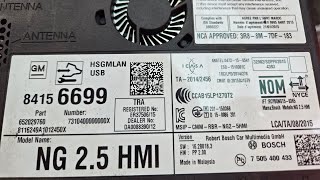
Various PNs for 2014-2015 HMI Modules→Various PNs for 2016+ HMI Modules (e.g., 84156699)— Hardware and software update to support Apple CarPlay and Android Auto, and to incorporate fixes for earlier stability issues.
Heads up: A new HMI module MUST be programmed to the vehicle's VIN to disable the anti-theft feature. You cannot simply swap a used module from another truck without reprogramming. Furthermore, you must match the RPO code (IO5 for non-nav, IO6 for nav) when replacing or upgrading.
Model Year Variations Within This Range
- 2016-2018: Starting in 2016, the HMI modules were updated to support Apple CarPlay and Android Auto. While the U0184 fault can still occur, the hardware and software part numbers are different from the 2014-2015 models. A 2015 model requires a 2016+ HMI module, a new media hub, and specific programming to be retrofitted with CarPlay.
Helpful Videos
We Have This Part in Stock




The information in this article is provided for general reference and educational purposes only. Vehicle specifications, procedures, and part compatibility can vary by production date, trim level, and region. Always consult your vehicle's factory service manual and verify part numbers before purchasing or performing repairs. Safety-critical components such as airbags, seat belts, and braking systems should be installed by a qualified professional.
- Gmc SIERRA 2500:
- 🎬 Helpful Videos
- 🛍️ Shop This Part
- What's Unique About the 2014-2018 Gmc SIERRA 2500
- Diagnostic Flowchart
- Symptoms You May Notice
- Most Likely Causes
- Rare But Worth Checking
- Diagnosis Steps
- Parts You'll Likely Need
- Related Codes That Often Appear With This One
- Technical Service Bulletins (TSBs) & Recalls
- Platform-Specific Known Issues
- Mechanic-Grade Diagnostic Values
- Hidden / Shadow Codes Worth Checking
- Scan Tool Commands That Help
- Wiring & Ground Locations
- Real Owner Repair Stories
- When the Usual Fixes Don't Work
- OEM Part Supersession History
- Model Year Variations Within This Range
- 🎟️ Get 5% Off