

U0184 on 2017 GMC Sierra: Lost Communication With Radio Causes and Fixes
On a 2017 GMC Sierra, code U0184 indicates a loss of communication with the radio/infotainment module. The most common causes are a software glitch requiring a dealer update, or a poor connection at the Serial Data Gateway Module (SGM). Before replacing parts, try a 'hard reset' by disconnecting the battery for 15-30 minutes or pulling the radio fuse. This is a very common issue on the GM K2XX platform.
- U0184 on a 2017 Sierra means the radio has lost communication with the vehicle's network.
- Before any expensive repairs, perform a 'hard reset' by disconnecting the battery for 15-30 minutes, as this often resolves temporary software glitches.
- A known issue on this truck is a poor connection at the Serial Data Gateway Module (SGM), as documented in TSB #PIT5586B. This should be inspected early in the diagnosis.
- If a reset doesn't work, the most likely permanent fix is a software update performed by a GM dealer.
- Do not replace the radio or HMI module unless both software and wiring issues have been completely ruled out.
What's Unique About the 2017-2017 Gmc SIERRA
The 2017 GMC Sierra belongs to the K2XX platform, which is known for infotainment system glitches with its MyLink/IntelliLink systems (RPOs IO3, IO4, IO5, IO6). General Motors has issued multiple Technical Service Bulletins (TSBs) acknowledging that software issues can cause the radio to lock up, triggering a U0184 code. Additionally, these trucks have a central communication hub called the Serial Data Gateway Module (SGM), and poor terminal connections at this specific module are a documented cause of various communication codes, including U0184, as noted in TSB #PIT5586B.
Diagnostic Flowchart
Tap your situation to follow the diagnostic path that matches what you're seeing on this vehicle.
Symptoms You May Notice
- Radio is inoperative (blank or frozen screen, no sound).
- Loss of infotainment features like navigation, Bluetooth, and USB media.
- Backup camera display is not available.
- Steering wheel audio controls do not work.
- Loss of audible chimes for turn signals or warnings.
- Screen is blue.
- System restarts randomly.
- Intermittent operation where the system works for a few minutes before shutting down.
- Replacing the radio/HMI module without first attempting a software update or checking SGM wiring. Many owners report a simple 'hard reset' or a dealer reprogram fixes the issue without needing expensive hardware.
- Confusing a failed HMI module with a failed screen. If audio still works but the screen is black, the issue is more likely the screen itself, not the HMI module which would typically cause a total loss of function and communication.
Most Likely Causes
- Radio Software Glitch / Logic Lock 🔴 High Probability GM has documented software calibration issues in TSBs (like #16-NA-107 for similar model years) that cause the radio to lock up and stop communicating. This is the most widely reported cause for U0184 on this platform.
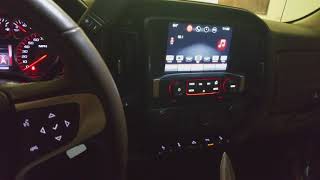
How to confirm: A temporary fix is to perform a 'hard reset' by disconnecting the negative battery terminal for 15-30 minutes or by pulling the radio fuse (often a 20A fuse in the passenger side interior fuse panel) for several minutes. 🎬 Watch: Quick video on how to reset your Sierra screen If radio function returns, even temporarily, a software issue is extremely likely. A permanent fix requires a dealer to check for and apply the latest software updates using the GM Service Programming System (SPS).
Typical fix: Reprogram the radio module (HMI) with the latest software calibration at a GM dealership or a qualified independent shop.
Est. part cost: $0 (if a reset works) - $200 (for dealer reprogramming). - Poor Connection at Serial Data Gateway Module (SGM) 🟡 Medium Probability TSB #PIT5586B specifically calls out terminal concerns in the SGM's X2 connector as a cause for a wide range of communication DTCs, including U0184, on 2017 Sierra models. The SGM acts as a central hub, and a bad connection can disrupt communication to multiple modules.
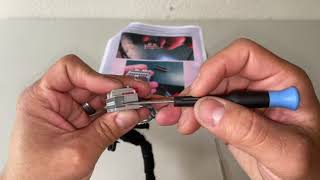
How to confirm: Visually inspect the connectors (specifically the X2 connector) at the Serial Data Gateway Module for loose, spread, or corroded terminals. The SGM is typically located in the driver's side dash area, near the BCM. A YouTube video by 'AutoSync' demonstrates how to access the module and its connectors for a similar repair. 🎬 See this walkthrough for accessing the Serial Data Gateway Module
Typical fix: Repair the affected terminals or reseat the connector securely. This often involves cleaning pins, tightening female terminals, or repairing a section of the wiring harness, not replacing the module itself.
Est. part cost: $0 - $50 (for terminal repair supplies) - Internal Radio or HMI Module Failure ⚪ Low Probability While less common than software or wiring issues, the internal electronics of the radio tuner or the Human Machine Interface (HMI) module can fail. A definitive sign of HMI failure is a 'Waiting for Update Media' message on the screen.
How to confirm: If a software update and wiring inspection do not resolve the issue, the module itself is suspect. A professional diagnosis with a scan tool that can attempt to directly communicate with the module is required. If the module does not respond despite having good power, ground, and data lines, it has failed internally.
Typical fix: Replace the faulty module (either the radio tuner or HMI module) and have it programmed to the vehicle's VIN. Pre-programmed modules are available from third-party specialists which can avoid expensive dealer programming.
Est. part cost: $300 - $900, depending on OEM vs aftermarket and if programming is included.
Rare But Worth Checking
- Low Battery Voltage: A weak or failing battery can cause random communication codes during startup as some modules may not initialize correctly. Before chasing complex network issues, ensure the battery is healthy and holds a charge above 12.4 volts at rest.
- Aftermarket Electronics: Improperly installed aftermarket accessories, especially remote starters or audio equipment tapped into the CAN bus, can interfere with network communication and trigger a U0184 code.
- Faulty USB Port/Hub: A faulty USB port, cable, or connected device can cause the infotainment system to repeatedly crash, reboot, or go to a black screen, which may log a U0184 code. Before complex diagnosis, try disconnecting all devices from the USB ports. Some owners report that simply unplugging and replugging the USB cable can temporarily resolve the issue.
Diagnosis Steps
- Scan for DTCs: Check all modules for codes. Note if U0184 is isolated or if other 'U' codes are present. Multiple communication codes point towards a network-wide issue (like the SGM).
- Perform a Hard Reset: Disconnect the negative battery terminal for at least 15-30 minutes to power cycle all modules. Alternatively, pull the radio/infotainment fuse. This is a very common temporary fix for software lock-ups and a good diagnostic step.
- Check Fuses: Inspect the fuses for the radio and infotainment display in the interior fuse panel. For this platform, the radio fuse is often a 20A fuse at position #18 in the passenger side panel.
- Inspect the Serial Data Gateway Module (SGM): Following TSB #PIT5586B, locate the SGM in the driver's side dash area and carefully inspect its X2 connector for any backed-out, spread, or corroded terminals. Ensure it is securely connected.
- Check Battery Health: Test the battery and charging system. Voltage below 12.4V at rest can cause sporadic communication faults.
- Seek Professional Diagnosis: If the above steps fail, the vehicle needs to be diagnosed by a technician with a GM-compatible scan tool. They can verify if the radio module is responsive on the Low-Speed GMLAN network and determine if a software update (per TSB 16-NA-107) or module replacement is necessary.
Parts You'll Likely Need
- Human Machine Interface (HMI) Module
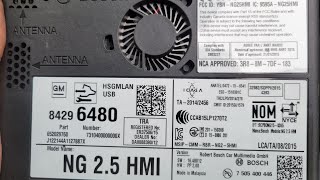
(OEM #Varies by RPO code (e.g., IO5/IO6). Example: 84525674)— This is the 'brain' of the infotainment system. If it fails internally and software/wiring checks don't solve the problem, it requires replacement. It must be programmed to the vehicle. 🎬 Watch: How to locate and remove the HMI module
Trusted brands: ACDelco
OEM price range: $400-$900.
Aftermarket price range: $250-$500 (often pre-programmed). - Radio Control Assembly — This is the radio tuner itself, also called the Audio Control Module (ACM). Less common to fail than the HMI, but it can also cause a U0184 code if it has an internal hardware fault.
Trusted brands: ACDelco
OEM price range: $325-$550
Aftermarket price range: $200-$400 - Serial Data Gateway Module (SGM)
(OEM #13599318)— This module is rarely the cause of the failure itself, but its connectors are a frequent source of problems. It is listed here because it is a key component in the diagnosis. Replacement requires programming.
Trusted brands: ACDelco
OEM price range: $50-$100
Related Codes That Often Appear With This One
- U0140 — Lost Communication with Body Control Module (BCM). This can occur if the network issue is broader, such as a problem at the Serial Data Gateway Module.
- U0155 — Lost Communication with Instrument Panel Cluster (IPC). The IPC and radio often share the same low-speed data bus, so a wiring fault can affect both.
- U0100 — Lost Communication with ECM/PCM. This points to a more severe network-wide problem, often originating from the SGM or a major wiring harness issue.
Technical Service Bulletins (TSBs) & Recalls
- PIT5586B
Platform-Specific Known Issues
- TSB #PIT5586B: This bulletin specifically instructs technicians to check the Serial Data Gateway Module X2 connector for terminal issues when U0184 is present, among other communication codes.
- TSB #16-NA-107: This bulletin addresses radio inoperability, blue screens, and U0184 codes on 2015-2016 models due to software issues, with the fix being a radio reprogram. While for earlier years, the issue is known to persist on the same platform architecture into 2017.
- Software Glitches: GM has released several software updates for vehicles on this platform to address radio lock-ups, blue screens, and loss of communication (DTC U0184). A power-cycle (battery or fuse pull) often temporarily restores function, strongly indicating a software issue.
Mechanic-Grade Diagnostic Values
- Low-Speed GMLAN Voltage — expected: Circuit should toggle between a low state of ~0.2V (logic '1') and a high state of ~4.0V or more (logic '0').. Failure: A constant low (short to ground) or constant high (short to power) voltage indicates a circuit fault.
- HMI Module Power Supply — expected: 12.0V - 12.6V with key on, engine off at the module's power supply pin.. Failure: Voltage below 12.0V can cause intermittent operation and communication faults.
- HMI Module Ground — expected: Near 0 ohms of resistance between the module's ground pin and a known-good chassis ground.. Failure: High resistance (more than a few ohms) indicates a poor ground connection, a common cause of electronic issues.
Scan Tool Commands That Help
- GDS2 / High-Level Scan Tool: Radio Reprogramming (SPS) — This is the primary fix for software-induced U0184 codes, as specified in TSB #16-NA-107. It flashes the HMI module with the latest calibration to fix logic-lock and communication issues.
- GDS2 / High-Level Scan Tool: Serial Data Gateway Module Learn — This procedure must be performed using GM's Service Programming System (SPS) any time the SGM is replaced. Failure to do so will prevent proper network communication and may set other DTCs like U1977.
- GDS2 / High-Level Scan Tool: Bidirectional Data / Activate Module — This command attempts to 'ping' the radio module directly. If the module responds to the scan tool but not to other modules on the network, it can help isolate the fault. Failure to respond at all points towards a failed module or a complete loss of power/ground.
Wiring & Ground Locations
- HMI Module — Located behind the upper glove box assembly. The glove box must be removed for access.. This is the 'brain' of the radio. All power, ground, and data lines for the infotainment system connect here. It is the primary module associated with code U0184.
- Serial Data Gateway Module (SGM) — Located under the driver's side of the dashboard, often near the Body Control Module (BCM).. This module acts as a traffic cop for network data. TSB #PIT5586B points directly to checking the X2 connector at this module for pin fitment issues that cause U0184.
- GMLAN Jumper (for HMI removal) — This is a diagnostic jumper a technician makes, not a factory part. It is applied to the HMI module's main X1 connector after the module is unplugged.. The GMLAN network data passes *through* the HMI module. If the HMI is removed for service or replacement, the network circuit is broken and the truck will not start. A jumper wire must be connected between pins 11 & 13 and pins 12 & 14 on the harness connector to bypass the module and allow the vehicle to start.
- Chassis Grounds (General) — Key ground points on K2XX trucks include the main chassis-to-engine-block strap (often on the passenger side) and various ground points on the A and B pillars (G303, G304).. Poor or corroded grounds are a common source of difficult-to-diagnose electrical and communication problems on this platform. Verifying the main grounds are clean and tight is a crucial, often overlooked, diagnostic step.
Real Owner Repair Stories
- Reddit user in r/Silverado (2017 Chevy Silverado 1500 LTZ) — Infotainment screen went black after a battery replacement. It would work temporarily after a hard reset or pulling the radio fuse, but would go black again on the next startup. Backup camera still worked.
❌ Tried (didn't work) Hard reset by disconnecting battery., Pulling and re-inserting the radio fuse (only worked temporarily).
✅ What actually fixed it The HMI module needed to be replaced. A mechanic user confirmed they had the same issue and fixed it by replacing the HMI module and programming the new one with a factory scan tool. - Reddit user in r/Silverado (2017 GMC Sierra 2500 Duramax) — Intermittent black screen on the radio.
❌ Tried (didn't work) Unplugging and replugging module connectors (HMI, radio, screen)., Battery disconnect for 30 minutes.
✅ What actually fixed it The root cause was a water leak from the roof molding that was dripping onto the computer module under the passenger side glove box. The fix required replacing the module's motherboard and repairing the water leak, costing the owner $1600 at the dealer.
"I Checked Everything" — The Actual Cause
- A technician could verify all wiring, power, and grounds are good and find no faults, yet the U0184 code persists intermittently. In one documented case, the actual cause was a water leak from the roof molding dripping directly onto the HMI or radio module, causing an intermittent short that would not be present during a dry-day inspection.
When the Usual Fixes Don't Work
- While software updates and module replacement are the most common fixes, some owners have traced the issue to external factors. In one case, a 2017 Sierra 2500 with an intermittent black screen and U0184 had the issue resolved only after a water leak from the roof was found to be dripping on the infotainment module. This highlights the need to check for environmental factors like water intrusion around the A-pillar and glove box area, even if wiring tests pass inspection.
OEM Part Supersession History
Varies→Varies— GM frequently updates HMI modules to fix hardware and software bugs. Later part numbers often have faster processors and more stable software.
Heads up: HMI modules are not directly interchangeable. A replacement must match the vehicle's RPO codes (IO5, IO6, etc.) and features (Navigation, etc.). Part numbers are superseded often, so ordering by VIN is the most reliable method. A new module always requires programming to the vehicle's VIN.13518851, 13524378, 13526301, etc.→13534928 (example)— Revisions to the Serial Data Gateway Module (SGM) to improve network stability and performance.
Heads up: While multiple part numbers may be physically compatible, the SGM must be programmed via SPS after installation to learn the vehicle's specific network configuration.
Model Year Variations Within This Range
- 2017: The 2017 Sierra uses the 'HMI 2.5' generation infotainment system. This is a significant update from the 'HMI 2.0' system used in 2014-2015 models. The HMI 2.5 module has a faster processor, is generally more stable, and is the first version to support Apple CarPlay and Android Auto. This is important during diagnosis, as software files and replacement hardware are different from earlier years.
Helpful Videos
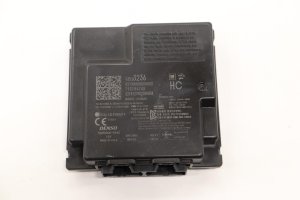
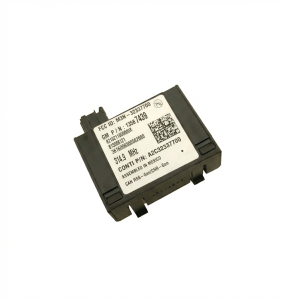
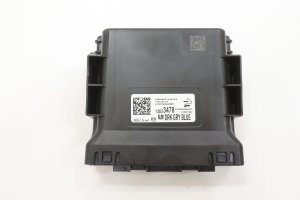
We Have This Part in Stock




The information in this article is provided for general reference and educational purposes only. Vehicle specifications, procedures, and part compatibility can vary by production date, trim level, and region. Always consult your vehicle's factory service manual and verify part numbers before purchasing or performing repairs. Safety-critical components such as airbags, seat belts, and braking systems should be installed by a qualified professional.
- Gmc SIERRA:
- 🎬 Helpful Videos
- 🛍️ Shop This Part
- What's Unique About the 2017-2017 Gmc SIERRA
- Diagnostic Flowchart
- Symptoms You May Notice
- Most Likely Causes
- Rare But Worth Checking
- Diagnosis Steps
- Parts You'll Likely Need
- Related Codes That Often Appear With This One
- Technical Service Bulletins (TSBs) & Recalls
- Platform-Specific Known Issues
- Mechanic-Grade Diagnostic Values
- Scan Tool Commands That Help
- Wiring & Ground Locations
- Real Owner Repair Stories
- "I Checked Everything" — The Actual Cause
- When the Usual Fixes Don't Work
- OEM Part Supersession History
- Model Year Variations Within This Range
- 🎟️ Get 5% Off