

U0184 on 2014-2019 GMC Sierra 1500: Lost Communication With Radio Fixes
On a 2014-2019 GMC Sierra, code U0184 almost always means the radio/infotainment system (HMI module) has a software glitch. The most common fix is a dealer software update as specified in GM's technical service bulletins (TSBs #16-NA-107, #16-NA-115). Occasionally, the Human Machine Interface (HMI) module itself fails and requires replacement and VIN programming.
- U0184 on a 2014-2019 Sierra means the radio has lost communication.
- The most likely cause is a software glitch that GM has acknowledged in service bulletins.
- Before replacing any parts, try a simple 'hard reset' by pulling the radio fuse or disconnecting the battery for 30 minutes.
- The official permanent fix is often a software update performed by a GM dealer.
- If a software update doesn't work, the radio module itself has likely failed and will need to be replaced and programmed.
What's Unique About the 2014-2019 Gmc SIERRA 1500
The 2014-2019 K2XX generation of the GMC Sierra features the IntelliLink infotainment system, which is deeply integrated into the vehicle's network through a central hub called the Serial Data Gateway Module (SDGM). GM has acknowledged specific software flaws in this system that can cause the radio to lock up or become completely unresponsive, triggering the U0184 code. 🎬 Watch: How to fix a frozen or black GMC screen As a result, the solution is often a software reprogram at the dealership rather than an immediate hardware replacement, a fact supported by multiple Technical Service Bulletins (TSBs). The radio module is technically two separate components: the radio tuner itself and the Human Machine Interface (HMI) module, which is the 'brain' that controls the screen and communicates with the vehicle. The HMI module is the component that typically fails or requires the software update.
Diagnostic Flowchart
Tap your situation to follow the diagnostic path that matches what you're seeing on this vehicle.
Generation note: This guide primarily covers the third-generation (K2XX) GMC Sierra, sold from 2014 to 2018. For the 2019 model year, this information applies to the 'Sierra 1500 Limited' model, which was the carryover K2XX body style. It does not apply to the all-new fourth-generation (T1XX) Sierra also launched in 2019, which has a different electrical architecture.
Symptoms You May Notice
- Radio is inoperative (blank, black, or blue screen).
- No sound from the audio system.
- Loss of Bluetooth, USB, or other media playback functions.
- Steering wheel audio controls do not work.
- OnStar and hands-free calling are unavailable.
- Rear view camera display may not appear or may lag.
- Radio does not turn off when the driver's door is opened.
- Infotainment system freezes or reboots intermittently.
- Loss of turn signal click/chime sounds (as they are generated by the audio module).
- Replacing the infotainment screen. The 8-inch screen is often just a display; the communication functions are handled by the separate HMI module typically mounted behind the glove box. Replacing the screen will not fix a communication code.
Most Likely Causes
- Radio Software Glitch/Corruption 🔴 High Probability GM has issued multiple TSBs (e.g., #16-NA-115, #16-NA-107) to address software issues causing the radio (HMI module) to become inoperative and set a U0184 code. This is the most common failure point.
How to confirm: A temporary fix is to 'power cycle' the radio by pulling its fuse (often a 20A fuse in the passenger side interior fuse panel) for a few minutes. If this restores function temporarily, it strongly indicates a software issue that needs a permanent update. TSB PIT5401E confirms this diagnostic step.
Typical fix: Reprogram the radio/HMI module with the latest software calibration using the GM Service Programming System (SPS). This must be done at a dealership or a properly equipped independent shop. The cost for a dealer to reprogram is typically 1-1.5 hours of labor.
Est. part cost: $0 - Failed Human Machine Interface (HMI) Module 🟡 Medium Probability Internal hardware failure of the HMI module can occur, preventing it from powering on or communicating. This can be due to failed circuit board components or memory chips. This is the next logical step if a software update fails or cannot be performed.
How to confirm: If a software update doesn't fix the issue, or if a scan tool cannot communicate with the HMI module at all (even after checking powers, grounds, and performing a hard reset), the module itself is likely faulty.
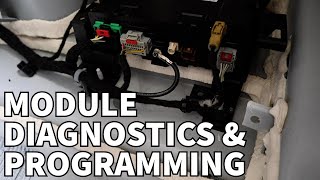
Typical fix: Replace the HMI module. The module is typically located behind the glove box. The new module must be programmed to the vehicle's VIN to disable the anti-theft system and configure it for the vehicle's specific options (RPOs).
Est. part cost: $250-$500 - Serial Data Gateway Module (SDGM) Fault ⚪ Low Probability TSB #PIT5586G and #20-NA-212 mention that a logic lock or poor connector pin tension at the SDGM can cause widespread communication issues, including U0184. The SDGM acts as a router between different CAN bus networks.
How to confirm: This is diagnosed by checking for a wide range of communication codes across multiple modules (e.g., U0155, U0140), not just U0184. A technician would inspect the SDGM connectors (often located at the in-cabin fuse block) for loose or bent pins and may attempt a reset by pulling its dedicated fuse.
Typical fix: Repairing connector terminals, reprogramming the SDGM per TSB #20-NA-212, or, in rare cases, replacing the SDGM.
Est. part cost: $0-$400 - Wiring or Connector Issue ⚪ Low Probability Vibrations or previous dash work can lead to loose connectors at the back of the radio unit or HMI module. In rare cases, the door latch switch that signals the radio to turn off can fail, causing the 'radio stays on' symptom.
How to confirm: Visually inspect the main connectors at the rear of the radio and HMI module for a secure connection. A multimeter can be used to check for proper power (12V+) and ground at the HMI harness.
Typical fix: Reseat or repair the connector and any damaged wiring.
Est. part cost: $0-$50
Rare But Worth Checking
- Low Battery Voltage: A weak or failing battery can cause various electronic modules to temporarily stop communicating during startup, setting history codes like U0184. Always ensure the battery and charging system are healthy before diagnosing network faults.
- Aftermarket Radio Adapter: If an aftermarket radio has been installed, the interface adapter (like a PAC RP5-GM31) used to retain factory features can fail or be wired incorrectly, causing communication errors on the CAN bus and triggering U0184.
Diagnosis Steps
- Scan for all DTCs in all modules. Note which modules are logging the U0184 code. A flood of 'U' codes points towards a network-wide issue like the SDGM.
- Attempt a 'hard reset'. Disconnect the negative battery terminal for 30 minutes. Alternatively, as suggested by TSB #PIT5401E and multiple owner forums, pull the radio/tuner fuse (F29 or F48, a 20A fuse in the passenger-side interior fuse box) for a few minutes and reinstall.
- If the radio works after the reset, it strongly indicates a software flaw. Proceed to a dealer for a software update as recommended by TSB #16-NA-107 and #16-NA-115.
- If the radio remains inoperative, check all fuses related to the radio and infotainment system in both the interior and under-hood fuse boxes.
- Using a professional scan tool, attempt to communicate directly with the 'Human Machine Interface Module'. If there is no communication, this is a hard fault.
- If there is no communication, access the HMI module (behind the glove box) to test for 12V constant power, switched/accessory power, and a solid ground at its electrical connectors.
- If power and ground are good but communication is absent, the HMI module has likely failed and requires replacement and programming.
- If multiple 'U' codes are present for various modules, investigate the Serial Data Gateway Module (SDGM) and its connectors for issues, per TSB #PIT5586G and #20-NA-212.
Parts You'll Likely Need
- Human Machine Interface (HMI) Module
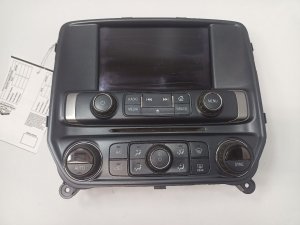
(OEM #Varies by RPO code (IO5 vs IO6 for Nav). Examples include 84096256, 84203826. Must be matched to VIN.)— This is the 'brain' of the infotainment system. It is the part that fails internally (hardware) when a software update does not resolve the issue. It requires VIN-specific programming upon replacement.
Trusted brands: ACDelco (OEM)
OEM price range: $300-$500
Aftermarket price range: $250-$400 (Refurbished/Used, requires programming)
Related Codes That Often Appear With This One
- U0155 — Lost Communication With Instrument Panel Cluster (IPC). If the Serial Data Gateway Module is failing, it can cause communication loss with multiple modules simultaneously.
- U0140 — Lost Communication With Body Control Module (BCM). This also points towards a more systemic network issue, possibly originating at the SDGM, rather than just a radio fault.
Technical Service Bulletins (TSBs) & Recalls
- PIT5586G: Mentions U0184 in a list of codes caused by Serial Data Gateway Module issues.
- PIT5401E/F: Specifically addresses 'Radio Inoperative with No Communication and DTC U0184' and suggests a power cycle as a temporary fix, later superseded by software updates.
- 16-NA-115: Provides a procedure to reprogram the radio to correct U0184 and other inoperability concerns, primarily for 2014 models.
- 16-NA-107: Also recommends reprogramming the radio for U0184 and a blue/inoperative screen, primarily for 2015-2016 models.
- 20-NA-212: Details issues with the Serial Data Gateway Module (SDGM) that can cause U0184, including connector terminal problems and the need for a software update.
Platform-Specific Known Issues
- TSB #16-NA-115 and #16-NA-107 specifically address concerns of the radio being inoperative and setting DTC U0184, with the official fix being a software reprogram.
- TSB #PIT5401E/F documents the 'Radio Inoperative with No Communication and DTC U0184' issue and suggests a fuse pull as a temporary diagnostic step before the permanent software solution (which became TSB 16-NA-107/115) was released.
- TSB #PIT5586G and #20-NA-212 list U0184 among many other communication codes that can be caused by a logic lock at the Serial Data Gateway Module (SDGM), indicating a broader network issue rather than an isolated radio fault.
Mechanic-Grade Diagnostic Values
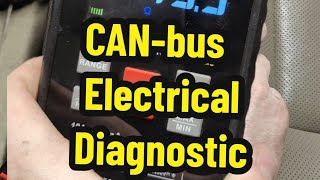
- CAN Bus Network Resistance — expected: ~60 Ohms. Failure: A reading of ~120 Ohms indicates one of the two terminating resistors is offline (e.g., a disconnected or failed module). A reading near 0 Ohms indicates a short between the CAN High and CAN Low wires.
- CAN Bus Voltage (Key On, Engine Off) — expected: CAN High (Pin 6 to Ground): ~2.7V. CAN Low (Pin 14 to Ground): ~2.3V.. Failure: Significant deviation from these voltages can indicate a short to power/ground or a faulty module transceiver.
- HMI Module Battery Voltage — expected: 12.0 - 12.6V. Failure: Low voltage at the module's power pin indicates a supply issue (fuse, wiring) that must be fixed before condemning the module.
Scan Tool Commands That Help
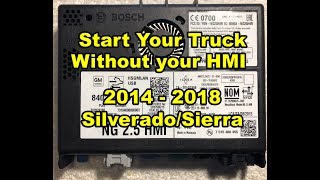
- Physical Jumper Wire: HMI Module Bypass Jumper — If the HMI module is removed for replacement/programming, the truck may not start because the HMI completes a CAN bus circuit. Jumpering specific pins on the main HMI connector (X1) re-completes the circuit, allowing the vehicle to start and run while the module is out. Pins 11 and 13 are jumped together, and pins 12 and 14 are jumped together.
- GDS2 (GM Diagnostic Software): Radio Reprogramming — This is the primary function used to execute TSB #16-NA-107/115. It updates the HMI module's software to the latest calibration to fix known glitches that cause the U0184 code.
Wiring & Ground Locations
- HMI Module Connector X1 (Black) — Behind the glove box, connected to the silver Human Machine Interface module.. This is the main data connector for the HMI. The CAN bus signals pass *through* this connector. If it's disconnected, it breaks the communication loop for other modules, and the vehicle may not start. Pin 11 is Battery Positive Voltage, and Pin 1 is Ground.
- G303 / G304 — G303 is on the left (driver's) side B-pillar, behind the trim panel. G304 is on the right (passenger's) side B-pillar.. Body grounds like these are critical for the proper function of interior electronics, including the infotainment system. Poor grounding can cause intermittent and difficult-to-diagnose electronic issues.
- Right Instrument Panel Fuse Block — Located in the right end of the dashboard, accessible with the passenger door open.. This fuse block contains the primary fuses for the radio and infotainment system, often labeled 'RDO' or similar. A fuse pull here is the recommended first reset procedure.
Real Owner Repair Stories
- YouTube user comment (2015 GMC Sierra) — Black screen, no radio function, U0184 code present.
❌ Tried (didn't work) Fuse pull reset (worked temporarily), Dealer software update (did not resolve the issue)
✅ What actually fixed it The HMI module itself had failed internally. Replacing the HMI module with a pre-programmed unit from an aftermarket supplier resolved all symptoms and cleared the code.
OEM Part Supersession History
Varies (e.g., 23266008)→Varies (e.g., 84096817, 84156701, 84513027)— Software and hardware revisions to improve stability and add features like Apple CarPlay/Android Auto in later model years.
Heads up: HMI modules are specific to Navigation (IO6) or Non-Navigation (IO5) systems. A replacement module must match the vehicle's original RPO code. While many part numbers exist, suppliers often state that selecting the correct model year and IO5/IO6 option is more critical than matching the exact part number, as they will provide the latest compatible version.
Model Year Variations Within This Range
- 2014-2015: These model years used the HMI 2.0 module, which did not support Apple CarPlay or Android Auto.
- 2016-2019 (Limited): These model years used the HMI 2.5 module, which introduced support for Apple CarPlay and Android Auto. The base radio option was a 7-inch screen, while SLE and higher trims received an 8-inch screen.
Helpful Videos
![How To Test CAN BUS With A Multimeter [CAN Bus Resistance Check] Mechanic Mindset](https://img.youtube.com/vi/JPE42HSJxAk/mqdefault.jpg)

We Have This Part in Stock





The information in this article is provided for general reference and educational purposes only. Vehicle specifications, procedures, and part compatibility can vary by production date, trim level, and region. Always consult your vehicle's factory service manual and verify part numbers before purchasing or performing repairs. Safety-critical components such as airbags, seat belts, and braking systems should be installed by a qualified professional.
- Gmc SIERRA 1500:
- 🎬 Helpful Videos
- 🛍️ Shop This Part
- What's Unique About the 2014-2019 Gmc SIERRA 1500
- Diagnostic Flowchart
- Symptoms You May Notice
- Most Likely Causes
- Rare But Worth Checking
- Diagnosis Steps
- Parts You'll Likely Need
- Related Codes That Often Appear With This One
- Technical Service Bulletins (TSBs) & Recalls
- Platform-Specific Known Issues
- Mechanic-Grade Diagnostic Values
- Scan Tool Commands That Help
- Wiring & Ground Locations
- Real Owner Repair Stories
- OEM Part Supersession History
- Model Year Variations Within This Range
- 🎟️ Get 5% Off