

U0184 on 2015-2016 GMC Canyon: Radio Communication Loss Causes & Fixes
On a 2015-2016 GMC Canyon, code U0184 almost always indicates a software problem with the radio. The most common, manufacturer-documented fix is a radio software update performed by a dealer, as outlined in TSB 16-NA-107. Sometimes, simply pulling the radio fuse for a few minutes to reset it will temporarily restore function, confirming the software-based nature of the fault.
- U0184 on a 2015-2016 Canyon means the radio has stopped communicating on the vehicle's network.
- Before spending any money, try the simplest fix: pull the radio fuse for 10 minutes to reset the module.
- The most common permanent fix is a software update for the radio, which must be performed by a GM dealer or a properly equipped independent shop.
- Do not replace other modules that may have stored this code; they are simply reporting that the radio is offline.
- The vehicle is safe to drive with this code, as it only affects infotainment features.
What's Unique About the 2015-2016 Gmc CANYON
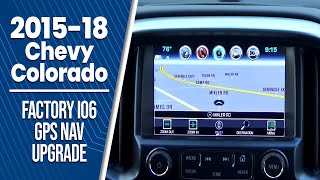
For this specific generation of GMC Canyon and its sibling, the Chevy Colorado, the U0184 code is overwhelmingly linked to a known software glitch within the factory radio (MyLink systems with RPO codes IO3, IO5, or IO6). General Motors has issued multiple Technical Service Bulletins (TSBs), most notably 16-NA-107, acknowledging this exact problem. Unlike other vehicles where this code might point to wiring or other module failures, on the 2015-2016 Canyon, the root cause is very frequently a software calibration issue that requires reprogramming.
Diagnostic Flowchart
Tap your situation to follow the diagnostic path that matches what you're seeing on this vehicle.
Symptoms You May Notice
- Radio is completely inoperative (blank or black screen). 🎬 Watch: Troubleshooting a blank MyLink screen on your truck.
- Radio display is stuck on a blue screen.
- No audio from the speakers, even with the radio off.
- AM radio stations have a 'clipping' or distorted noise.
- The screen is unresponsive to touch.
- Time lag or slow transitions on the display, especially when using the backup camera.
- Loss of Bluetooth or USB media playback.
- Extremely loud static for a few seconds on startup, even with the radio off.
- Radio randomly changes channels or seems to have a mind of its own.
- Replacing the Body Control Module (BCM) or other modules that are reporting the U0184 code. The U-code indicates which module is *missing*, not which module is at fault.
- Immediately replacing the radio without first attempting a power cycle and checking 🎬 Watch: How to reset and reboot your Canyon's infotainment system. for the required software update.
Most Likely Causes
- Radio Software/Firmware Glitch 🔴 High Probability This is a widely documented issue acknowledged by GM in TSB #16-NA-107, which states the cause may be a software calibration issue within the radio for vehicles with IO3, IO5, or IO6 RPO codes.
How to confirm: A temporary fix is to power-cycle the radio by pulling its fuse for several minutes. If communication and function return, a software issue is extremely likely. The permanent fix requires checking for software updates with a dealer. TSB PIT5401 series also recommended this as an initial diagnostic step.
Typical fix: Reprogram the radio (often called the Human Machine Interface or HMI module) with the latest software using the GM Service Programming System (SPS). This is a dealer or specialized shop service.
Est. part cost: $0 - Radio Module Lock-up 🟡 Medium Probability The same software issues can cause the module to freeze or 'lock up', becoming unresponsive until its power is completely cycled. This is a common experience reported by owners.
How to confirm: Disconnect the negative battery terminal for 15-30 minutes or pull the specific fuse for the radio/tuner. In many cases, the fuse for the radio is located in the passenger side interior fuse panel. If the radio begins working correctly after power is restored, it was locked up.
Typical fix: Performing a power cycle is the immediate fix. However, if it happens repeatedly, the underlying cause is the software glitch that requires reprogramming per TSB 16-NA-107 to prevent future lock-ups.
Est. part cost: $0 - Faulty Radio/HMI Module ⚪ Low Probability While less common than software issues, internal hardware failure of the radio or HMI module can occur. This can be due to failed memory chips or other circuit board damage.
How to confirm: If a power cycle does not restore function and a dealer is unable to reprogram the module (or reprogramming fails), the module itself is suspect. This is a diagnosis of exclusion after software solutions are attempted.
Typical fix: Replace the radio/HMI module. The replacement unit will need to be programmed to the vehicle's VIN to avoid a 'Theft Locked' message.
Est. part cost: $400-$1200 - Low Battery Voltage ⚪ Low Probability Modern electronic modules are sensitive to voltage. A weak or failing battery can cause random communication codes to be set during startup as modules fail to initialize correctly.
How to confirm: Test the vehicle's battery and charging system. A resting voltage below 12.4V indicates a weak battery. The code will often be stored in history rather than being an active fault.
Typical fix: Charge or replace the vehicle's battery.
Est. part cost: $150-$300
Rare But Worth Checking
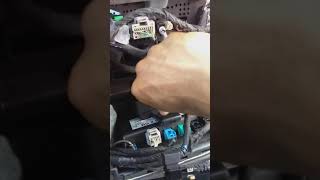
- Wiring or Connector Issue: While rare for this specific code on this truck, it's worth a visual inspection. Check the connectors on the back of the radio and at the Body Control Module (BCM) for any signs of looseness, damage, or corrosion, especially if aftermarket equipment has been installed. Some owners on forums have reported the main antenna plug on the back of the unit becoming loose, causing reception issues, though this does not typically cause a U0184 code.
Diagnosis Steps
- Verify the symptoms: Radio is inoperative, screen is blank/blue, etc.
- Use an OBD-II scanner to confirm that U0184 is present. Note if it is an 'active' or 'history' code and which other modules are reporting it.
- Attempt the simplest fix first: Perform a hard reset. Locate the fuse for the radio/infotainment system (often labeled 'Radio' or 'Display' in the passenger compartment fuse panel), pull it out, wait 5-10 minutes, and then reinstall it. Alternatively, disconnect the negative battery terminal for 15 minutes.
- Check if radio function has returned. If it has, the problem is almost certainly a software glitch or module lock-up. The issue may return.
- If the reset does not work, the next step is to seek professional service. A technician will need to use GM's Service Programming System (SPS) to check for and apply any available software updates for the radio module, as specified in TSB #16-NA-107. The TSB notes that even if the radio is not communicating, a power cycle may restore communication long enough to perform the update.
- If the module cannot be communicated with even after a power cycle, or if reprogramming fails, the technician will then test the power, ground, and data lines at the radio connector.
- If all wiring and power sources are confirmed to be good, the radio/HMI module itself is deemed faulty and will require replacement and programming.
Parts You'll Likely Need
- Radio Control Module (HMI Module) Software Update — This is not a physical part, but a software re-flash that corrects the most common cause of the U0184 code on this vehicle, as documented by GM in TSB 16-NA-107.
Trusted brands: ACDelco (GM Genuine)
OEM price range: $100-$250
Aftermarket price range: N/A - Radio Control Module (HMI Module)
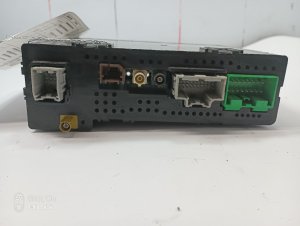
(OEM #84156699, 23364950)— This part is only needed if software reprogramming and power/ground checks fail, indicating an internal hardware failure. Part number varies by specific radio option (IO5, IO6). For example, 84156699 is a common HMI for IO5/IO6 systems, and 23364950 is listed for IO6. A replacement module must be programmed by a dealer.
Trusted brands: ACDelco (GM Genuine)
OEM price range: $600-$1200
Aftermarket price range: $300-$700 (Used/Refurbished)
Related Codes That Often Appear With This One
- U0140 — Lost Communication with Body Control Module (BCM). This can appear if a broader network issue exists, but for this specific problem, it often logs simply because the BCM is one of the primary modules that expects to hear from the radio.
- U0155 — Lost Communication with Instrument Panel Cluster (IPC). The IPC and radio often share the same low-speed data bus, so a fault that takes the radio offline can sometimes be logged by the instrument cluster as well.
Technical Service Bulletins (TSBs) & Recalls
- 16-NA-107: Provides a fix to reprogram the radio for conditions including DTC U0184, an inoperative radio, and blue screens. This is the primary corrective TSB.
- PIT5401F: Supersedes earlier PIT5401 versions. Acknowledged the U0184/no-communication issue and pointed technicians toward the final software fix in TSB 16-NA-107.
- PIT5401E: Addresses an inoperative radio with no communication and DTC U0184, suggesting a power cycle as a temporary fix.
- PIT5401D: Advises technicians on how to handle an inoperative radio with U0184, starting with a power removal from the radio.
- PIT5401C: Notes that U0184 may be stored in multiple modules when the radio is inoperative.
Platform-Specific Known Issues
- TSB #16-NA-107 explicitly details the U0184 code in conjunction with symptoms like an inoperative radio, blue screen, and AM noise, identifying the cause as a software calibration issue and the fix as reprogramming the radio.
- TSB #PIT5401E (and later revision F) acknowledges that the radio may be inoperative with U0184 set, and recommends cycling the radio fuse as an interim measure. It was later superseded by 16-NA-107 once a permanent software solution was released.
Mechanic-Grade Diagnostic Values
- Low-Speed GMLAN Bus (Circuit 5060) Signal Voltage — expected: Toggling between ~0.2V (logic '1') and ~4.0V+ (logic '0').. Failure: A static voltage (stuck high or low) or no voltage indicates a bus or module fault. Voltage greater than 4.5V during a short-to-voltage test indicates a circuit fault.
- Radio/HMI Module Power Supply Pin — expected: 12.0V - 12.6V with key on.. Failure: Low or no voltage points to a problem with the fuse, wiring, or power source, not the HMI module itself.
- Radio/HMI Module Ground Pin Resistance — expected: Near 0 Ohms of resistance to a known good chassis ground.. Failure: High resistance (more than a few ohms) indicates a poor ground connection, which can cause intermittent module operation.
- Low-Speed GMLAN Bus (Circuit 5060) Resistance to Ground — expected: Greater than 100 Ω with ignition off and module disconnected.. Failure: Resistance less than 100 Ω indicates a short to ground in the data line.
Hidden / Shadow Codes Worth Checking
- E-4491 (SPS Error): This is not a DTC, but a Service Programming System (SPS) error that can occur when attempting to reprogram the HMI module. (see via This error appears on the screen of the dealer scan tool (GDS2/TIS2Web) during a failed programming event. It is often caused by attempting to program the module after it has lost communication due to the GDS2 data list bug mentioned in TSB PIC6296.)
- U0184 00: The '00' is a standard symptom byte meaning 'No Additional Information.' This is the most common variant of this code when the radio module simply stops communicating without a specific internal fault being reported. (see via A professional scan tool like the GM GDS2 will display the code with its symptom byte.)
Scan Tool Commands That Help
- GDS2 / GM SPS: Radio Reprogramming with SPS (Labor Op 2810335) — This is the primary, manufacturer-recommended fix for the software glitch that causes U0184, as detailed in TSB 16-NA-107. It should be performed after a power cycle confirms the issue is software-based.
- GDS2: HMI Module Data List — Used to view live data from the HMI module. However, be aware of the trap described in TSB PIC6296: viewing this data list for more than 5-60 seconds can cause the HMI to lose communication with the scan tool, mimicking a module failure.
- GDS2 / GM SPS: HMI Module Setup — This function is required after installing a new or used HMI module. It programs the vehicle's VIN and specific configuration (RPO codes) into the module to ensure all features work and to prevent a 'Theft Locked' message.
Wiring & Ground Locations
- Low-Speed GMLAN Wire — This is a single wire, often dark green, that runs to the radio/HMI module. It is designated as Circuit 5060 in GM wiring diagrams.. This is the specific data wire used by the radio to communicate with all other modules. A short or open on this wire will directly cause a U0184 code.
- Infotainment Fuse — In the 2016 Canyon, the Instrument Panel Fuse Block is located on the driver's side of the dashboard, behind a storage compartment. Fuse #12 (10A) is listed for the Infotainment System.. This fuse provides power to the HMI module. Pulling this fuse for several minutes is the recommended method for power-cycling the module to perform a soft reset.
- Ground Splice Packs (SP-105, SP-106) — Under the hood. SP-105 is on the driver's side near the battery, and SP-106 is on the passenger side behind the engine airbox.. These splice packs are known weak points in the grounding system for the entire Colorado/Canyon platform. While not a primary cause for U0184, a corroded ground here can cause a host of intermittent electrical issues, and should be inspected if power/ground problems are suspected.
Real Owner Repair Stories
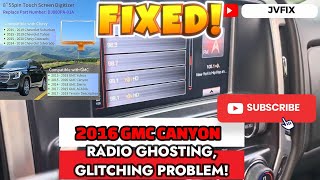
- YouTube channel JVFIX LLC (2016 GMC Canyon) — Radio screen was glitching, ghosting, and unresponsive. The owner notes the dealer could not fix it.
❌ Tried (didn't work) The owner implies dealer-level diagnostics (likely software updates) did not resolve the issue.
✅ What actually fixed it The problem was fixed by physically replacing the touchscreen digitizer overlay on the front of the radio display. The HMI module itself was not replaced. The repair involved heating the old screen to remove it, and installing a new digitizer with fresh adhesive. - Summary of TSBs 16-NA-107 and PIT5401E (2015-2016 GMC Canyon with IO3, IO5, or IO6 radio) — Radio is inoperative, screen is blank or blue, no audio, and U0184 is set in multiple modules.
❌ Tried (didn't work) Replacing the radio/HMI module before addressing the known software issue.
✅ What actually fixed it The official and most common fix was a two-step process. First, power-cycling the radio by pulling its fuse to temporarily restore communication. Second, having a GM dealer perform a software update by reprogramming the radio module using the Service Programming System (SPS) to apply the permanent fix.
"I Checked Everything" — The Actual Cause
- A technician can find good power, good ground, and visually intact wiring to the HMI module, yet still be unable to communicate with it using a GDS2 scan tool. The hidden cause, documented in TSB PIC6296, is a software bug where simply viewing the HMI's live data stream for more than a minute can cause the module to drop off the diagnostic bus. The module is not faulty, but appears to be. The actual fix is to power-cycle the module by pulling its fuse, which restores communication long enough to perform other tasks like reprogramming.
OEM Part Supersession History
84156699→84296480— Standard part revision by the manufacturer, likely for improved reliability or component changes.
Heads up: The new part number (84296480) is the correct service replacement for the original. Both require VIN programming by a dealer upon installation.
Model Year Variations Within This Range
- 2015-2016: There are no significant differences between the 2015 and 2016 models regarding the cause of this specific code. The software fault and the corrective TSBs apply to both model years, indicating the issue was not resolved in production until the updated software was released in 2016.
Helpful Videos

We Have This Part in Stock





The information in this article is provided for general reference and educational purposes only. Vehicle specifications, procedures, and part compatibility can vary by production date, trim level, and region. Always consult your vehicle's factory service manual and verify part numbers before purchasing or performing repairs. Safety-critical components such as airbags, seat belts, and braking systems should be installed by a qualified professional.
- Gmc CANYON:
- 🎬 Helpful Videos
- 🛍️ Shop This Part
- What's Unique About the 2015-2016 Gmc CANYON
- Diagnostic Flowchart
- Symptoms You May Notice
- Most Likely Causes
- Rare But Worth Checking
- Diagnosis Steps
- Parts You'll Likely Need
- Related Codes That Often Appear With This One
- Technical Service Bulletins (TSBs) & Recalls
- Platform-Specific Known Issues
- Mechanic-Grade Diagnostic Values
- Hidden / Shadow Codes Worth Checking
- Scan Tool Commands That Help
- Wiring & Ground Locations
- Real Owner Repair Stories
- "I Checked Everything" — The Actual Cause
- OEM Part Supersession History
- Model Year Variations Within This Range
- 🎟️ Get 5% Off